It is currently Sat Jun 20, 2026 4:44 pm


All times are UTC - 5 hours [ DST ]


Post new topic Reply to topic  [ 6 posts ] 
Author Message
 Post subject: From Gimp2 or Gimp3 to Filter Forge (Win 10)
PostPosted: Wed Apr 23, 2025 3:48 pm  (#1) 
Offline
GimpChat Member
User avatar

Joined: Jan 13, 2011
Posts: 2639
Location: Poland
Filter Forge (latest version is 14) creates PBR textures, seamless tiles,mandale, distortions, watercolor effects and more.
Filter Forge works as a standalone program (paid) with free filter libraries.
https://www.filterforge.com/
14115 free user-submitted filters:
https://www.filterforge.com/filters/

From time to time, older versions of the program are available for free download (my version is 7).

However, you can't use the typical ShellOut (FF starts without the possibility of exporting a layer from Gimp) or 8bf.
However, FF has 8 test images to evaluate the effect of filters.
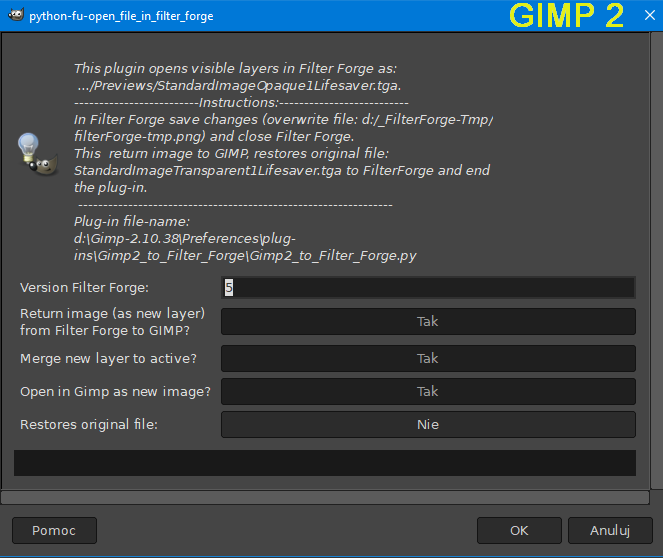
My idea is to overwrite 1 image with a layer from Gimp.
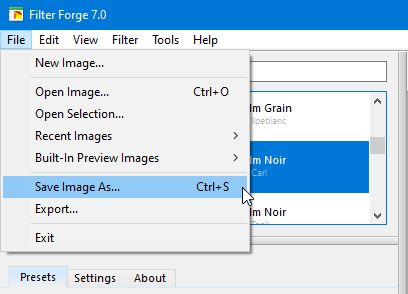
It concerns the first one in the order: Built-In Preview Images Lifesaver.
Few filters themselves change the test image, so you have to set it back to Lifesaver.
After applying a filter, you always overwrite one swap file:
d:/_FilterForge-Tmp/filterforge-tmp.png.
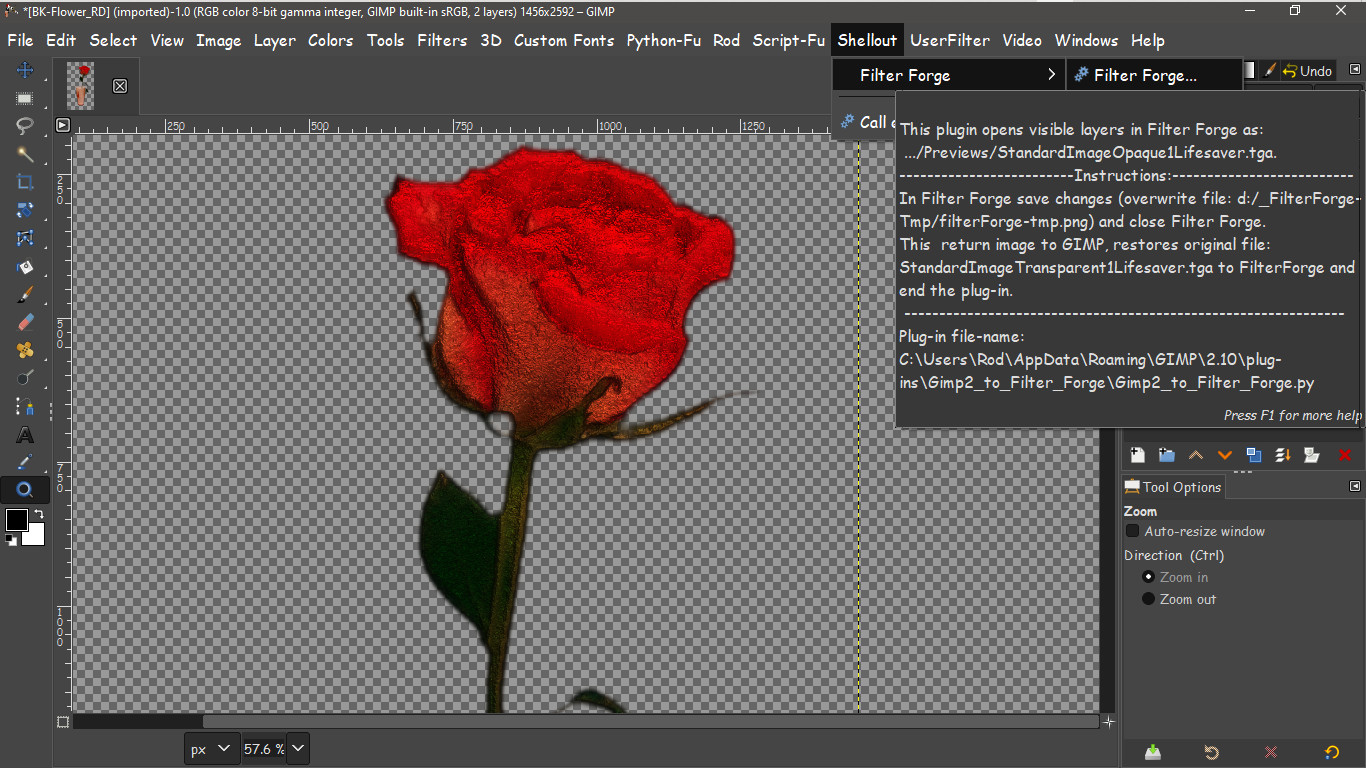
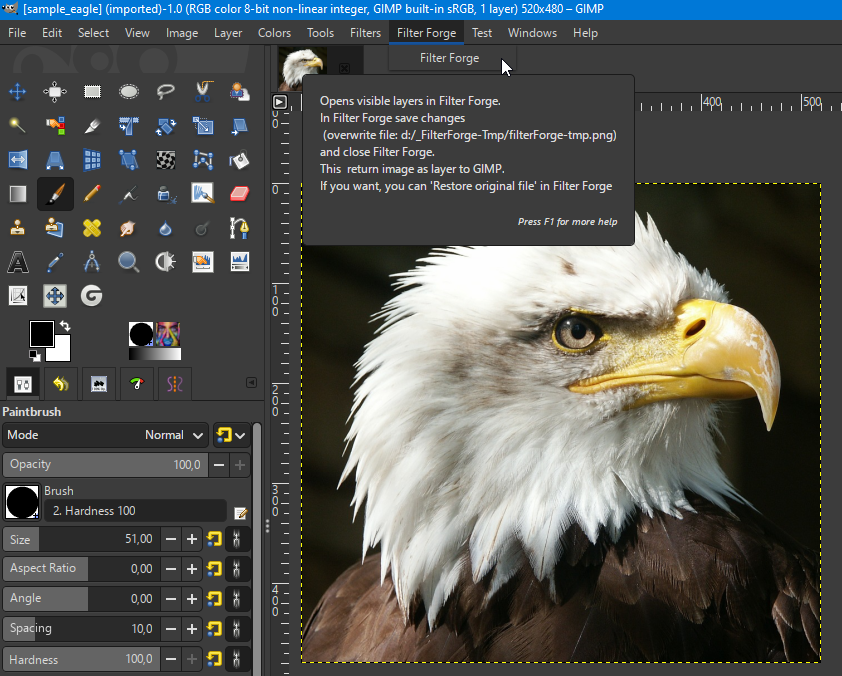
After closing FF, you will return to Gimp with a new layer.


Installation plugin:

Place two directories:
1. On drive d swap directory d:\_FilterForge-Tmp (contains swap file to overwrite: filterforge-tmp.png)
2. In plug-ins directory Gimp_to_Filter_Forge (contains: Gimp_to_Filter_Forge.py and StandardImageOpaque1Lifesaver.tga).
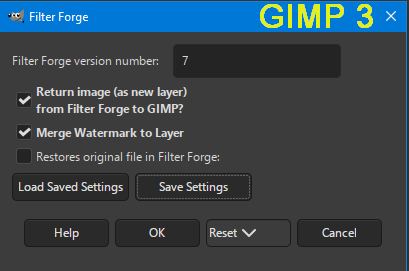
Image

Image

Image

Image

Image

Image

Image

And important:
Filter Forge must be given write permissions via Properties ➤ Security ➤ Edit

Image

-----------------------------------------------------------------------------
Edit 25.04.2025
Changed attachment for Gimp 3:
disabled 2 lines from sys.stderr


Attachments:
Gimp3_to_Filter_Forge.zip [1.12 MiB]
Downloaded 86 times
Gimp2_to_Filter_Forge.zip [1.12 MiB]
Downloaded 75 times

_________________
Image


Last edited by MareroQ on Fri Apr 25, 2025 4:51 am, edited 2 times in total.
Share on Facebook Share on Twitter Share on Orkut Share on Digg Share on MySpace Share on Delicious Share on Technorati
Top
 Post subject: Re: From Gimp2 or Gimp3 to Filter Forge (Win 10)
PostPosted: Thu Apr 24, 2025 1:47 am  (#2) 
Offline
GimpChat Member
User avatar

Joined: Jan 13, 2011
Posts: 2639
Location: Poland
Hi Rod.

I was surprised by your message about the missing d:\ drive.
You can place the directory with the swap file anywhere (I chose d:\ with a name with '_ ' so that it would be easy to find).
However, you need to edit the *.py file.

Find:
xchange_ff='d:/_FilterForge-Tmp/filterforge-tmp.png'

gimp2 line 83
gimp3 line 110

and replace it with the location of your choice (but remember to check if it is writable in the new location).

_________________
Image


Top
 Post subject: Re: From Gimp2 or Gimp3 to Filter Forge (Win 10)
PostPosted: Fri Apr 25, 2025 1:52 am  (#3) 
Offline
Global Moderator
User avatar

Joined: May 16, 2010
Posts: 16037
Hi MareroQ

I did make sure permissions were set to full for c/program files/filter forge 14, the py file and the temp folder.
I changed the lines in the python files to c directory as well.
Still doesn't show in gimp 2 nor gimp 3 menu. ;(

EDIT:
Ok after setting full perms to the actual tga file in the Filter Forge 14/ Previews directory i got it to work in Gimp-2 but not in Gimp 3 still.

_________________
Image


Top
 Post subject: Re: From Gimp2 or Gimp3 to Filter Forge (Win 10)
PostPosted: Fri Apr 25, 2025 4:10 am  (#4) 
Offline
Global Moderator
User avatar

Joined: May 16, 2010
Posts: 16037
Works excellent in Gimp-2 though! :)

Much faster than shellout to PS CS2 to FF. :hi5 :bigthup

Don't know why i can't get it to work in Gimp-3.

Image

_________________
Image


Top
 Post subject: Re: From Gimp2 or Gimp3 to Filter Forge (Win 10)
PostPosted: Fri Apr 25, 2025 4:24 am  (#5) 
Offline
GimpChat Member
User avatar

Joined: Jan 13, 2011
Posts: 2639
Location: Poland
Hi Rod.

Thanks for your comments.

Regarding permissions.
I had the option to choose: apply changes to all files and subfolders.

Regarding registration in the Gimp3 menu.
Denzjos reported a problem with sys.stder files.
viewtopic.php?f=9&t=21641#p296022
Does the modified version for Gimp3 in #1 (without sys.stder) register in the menu?

_________________
Image


Top
 Post subject: Re: From Gimp2 or Gimp3 to Filter Forge (Win 10)
PostPosted: Fri Apr 25, 2025 8:54 pm  (#6) 
Offline
Global Moderator
User avatar

Joined: May 16, 2010
Posts: 16037
MareroQ wrote:
Hi Rod.

Thanks for your comments.

Regarding permissions.
I had the option to choose: apply changes to all files and subfolders.

Regarding registration in the Gimp3 menu.
Denzjos reported a problem with sys.stder files.
viewtopic.php?f=9&t=21641#p296022
Does the modified version for Gimp3 in #1 (without sys.stder) register in the menu?


Yes it does! :) Thanks! :hi5

_________________
Image


Top
Post new topic Reply to topic  [ 6 posts ] 

All times are UTC - 5 hours [ DST ]


* Login  


Powered by phpBB3 © phpBB Group