It is currently Wed Nov 25, 2026 2:21 pm


All times are UTC - 5 hours [ DST ]


Post new topic Reply to topic  [ 4 posts ] 
Author Message
 Post subject: Restoring Missing G'MIC Filters in GIMP 2.8.18
PostPosted: Wed Nov 25, 2026 2:09 am  (#1) 
Offline
Administrator
User avatar

Joined: Aug 10, 2012
Posts: 14284
Location: Native to NYC living in Arizona, Gimp 2.8 - 3.0, Win 11 PC.
.

:hoh
I recently discovered that
several filters were missing from my G'MIC 1.7.9,
including Dream Smoothing,
one of my favorites.

I first noticed this after a Windoze update,
although I can't confirm any connection.

The built-in updater no longer worked,
so what followed turned into quite a deep dive for me.


How I Restored the Filters

1. Located the original update179.gmic
file through the Wayback Machine.

2. Backed up my %APPDATA%\gmic folder.

3. Copied update179.gmic into the correct folder.

4. Restarted GIMP.


The Result

My filter count increased from 367 to 480,
restoring 113 filters, including Dream Smoothing.
No reinstallation of GIMP or G'MIC was necessary.

G'MIC 1.7.9 is compatible with GIMP 2.8.18,
so I'll stick with my restored installation for now.

It was quite a learning experience,
but I'm glad I stuck with it.
Best of all, I have one of my favorite filters back.


My Takeaway

Recovering the original, version-specific update179.gmic
file was all it took to restore the missing filter collection.

_________________
Image
"A wise man learns more from a foolish question than a fool can learn from a wise answer"
Image


Share on Facebook Share on Twitter Share on Orkut Share on Digg Share on MySpace Share on Delicious Share on Technorati
Top
 Post subject: Re: Restoring Missing G'MIC Filters in GIMP 2.8.18
PostPosted: Wed Nov 25, 2026 4:19 am  (#2) 
Offline
GimpChat Member
User avatar

Joined: Nov 04, 2015
Posts: 1497
Good that you got it resolved Wallace. :bigthup
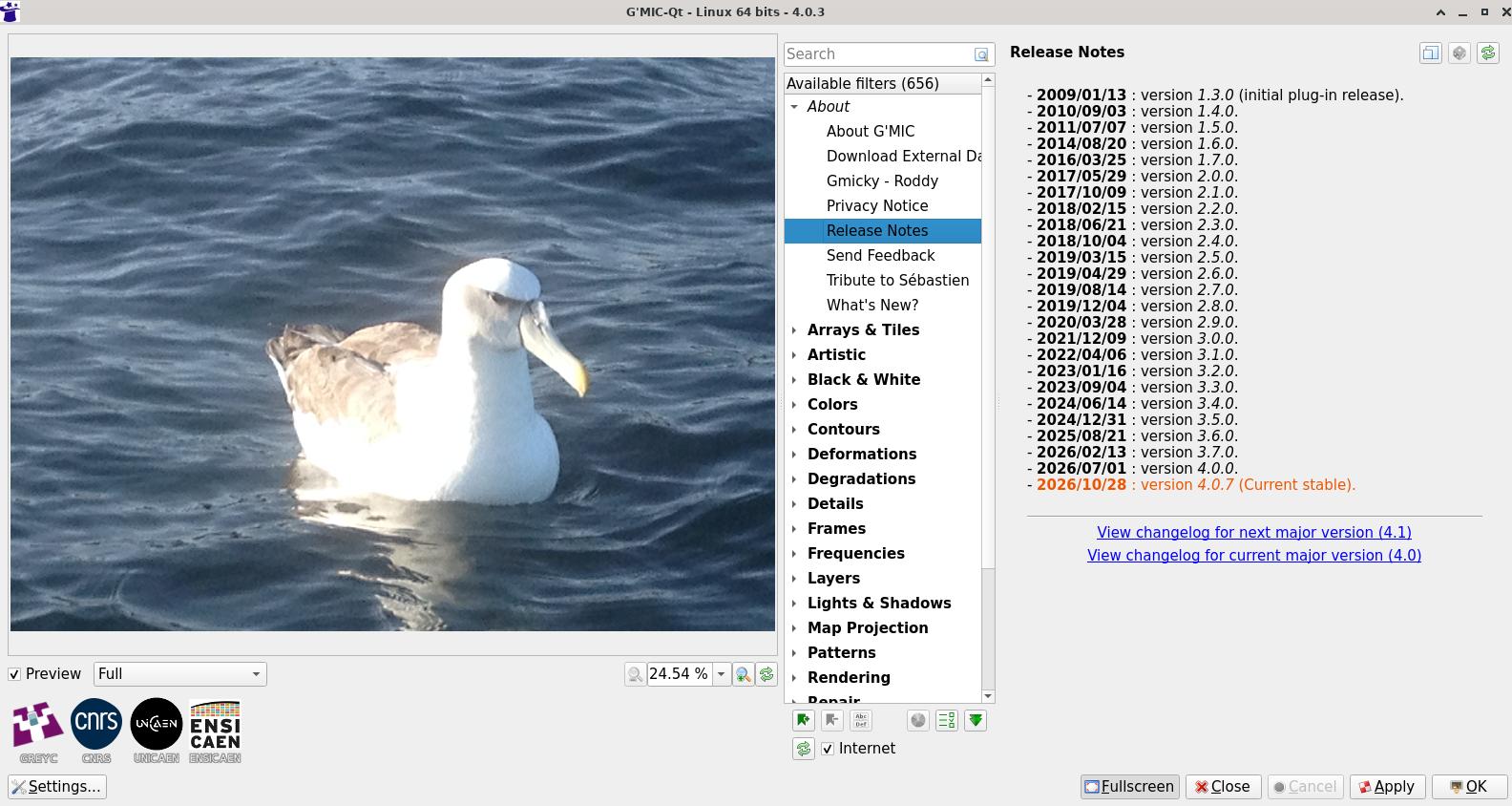
A few years ago I decided G'MIC didn't need to be a Gimp plug-in. ('divide and conquer' :)
Also they don't usually malfunction at the same time. :)
Image

The 'qt' part of g'mic_qt is important because it's a rival of GTK (Gimp tool kit) which is Gimp's gui framework. Unfortunate for Gimp but GTK gets updated because of all the other FOSS software that now uses it. That includes office suits like Libre Office.

I also like GEGL because Gimp gives a preview of what many of it's filters can do but it's real power is applied from home made scripts. :)


Top
 Post subject: Re: Restoring Missing G'MIC Filters in GIMP 2.8.18
PostPosted: Wed Nov 25, 2026 11:10 am  (#3) 
Offline
Administrator
User avatar

Joined: Aug 10, 2012
Posts: 14284
Location: Native to NYC living in Arizona, Gimp 2.8 - 3.0, Win 11 PC.
Tas_mania wrote:
Good that you got it resolved Wallace. :bigthup
A few years ago I decided G'MIC didn't need to be a Gimp plug-in. ('divide and conquer' :)
Also they don't usually malfunction at the same time. :)

[ Image ]

The 'qt' part of g'mic_qt is important because it's a rival of GTK (Gimp tool kit) which is Gimp's gui framework. Unfortunate for Gimp but GTK gets updated because of all the other FOSS software that now uses it. That includes office suits like Libre Office.

I also like GEGL because Gimp gives a preview of what many of it's filters can do but it's real power is applied from home made scripts. :)

Thanks, Tas.
I hadn't given much thought to the relationship between Qt and GTK,
or how changes to GTK could affect GIMP plugins.
I can certainly see the advantages of keeping things separate.
In my case,
I'm happy just to get my missing filters back,
especially Dream Smoothing!

_________________
Image
"A wise man learns more from a foolish question than a fool can learn from a wise answer"
Image


Top
 Post subject: Re: Restoring Missing G'MIC Filters in GIMP 2.8.18
PostPosted: Wed Nov 25, 2026 12:20 pm  (#4) 
Offline
Global Moderator
User avatar

Joined: May 16, 2010
Posts: 16314
I noticed with my AURA virus software files come up missing sometimes and when i check the virus vault there they are. So sometimes just restoring them fixes things. Just something that everyone should be made aware of. :)

Every time i would download a portable dev version of Inkscape 1.5 AURA would grab the zip file and i would have to restore it. False positives are pretty silly.

Glad to see you fixed your files Wallace. Sometimes these things can be an adventure. But you do learn a lot in the process.

_________________
Image


Top
Post new topic Reply to topic  [ 4 posts ] 

All times are UTC - 5 hours [ DST ]


* Login  


Powered by phpBB3 © phpBB Group