It is currently Wed Sep 02, 2026 5:41 am


All times are UTC - 5 hours [ DST ]


Post new topic Reply to topic  [ 12 posts ] 
Author Message
 Post subject: Aligning and wrapping an image along a border...
PostPosted: Mon Jan 26, 2015 7:25 pm  (#1) 
Offline
New Member

Joined: Jan 26, 2015
Posts: 1
I would really appreciate some suggestions for this. I am a new(ish) GIMP user and honestly this project has devolved more towards a matter of principal than necessity. I HAVE to figure it out.
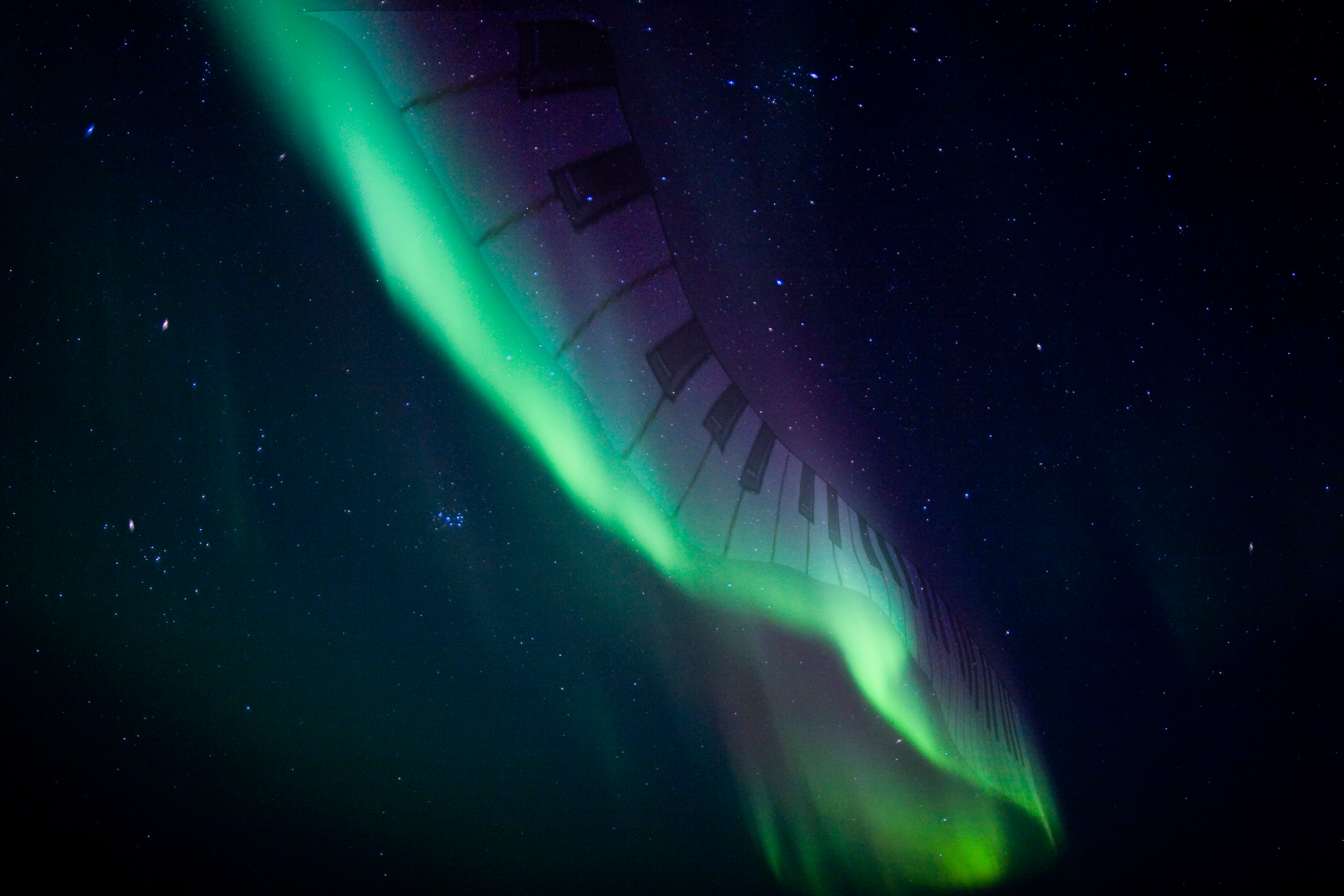
I am trying to align an image along the edge of the aurora in the picture. The image I am trying to place is piano keys. that will flow up and warp with my target.

Any suggestions at all, I would appreciate it.


Attachments:
Aurora2.jpg
Aurora2.jpg [ 2.21 MiB | Viewed 6350 times ]
Share on Facebook Share on Twitter Share on Orkut Share on Digg Share on MySpace Share on Delicious Share on Technorati
Top
 Post subject: Re: Aligning and wrapping an image along a border...
PostPosted: Mon Jan 26, 2015 9:43 pm  (#2) 
Offline
GimpChat Member

Joined: Jan 09, 2015
Posts: 22
There are a few ways you could approach this. One out-of-the-box way in GIMP would be to rotate the image so the background is aligned such that the piano keys are vertical, and then use the Filters > Distorts > Curve Bend... filter, and some trial and error, to warp the piano into the desired shape.

Other ways might include if someone has made a path-bend plugin or script, then you could draw the curves directly on the aurora instead of eyeballing it in the Curve Bend interface, or by writing some custom scripting in the G'MIC plugin for a more analytical approach.


Top
 Post subject: Re: Aligning and wrapping an image along a border...
PostPosted: Tue Jan 27, 2015 7:16 am  (#3) 
Offline
Global Moderator
User avatar

Joined: May 16, 2010
Posts: 16169
Depending on how you want the keys to look. I would just create a path following the aurora and using a wing ding of a piano key or two use either Ofnuts "Text along Path python script) OR GIMPS right click text layer>text along path filter.
If you create a path along the bottom of the aurora cloud that should work.

_________________
Image


Top
 Post subject: Re: Aligning and wrapping an image along a border...
PostPosted: Tue Jan 27, 2015 7:42 am  (#4) 
Offline
Global Moderator
User avatar

Joined: May 16, 2010
Posts: 16169
http://www.dafont.com/pianofonte.font
With the correct letter combo and letter spacing this just might work for you along with text to path.

Never mind looks like GIMP wants to place the center of the text along the path for some reason.
Image

You could most likely do this in Inkscape however.

_________________
Image


Top
 Post subject: Re: Aligning and wrapping an image along a border...
PostPosted: Tue Jan 27, 2015 8:04 am  (#5) 
Offline
GimpChat Member
User avatar

Joined: Apr 07, 2010
Posts: 14182
First of all, do you have some piano keys that you will be using, are they all separate? What you could do is get some piano keys and make them into a paint brush, then do as Rod mentioned and make a path along where you want them to flow. You could put them on different layers so you can fade, resize and blur some.

_________________
Image


Top
 Post subject: Re: Aligning and wrapping an image along a border...
PostPosted: Tue Jan 27, 2015 8:29 am  (#6) 
Offline
Global Moderator
User avatar

Joined: May 16, 2010
Posts: 16169
molly wrote:
First of all, do you have some piano keys that you will be using, are they all separate? What you could do is get some piano keys and make them into a paint brush, then do as Rod mentioned and make a path along where you want them to flow. You could put them on different layers so you can fade, resize and blur some.

Great idea Molly i didn't think of creating a brush from the image and stroking the path. :bigthup

_________________
Image


Top
 Post subject: Re: Aligning and wrapping an image along a border...
PostPosted: Tue Jan 27, 2015 8:39 am  (#7) 
Offline
GimpChat Member
User avatar

Joined: Apr 07, 2010
Posts: 14182
There are so many ways to arrive at the same destination in Gimp, it is amazing.

_________________
Image


Top
 Post subject: Re: Aligning and wrapping an image along a border...
PostPosted: Tue Jan 27, 2015 9:00 am  (#8) 
Offline
Global Moderator
User avatar

Joined: May 16, 2010
Posts: 16169
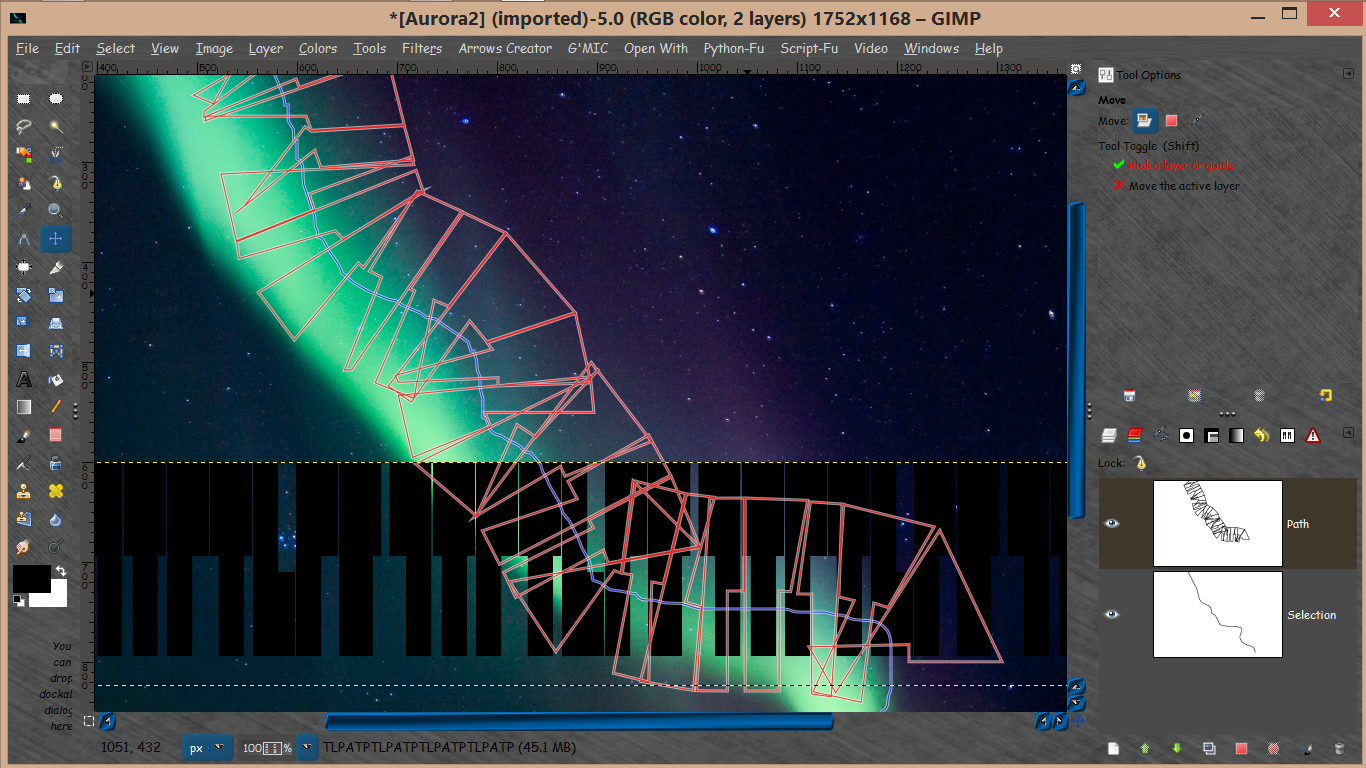
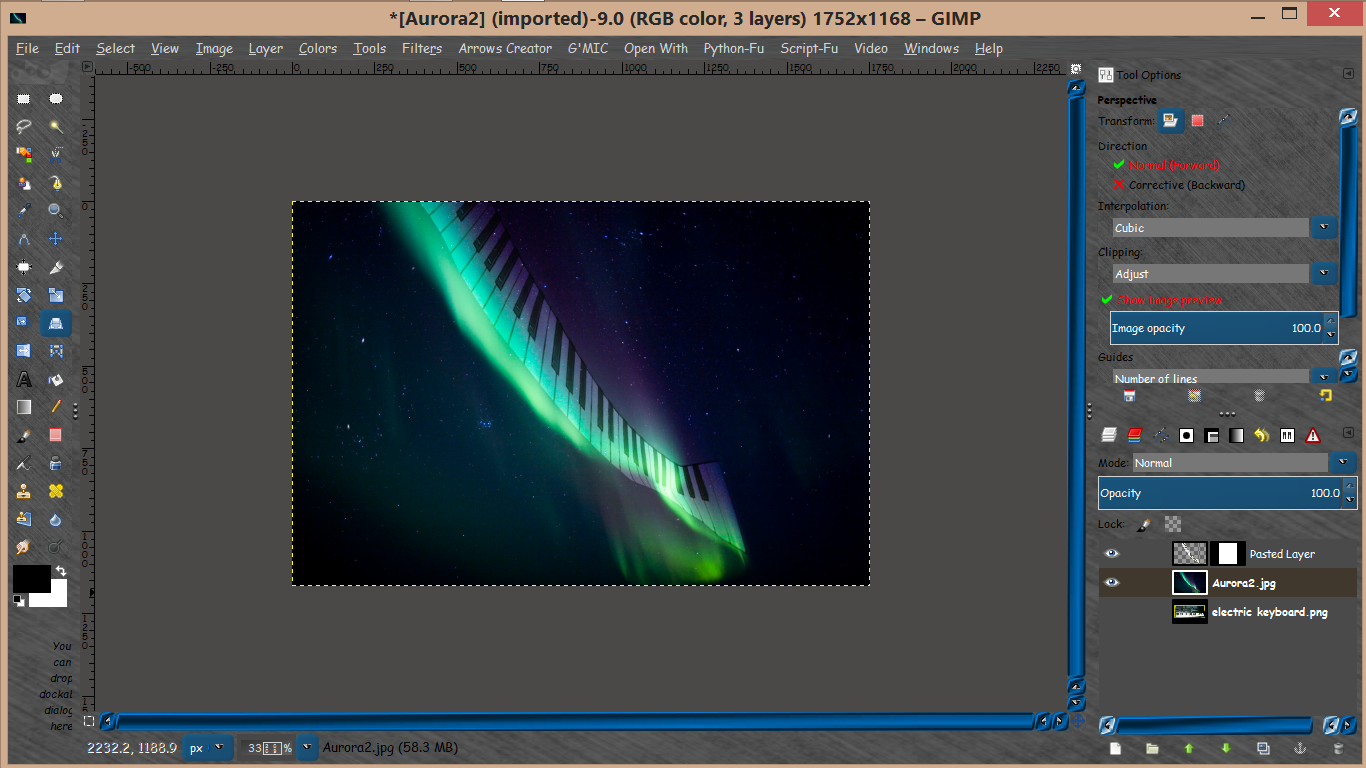
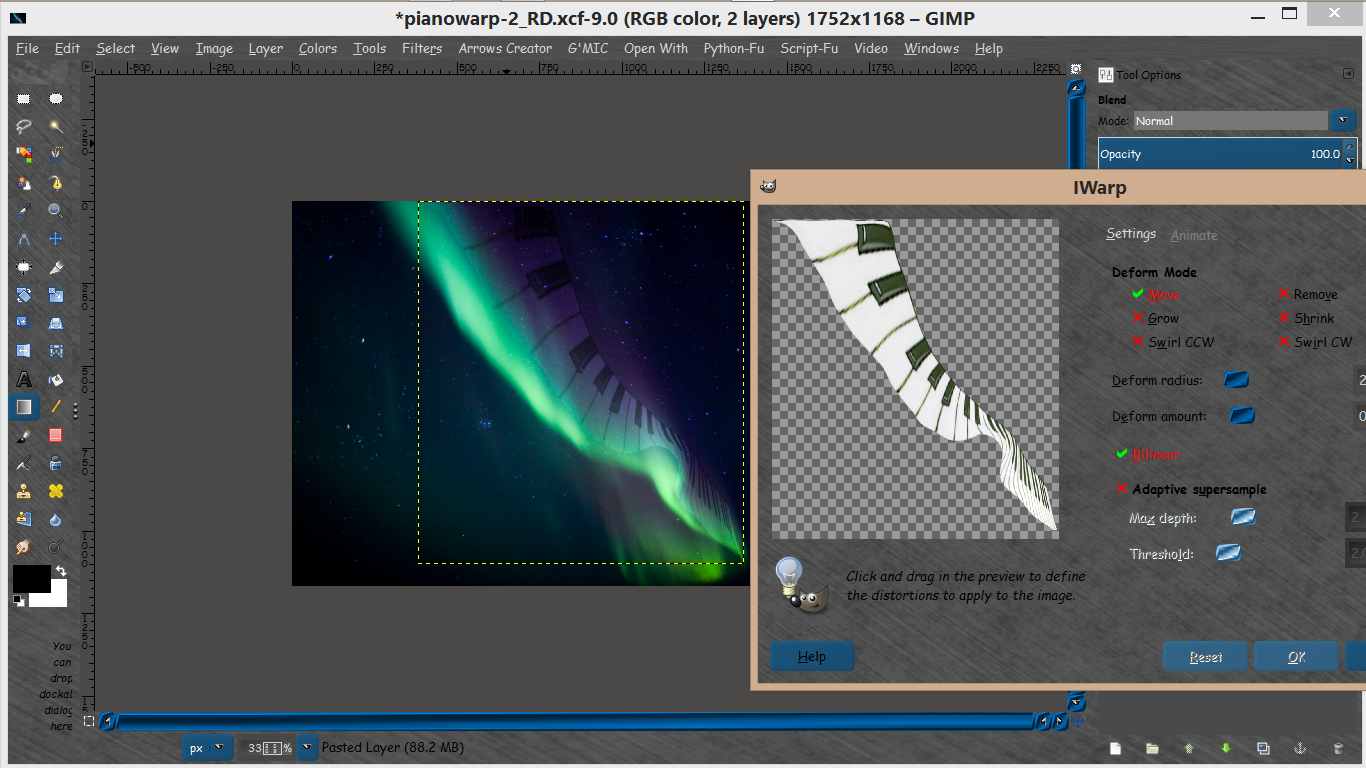
Using Filters>Distort>IWARP try distorting the keys image with that after you use perspective to get the shape right.

Image

If you get the perspective correct and use small amounts of IWARP you can get much better results.

XCF attached
Attachment:
pianowarp_RD.xcf [6.26 MiB]
Downloaded 201 times

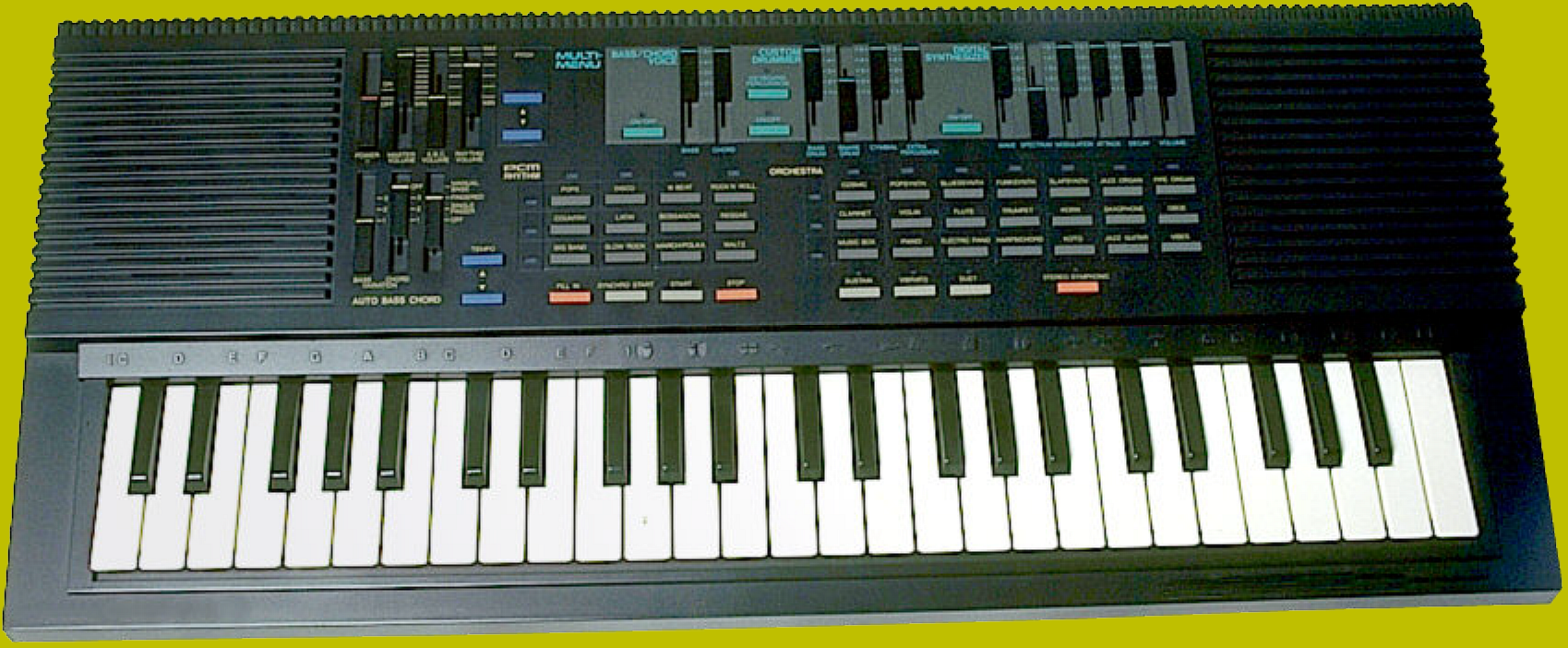
Keyboard image is mine so you may use as you wish.
Image

_________________
Image


Top
 Post subject: Re: Aligning and wrapping an image along a border...
PostPosted: Tue Jan 27, 2015 9:35 am  (#9) 
Offline
Global Moderator
User avatar

Joined: Apr 01, 2012
Posts: 8468
Location: On the other side of your screen
I have made a brush and a pattern
Image
Path stroked with keys brush
Image
Path stroked with pattern


Attachments:
New folder.zip [132.61 KiB]
Downloaded 143 times

_________________
Image
Free Fun Photo Editing & resources
Poems from the Lord
Gimp Newby
Gimp version 3.2.4 and GMIC-Qt 4.0.2 OS :- Windows 10 Home 64
Top
 Post subject: Re: Aligning and wrapping an image along a border...
PostPosted: Tue Jan 27, 2015 10:04 am  (#10) 
Offline
Global Moderator
User avatar

Joined: May 16, 2010
Posts: 16169
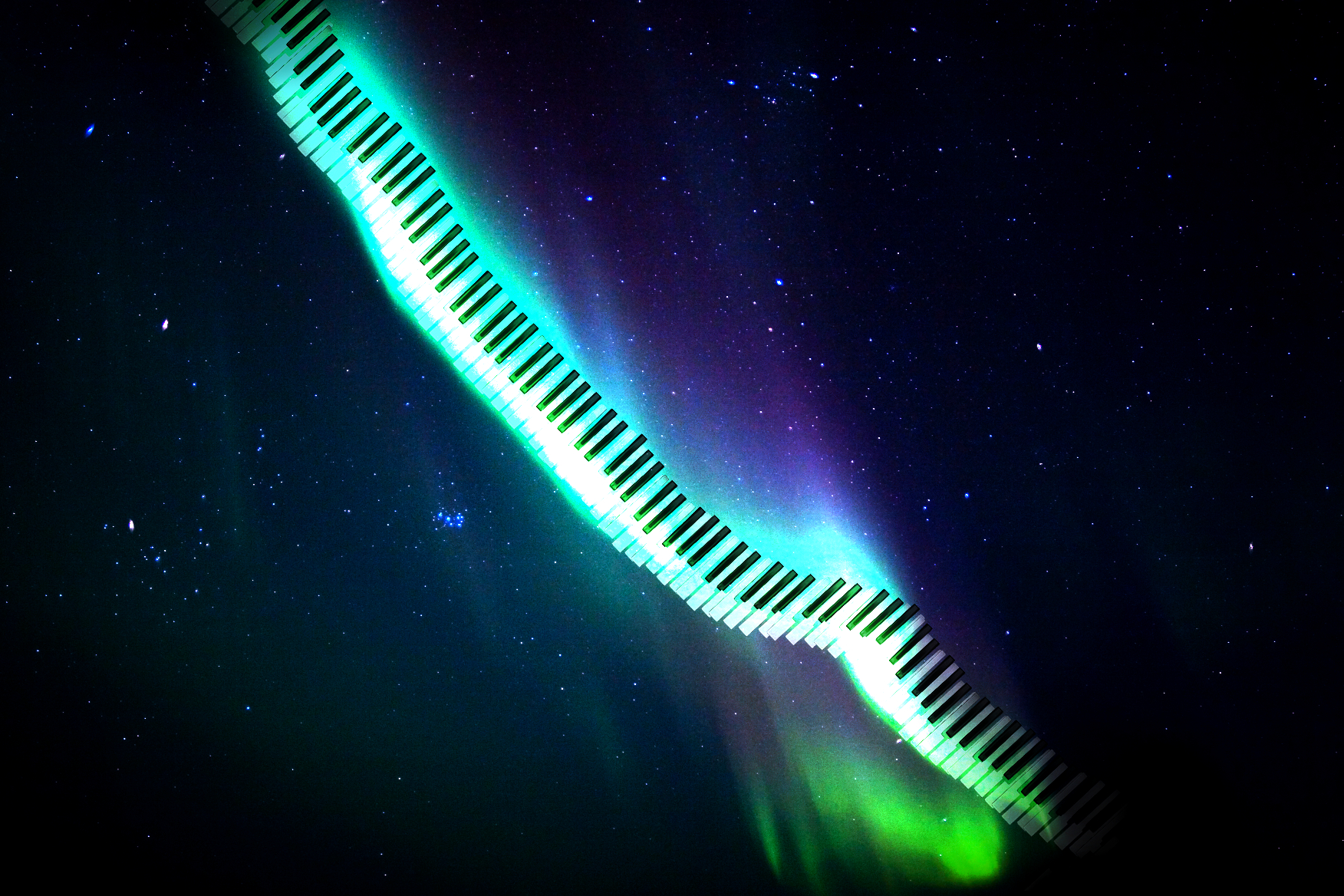
Here is another try with more detailed IWARP movements. XCF is attached. Keyboard layer is in Overlay mode.

Image

Attachment:
pianowarp-2_RD.xcf [6.87 MiB]
Downloaded 208 times

_________________
Image


Top
 Post subject: Re: Aligning and wrapping an image along a border...
PostPosted: Tue Jan 27, 2015 10:17 am  (#11) 
Offline
Global Moderator
User avatar

Joined: May 16, 2010
Posts: 16169
About as good as i can get it.

Image

_________________
Image


Top
 Post subject: Re: Aligning and wrapping an image along a border...
PostPosted: Tue Jan 27, 2015 3:44 pm  (#12) 
Offline
Administrator
User avatar

Joined: Aug 10, 2012
Posts: 14190
Location: Native to NYC living in Arizona, Gimp 2.8 - 3.0, Win 11 PC.
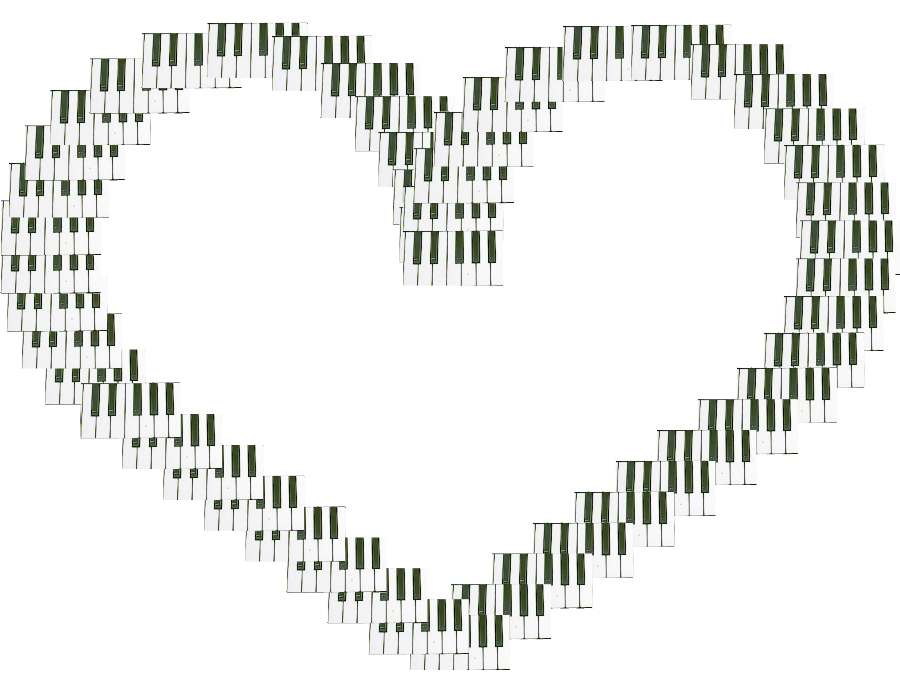
I made this piano key animated brush just for this thread. Maybe this can be used to create the effect you're looking to produce.
I made this image below using it. I just stroked the brush along a path, but I think Rod's idea to use IWarp might work out better after the brush is applied in the size wanted.

Image

Attachment:
Animated Piano Key Brush.zip [499.07 KiB]
Downloaded 134 times

_________________
Image
"A wise man learns more from a foolish question than a fool can learn from a wise answer"
Image


Top
Post new topic Reply to topic  [ 12 posts ] 

All times are UTC - 5 hours [ DST ]


* Login  


Powered by phpBB3 © phpBB Group