im still researching layerfx and yesterday i watched this little video about the Inner Shadow in Photoshop's Layerstyles
http://www.youtube.com/watch?feature=player_detailpage&v=MJiYhkluVwQ#t=72sthe neat thing about this video is how you can see the different looks of the shadow, when the guy drags it around or turns on and off the feathering
so i made this experiment and you have to download my .xcf file in order to understand what i did
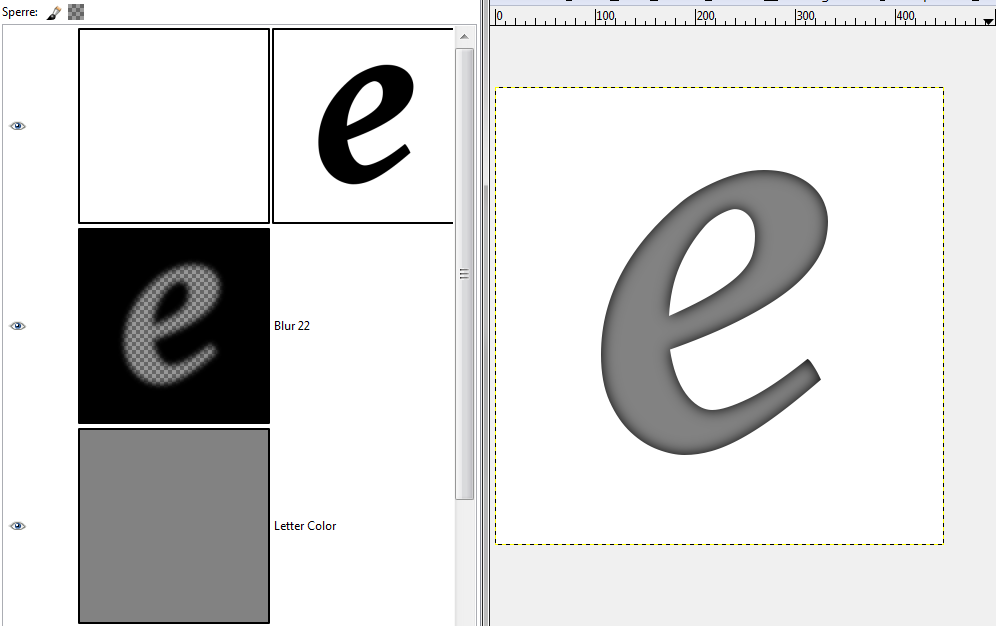
it starts with what appears to be the background layer in white, but there is a layermask, so that the letter 'e' is cut out
underneath it, is a grey layer, that will appear to be the letter 'e' in grey
and between it, is a black layer with the letter 'e' cut out from it

you can now drag the black layer around and see your inner shadow forming
the more you drag it inside, the greater the 'Distance' in layerfx terms

when you blur the black layer, you get a softer look
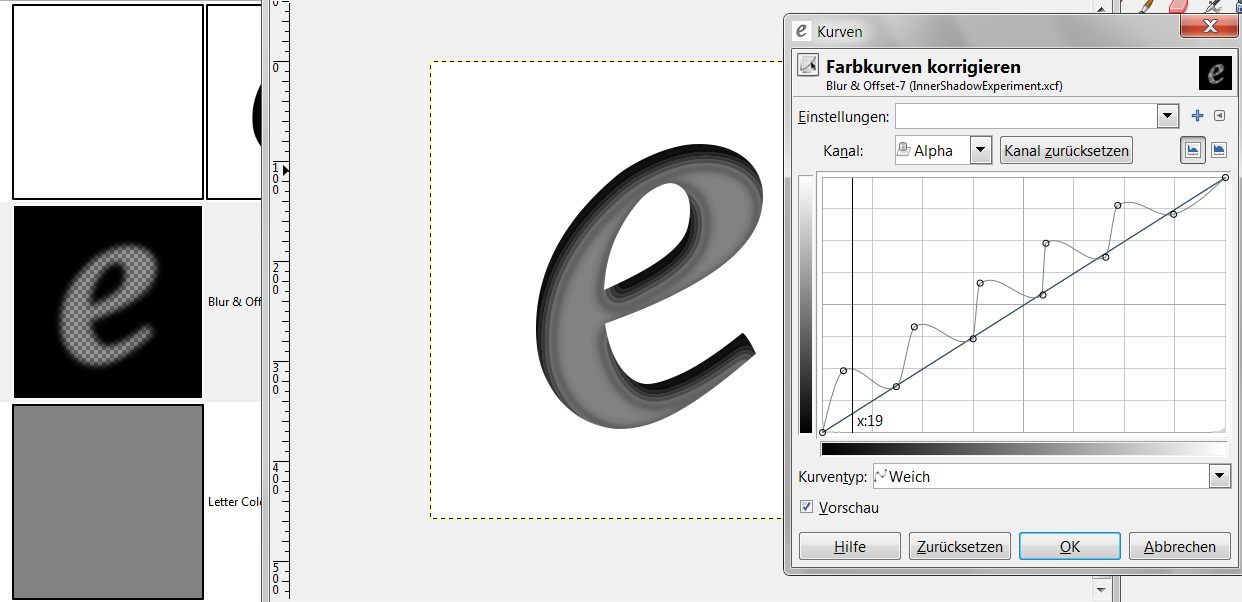
and finally you can apply some curves to the alpha channel of your blurred offset cut-out layer, to get contours
Attachment:
 final.png [ 26.16 KiB | Viewed 2063 times ]
 Login
Login Register
 Tweets
 FAQ
FAQ Advanced Search








