It is currently Thu Jun 04, 2026 3:21 pm


All times are UTC - 5 hours [ DST ]


Post new topic Reply to topic  [ 6 posts ] 
Author Message
 Post subject: New Filters in gimp version 3
PostPosted: Tue Apr 28, 2026 11:51 pm  (#1) 
Offline
Global Moderator
User avatar

Joined: Apr 01, 2012
Posts: 8358
Location: On the other side of your screen
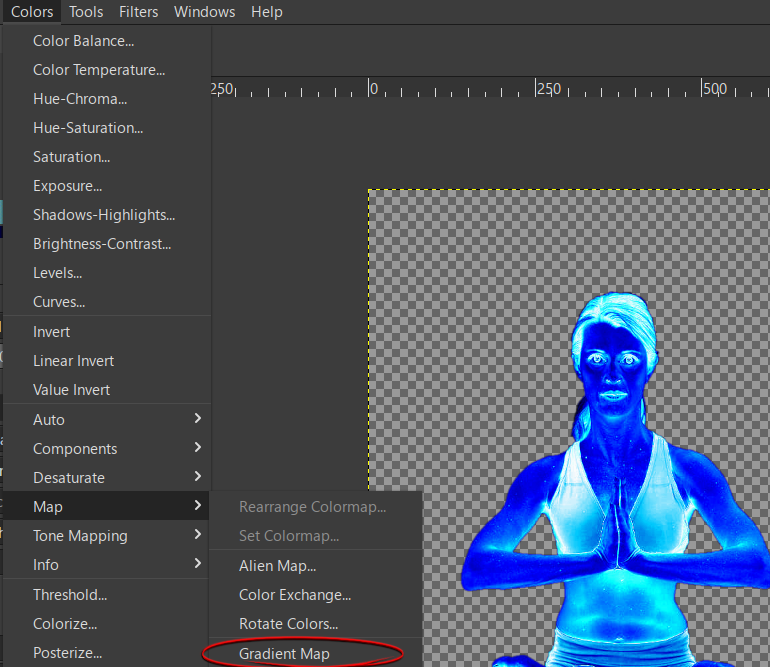
I know it has been out for a while now but I just found this one recently - Gradient Map
The Gradient Map filter
'This filter is now in the Colors menu, and allows you to “colorize” an image, using the color intensity of each point with the corresponding color from the active gradient (the intensity 0, very dark, is replaced by the color at most left end of the gradient, progressively until the intensity is 255, very light, replaced by the most right color of the gradient. '
Attachment:
Gradient map.png
Gradient map.png [ 155.1 KiB | Viewed 927 times ]
Colourized with a gradient
Attachment:
lotus pose colourised.png
lotus pose colourised.png [ 307.98 KiB | Viewed 899 times ]
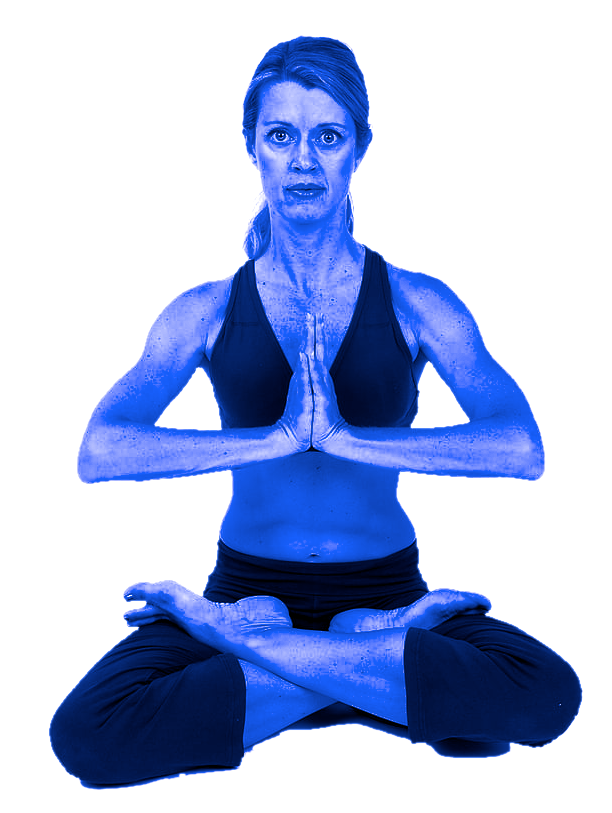
Not new - colourized with a solid colour


What new one have you just come across?

_________________
Image
Free Fun Photo Editing & resources
Poems from the Lord
Gimp Newby
Gimp version 3.2.0 and GMIC-Qt 3.7.5 OS :- Windows 10 Home 64


Share on Facebook Share on Twitter Share on Orkut Share on Digg Share on MySpace Share on Delicious Share on Technorati
Top
 Post subject: Re: New Filters in gimp version 3
PostPosted: Wed Apr 29, 2026 2:54 am  (#2) 
Offline
GimpChat Member
User avatar

Joined: May 10, 2013
Posts: 1430
Location: FInland
Is gradient map new?
On 2.10 I used lot of tonemapping filters, especially Mantiuk and Stress with custom values. 20-25% opacity HSV layer mode to make portraits and nature pics stand more out. Now I see there's a new tonemapping filter called destripe. "To remove vertical stripe artifacts."
So far weird results. Used on non-stripy image it sometimes creates blurry stripes, sometimes creates transparent stripes.

Attachment:
crow-eaten-rabbit.jpg
crow-eaten-rabbit.jpg [ 437.48 KiB | Viewed 905 times ]


Top
 Post subject: Re: New Filters in gimp version 3
PostPosted: Wed Apr 29, 2026 5:31 am  (#3) 
Offline
Global Moderator
User avatar

Joined: Apr 01, 2012
Posts: 8358
Location: On the other side of your screen
Apparently there was a way to do 'like gradient map' before. It is included in the colour menu now. A few are under Map.

_________________
Image
Free Fun Photo Editing & resources
Poems from the Lord
Gimp Newby
Gimp version 3.2.0 and GMIC-Qt 3.7.5 OS :- Windows 10 Home 64


Top
 Post subject: Re: New Filters in gimp version 3
PostPosted: Wed Apr 29, 2026 6:13 am  (#4) 
Offline
GimpChat Member

Joined: Mar 04, 2011
Posts: 2599
From a historical view
https://docs.gimp.org/2.2/en/plug-in-gradmap.html it was in Filters → Colors → Map → Gradient Map
but then
https://docs.gimp.org/2.4/en/plug-in-gradmap.html it changed to Colors → Map → Gradient Map

...not really new... ;)


Top
 Post subject: Re: New Filters in gimp version 3
PostPosted: Wed Apr 29, 2026 6:57 am  (#5) 
Offline
Global Moderator
User avatar

Joined: Apr 01, 2012
Posts: 8358
Location: On the other side of your screen
Thank you for your explanation rich. I never saw it in filters either. So much to find in gimp that it is not always easy to see everything at once.

_________________
Image
Free Fun Photo Editing & resources
Poems from the Lord
Gimp Newby
Gimp version 3.2.0 and GMIC-Qt 3.7.5 OS :- Windows 10 Home 64


Top
 Post subject: Re: New Filters in gimp version 3
PostPosted: Wed Apr 29, 2026 7:02 am  (#6) 
Offline
Global Moderator
User avatar

Joined: Apr 01, 2012
Posts: 8358
Location: On the other side of your screen
Nidhogg wrote:
Is gradient map new?

as Rich said not new but it is new to the colour menu.

By the way the blurb in my original post is from gimp docs.
https://docs.gimp.org/2.10/en/gimp-conc ... ients.html

_________________
Image
Free Fun Photo Editing & resources
Poems from the Lord
Gimp Newby
Gimp version 3.2.0 and GMIC-Qt 3.7.5 OS :- Windows 10 Home 64


Top
Post new topic Reply to topic  [ 6 posts ] 

All times are UTC - 5 hours [ DST ]


* Login  


Powered by phpBB3 © phpBB Group

