It is currently Mon Jun 15, 2026 6:11 pm


All times are UTC - 5 hours [ DST ]


Post new topic Reply to topic  [ 50 posts ]  Go to page 1, 2, 3  Next
Author Message
 Post subject: Gimp 2.7.4 Update and G'MIC 1.5.0.6
PostPosted: Sun Nov 13, 2011 11:52 pm  (#1) 
Offline
GimpChat Member

Joined: Mar 14, 2011
Posts: 998
Just uploaded a new version of Gimp 2.7.4 - latest (as of today, November 13th, 2011) maintenance release and the latest G'MIC 1.5.0.6. I know, David is already on the road to 1.5.0.7, but hard to keep up with him. :)

Let me know if this does not work for you or it breaks etc.

Thanks,
Partha


Share on Facebook Share on Twitter Share on Orkut Share on Digg Share on MySpace Share on Delicious Share on Technorati
Top
 Post subject: Re: Gimp 2.7.4 Update and G'MIC 1.5.0.6
PostPosted: Mon Nov 14, 2011 1:48 am  (#2) 
Offline
Global Moderator
User avatar

Joined: May 16, 2010
Posts: 16028
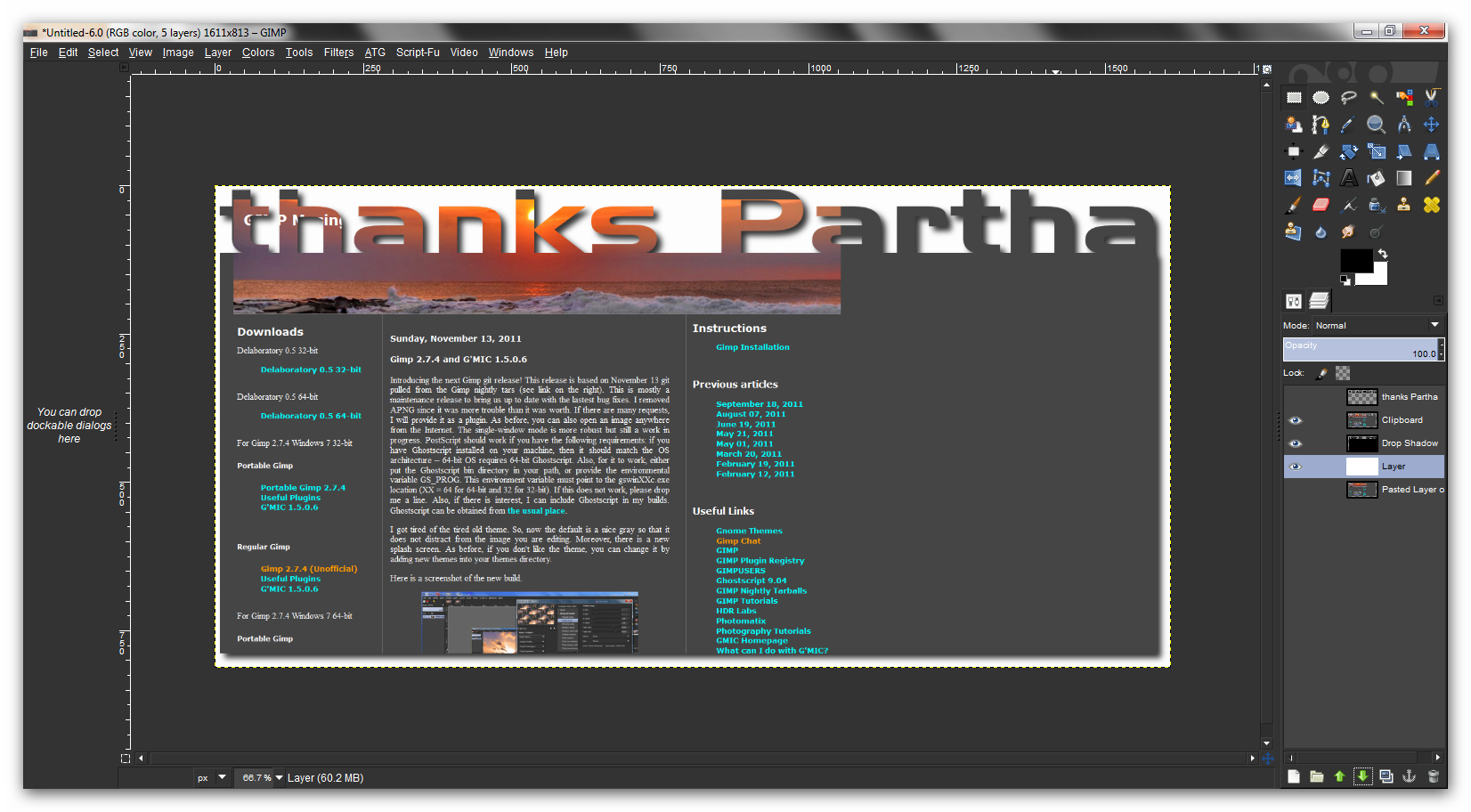
Thanks Partha! :) (love the new splash btw) ... could you throw them all together in a zip for us as you create them?
I would love to keep the collection.
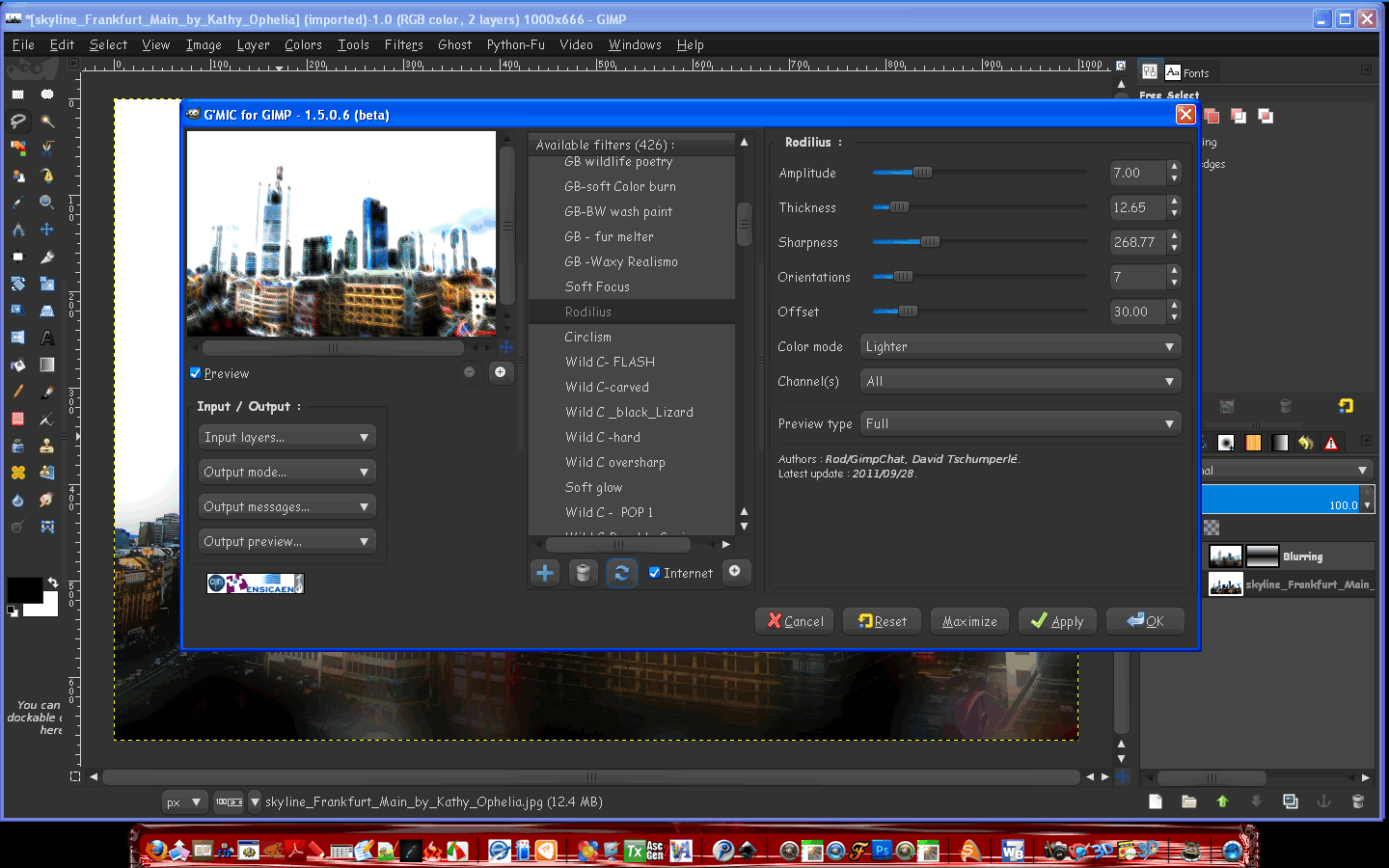
Works excellent in Windows XP 32 bit.
Screen shot

Image

Thanks again for all your hard work, and your help.

_________________
Image


Top
 Post subject: Re: Gimp 2.7.4 Update and G'MIC 1.5.0.6
PostPosted: Mon Nov 14, 2011 3:03 am  (#3) 
Offline
GimpChat Member

Joined: Apr 12, 2010
Posts: 5870
great ...downloading now

_________________
My 3D Gallery on Deviantart http://photocomix2.deviantart.com/
Main gallery http://www.flickriver.com/photos/photocomix-mandala/
Mandala and simmetry http://www.flickriver.com/photos/photocomix_mandala/

Image

Mrs Wilbress


Top
 Post subject: Re: Gimp 2.7.4 Update and G'MIC 1.5.0.6
PostPosted: Mon Nov 14, 2011 4:40 am  (#4) 
Offline
GimpChat Member

Joined: Apr 12, 2010
Posts: 5870
@partha
For the portable did you used the modified gimprun.exe that i tested ?

_________________
My 3D Gallery on Deviantart http://photocomix2.deviantart.com/
Main gallery http://www.flickriver.com/photos/photocomix-mandala/
Mandala and simmetry http://www.flickriver.com/photos/photocomix_mandala/

Image

Mrs Wilbress


Top
 Post subject: Re: Gimp 2.7.4 Update and G'MIC 1.5.0.6
PostPosted: Mon Nov 14, 2011 5:25 am  (#5) 
Offline
GimpChat Member

Joined: Mar 14, 2011
Posts: 998
PhotoComix wrote:
@partha
For the portable did you used the modified gimprun.exe that i tested ?


I had an issue with it on XP and so did not update the portable yet. But since you have Win 7, you should be OK.


Top
 Post subject: Re: Gimp 2.7.4 Update and G'MIC 1.5.0.6
PostPosted: Mon Nov 14, 2011 6:23 am  (#6) 
Offline
GimpChat Member

Joined: Apr 12, 2010
Posts: 5870
ok with what ?
sure the old portable version for me works well with the modified gimrun.exe ...i will wait for the new
(and yes from a selfish point of view i would not mind if would be "7 only" version)

_________________
My 3D Gallery on Deviantart http://photocomix2.deviantart.com/
Main gallery http://www.flickriver.com/photos/photocomix-mandala/
Mandala and simmetry http://www.flickriver.com/photos/photocomix_mandala/

Image

Mrs Wilbress


Top
 Post subject: Re: Gimp 2.7.4 Update and G'MIC 1.5.0.6
PostPosted: Mon Nov 14, 2011 6:40 am  (#7) 
Offline
GimpChat Member

Joined: Mar 14, 2011
Posts: 998
PhotoComix wrote:
ok with what ?
sure the old portable version for me works well with the modified gimrun.exe ...i will wait for the new
(and yes from a selfish point of view i would not mind if would be "7 only" version)


No problems. :)

For you I will make it available in a location that is not necessarily accessible in general. Don't want any XP users, sending me email about it being broken. :)

You will have to wait till evening US eastern.


Top
 Post subject: Re: Gimp 2.7.4 Update and G'MIC 1.5.0.6
PostPosted: Mon Nov 14, 2011 12:12 pm  (#8) 
Offline
GimpChat Member

Joined: Sep 05, 2011
Posts: 5
Hi, my first post on this forum although I have been using Gimp for some years and more recently following Partha's 2.7 updates.

I downloaded the new 2.7.4 (32 bit regular) yesterday. It seems to install just fine but I get the error message "GNU imagage manimpulation program has encountered a problem and needs to close" when I try to open it. I have uninstalled and reinstalled without success.

I am using XP SP3 and have not had this problem with previous 2.7.x updates.. One quirk is that I install to my D: partition and not to the default C:... which I keep for system files only

I have tried to attach the error file for information but "the extension txt is not allowed"? Would it be helpful to paste the full contents... or am I missing something?

Mark


Top
 Post subject: Re: Gimp 2.7.4 Update and G'MIC 1.5.0.6
PostPosted: Mon Nov 14, 2011 12:42 pm  (#9) 
Offline
GimpChat Member

Joined: Aug 05, 2011
Posts: 606
Location: limestone,ny
Can i install over the 2.7.4 i'm running now..don't want to lose any scripts or plugins
win7 64


Top
 Post subject: Re: Gimp 2.7.4 Update and G'MIC 1.5.0.6
PostPosted: Mon Nov 14, 2011 12:45 pm  (#10) 
Offline
Global Moderator
User avatar

Joined: May 16, 2010
Posts: 16028
Hi MarkUK, and welcome to Gimp Chat.
I believe your problem may stem from the user environment PATH variable.
Is the PATH located there to the D Gimp-2.7 install?
A path to Gimps bin folder has to be present for Gimp to find its dependencies.

Quote:
Can i install over the 2.7.4 i'm running now..don't want to lose any scripts or plugins
win7 64


I did with Windows XP without a hitch.(IF YOUR OLDER VERSION IS A PARTHA VERSION)
Otherwise uninstall through the CP.Then reinstall Parthas version to avoid conflicts.
Just make sure your added resources are in the USERFOLDER/.gimp-2.7 folders only.
Then you won't lose anything.

_________________
Image


Top
 Post subject: Re: Gimp 2.7.4 Update and G'MIC 1.5.0.6
PostPosted: Mon Nov 14, 2011 1:01 pm  (#11) 
Offline
GimpChat Member

Joined: Aug 05, 2011
Posts: 606
Location: limestone,ny
thanks Rod
i made a backup of plugins, scripts, patterns and gradients just in case

off to download the newest 2.7.4 32bit is what i've been running
thanks Partha


Top
 Post subject: Re: Gimp 2.7.4 Update and G'MIC 1.5.0.6
PostPosted: Mon Nov 14, 2011 1:08 pm  (#12) 
Offline
GimpChat Member

Joined: Sep 05, 2011
Posts: 5
Hi and many thanks

Quote:
I believe your problem may stem from the user environment PATH variable.
Is the PATH located there to the D Gimp-2.7 install?
A path to Gimps bin folder has to be present for Gimp to find its dependencies.


I have checked my PATH and D:\Gimp-2.7.4\bin; is the first entry... which is correct. Do I need anything else here or should I revert to the previous version of 2.7.4 which did work and wait for 2.8?
Mark


Top
 Post subject: Re: Gimp 2.7.4 Update and G'MIC 1.5.0.6
PostPosted: Mon Nov 14, 2011 5:22 pm  (#13) 
Offline
GimpChat Member

Joined: Aug 05, 2011
Posts: 606
Location: limestone,ny
Working great so far..probably a dumb question..but can i install RGGJAN fork over top of it or do i keep it separate

Image


Top
 Post subject: Re: Gimp 2.7.4 Update and G'MIC 1.5.0.6
PostPosted: Mon Nov 14, 2011 6:02 pm  (#14) 
Offline
GimpChat Member

Joined: Mar 14, 2011
Posts: 998
alc59 wrote:
Can i install over the 2.7.4 i'm running now..don't want to lose any scripts or plugins
win7 64

Yes, you should be fine if you do that. However, I would not recommend installing your scripts and plugins in the system directory. You probably should use your local .gimp-2.7 directory.


Top
 Post subject: Re: Gimp 2.7.4 Update and G'MIC 1.5.0.6
PostPosted: Mon Nov 14, 2011 6:06 pm  (#15) 
Offline
GimpChat Member

Joined: Mar 14, 2011
Posts: 998
MarkUK wrote:
Hi, my first post on this forum although I have been using Gimp for some years and more recently following Partha's 2.7 updates.

I downloaded the new 2.7.4 (32 bit regular) yesterday. It seems to install just fine but I get the error message "GNU imagage manimpulation program has encountered a problem and needs to close" when I try to open it. I have uninstalled and reinstalled without success.

I am using XP SP3 and have not had this problem with previous 2.7.x updates.. One quirk is that I install to my D: partition and not to the default C:... which I keep for system files only

I have tried to attach the error file for information but "the extension txt is not allowed"? Would it be helpful to paste the full contents... or am I missing something?

Mark


Hi Mark,

Perhaps you can leave me a message on my website and copy and paste the text file? Here you can zip the file and attach it to your message.

Thanks,
Partha


Last edited by partha on Mon Nov 14, 2011 6:35 pm, edited 1 time in total.

Top
 Post subject: Re: Gimp 2.7.4 Update and G'MIC 1.5.0.6
PostPosted: Mon Nov 14, 2011 6:08 pm  (#16) 
Offline
GimpChat Member

Joined: Mar 14, 2011
Posts: 998
alc59 wrote:
Working great so far..probably a dumb question..but can i install RGGJAN fork over top of it or do i keep it separate

Image

That's pretty neat! :)

Thanks,
Partha


Top
 Post subject: Re: Gimp 2.7.4 Update and G'MIC 1.5.0.6
PostPosted: Mon Nov 14, 2011 6:18 pm  (#17) 
Offline
GimpChat Member

Joined: Aug 05, 2011
Posts: 606
Location: limestone,ny
great thanks
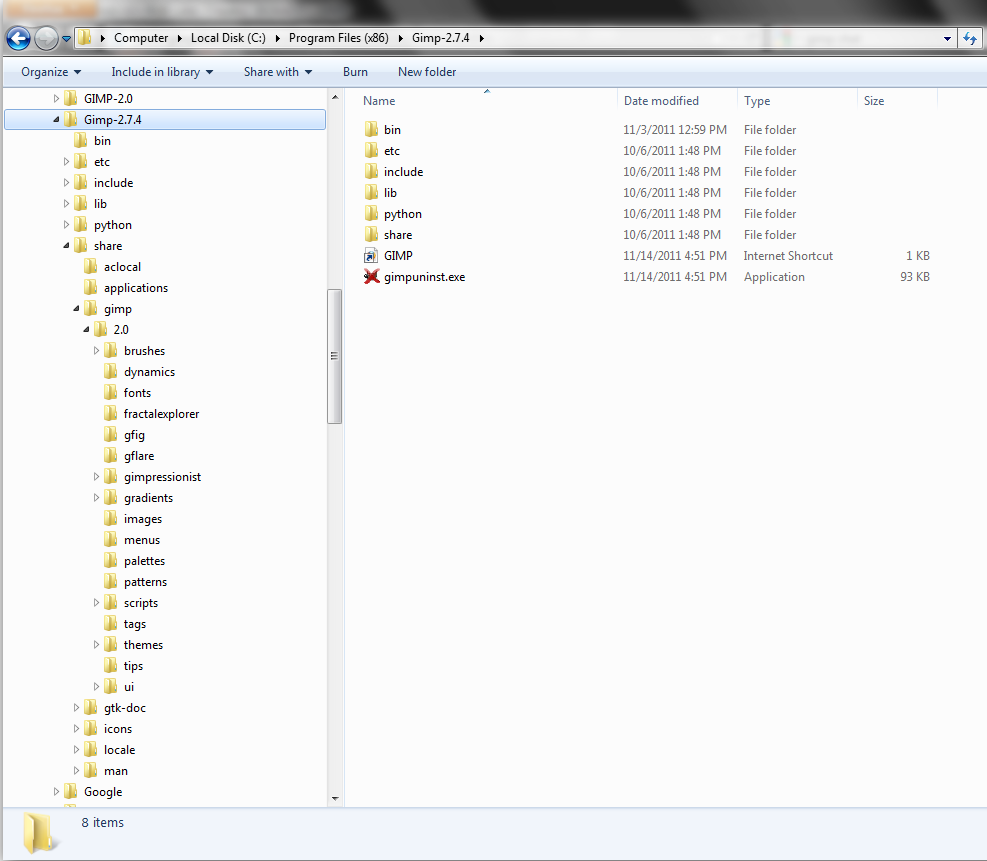
this is where i've always put them

Image


Top
 Post subject: Re: Gimp 2.7.4 Update and G'MIC 1.5.0.6
PostPosted: Mon Nov 14, 2011 6:37 pm  (#18) 
Offline
GimpChat Member

Joined: Mar 14, 2011
Posts: 998
alc59 wrote:
great thanks
this is where i've always put them

Image

Don't forget Rod's warning. As long as you are installing over my build, you should be fine. Thanks Rod.


Top
 Post subject: Re: Gimp 2.7.4 Update and G'MIC 1.5.0.6
PostPosted: Mon Nov 14, 2011 6:48 pm  (#19) 
Offline
GimpChat Member

Joined: Aug 05, 2011
Posts: 606
Location: limestone,ny
thanks
big storm coming right over me, have to power down before it does it for me
tornado warning :hoh


Top
 Post subject: Re: Gimp 2.7.4 Update and G'MIC 1.5.0.6
PostPosted: Mon Nov 14, 2011 7:38 pm  (#20) 
Offline
Script Coder
User avatar

Joined: Feb 18, 2011
Posts: 4826
Location: Bendigo Vic. Australia
I have installed 2-7-4 64 bit but cannot find 64bit GAP or mathmap files.

GMIC 1-5-0-6 win64 works great

_________________
Image
No matter how much you push the envelope, it'll still be stationery.


Top
Post new topic Reply to topic  [ 50 posts ]  Go to page 1, 2, 3  Next

All times are UTC - 5 hours [ DST ]


* Login  


Powered by phpBB3 © phpBB Group