It is currently Wed Sep 23, 2026 7:12 am


All times are UTC - 5 hours [ DST ]


Post new topic Reply to topic  [ 17 posts ] 
Author Message
 Post subject: Masking Hair
PostPosted: Wed Jul 03, 2013 8:20 pm  (#1) 
Offline
GimpChat Member
User avatar

Joined: Jun 02, 2013
Posts: 2090
GIMP Version: 2.6.11
Operating System: Windows
GIMP Experience: Basic Level


Does anyone have a way of masking hair easier than this tutorial? http://www.gimpusers.com/tutorials/mask ... rands.html

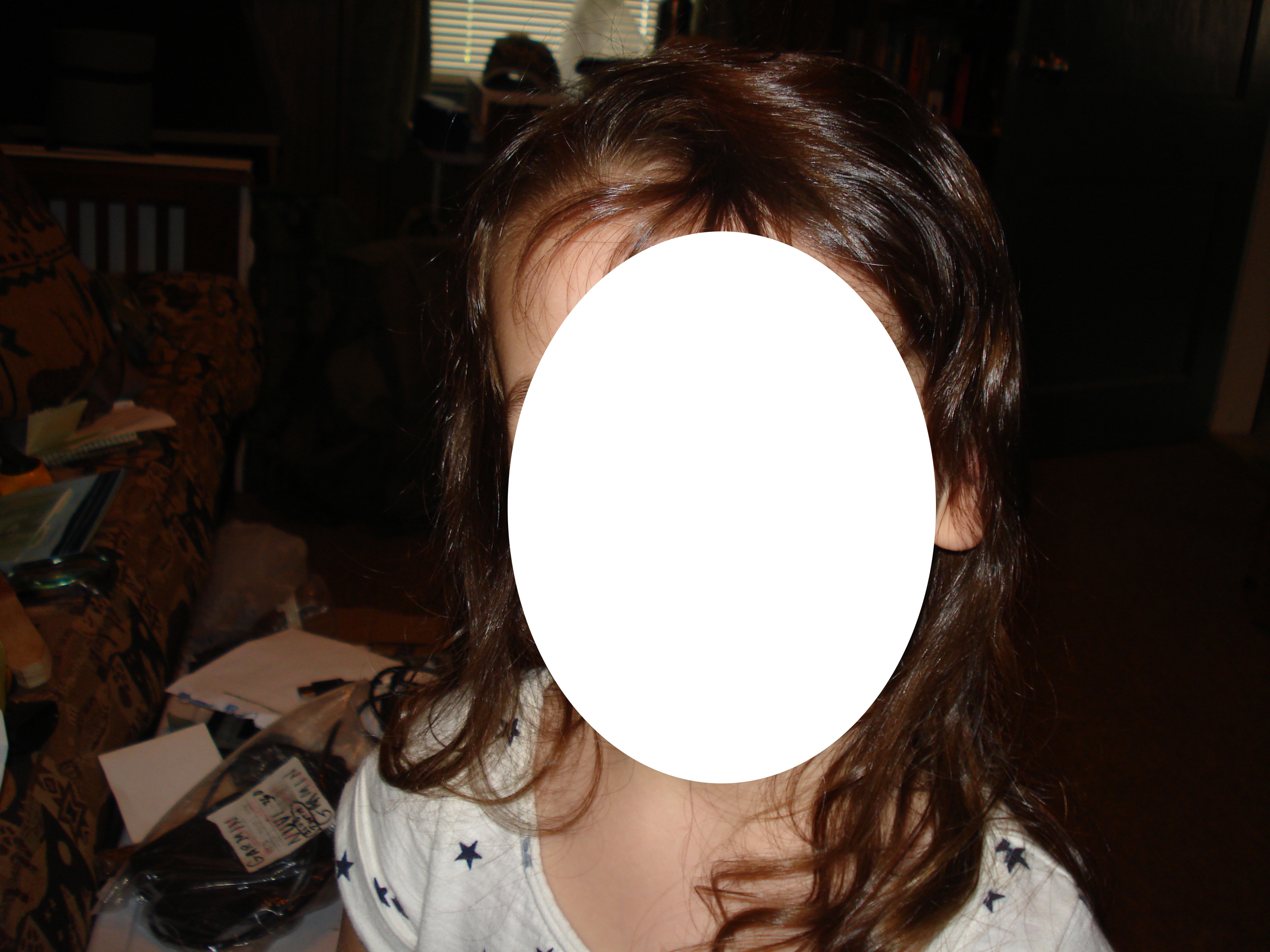
I have a photo I took of my grand daughter, and want to extract just her out of the photo. It's pretty much just a head shot. Strands of hair are a pain. Any suggestions?

_________________
Image


Share on Facebook Share on Twitter Share on Orkut Share on Digg Share on MySpace Share on Delicious Share on Technorati
Top
 Post subject: Re: Masking Hair
PostPosted: Wed Jul 03, 2013 8:27 pm  (#2) 
Offline
GimpChat Member
User avatar

Joined: Apr 08, 2010
Posts: 5420
Location: Northwest Ohio
any tutorials I have seen all have the hair on contrasting background...the pics I want to do never have contrasting plain backgrounds. There is one video that is the easiest method I've tried. You duplicate the image then desaturate the dup by luminosity, then use levels to make the dark darker and the light lighter, then try to get it all white where you want to keep it, and all black where you want it gone. Then you use that as a layer mask to render out the image on the image and delete the dup which is now black and white and copied onto the layer mask of the pic.


Top
 Post subject: Re: Masking Hair
PostPosted: Wed Jul 03, 2013 8:29 pm  (#3) 
Offline
GimpChat Member
User avatar

Joined: Jun 02, 2013
Posts: 2090
One of the problems is, that the photo was taken indoors. There's a host of objects in the background. I had a hard time doing that.

_________________
Image


Top
 Post subject: Re: Masking Hair
PostPosted: Wed Jul 03, 2013 9:00 pm  (#4) 
Offline
Administrator
User avatar

Joined: Aug 10, 2012
Posts: 14207
Location: Native to NYC living in Arizona, Gimp 2.8 - 3.0, Win 11 PC.
The Warrior wrote:
One of the problems is, that the photo was taken indoors. There's a host of objects in the background. I had a hard time doing that.

Yeah, it all depends on what the background is. Other then that, you would need to use layer masks or try to make the background contrast to the hair.

_________________
Image
"A wise man learns more from a foolish question than a fool can learn from a wise answer"
Image


Top
 Post subject: Re: Masking Hair
PostPosted: Wed Jul 03, 2013 11:33 pm  (#5) 
Offline
GimpChat Member
User avatar

Joined: Jan 10, 2013
Posts: 863
Maybe this video be helpfull http://youtu.be/AnbxtMCHKV0

_________________
bbbbbbbbbbbImage
bbbbbbbbbbb Be patient, English is not my language.


Top
 Post subject: Re: Masking Hair
PostPosted: Thu Jul 04, 2013 2:00 am  (#6) 
Offline
Global Moderator
User avatar

Joined: May 16, 2010
Posts: 16173
Can you post or send me the image Warrior and i will see what i can do.
Or try the RGGJAN fg select/matting tool in Gimp-2.8.7. :)

_________________
Image


Top
 Post subject: Re: Masking Hair
PostPosted: Thu Jul 04, 2013 8:30 am  (#7) 
Offline
GimpChat Member
User avatar

Joined: Jun 02, 2013
Posts: 2090
Rod wrote:
Can you post or send me the image Warrior and i will see what i can do.
Or try the RGGJAN fg select/matting tool in Gimp-2.8.7. :)

Thanks for the offer, I appreciate it. However, I never post photos of myself or my family on the Internet.

_________________
Image


Top
 Post subject: Re: Masking Hair
PostPosted: Thu Jul 04, 2013 8:52 am  (#8) 
Offline
Global Moderator
User avatar

Joined: May 16, 2010
Posts: 16173
The Warrior wrote:
Rod wrote:
Can you post or send me the image Warrior and i will see what i can do.
Or try the RGGJAN fg select/matting tool in Gimp-2.8.7. :)

Thanks for the offer, I appreciate it. However, I never post photos of myself or my family on the Internet.


Can't blame you there.
The FG color select/matting extraction tool in Gimp-2.8.7 works extremely well. I would try that. :)

_________________
Image


Top
 Post subject: Re: Masking Hair
PostPosted: Thu Jul 04, 2013 9:25 am  (#9) 
Offline
GimpChat Member
User avatar

Joined: Jun 02, 2013
Posts: 2090
Rod wrote:
The Warrior wrote:
Rod wrote:
Can you post or send me the image Warrior and i will see what i can do.
Or try the RGGJAN fg select/matting tool in Gimp-2.8.7. :)

Thanks for the offer, I appreciate it. However, I never post photos of myself or my family on the Internet.


Can't blame you there.
The FG color select/matting extraction tool in Gimp-2.8.7 works extremely well. I would try that. :)

Thanks for the heads up, appreciated. A main problem I'm having, is that her hair is brown, with a multi color dark background.

_________________
Image


Top
 Post subject: Re: Masking Hair
PostPosted: Thu Jul 04, 2013 9:56 am  (#10) 
Offline
GimpChat Member
User avatar

Joined: Apr 07, 2010
Posts: 14182
You could always mask out the face and post the head and hair. I know the RGGJAN is about the best filter I have come across but even that may have problems getting rid of hair that is close to the BG color. The next best is the white masking, but that is depending on the image, color values, etc.

_________________
Image


Top
 Post subject: Re: Masking Hair
PostPosted: Thu Jul 04, 2013 11:37 am  (#11) 
Offline
Global Moderator
User avatar

Joined: May 16, 2010
Posts: 16173
Yes there is no perfect way to extract hair from a bg really. It is all just trial and error.
I would try and separate the hair and bg with threshold first and go from there.
Even if you have to do pieces of the image at a time. I have done this many times. Then stitch the pieces back together after.

_________________
Image


Top
 Post subject: Re: Masking Hair
PostPosted: Thu Jul 04, 2013 1:44 pm  (#12) 
Offline
GimpChat Member
User avatar

Joined: Jun 02, 2013
Posts: 2090
molly wrote:
You could always mask out the face and post the head and hair.
Duh, never even thought about that, haha. Here it is. You can lighten it up and see the individual hairs:

Image

_________________
Image


Top
 Post subject: Re: Masking Hair
PostPosted: Thu Jul 04, 2013 2:12 pm  (#13) 
Offline
Administrator
User avatar

Joined: Aug 10, 2012
Posts: 14207
Location: Native to NYC living in Arizona, Gimp 2.8 - 3.0, Win 11 PC.
The Warrior wrote:
molly wrote:
You could always mask out the face and post the head and hair.
Duh, never even thought about that, haha. Here it is. You can lighten it up and see the individual hairs:

[ Image ]

Here's my attempt...
Image
You can always add strands of hair to have it look better.

_________________
Image
"A wise man learns more from a foolish question than a fool can learn from a wise answer"
Image


Last edited by Wallace on Thu Jul 04, 2013 2:15 pm, edited 1 time in total.

Top
 Post subject: Re: Masking Hair
PostPosted: Thu Jul 04, 2013 2:14 pm  (#14) 
Offline
GimpChat Member

Joined: Feb 22, 2012
Posts: 295
Location: Germany
Oh my god. Thats homework. With almost every tutorial you will not get satisfying results.
The color of the hair and the background is too similar.
The only way I see is to make it completely manually.
Sorry, really, forget it. Take a new picture with a better background.


Top
 Post subject: Re: Masking Hair
PostPosted: Thu Jul 04, 2013 2:45 pm  (#15) 
Offline
GimpChat Member
User avatar

Joined: Apr 07, 2010
Posts: 14182
I agree with Onkel Hatti, there is no way you are going to be able to save all the wispy hairs to make it look natural.

_________________
Image


Top
 Post subject: Re: Masking Hair
PostPosted: Thu Jul 04, 2013 4:13 pm  (#16) 
Offline
GimpChat Member
User avatar

Joined: Jun 02, 2013
Posts: 2090
You result is about the same as mine Wallace. I agree peeps, not a good photo. Excellent photo of my Grand daughter though.

_________________
Image


Top
 Post subject: Re: Masking Hair
PostPosted: Thu Jul 04, 2013 6:02 pm  (#17) 
Offline
Administrator
User avatar

Joined: Aug 10, 2012
Posts: 14207
Location: Native to NYC living in Arizona, Gimp 2.8 - 3.0, Win 11 PC.
The Warrior wrote:
You result is about the same as mine Wallace. I agree peeps, not a good photo. Excellent photo of my Grand daughter though.

I hear you. That's about the best I could get it, given the background.

_________________
Image
"A wise man learns more from a foolish question than a fool can learn from a wise answer"
Image


Top
Post new topic Reply to topic  [ 17 posts ] 

All times are UTC - 5 hours [ DST ]


cron

* Login  


Powered by phpBB3 © phpBB Group