It is currently Fri Nov 27, 2026 12:02 am


All times are UTC - 5 hours [ DST ]


Post new topic Reply to topic  [ 5 posts ] 
Author Message
 Post subject: Perspective Shadow
PostPosted: Mon Aug 04, 2014 12:37 pm  (#1) 
Offline
GimpChat Member

Joined: Nov 04, 2013
Posts: 207
GIMP Version: 2.8.10
Operating System: Windows
GIMP Experience: Beginner Level


Can anyone direct on how to add a perspective shadow to the text in this picture. I can never figure shadows out. I want the text to have a more 3d look.


Attachments:
Cover Template.png
Cover Template.png [ 374.96 KiB | Viewed 3745 times ]
Share on Facebook Share on Twitter Share on Orkut Share on Digg Share on MySpace Share on Delicious Share on Technorati
Top
 Post subject: Re: Perspective Shadow
PostPosted: Tue Aug 05, 2014 4:00 am  (#2) 
Offline
GimpChat Member
User avatar

Joined: Mar 23, 2012
Posts: 7388
Location: Göteborg at last!
This might be useful to you http://gimpscripts.com/2013/12/perspect ... -advanced/


Top
 Post subject: Re: Perspective Shadow
PostPosted: Tue Aug 05, 2014 4:41 am  (#3) 
Offline
GimpChat Member
User avatar

Joined: Mar 23, 2012
Posts: 7388
Location: Göteborg at last!
Actually I don't think my previous post was helpful. ( viewtopic.php?f=9&t=9006#p116658 ) Sorry.


Top
 Post subject: Re: Perspective Shadow
PostPosted: Tue Aug 05, 2014 5:30 am  (#4) 
Offline
GimpChat Founder
User avatar

Joined: May 22, 2008
Posts: 5248
Location: Gimpville
jeanniem wrote:
I can never figure shadows out. I want the text to have a more 3d look.

Hi jeanniem,

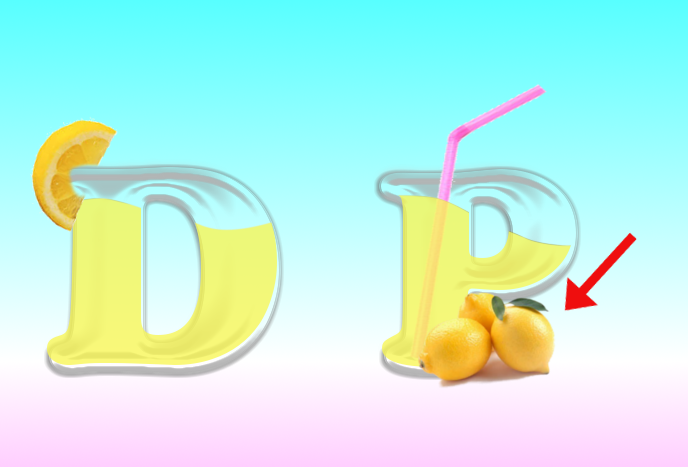
The position and size of the shadow should be determined by the relative position and distance of your light source. In the example you posted, the most discernible light source is shining on your lemons. To be consistent, the other objects in your image would also need to show highlights and cast a shadow from that same light source.
Image

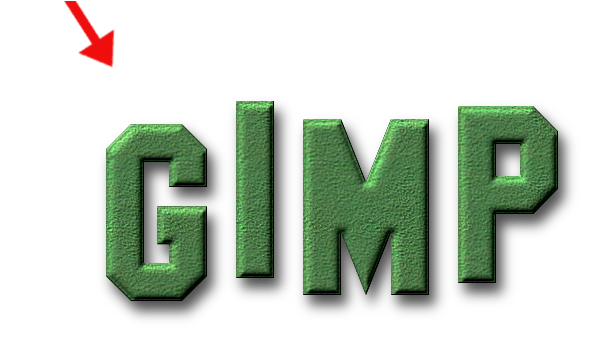
As an exercise, create a drop shadow for the text below. The position of the light source can be approximated by the highlights and shadows on the text itself.

Image

Click to see the shadow position


To create a proper perspective shadow, you will need to consider the intensity, distance and angle of the light source from the object. A spotlight demonstrates this pretty well.

Image

There is the possibility of having multiple light sources, which need to be considered as well. Hope that helps a little. :)

_________________
Image


Top
 Post subject: Re: Perspective Shadow
PostPosted: Tue Aug 05, 2014 5:33 am  (#5) 
Offline
Administrator
User avatar

Joined: Aug 10, 2012
Posts: 14287
Location: Native to NYC living in Arizona, Gimp 2.8 - 3.0, Win 11 PC.
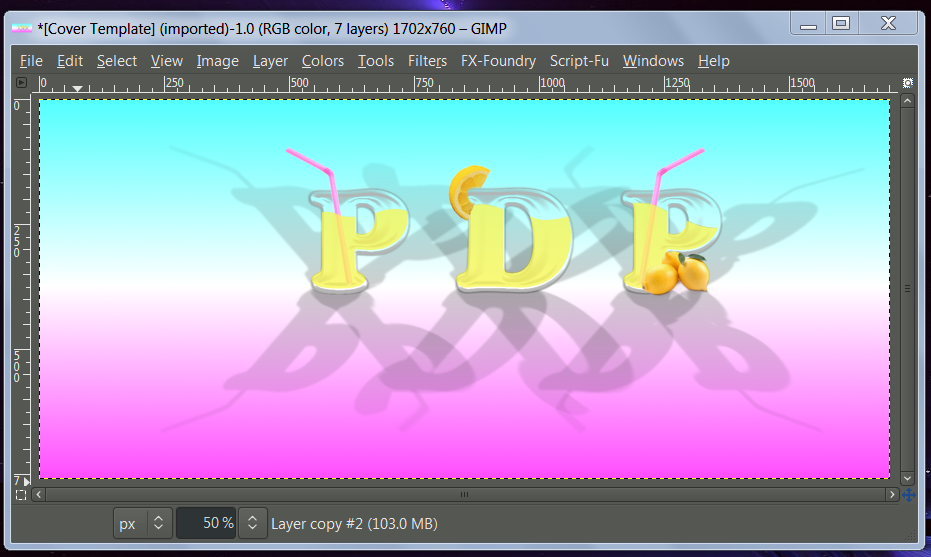
The easiest thing to do, (not the best) would be to make a copy of your text in black, behind your original text and use the Shear tool :shear to shear it left or right, then move it to the proper position. Flip this sheared shadow to have the shadow in front of your text and adjust it's position accordingly.
Image
I added the Gimp XCF file as an attachment, with the four different shadows for you to use if you like.
Also in this file I have removed the shadow cast by the lemons.
You could also apply a Drop shadow to the text form, Filters>Light and Shadow>Drop shadow, using the default setting. Then use the Shear tool :shear afterward to shear it left or right. Then flip this shadow vertically for a front facing shadow.


Attachments:
PV Shadow.xcf [2.61 MiB]
Downloaded 164 times

_________________
Image
"A wise man learns more from a foolish question than a fool can learn from a wise answer"
Image
Top
Post new topic Reply to topic  [ 5 posts ] 

All times are UTC - 5 hours [ DST ]


* Login  


Powered by phpBB3 © phpBB Group