It is currently Sat Sep 26, 2026 12:03 pm


All times are UTC - 5 hours [ DST ]


Post new topic Reply to topic  [ 11 posts ] 
Author Message
 Post subject: Help!! new user on gimp
PostPosted: Wed Apr 08, 2015 8:19 pm  (#1) 
Offline
GimpChat Member
User avatar

Joined: Apr 08, 2015
Posts: 13
hi please i will like to know how to make textures on gimp,bling texts, or logo, mappings and also how to make and animated picture or text, am willing to watch videos on them please help.


Share on Facebook Share on Twitter Share on Orkut Share on Digg Share on MySpace Share on Delicious Share on Technorati
Top
 Post subject: Re: Help!! new user on gimp
PostPosted: Wed Apr 08, 2015 9:06 pm  (#2) 
Offline
Administrator
User avatar

Joined: Aug 10, 2012
Posts: 14212
Location: Native to NYC living in Arizona, Gimp 2.8 - 3.0, Win 11 PC.
gina wrote:
hi please i will like to know how to make textures on gimp,bling texts, or logo, mappings and also how to make and animated picture or text, am willing to watch videos on them please help.

Welcome to Gimp Chat Gina.
Check this link out, it might be of interest to you.
viewtopic.php?f=9&t=72&hilit=bling#p342

_________________
Image
"A wise man learns more from a foolish question than a fool can learn from a wise answer"
Image


Top
 Post subject: Re: Help!! new user on gimp
PostPosted: Wed Apr 08, 2015 9:43 pm  (#3) 
Offline
GimpChat Member
User avatar

Joined: Nov 16, 2011
Posts: 5127
Location: Metro Vancouver, BC
Welcome gina
Have a go at: Essential GIMP Tutorials

_________________
Image
Gimp 2.8.18, Linux, median user
Gimp Chat Tutorials Index
Spirit Bear (Kermode)


Top
 Post subject: Re: Help!! new user on gimp
PostPosted: Wed Apr 08, 2015 10:25 pm  (#4) 
Offline
GimpChat Member

Joined: Feb 09, 2015
Posts: 110
Hi gina

Image


Top
 Post subject: Re: Thanks a lot
PostPosted: Wed Apr 08, 2015 11:53 pm  (#5) 
Offline
GimpChat Member
User avatar

Joined: Apr 08, 2015
Posts: 13
thanks for the welcome, hi everyone


Top
 Post subject: Re: Help!! new user on gimp
PostPosted: Thu Apr 09, 2015 2:24 am  (#6) 
Offline
GimpChat Founder
User avatar

Joined: May 22, 2008
Posts: 5241
Location: Gimpville
Image

_________________
“If you reach for the stars, you just might land on a decently sized hill.” - Stuart Hill


Top
 Post subject: Re: Help!! new user on gimp
PostPosted: Thu Apr 09, 2015 2:45 am  (#7) 
Offline
GimpChat Member
User avatar

Joined: Jul 06, 2013
Posts: 2663
Location: California
Hi Gina. Welcome to Gimp Chat :)


Top
 Post subject: Re: Help!! new user on gimp
PostPosted: Thu Apr 09, 2015 6:55 am  (#8) 
Offline
Global Moderator
User avatar

Joined: May 16, 2010
Posts: 16175
Welcome to Gimp Chat! :)


Top
 Post subject: Re: Help!! new user on gimp
PostPosted: Sat Apr 18, 2015 8:27 pm  (#9) 
Offline
GimpChat Member
User avatar

Joined: Apr 08, 2015
Posts: 13
please can anyone teach me how to make a mesh , basically i played IMVU a 3D chat game where you can earn real money by creating things like clothes textures, jewelries, using Gimp and other things and putting in for sale, but how can i do it using gimp, i
have watch so many videos but still can understand it, is there a script for it?


Top
 Post subject: Re: Help!! new user on gimp
PostPosted: Sun Apr 26, 2015 10:07 am  (#10) 
Offline
GimpChat Member
User avatar

Joined: Nov 15, 2014
Posts: 161
gina wrote:
please can anyone teach me how to make a mesh , basically i played IMVU a 3D chat game where you can earn real money by creating things like clothes textures, jewelries, using Gimp and other things and putting in for sale, but how can i do it using gimp


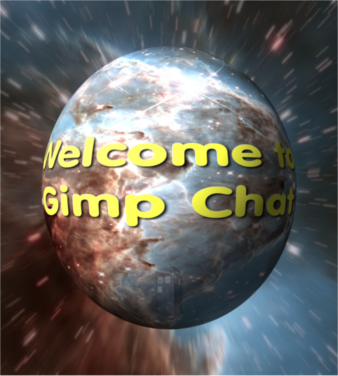
Welcome to Gimp Chat gina.
Gimp is great for making texture maps for 3D clothing and other models, but I think to do what you're talking about (making meshes) you'll need a 3D modeling app. There's a lot of free ones (some more difficult to learn than others)


Attachments:
Welcome.png
Welcome.png [ 1.22 MiB | Viewed 1890 times ]
Top
 Post subject: Re: Help!! new user on gimp
PostPosted: Tue Apr 28, 2015 12:17 am  (#11) 
Offline
Global Moderator
User avatar

Joined: Apr 01, 2012
Posts: 8471
Location: On the other side of your screen
I have made a mesh, twice. Using two different methods.
1. By using the grid (a bit slower as I have found you have to do each line manually)
Did one square using the grid framed it and arrayed it to make it as you see it here.

Image
2. Using 'weave' and make it very thin/change settings. (quicker)
This is the weave mesh - I also ran antique metal script on it. It has a transparent background, thus it looks white/grey.
Image

_________________
Image
Free Fun Photo Editing & resources
Poems from the Lord
Gimp Newby
Gimp version 3.2.4 and GMIC-Qt 4.0.2 OS :- Windows 10 Home 64


Top
Post new topic Reply to topic  [ 11 posts ] 

All times are UTC - 5 hours [ DST ]


* Login  


Powered by phpBB3 © phpBB Group