It is currently Sat Sep 26, 2026 4:21 pm


All times are UTC - 5 hours [ DST ]


Post new topic Reply to topic  [ 11 posts ] 
Author Message
 Post subject: Free form bokeh problem
PostPosted: Thu May 14, 2015 7:53 am  (#1) 
Offline
GimpChat Member

Joined: May 17, 2012
Posts: 78
GIMP Version: 2.8.14
Operating System: Windows
GIMP Experience: New User

List any relevant plug-ins or scripts:
Free form bokeh


Is not the script "Free form bokeh" compatible with gimp 2.8.14???
Using win 7. Either the auto or the semi auto option will work for me.

Une


Share on Facebook Share on Twitter Share on Orkut Share on Digg Share on MySpace Share on Delicious Share on Technorati
Top
 Post subject: Re: Free form bokeh problem
PostPosted: Thu May 14, 2015 9:08 am  (#2) 
Offline
Global Moderator
User avatar

Joined: Apr 01, 2012
Posts: 8471
Location: On the other side of your screen
Where is the Free Form Bokeh Script?
This is done with the G'MIC filter, Artistic > Bokeh in version 1.6.2.0
Image

_________________
Image
Free Fun Photo Editing & resources
Poems from the Lord
Gimp Newby
Gimp version 3.2.4 and GMIC-Qt 4.0.2 OS :- Windows 10 Home 64


Top
 Post subject: Re: Free form bokeh problem
PostPosted: Thu May 14, 2015 9:12 am  (#3) 
Offline
Global Moderator
User avatar

Joined: Apr 01, 2012
Posts: 8471
Location: On the other side of your screen
By the way, welcome to GC :)

_________________
Image
Free Fun Photo Editing & resources
Poems from the Lord
Gimp Newby
Gimp version 3.2.4 and GMIC-Qt 4.0.2 OS :- Windows 10 Home 64


Top
 Post subject: Re: Free form bokeh problem
PostPosted: Thu May 14, 2015 9:47 am  (#4) 
Offline
GimpChat Member

Joined: May 17, 2012
Posts: 78
you can find the script in gimp plugin registry

une


Top
 Post subject: Re: Free form bokeh problem
PostPosted: Thu May 14, 2015 9:55 am  (#5) 
Offline
GimpChat Member
User avatar

Joined: Nov 16, 2011
Posts: 5127
Location: Metro Vancouver, BC
Free-Form-Bokeh works fine with Gimp 2.8.14.

_________________
Image
Gimp 2.8.18, Linux, median user
Gimp Chat Tutorials Index
Spirit Bear (Kermode)


Top
 Post subject: Re: Free form bokeh problem
PostPosted: Thu May 14, 2015 10:17 am  (#6) 
Offline
GimpChat Member
User avatar

Joined: Jan 20, 2013
Posts: 14835
Location: roma, italy
I can confirm Odin's statement: in Gimp 2.8.14 it works

_________________
"Where am I ?"


Top
 Post subject: Re: Free form bokeh problem
PostPosted: Thu May 14, 2015 6:28 pm  (#7) 
Offline
Global Moderator
User avatar

Joined: Apr 01, 2012
Posts: 8471
Location: On the other side of your screen
Thank you une

_________________
Image
Free Fun Photo Editing & resources
Poems from the Lord
Gimp Newby
Gimp version 3.2.4 and GMIC-Qt 4.0.2 OS :- Windows 10 Home 64


Top
 Post subject: Re: Free form bokeh problem
PostPosted: Fri May 15, 2015 2:19 am  (#8) 
Offline
GimpChat Member

Joined: May 17, 2012
Posts: 78
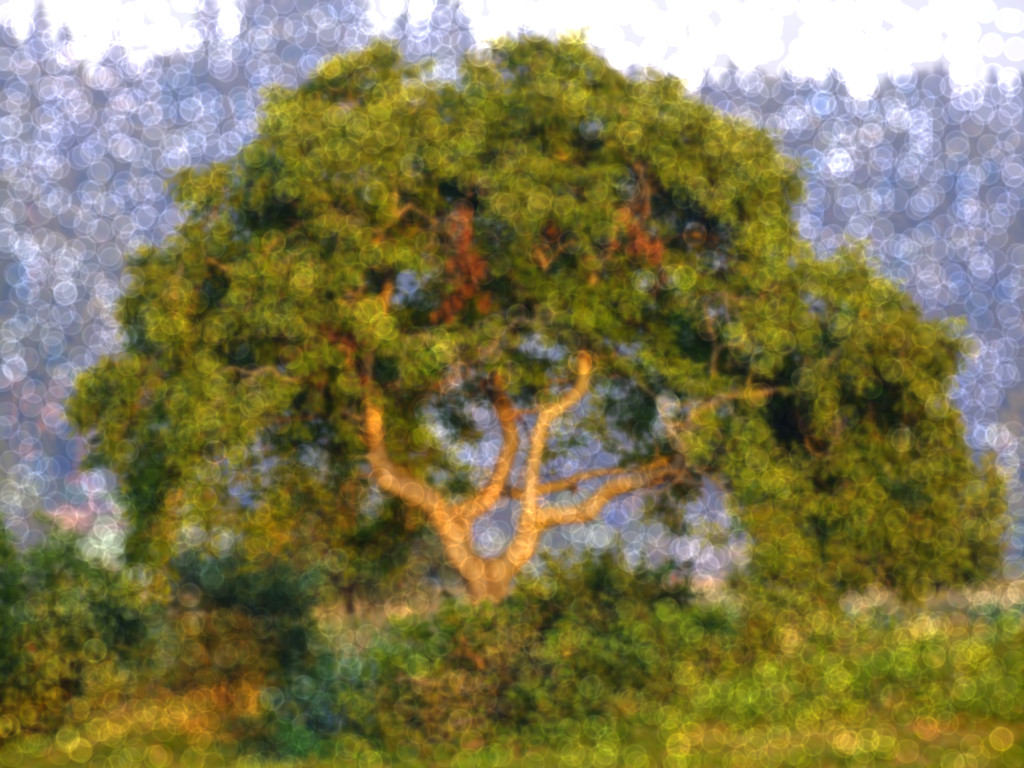
I am still not able to have a good result. I here send first a picture with my selection and the path for the semi auto script - ff3.
Then I send the result after the script -ff2. Maybe I am doing something stupid but .....

uneImage

Image

Hope someone can help

une


Top
 Post subject: Re: Free form bokeh problem
PostPosted: Fri May 15, 2015 3:20 am  (#9) 
Offline
Script Coder
User avatar

Joined: Dec 27, 2014
Posts: 508
The selection should be the shape and size of each bokeh that you want to see, not the area that you want to fill with bokeh. For example, if you want small circular bokeh about 50px in diameter, use the Ellipse Tool to select a circle 50px in diameter. The selection can be anywhere in the image - where doesn't matter - these scripts only use the selection to determine the shape and size of the bokeh produced, not where it is.

The auto-bokeh script will automatically generate bokeh centered around the brightest parts of the image, using the color of each of those bright spots.

For the semi-auto-bokeh you must create a path with just 2 points - no more than that. The script uses the color of the precise pixels at the 2 points to generate the bokeh. (The actual path between the 2 points is irrelevant.) Zoom the image to 800x or greater to make sure that you set the control points precisely on pixels which have the color you want the bokeh to be.


Top
 Post subject: Re: Free form bokeh problem
PostPosted: Fri May 15, 2015 4:23 am  (#10) 
Offline
GimpChat Member

Joined: May 17, 2012
Posts: 78
Thanks, I missuderstood the selection! Now it works

une


Top
 Post subject: Re: Free form bokeh problem
PostPosted: Fri May 15, 2015 10:22 am  (#11) 
Offline
GimpChat Member
User avatar

Joined: Nov 16, 2011
Posts: 5127
Location: Metro Vancouver, BC
Nice info jontait2. :bigthup

une, The first time I used Free Form Dokeh I made the same mistake. It got me thinking of other ways to use the script.


Attachments:
File comment: Free Form Dokeh instructions
free-form-dokeh-x.pdf [67.05 KiB]
Downloaded 92 times

_________________
Image
Gimp 2.8.18, Linux, median user
Gimp Chat Tutorials Index
Spirit Bear (Kermode)
Top
Post new topic Reply to topic  [ 11 posts ] 

All times are UTC - 5 hours [ DST ]


* Login  


Powered by phpBB3 © phpBB Group