It is currently Sat Oct 03, 2026 2:01 am


All times are UTC - 5 hours [ DST ]


Post new topic Reply to topic  [ 9 posts ] 
Author Message
 Post subject: bevel layer below based on line pattern
PostPosted: Tue Jun 23, 2015 10:48 am  (#1) 
Offline
GimpChat Member

Joined: Jun 23, 2015
Posts: 8
GIMP Version: 2.8.10
Operating System: Linux
GIMP Experience: Basic Level


Hi, first post here. I have enjoyed browsing the forum over the past few days and have learned a lot, thank you.

I'm trying to help my better half visualize quilting patterns (where the fabric layers are quilted, the spaces between are raised, puffed up).

Text is easy to quilt in Gimp, but I need to do various line patterns, grids, circles and so forth. Text is done by creating a text layer, layer to image size, merge down, then duplicate the layer, blur the bottom one, emboss then make the top layer grain merge.

Image

Similiarly, in inkscape, I can leave a little space between shapes before applying a filter to bevel it, but I'm limited to a "stitch in the ditch" pattern, whereas I need to do all shapes.

I'm hoping there is a way to have a line pattern, grid, or various shapes in a layer, then bevel the layer below based on the pattern in the layer above - if that makes sense. A spiral as an example, or a series of lines.

I am new to Gimp, and just need a nudge in the right direction.

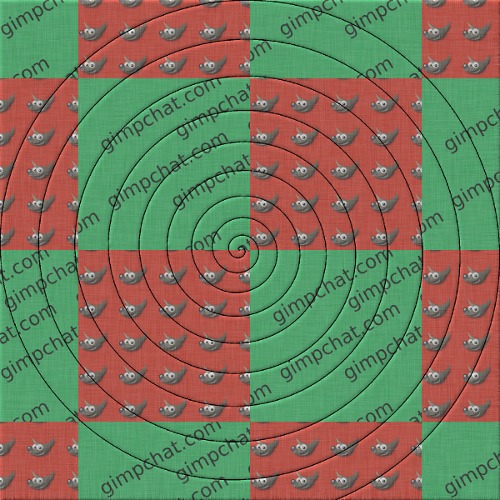
update: I'm able to get results close to what I want, using the same process as with the text: create pattern layer, layer size to image, merge down, duplicate layer, bottom layer gaus blur, the distort/emboss, then make the top layer grain merge

Image

The problem is, the emboss show up over the entire image, rather than just on the spiral. I can't figure out how to isolate the embossing to the spiral shape. :)

Thank you,
Byron


Share on Facebook Share on Twitter Share on Orkut Share on Digg Share on MySpace Share on Delicious Share on Technorati
Top
 Post subject: Re: bevel layer below based on line pattern
PostPosted: Tue Jun 23, 2015 12:16 pm  (#2) 
Offline
GimpChat Member
User avatar

Joined: Nov 16, 2011
Posts: 5127
Location: Metro Vancouver, BC
Look into Selection masks to isolate or remove areas.
Saving selections to Channels for reuse is very handy.

_________________
Image
Gimp 2.8.18, Linux, median user
Gimp Chat Tutorials Index
Spirit Bear (Kermode)


Top
 Post subject: Re: bevel layer below based on line pattern
PostPosted: Tue Jun 23, 2015 3:47 pm  (#3) 
Offline
GimpChat Member

Joined: Jun 23, 2015
Posts: 8
Thanks odinbc, that gets me off to a good start. Lots to read from this very well formatted documentation; A lot of time and effort went into it.


Top
 Post subject: Re: bevel layer below based on line pattern
PostPosted: Tue Jun 23, 2015 5:40 pm  (#4) 
Offline
GimpChat Member

Joined: Jun 23, 2015
Posts: 8
Thanks again. I've been working my way through the documentation, but when you're somewhat new to software, it is easy to get lost in all the terms and names for things, and it is helpful to have someone point to this or that. A huge help, thank you.

Image


Top
 Post subject: Re: bevel layer below based on line pattern
PostPosted: Tue Jun 23, 2015 7:55 pm  (#5) 
Offline
Global Moderator
User avatar

Joined: Oct 02, 2014
Posts: 5057
Location: Sydney Australia
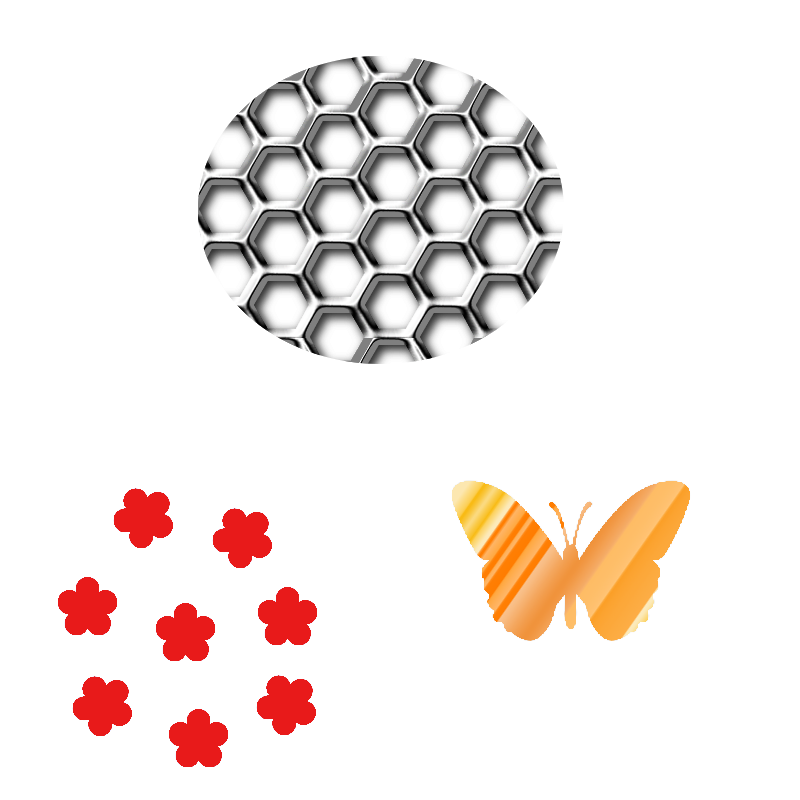
Hello Byron - I am not sure if I am reading you correctly but here are examples of grids and shapes that I used to bevel the layers below -

Image

Whilst it shows up white here I put these shapes on to a transparent layer; then I used the 'select by colour tool' to make a selection; I also set a path from that selection so I could use it again if required. Then with the selection current I selected a new 'current layer' (say the coloured layer below) and ran Decor>GT Bevel filter...

Image

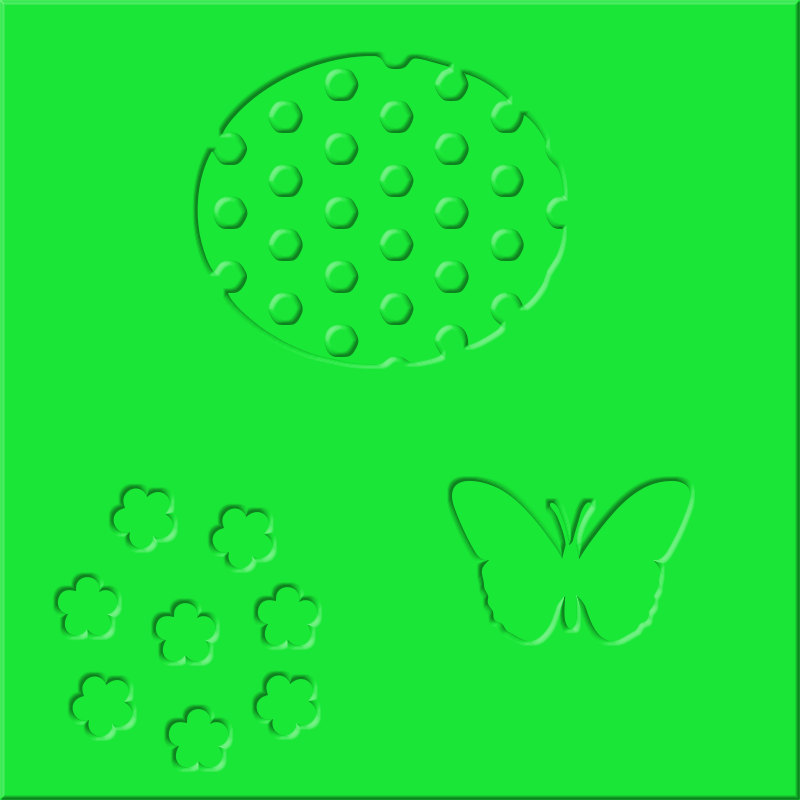
Then I also changed to another diffewrent coloured layer and ran GT Bevel again with the 'Invert Bumpmap' checked ...

Image

Hope this helps you in some way!! :)


...

_________________
Image

Respect should be offered freely but hard earned


Top
 Post subject: Re: bevel layer below based on line pattern
PostPosted: Tue Jun 23, 2015 8:09 pm  (#6) 
Offline
GimpChat Member

Joined: Jun 23, 2015
Posts: 8
oldmangrumpy, I love the signature line.

Those are very nice effects you posted, thanks. What I was doing is trying to create a quilted fabric from a pattern (lines or shapes, or swirls, etc.).

Just learning the features of Gimp, and I didn't realize it was as simple as selecting the pattern, then beveling the invert of that selection like in my last example.

Thank you for your examples for further inspiration and experimenting. It is always fun to keep learning.


Top
 Post subject: Re: bevel layer below based on line pattern
PostPosted: Wed Jun 24, 2015 3:33 am  (#7) 
Offline
GimpChat Member

Joined: Mar 04, 2011
Posts: 2615
@byron
Quote:
..I'm trying to help my better half visualize quilting patterns (where the fabric layers are quilted, the spaces between are raised, puffed up).


something like this, using a bumpmap see: http://docs.gimp.org/en/plug-in-bump-map.html

Attachment:
arthur.jpg
arthur.jpg [ 93.11 KiB | Viewed 3320 times ]


Bump mapping is so fundemental, used in all those scripts and plugins that make logo's that it is worth getting to know.

A 2-1/2 minute demo of the above. https://youtu.be/JB_axYrD25k


Top
 Post subject: Re: bevel layer below based on line pattern
PostPosted: Wed Jun 24, 2015 7:52 am  (#8) 
Offline
GimpChat Member

Joined: Jun 23, 2015
Posts: 8
Thank you, rich. I put this at the top of my list! The documentation for Gimp is so well-done, I know I'll be using it a lot as I learn. Also, the video demos are especially helpful.


Top
 Post subject: Re: bevel layer below based on line pattern
PostPosted: Wed Jun 24, 2015 11:48 am  (#9) 
Offline
GimpChat Member

Joined: Jun 23, 2015
Posts: 8
Very helpful, I think I get the idea and will have lots of fun experimenting. Thanks again.

Image


Top
Post new topic Reply to topic  [ 9 posts ] 

All times are UTC - 5 hours [ DST ]


* Login  


Powered by phpBB3 © phpBB Group