It is currently Thu Sep 24, 2026 11:11 pm


All times are UTC - 5 hours [ DST ]


Post new topic Reply to topic  [ 25 posts ]  Go to page Previous  1, 2
Author Message
 Post subject: Re: How to put an object to the perfect center of the image?
PostPosted: Wed Apr 27, 2016 7:00 am  (#21) 
Offline
Administrator
User avatar

Joined: Aug 10, 2012
Posts: 14209
Location: Native to NYC living in Arizona, Gimp 2.8 - 3.0, Win 11 PC.
kenny1999 wrote:
Hi Mr Wallace,

I've downlaoded your Animated Fire Lite

So now, where to put the zip files?

and what does that mean - in the instruction threads. I've quoted here


For these settings to work properly, there are some additions you need to add to GIMP (included in the zip file):

4 presets need to be added here: C:\Program Files\GIMP 2\share\gimp\2.0\gimpressionist\Presets
1 brush here: C:\Program Files\GIMP 2\share\gimp\2.0\gimpressionist\Brushes
Script goes here: C:\Program Files\GIMP 2\share\gimp\2.0\scripts


<<<<< I am lost with these instructions

If you are only interested in the animated fire script.
All you need to do is copy the AnimatedFire.scm to the Gimp Scripts Folder.
As an example, the scripts folder on my Windows computer is located at... C:\Users\Wallace\.gimp-2.8\scripts.

I have tried this script with my version of Gimp and it doesn't work properly.
The script may work for you, but I can't be sure that it will.

_________________
Image
"A wise man learns more from a foolish question than a fool can learn from a wise answer"
Image


Top
 Post subject: Re: How to put an object to the perfect center of the image?
PostPosted: Wed Apr 27, 2016 7:07 am  (#22) 
Offline
GimpChat Member

Joined: Dec 10, 2013
Posts: 106
no I am also interested in Equalizer and Equalizer 2 and Mosaic
my version is just downloaded a few days ago on official site of GIMP.
Is it the same version as you do? If it does not work ,any alternatives?


Top
 Post subject: Re: How to put an object to the perfect center of the image?
PostPosted: Wed Apr 27, 2016 7:22 am  (#23) 
Offline
Administrator
User avatar

Joined: Aug 10, 2012
Posts: 14209
Location: Native to NYC living in Arizona, Gimp 2.8 - 3.0, Win 11 PC.
kenny1999 wrote:
no I am also interested in Equalizer and Equalizer 2 and Mosaic
my version is just downloaded a few days ago on official site of GIMP.
Is it the same version as you do? If it does not work ,any alternatives?

You would need to copy both gimpressionist folders and place them into the Gimp gimpressionist folder.
My Gimp gimpressionist folder is located at... C:\Users\Wallace\.gimp-2.8\gimpressionist.

Once you have copied the both gimpressionist folder to the Gimp gimpressionist folder.
You should remove the word "gimpressionist" for both files names.
Leaving only a Brushes folder and a Presets folder, with all it's contents, inside the Gimp gimpressionist folder.

Like I said...
this script did not work with my version of Gimp and I don't know if it will work for you.

_________________
Image
"A wise man learns more from a foolish question than a fool can learn from a wise answer"
Image


Top
 Post subject: Re: How to put an object to the perfect center of the image?
PostPosted: Wed Apr 27, 2016 7:27 am  (#24) 
Offline
GimpChat Member

Joined: Dec 10, 2013
Posts: 106
aren't you using thew newest version already??


Top
 Post subject: Re: How to put an object to the perfect center of the image?
PostPosted: Wed Apr 27, 2016 7:33 am  (#25) 
Offline
Administrator
User avatar

Joined: Aug 10, 2012
Posts: 14209
Location: Native to NYC living in Arizona, Gimp 2.8 - 3.0, Win 11 PC.
kenny1999 wrote:
aren't you using thew newest version already??

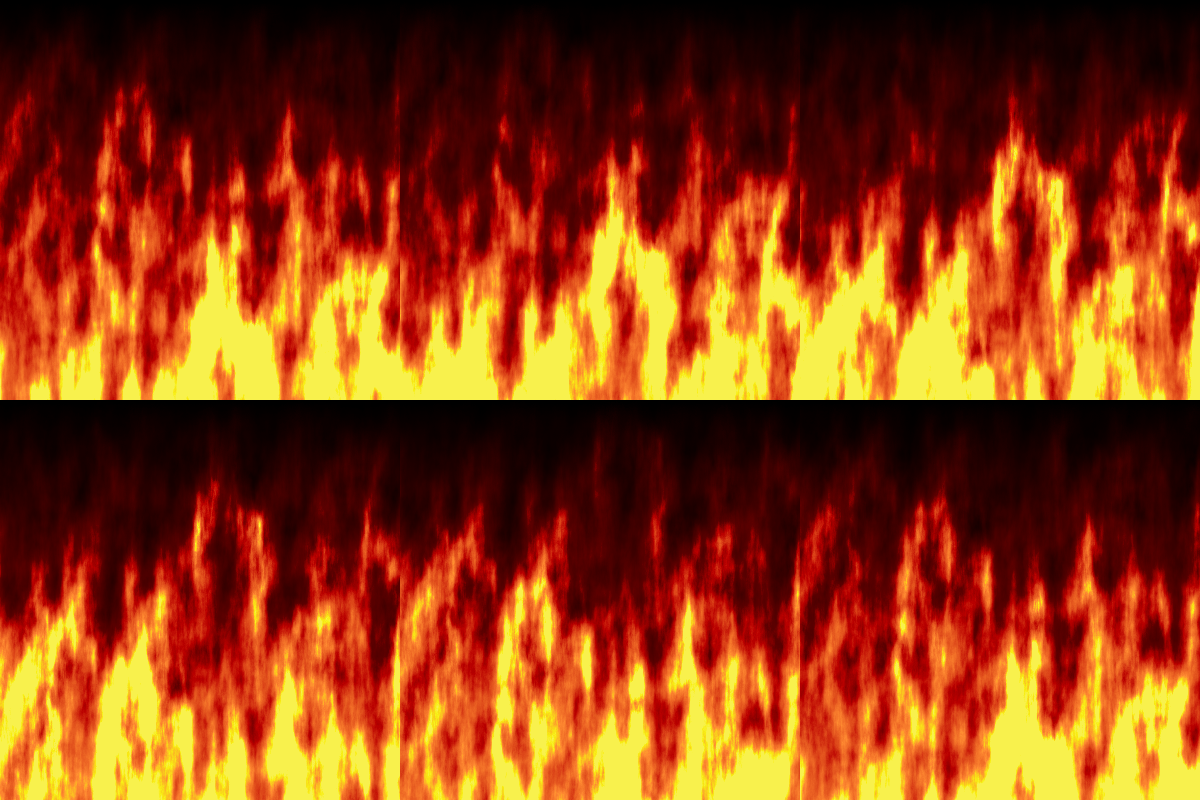
Yes, but this animated fire script has not been updated in 3 years.
I tried this script and it does not work as it use to work.

Edit
I was able to get this script to work after all.
I must have been trying to do something else, but I can't remember what that was.
Image

_________________
Image
"A wise man learns more from a foolish question than a fool can learn from a wise answer"
Image


Top
Post new topic Reply to topic  [ 25 posts ]  Go to page Previous  1, 2

All times are UTC - 5 hours [ DST ]


* Login  


Powered by phpBB3 © phpBB Group