@TooNoob
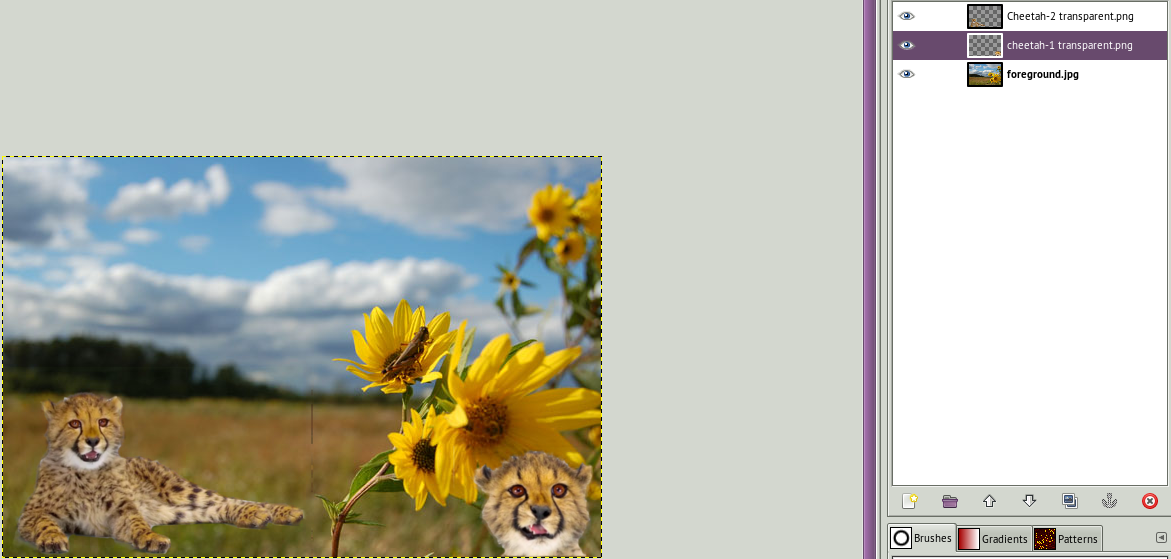
Okay, this is what I did.
Open your background layer
Go to File > open as layers and open your two images on separate layers, click on on a layer and use this

to resize your image. Go to your next layer and do the same thing.
My cheetah's started out very large and I resized them to fit into the background. I then clicked on a layer and used the move tool to place them where I wanted them on the background.
I enclosed the xcf for you to see how I did it and also a screen shot of what it looks like.
You can then export it as a png OR you can merge the top layer down then merge them both down into the background layer.
 Login
 Register
 Tweets
 FAQ
 Advanced Search






 on each layer to place them where you want, then go layer to image on each layer.