It is currently Sat Oct 03, 2026 3:08 pm


All times are UTC - 5 hours [ DST ]


Post new topic Reply to topic  [ 27 posts ]  Go to page 1, 2  Next
Author Message
 Post subject: Setting up themes in Gimp
PostPosted: Mon Jun 09, 2014 8:03 am  (#1) 
Offline
GimpChat Member
User avatar

Joined: Apr 07, 2010
Posts: 14182
GIMP Version: 2.8.10
Operating System: Linux
OS Version: Linux Fedora 19
GIMP Experience: Basic Level


@Kevin or someone.
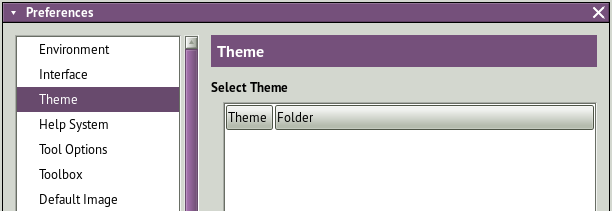
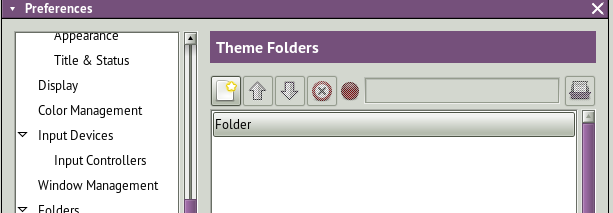
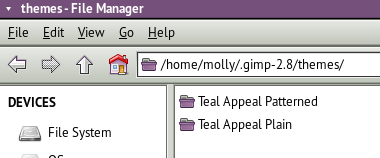
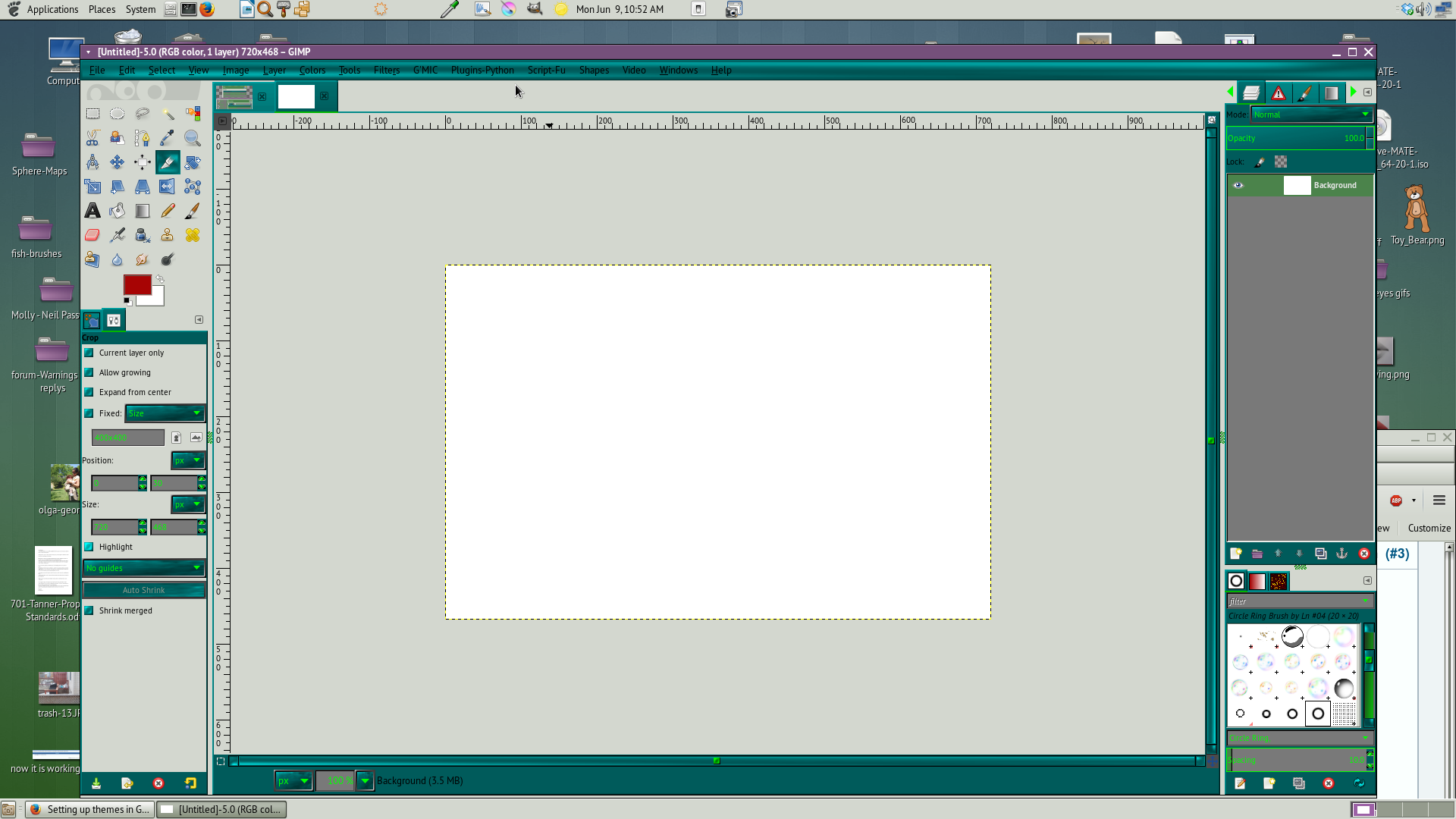
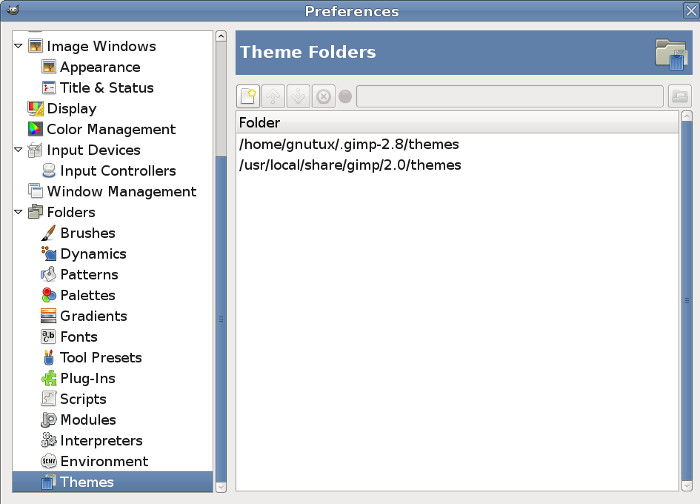
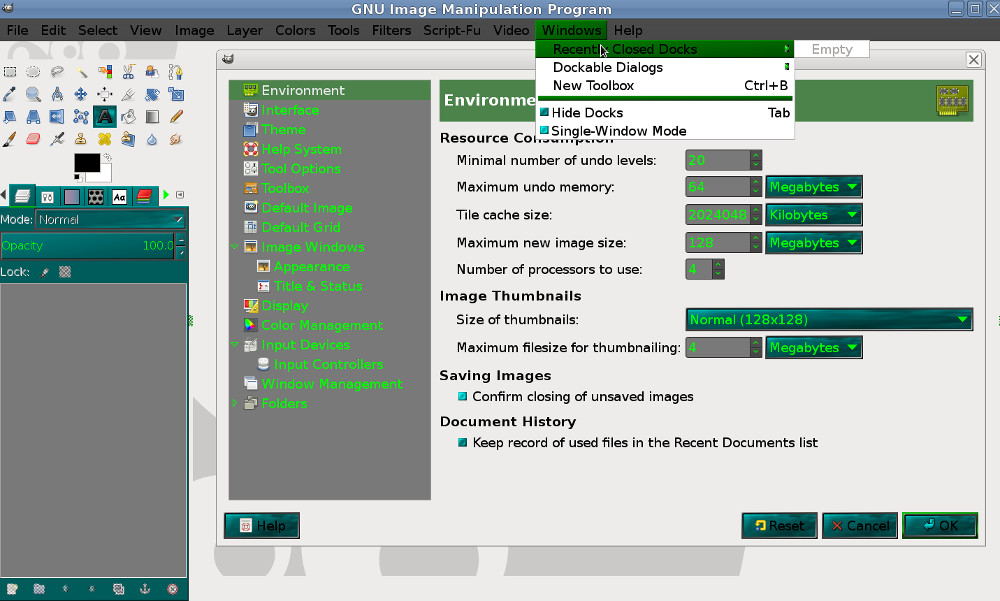
I think I have really messed up my themes now. I reset everything and started from scratch and now I have two empty theme windows and don't know how to get them back. My Gimp is still using the Gimp default so that part is okay, Here are my three windows below
Image

Image

Image

_________________
Image


Share on Facebook Share on Twitter Share on Orkut Share on Digg Share on MySpace Share on Delicious Share on Technorati
Top
 Post subject: Re: Setting up themes in Gimp
PostPosted: Mon Jun 09, 2014 8:49 am  (#2) 
Offline
Script Coder
User avatar

Joined: Jun 22, 2010
Posts: 1171
Location: Here and there
Molly

In your GIMP preferences>>Folders>Themes
  • Press the button to add a new entry in the list
  • Browse to your home themes directory (/home/molly/.gimp-2.8/themes) and press OK
  • Repeat for the system themes directory (/usr/share/gimp/2.0/themes) and press OK
You have now completed the process, so re-start GIMP

Kevin


Top
 Post subject: Re: Setting up themes in Gimp
PostPosted: Mon Jun 09, 2014 9:52 am  (#3) 
Offline
GimpChat Member
User avatar

Joined: Apr 07, 2010
Posts: 14182
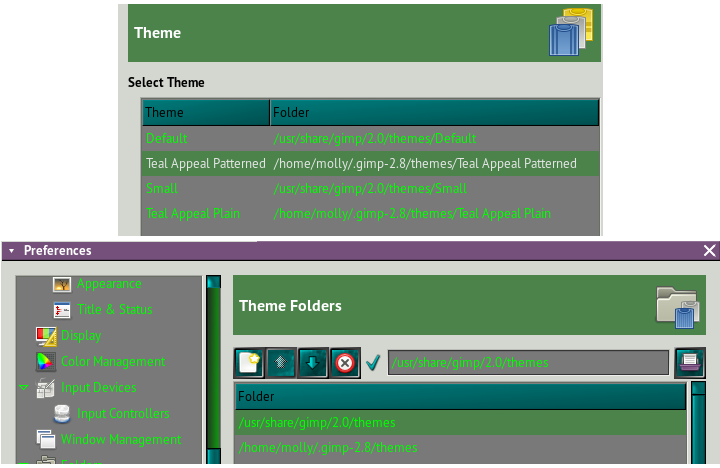
Thanks Kevin, I think I finally got it. Now I have to deal with the dark green part that I don't seem to be able to change.
Image

I will make a new screen shot.
Image


The dark green in the title bars won't show up the text.

_________________
Image


Top
 Post subject: Re: Setting up themes in Gimp
PostPosted: Mon Jun 09, 2014 9:53 am  (#4) 
Offline
GimpChat Founder
User avatar

Joined: May 22, 2008
Posts: 5241
Location: Gimpville
paynekj wrote:
Repeat for the system themes directory (/usr/share/gimp/2.0/themes) and press OK

In my Fedora Installation, the global system themes are located in: /usr/local/share/gimp/2.0/themes

Not sure if that is the case on Molly's system but I suspect it is.

Image

Edit: I see she has them available to be selected now. :)

Molly, try selecting the default theme and reload or restart GIMP.

_________________
“If you reach for the stars, you just might land on a decently sized hill.” - Stuart Hill


Top
 Post subject: Re: Setting up themes in Gimp
PostPosted: Mon Jun 09, 2014 9:58 am  (#5) 
Offline
GimpChat Member
User avatar

Joined: Apr 07, 2010
Posts: 14182
which one is the default? :oops: :oops: :oops: :oops: :oops:
Image

_________________
Image


Top
 Post subject: Re: Setting up themes in Gimp
PostPosted: Mon Jun 09, 2014 10:06 am  (#6) 
Offline
GimpChat Founder
User avatar

Joined: May 22, 2008
Posts: 5241
Location: Gimpville
Under Theme (Edit/Preferences/Theme), one of 'em in there says Default. Select it. :cool

_________________
“If you reach for the stars, you just might land on a decently sized hill.” - Stuart Hill


Top
 Post subject: Re: Setting up themes in Gimp
PostPosted: Mon Jun 09, 2014 10:09 am  (#7) 
Offline
GimpChat Member
User avatar

Joined: Apr 07, 2010
Posts: 14182
When I select that one, it goes back to the default gimp screen.

_________________
Image


Top
 Post subject: Re: Setting up themes in Gimp
PostPosted: Mon Jun 09, 2014 10:11 am  (#8) 
Offline
GimpChat Founder
User avatar

Joined: May 22, 2008
Posts: 5241
Location: Gimpville
Oh, I though that was what you were trying to do. :oops:

_________________
“If you reach for the stars, you just might land on a decently sized hill.” - Stuart Hill


Top
 Post subject: Re: Setting up themes in Gimp
PostPosted: Mon Jun 09, 2014 10:12 am  (#9) 
Offline
GimpChat Member
User avatar

Joined: Jun 02, 2013
Posts: 2090
molly wrote:
The dark green in the title bars won't show up the text.
Strange that the menu titles are in black. Lime green on mine.

_________________
Image


Top
 Post subject: Re: Setting up themes in Gimp
PostPosted: Mon Jun 09, 2014 10:13 am  (#10) 
Offline
GimpChat Member
User avatar

Joined: Apr 07, 2010
Posts: 14182
No, I am trying to get Warriors theme in, which I finally got. Now the title bars are in black so I can't see them and his is in green which are very clear and readable.
Anyway, maybe I wasn't meant to have it, and I can always use the default which I can see but it is boring. :roll:

_________________
Image


Top
 Post subject: Re: Setting up themes in Gimp
PostPosted: Mon Jun 09, 2014 10:18 am  (#11) 
Offline
GimpChat Member
User avatar

Joined: Jun 02, 2013
Posts: 2090
My theme seemingly works better in Windows. Not sure what the deal is?

_________________
Image


Top
 Post subject: Re: Setting up themes in Gimp
PostPosted: Mon Jun 09, 2014 10:19 am  (#12) 
Offline
GimpChat Member
User avatar

Joined: Apr 07, 2010
Posts: 14182
I will give it a try in Windoze, just to see for my own satisfaction. Just bugs me when I can't get something to work that works for every one else.

_________________
Image


Top
 Post subject: Re: Setting up themes in Gimp
PostPosted: Mon Jun 09, 2014 10:38 am  (#13) 
Offline
GimpChat Founder
User avatar

Joined: May 22, 2008
Posts: 5241
Location: Gimpville
I get the same results as you, Molly. Unlike MS Windows, Linux has lots of different Window Managers, depending on which Desktop Environment you're using (and which WM you've installed). I suspect GIMP themes need to be tweaked for the various Window managers available for Linux.

Image

_________________
“If you reach for the stars, you just might land on a decently sized hill.” - Stuart Hill


Top
 Post subject: Re: Setting up themes in Gimp
PostPosted: Mon Jun 09, 2014 10:40 am  (#14) 
Offline
GimpChat Member
User avatar

Joined: Apr 07, 2010
Posts: 14182
Well, now I can relax, I thought it was just me AGAIN. I am in windows now and I can't get it to work at all, but no problem, I am going back to Fedora pronto.
Thanks for confirming this for me Tux.

_________________
Image


Top
 Post subject: Re: Setting up themes in Gimp
PostPosted: Mon Jun 09, 2014 10:43 am  (#15) 
Offline
Script Coder
User avatar

Joined: Jun 22, 2010
Posts: 1171
Location: Here and there
@Warrior

I think there's some problem with the styling hierarchy as I saw something similar this morning, and get default coloured text on the menubar and menuitems when I try your theme in GIMP 2.6.7

By adding this line to the gtkrc I can get the green text on the menubar:
widget_class "*MenuBar*"               style:highest "menubar"

Which is telling GTK to make this the highest priority style.

Kevin


Top
 Post subject: Re: Setting up themes in Gimp
PostPosted: Mon Jun 09, 2014 10:46 am  (#16) 
Offline
GimpChat Member
User avatar

Joined: Apr 07, 2010
Posts: 14182
o, that sounds cool, I am back in Fedora so there is hope yet, I really like that light green text on the menu bar. I don't know how to do that,. Would you be able to make a screen shot of where you added that line Kevin please?
I opened the gtkrc in geany but not sure where the line goes.
# pixmap_path "<dir 1>:<dir 2>:<dir 3>:..."
#
# include "rc-file"
#
# style <name> [= <name>]
# {
#   <option>
# }
#
# widget <widget_set>       style <style_name>
# class  <widget_class_set> style <style_name>
#
# You can add your own GIMP-specific GTK styles here.


#
# Adjust the size of previews in plug-in dialogs:
#
style "gimp-large-preview"
{
  GimpPreview::size = 256
}

# class "GimpPreview" style "gimp-large-preview"

_________________
Image


Top
 Post subject: Re: Setting up themes in Gimp
PostPosted: Mon Jun 09, 2014 10:56 am  (#17) 
Offline
GimpChat Member
User avatar

Joined: Jun 02, 2013
Posts: 2090
No idea. I just changed the icon colors in the Greenheart theme, and changed the color codes in the gtkrc. That's it. I think my theme days are over, haha. Just make them for myself, which is what I intended anywhos.

_________________
Image


Top
 Post subject: Re: Setting up themes in Gimp
PostPosted: Mon Jun 09, 2014 11:04 am  (#18) 
Offline
Script Coder
User avatar

Joined: Jun 22, 2010
Posts: 1171
Location: Here and there
Molly

you have to open the gtkrc in the Teal Appeal Plain or Teal Appeal Patterned directory and I'd suggest putting the line at the bottom of the file.

Kevin


Top
 Post subject: Re: Setting up themes in Gimp
PostPosted: Mon Jun 09, 2014 11:08 am  (#19) 
Offline
GimpChat Member
User avatar

Joined: Apr 07, 2010
Posts: 14182
Thank you, I will see if I can find that.
I found it and added the code and it worked. Now, how do I change the text on all the drop downs, they are still in black. File > Edit > Select > View, etc. They are too dark to read. Can they be fixed with a piece of code too?
Image

Image

_________________
Image


Top
 Post subject: Re: Setting up themes in Gimp
PostPosted: Mon Jun 09, 2014 3:41 pm  (#20) 
Offline
Script Coder
User avatar

Joined: Jun 22, 2010
Posts: 1171
Location: Here and there
molly wrote:
Thank you, I will see if I can find that.
I found it and added the code and it worked. Now, how do I change the text on all the drop downs, they are still in black. File > Edit > Select > View, etc. They are too dark to read. Can they be fixed with a piece of code too?


try adding this to the bottom of the gtkrc file:
widget_class "*MenuItem*"         style:highest "menuitem"


And let's get the scrollbars and toolbox tabs sorted as well:
widget_class "*Scrollbar*"              style:highest "scrollbar"
widget_class "*<GtkNotebook>"          style "notebook"


Kevin


Last edited by paynekj on Mon Jun 09, 2014 3:48 pm, edited 1 time in total.

Top
Post new topic Reply to topic  [ 27 posts ]  Go to page 1, 2  Next

All times are UTC - 5 hours [ DST ]


* Login  


Powered by phpBB3 © phpBB Group