GIMP Version: 2.8.10
Operating System: Linux
GIMP Experience: Basic Level
Hi, first post here. I have enjoyed browsing the forum over the past few days and have learned a lot, thank you.
I'm trying to help my better half visualize quilting patterns (where the fabric layers are quilted, the spaces between are raised, puffed up).
Text is easy to quilt in Gimp, but I need to do various line patterns, grids, circles and so forth. Text is done by creating a text layer, layer to image size, merge down, then duplicate the layer, blur the bottom one, emboss then make the top layer grain merge.

Similiarly, in inkscape, I can leave a little space between shapes before applying a filter to bevel it, but I'm limited to a "stitch in the ditch" pattern, whereas I need to do all shapes.
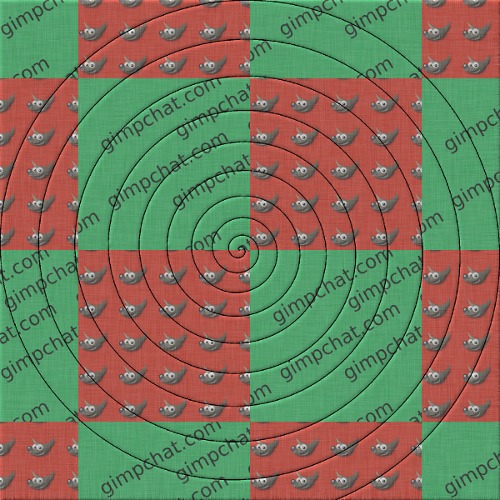
I'm hoping there is a way to have a line pattern, grid, or various shapes in a layer, then bevel the layer below based on the pattern in the layer above - if that makes sense. A spiral as an example, or a series of lines.
I am new to Gimp, and just need a nudge in the right direction.
update: I'm able to get results close to what I want, using the same process as with the text: create pattern layer, layer size to image, merge down, duplicate layer, bottom layer gaus blur, the distort/emboss, then make the top layer grain merge

The problem is, the emboss show up over the entire image, rather than just on the spiral. I can't figure out how to isolate the embossing to the spiral shape.

Thank you,
Byron
 Login
Login Register
 Tweets
 FAQ
FAQ Advanced Search