It is currently Fri Jul 31, 2026 5:00 pm


All times are UTC - 5 hours [ DST ]


Post new topic Reply to topic  [ 2 posts ] 
Author Message
 Post subject: New device with 4k screen and I can't see Gimp icons at all!
PostPosted: Mon Jun 23, 2025 9:15 pm  (#1) 
Offline
GimpChat Member

Joined: Nov 07, 2024
Posts: 6
GIMP Version: 2.8.14
Operating System: Windows
GIMP Experience: Intermediate Level

List any relevant plug-ins or scripts:
Fractal/flame


New laptop with 2560 x 1600 resolution; I opened Gimp and the icons are like 8-10 pixels in size and my favorite filter, the "flame fractal" is virtually unusable at the default device resolution.

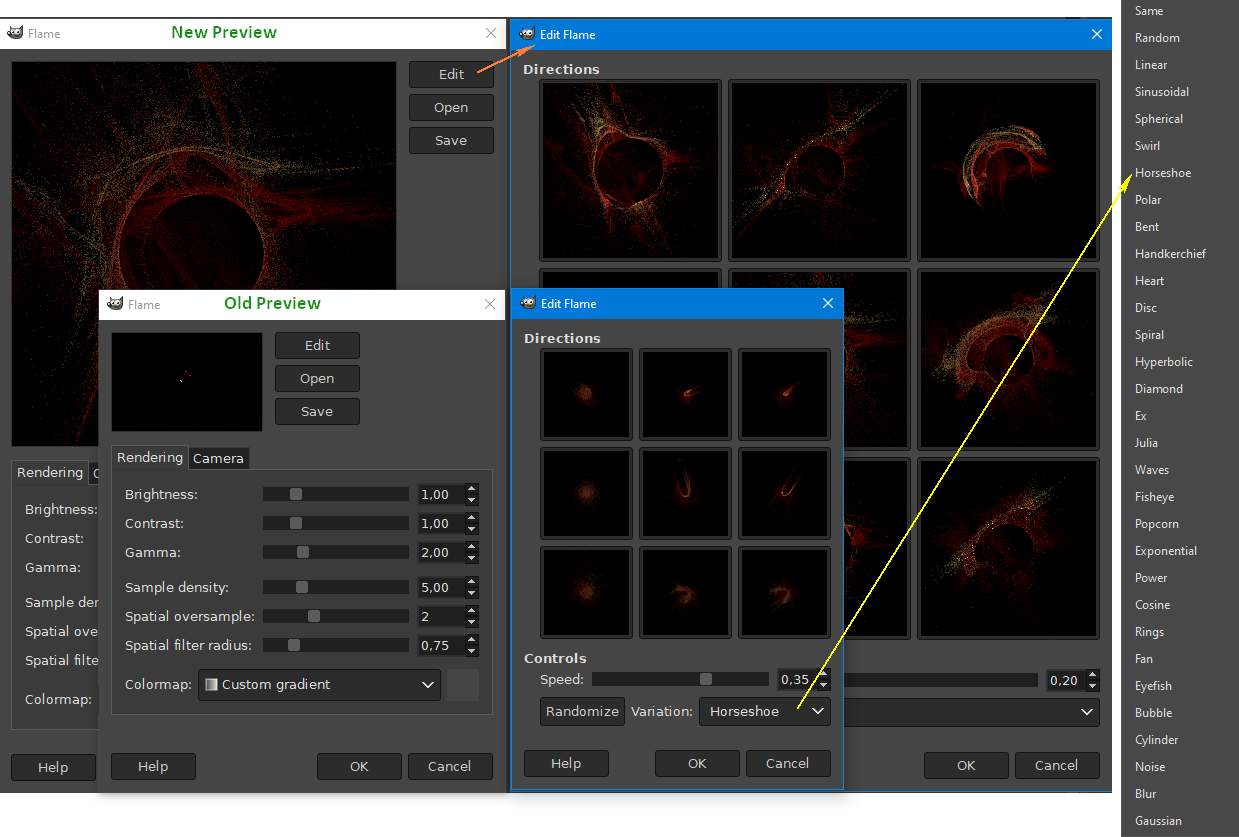
I'm hoping someone can tell what setting I can change to make Gimp useable- icon wise and filter window size wise. I simply can't see anything and some advice would be awesome. The filter window is nowhere near the size in the image and as you can see, the fractal image itself is just about imperceptible.

Thanks.


Attachments:
File comment: this is a screenshot of the intial screen of the flame fractal filter. I don't know how to make it useable.
Untitled.jpg
Untitled.jpg [ 57.07 KiB | Viewed 683 times ]
Share on Facebook Share on Twitter Share on Orkut Share on Digg Share on MySpace Share on Delicious Share on Technorati
Top
 Post subject: Re: New device with 4k screen and I can't see Gimp icons at all!
PostPosted: Tue Jun 24, 2025 2:40 am  (#2) 
Offline
GimpChat Member
User avatar

Joined: Jan 13, 2011
Posts: 2646
Location: Poland
If you decide to use Gimp-2.10:
1. You can download flame.exe with a bigger preview:
viewtopic.php?f=9&t=21511

Image

2. Change size icons:
viewtopic.php?f=11&t=19154&p=261235&hilit=Change+menu+%26+icons#p261235

_________________
Image


Top
Post new topic Reply to topic  [ 2 posts ] 

All times are UTC - 5 hours [ DST ]


* Login  


Powered by phpBB3 © phpBB Group