It is currently Mon Nov 23, 2026 3:13 am


All times are UTC - 5 hours [ DST ]


Post new topic Reply to topic  [ 11 posts ] 
Author Message
 Post subject: Grayscale vs Desaturation
PostPosted: Sun Oct 16, 2011 9:29 pm  (#1) 
Offline
Retired Staff
User avatar

Joined: May 22, 2008
Posts: 6946
Location: Somewhere in GIMP
GIMP Version: 2.6.11
Operating System: Linux
OS Version: Fedora
GIMP Experience: Intermediate Level

List any relevant plug-ins or scripts:
Grayscale mode vs Desaturation filter


Desaturation has three gray shades: Lightness, luminosity and average.

Grayscale is Image > Mode > Grayscale

Grayscale can have little done to it until it is changed to RGB.

Do Black and White photos all come out grayscale?

What is the difference between grayscale and desaturate?

Can anyone give me any information about them? Is it better to make a colored image grayscale or to desaturate it? I'm mainly wondering about quality.

_________________
Image
World War IV will be fought with sticks and stones. - Albert Einstein


Share on Facebook Share on Twitter Share on Orkut Share on Digg Share on MySpace Share on Delicious Share on Technorati
Top
 Post subject: Re: Grayscale vs Desaturation
PostPosted: Sun Oct 16, 2011 9:40 pm  (#2) 
Offline
GimpChat Member

Joined: Aug 05, 2011
Posts: 606
Location: limestone,ny
here's a page that might help


Top
 Post subject: Re: Grayscale vs Desaturation
PostPosted: Sun Oct 16, 2011 9:53 pm  (#3) 
Offline
Retired Staff
User avatar

Joined: May 22, 2008
Posts: 6946
Location: Somewhere in GIMP
That is great information. Thanks alc59. I can see that grayscale is a superior way to go about it. It's really not very hard to change from grayscale back to rgb so that's not really a problem.

_________________
Image
World War IV will be fought with sticks and stones. - Albert Einstein


Top
 Post subject: Re: Grayscale vs Desaturation
PostPosted: Sun Oct 16, 2011 10:05 pm  (#4) 
Offline
GimpChat Member

Joined: Apr 12, 2010
Posts: 5870
Oregonian
I believe the very best result is offered by gegl operation C2G (just remember to raise the value for samples from the default anyway the gegl filter may apply the preview directly to the image )

Greyscale image mode is equivalent for number of colors to Index, only 256 different shades are supported

So obviously desaturate will give you a better quality because support much more gradastion of color

For the rest is just question of taste,

_________________
My 3D Gallery on Deviantart http://photocomix2.deviantart.com/
Main gallery http://www.flickriver.com/photos/photocomix-mandala/
Mandala and simmetry http://www.flickriver.com/photos/photocomix_mandala/

Image

Mrs Wilbress


Top
 Post subject: Re: Grayscale vs Desaturation
PostPosted: Sun Oct 16, 2011 10:33 pm  (#5) 
Offline
GimpChat Member

Joined: Apr 12, 2010
Posts: 5870
I see that the author of the article give the opposite suggestion

but again quality of Grayscale is identical to that of Index :
if you desaturate a colored image and then you convert image mode to to index, then you get the same quality of greyscale .

And you know quality of index is not too high

_________________
My 3D Gallery on Deviantart http://photocomix2.deviantart.com/
Main gallery http://www.flickriver.com/photos/photocomix-mandala/
Mandala and simmetry http://www.flickriver.com/photos/photocomix_mandala/

Image

Mrs Wilbress


Last edited by PhotoComix on Sun Oct 16, 2011 10:35 pm, edited 1 time in total.

Top
 Post subject: Re: Grayscale vs Desaturation
PostPosted: Sun Oct 16, 2011 10:34 pm  (#6) 
Offline
Script Coder
User avatar

Joined: Apr 23, 2010
Posts: 1553
Location: not from Guildford after all
Oregonian wrote:
That is great information. Thanks alc59. I can see that grayscale is a superior way to go about it. It's really not very hard to change from grayscale back to rgb so that's not really a problem.

In GIMP, converting your image mode to grayscale and then back to RGB is exactly equivalent to desaturating using the Luminosity option. I do not use Photoshop but from the link provided by alc59, it would seem that Photoshop does not offer the Luminosity option.

PhotoComix wrote:
So obviously desaturate will give you a better quality because support much more gradastion of color,

In GIMP, desaturation results in the same amount of "gradation" as converting to grayscale. The three color channels -- red, green, and blue -- are forced to the same value, and this results in no difference in the number of levels of gray than if there is only one channel.
  RGB         GRAYSCALE
  gray
0,0,0    ==    0
1,1,1    ==    1
2,2,2    ==    2
:
:
254,254,254 == 254
255,255,255 == 255

_________________
Any sufficiently primitive technology is indistinguishable from a rock.


Top
 Post subject: Re: Grayscale vs Desaturation
PostPosted: Sun Oct 16, 2011 11:02 pm  (#7) 
Offline
GimpChat Member

Joined: Mar 08, 2011
Posts: 155
I can't contribute to this, but great question and great answers. I learned something new I didn't think I wanted to know :D


Top
 Post subject: Re: Grayscale vs Desaturation
PostPosted: Sun Oct 16, 2011 11:34 pm  (#8) 
Offline
GimpChat Member

Joined: Apr 12, 2010
Posts: 5870
Quote:
In GIMP, desaturation results in the same amount of "gradation" as converting to grayscale. The three color channels -- red, green, and blue -- are forced to the same value, and this results in no difference in the number of levels of gray than if there is only one channel.


OOPPSS

_________________
My 3D Gallery on Deviantart http://photocomix2.deviantart.com/
Main gallery http://www.flickriver.com/photos/photocomix-mandala/
Mandala and simmetry http://www.flickriver.com/photos/photocomix_mandala/

Image

Mrs Wilbress


Top
 Post subject: Re: Grayscale vs Desaturation
PostPosted: Mon Oct 17, 2011 3:47 am  (#9) 
Offline
Script Coder
User avatar

Joined: Jun 22, 2010
Posts: 1171
Location: Here and there
I would point you to the GIMP docs page about Desaturate, but as docs.gimp.com is missing at the moment, I'll quote from my local copy of the help docs:
Quote:
Lightness
The graylevel will be calculated as
Lightness = ½ × (max(R,G,B) + min(R,G,B))

Luminosity
The graylevel will be calculated as
Luminosity = 0.21 × R + 0.71 × G + 0.07 × B

Average
The graylevel will be calculated as
Average Brightness = (R + G + B) ÷ 3


Personally I tend to use the Channel mixer as it gives me more control.

Kevin


Top
 Post subject: Re: Grayscale vs Desaturation
PostPosted: Mon Oct 17, 2011 9:30 am  (#10) 
Offline
Retired Staff
User avatar

Joined: May 22, 2008
Posts: 6946
Location: Somewhere in GIMP
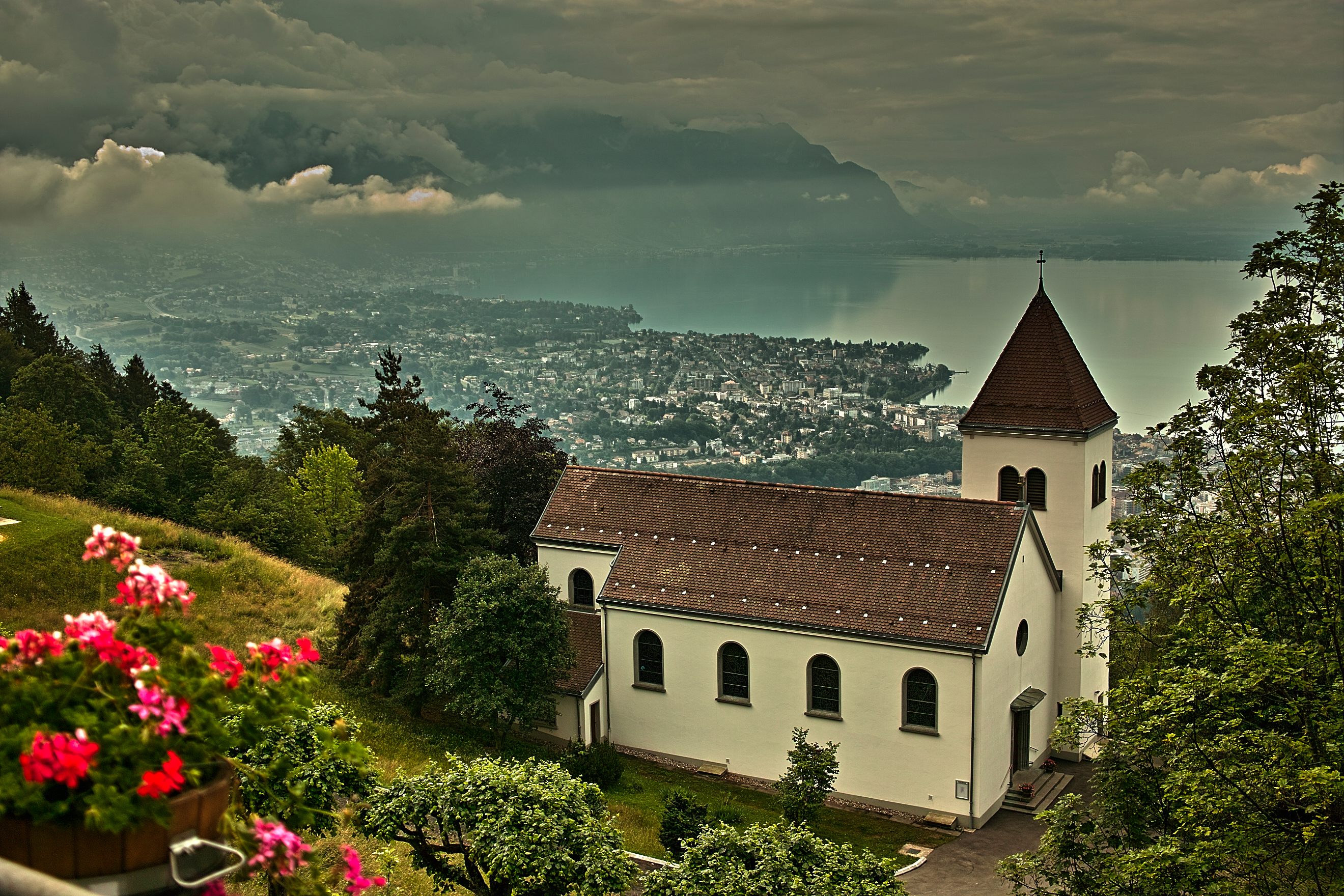
Thank you everyone for your excellent information. I think it all boils down to beauty being in the eye of the beholder. I found that the luminosity setting looks very much the same as the grayscale mode xcf image below. I can't see the difference. The image was from stock exchange and was scaled to 1/3 actual size.

Here is a thumbnail of the full-sized image. Click to view it full-sized.
Image

This is the scaled to 1/3-sized, xcf image in layers of desaturate and grayscale. Right-click to download greyscale-desat.xcf.

_________________
Image
World War IV will be fought with sticks and stones. - Albert Einstein


Top
 Post subject: Re: Grayscale vs Desaturation
PostPosted: Mon Oct 17, 2011 9:34 am  (#11) 
Offline
GimpChat Member
User avatar

Joined: Apr 07, 2010
Posts: 14182
What a beautiful spot that is "O". It looks so peaceful.

_________________
Image


Top
Post new topic Reply to topic  [ 11 posts ] 

All times are UTC - 5 hours [ DST ]


* Login  


Powered by phpBB3 © phpBB Group