Deblk wrote:
trandoductin wrote:
Do you mean something like this?
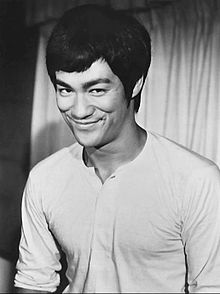
take a source image like this color or black and white.
[
Image ]
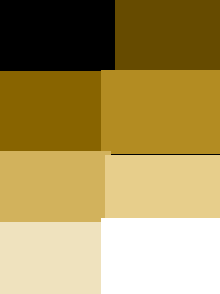
and a palette image (here 8 colors that has black white and some yellowish browns).
[
Image ]
and get a result like this?
[
Image ]
Yes, exactly what I am looking for

Then it's really simple.
First draw your palette colors, or open image with your desired palette.
Count number of colors (call this N).
The Image->Mode->Indexed then click on Generate optimum palette and enter N as maximum number of colors.
Then just copy paste in your desired image (or Open it as layer)...
because the Mode is indexed, it'll force your pasted image (or opened as layer) to match the indexed mode.
 Login
Login Register
 Tweets
 FAQ
FAQ Advanced Search


.gif)