It is currently Sun Nov 22, 2026 4:53 am


All times are UTC - 5 hours [ DST ]


Post new topic Reply to topic  [ 41 posts ]  Go to page Previous  1, 2, 3  Next
Author Message
 Post subject: Re: Pattern download problem
PostPosted: Fri Sep 16, 2011 11:07 pm  (#21) 
Offline
GimpChat Member
User avatar

Joined: Jan 13, 2011
Posts: 2648
Location: Poland
Rod wrote:

...Try that first.If it works Gimp will open all the pat files in single layers then use GAP to save all layers as separate png images.Then just throw them all in the patterns folder or direct a path to them from Edit/Pref/Patterns...


To save layers as *. pat can be useful scripts:

script-fu-save-layers-to-pat-files

; Saves_all_layers_to_separate_pat_files.scm
;
; origine http://groups.google.ca/group/comp.graphics.apps.gimp/browse_thread/thread/010e01bd0930438a#
; modification pour enregistrer en .pat (motifs Gimp)
; fonctionne Gimp 2.6.1 Windows
;
(define (script-fu-save-layers-to-pat-files image dont-ask display-images short-description-of-the-pattern)
(let ((basename (car (gimp-image-get-filename image))))
(when (string=? basename "")
(set! basename (string-append
(car (gimp-temp-name ""))
(car (gimp-image-get-name image)))))
(let loop ((layers (vector->list (cadr (gimp-image-get-layers image)))))
(unless (null? layers)
(gimp-edit-copy (car layers))

(let ((img (car (gimp-edit-paste-as-new)))
(new-name (string-append
basename
(car (gimp-drawable-get-name (car layers)))
".pat")))
(file-pat-save dont-ask img (aref (cadr (gimp-image-get-layers img)) 0) new-name new-name short-description-of-the-pattern)
(if (= FALSE display-images)
;; clean up afterwards if we are not going to
;; display the images anyway:
(gimp-image-delete img)
(gimp-display-new img)))
(loop (cdr layers))))))

(script-fu-register "script-fu-save-layers-to-pat-files"
; modif samj _"Save all layers to a different file"
_"Save layers to pat (Motifs Gimp)..."
_"Saves all layers to separate .pat files"
"Niels Giesen ([email protected]) - samj"
"Niels Giesen - samj"
"2008-10-29"
""
SF-IMAGE "Image" 1
SF-TOGGLE _"Don't ask options for each layer" TRUE
SF-TOGGLE _"Display images?" FALSE
SF-STRING "Description sommaire des motifs" "Motifs issus de calques")

(script-fu-menu-register "script-fu-save-layers-to-pat-files"
; modif samj _"<Image>/File")
_"<Image>/File")


script-fu-save-pat-layers

; This program is free software; you can redistribute it and/or modify
; it under the terms of the GNU General Public License as published by
; the Free Software Foundation; either version 2 of the License, or
; (at your option) any later version.
;
; This program is distributed in the hope that it will be useful,
; but WITHOUT ANY WARRANTY; without even the implied warranty of
; MERCHANTABILITY or FITNESS FOR A PARTICULAR PURPOSE.  See the
; GNU General Public License for more details.

;; Take a pattern file with multiple layers -- for example, one
;; created by the Photoshop Pattern Loader plug-in -- and save
;; each layer as a separate GIMP-usable pattern.
;;
;; Installed in "Filters->Animations->Save layers as patterns"

(define (script-fu-save-pat-layers image drawable)

  (gimp-progress-set-text "Saving layers as pattern files")
  (gimp-image-undo-group-start image)
  (gimp-selection-none image)
  (let* (
      (layers (gimp-image-get-layers image))
      (num-layers (car layers))
      (i 0)
      (layers (cadr layers))
      (path (string-append gimp-directory "/patterns/"))
      (extension ".pat")
      )
    (while (< i num-layers)
           (let* (
              (layer (aref layers i))
              (layer-name (car (gimp-layer-get-name layer)))
              (fullpath (string-append path layer-name extension))
              )
             (plug-in-autocrop-layer RUN-NONINTERACTIVE image layer)
               ;; Note -- this changes the original image,
               ;; leaving each layer autocropped

             (file-pat-save RUN-NONINTERACTIVE image layer fullpath fullpath
                            layer-name)
            )
           (set! i (+ i 1))
  ))

  (gimp-progress-set-text "Saved all layers")
  (gimp-image-undo-group-end image)
  (gimp-displays-flush)
)

(script-fu-register "script-fu-save-pat-layers"
"<Image>/File/Save layers as patterns (*.pat)"
"Save each layer to a separate file after autocropping *.pat in gimp-directory /patterns/"
"Akkana Peck"
"Akkana Peck"
"6/3/2009"
""
SF-IMAGE    "Image"    0
SF-DRAWABLE "Drawable" 0
)


The two scripts in Save as pat.zip


Attachments:
Save as pat.zip [2.1 KiB]
Downloaded 102 times

_________________
Image
Top
 Post subject: Re: Pattern download problem
PostPosted: Sat Sep 17, 2011 6:20 am  (#22) 
Offline
GimpChat Member
User avatar

Joined: Aug 24, 2011
Posts: 1785
Location: Dallas, TX
Doesn't matter what I do...drag & drop or open aas layers I get the same error message on both the single patern and the pattern pack.

I've tried several times to upload the zip file but it is 16.5 MB and won't seem to make the trip.


Attachments:
pattern error.jpg
pattern error.jpg [ 35.49 KiB | Viewed 2102 times ]

_________________
Image
Top
 Post subject: Re: Pattern download problem
PostPosted: Sat Sep 17, 2011 2:49 pm  (#23) 
Offline
GimpChat Member
User avatar

Joined: Oct 29, 2010
Posts: 711
Location: Netherlands
Thanks Rod.
Nice he included the source so I could compile it in Linux.
And for both 2.6 and 2.7!
Gerard.

_________________
Gentoo Linux always up-to-date.
Kernel-3.17.4 Python-2.7.8/3.3.5
Gimp-2.8.14

I use Linux only.
And Virtualbox with Win 7


Top
 Post subject: Re: Pattern download problem
PostPosted: Sat Sep 17, 2011 3:50 pm  (#24) 
Offline
Global Moderator
User avatar

Joined: May 16, 2010
Posts: 16293
Draconian - i found them online - ill let you know how conversion goes.

MareroQ - those are an excellent addition to Gimp.Though you can save one layer /copy/paste as pattern, this will be awesome for saving multiple layers at once!.

PC - any idea on where to find a free convertor?

_________________
Image


Top
 Post subject: Re: Pattern download problem
PostPosted: Sat Sep 17, 2011 4:40 pm  (#25) 
Offline
Global Moderator
User avatar

Joined: May 16, 2010
Posts: 16293
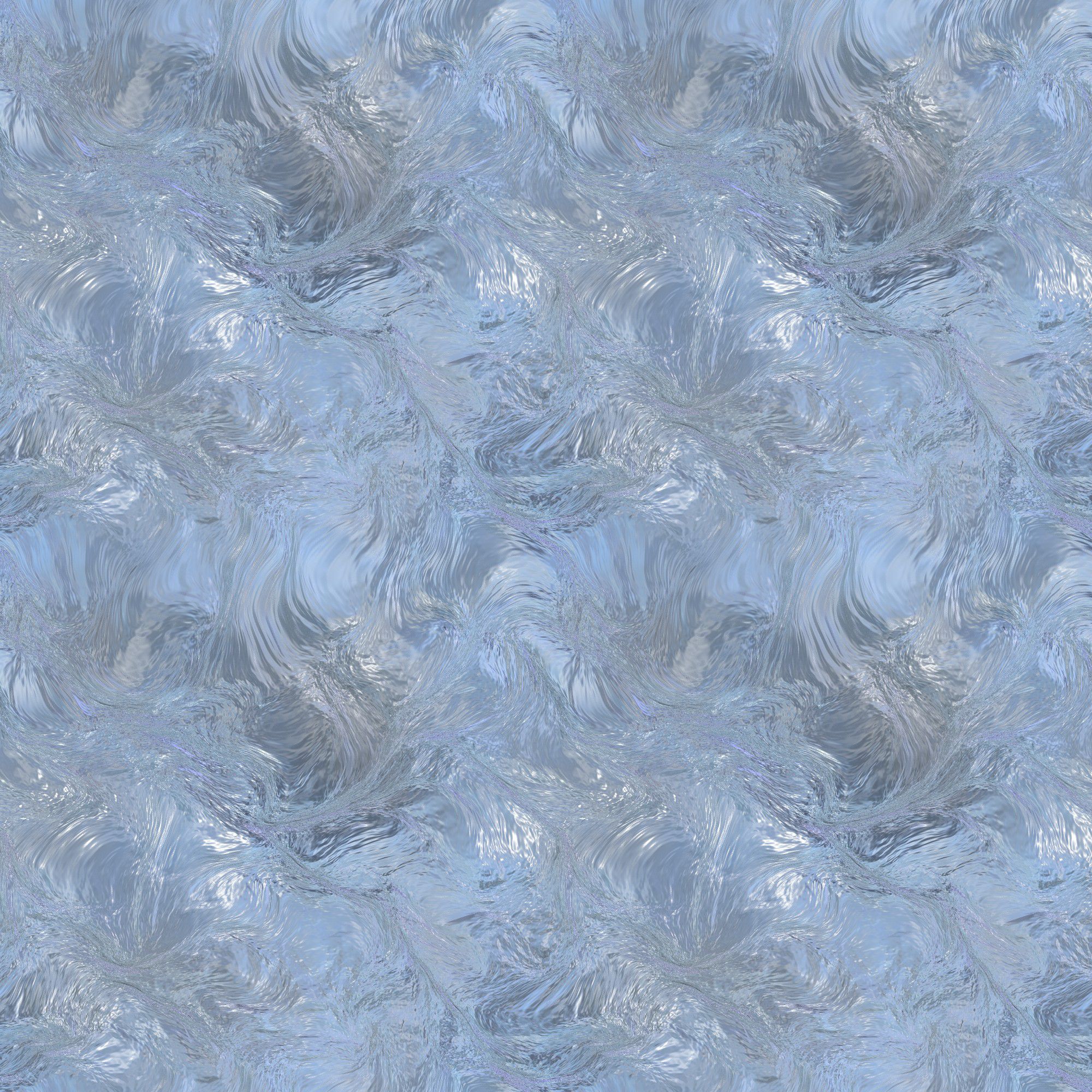
Theses are high res jpg ice pattern images for Gimp.
You will probably either want to re size them for the patterns folder or use them when you need them outside of Gimp.

Download is here - http://download1246.mediafire.com/rh8f5 ... Pat-RD.zip

What you get - 9 2000x2000 pixel high res ice images. :)

Image

Enjoy!

_________________
Image


Top
 Post subject: Re: Pattern download problem
PostPosted: Sat Sep 17, 2011 4:51 pm  (#26) 
Offline
GimpChat Member
User avatar

Joined: Apr 07, 2010
Posts: 14182
they are beautiful...thanks Rod

_________________
Image


Top
 Post subject: Re: Pattern download problem
PostPosted: Sat Sep 17, 2011 4:55 pm  (#27) 
Offline
Global Moderator
User avatar

Joined: May 16, 2010
Posts: 16293
You are welcome Molly.
They started out as PNG from Adobe PS CS5.
Each PNG was 3 mb in size so i opened them all in RIOT and brought the quality down just a wee bit to get them each under 1MB and plus i changed the extension for each to JPG.
If you have RIOT you can easily open them back up and change them all to PNG again. :)

_________________
Image


Top
 Post subject: Re: Pattern download problem
PostPosted: Sat Sep 17, 2011 4:57 pm  (#28) 
Offline
GimpChat Member
User avatar

Joined: Apr 07, 2010
Posts: 14182
I Just want to use them for patterns so I put them into my patterns folders.

_________________
Image


Top
 Post subject: Re: Pattern download problem
PostPosted: Sat Sep 17, 2011 5:00 pm  (#29) 
Offline
GimpChat Member
User avatar

Joined: Aug 24, 2011
Posts: 1785
Location: Dallas, TX
:yes :hi5 :jumpclap :clap :tyspin Fan-freakin-tastic. That's the ones.
Rod to the rescue.....AGAIN!

_________________
Image


Top
 Post subject: Re: Pattern download problem
PostPosted: Sat Sep 17, 2011 5:04 pm  (#30) 
Offline
Global Moderator
User avatar

Joined: May 16, 2010
Posts: 16293
Draconian wrote:
:yes :hi5 :jumpclap :clap :tyspin Fan-freakin-tastic. That's the ones.
Rod to the rescue.....AGAIN!


They were the only ice patterns i could find :lol ... so i guess we both got lucky there. :)
Anyways i can find NO free software to do this conversion.(if someone does know of one please PM me the link).
So if you have anymore you want converted just holler at me Draconian.

_________________
Image


Top
 Post subject: Re: Pattern download problem
PostPosted: Sun Sep 18, 2011 10:48 am  (#31) 
Offline
GimpChat Member
User avatar

Joined: Aug 24, 2011
Posts: 1785
Location: Dallas, TX
Thanks Rod. I'll try not to abuse your gracious offer. After opening them all it is actually
not the exact one I was looking at. Yours has several I can use but there was one frost pattern in the other one that I was particularly interested in. I just googled up frost images and ice crystals images and found several to put in my bag.

These are only two right now that I would actually like exported to png or jpeg when you have the time.


Attachments:
dragonscales01.pat [5.13 KiB]
Downloaded 105 times
wild by eMelody.pat [729.26 KiB]
Downloaded 140 times

_________________
Image
Top
 Post subject: Re: Pattern download problem
PostPosted: Sun Sep 18, 2011 11:50 am  (#32) 
Offline
GimpChat Member
User avatar

Joined: Oct 06, 2010
Posts: 4050
Those actually opened with the ps-pat-loader.

_________________
"In order to attain the impossible, one must attempt the absurd."
~ Miguel de Cervantes


Top
 Post subject: Re: Pattern download problem
PostPosted: Sun Sep 18, 2011 1:25 pm  (#33) 
Offline
Global Moderator
User avatar

Joined: May 16, 2010
Posts: 16293
Not in windows xp 32 bit they won't.
Maybe i will ask SamJ about compiling a version for 32 bit.

I will have those done asap Draconian.

_________________
Image


Top
 Post subject: Re: Pattern download problem
PostPosted: Sun Sep 18, 2011 1:35 pm  (#34) 
Offline
Script Coder
User avatar

Joined: Jul 14, 2010
Posts: 697
Rod wrote:
Not in windows xp 32 bit they won't.
Maybe i will ask SamJ about compiling a version for 32 bit.

I will have those done asap Draconian.


Both opened fine for me under windows 7 with GIMP 2.6.11 32 bit.

-Rob A>

_________________
Image
Fantasy Cartography and Mapping by RobA


Top
 Post subject: Re: Pattern download problem
PostPosted: Sun Sep 18, 2011 2:48 pm  (#35) 
Offline
GimpChat Member

Joined: Apr 12, 2010
Posts: 5870
Rod

the only FREE utility is the ps-pat-loader, only other option (except PS ) seems to be Corel paint shop pro
And again even for PSP and PS result is not sure, new pat file (created with PS-CS 1, 2,3and 4) may be not compatible even with older PS version

_________________
My 3D Gallery on Deviantart http://photocomix2.deviantart.com/
Main gallery http://www.flickriver.com/photos/photocomix-mandala/
Mandala and simmetry http://www.flickriver.com/photos/photocomix_mandala/

Image

Mrs Wilbress


Top
 Post subject: Re: Pattern download problem
PostPosted: Sun Sep 18, 2011 4:37 pm  (#36) 
Offline
Global Moderator
User avatar

Joined: May 16, 2010
Posts: 16293
Here are the patterns in PNG format
The wild ones are 295x295
Dragon scales is 2000x2000 pixels.
Zip attached

Attachment:
File comment: Dragon scales and Wild animal skins PNG format for Gimp Patterns folder.
Wild-And-Dragon-Scales.zip [727.66 KiB]
Downloaded 136 times

_________________
Image


Top
 Post subject: Re: Pattern download problem
PostPosted: Sun Sep 18, 2011 7:01 pm  (#37) 
Offline
GimpChat Member
User avatar

Joined: Aug 24, 2011
Posts: 1785
Location: Dallas, TX
Thanks Rod!

_________________
Image


Top
 Post subject: Re: Pattern download problem
PostPosted: Sun Sep 18, 2011 7:12 pm  (#38) 
Offline
Global Moderator
User avatar

Joined: May 16, 2010
Posts: 16293
No problem. :)

_________________
Image


Top
 Post subject: Re: Pattern download problem
PostPosted: Wed Feb 18, 2015 6:43 am  (#39) 
Offline
New Member

Joined: Feb 18, 2015
Posts: 2
Hello everyone!

I am having the same problems with .PAT files, I clicked on the referenced link above, google can't find the site -its gone; does anyone have any other solutions?


Top
 Post subject: Re: Pattern download problem
PostPosted: Wed Feb 18, 2015 6:46 am  (#40) 
Offline
New Member

Joined: Feb 18, 2015
Posts: 2
Hello,

Does anyone know what happened to the 64 bit site above -are there any other solution, other than that site, its gone?


Top
Post new topic Reply to topic  [ 41 posts ]  Go to page Previous  1, 2, 3  Next

All times are UTC - 5 hours [ DST ]


* Login  


Powered by phpBB3 © phpBB Group