Hi Wallace,
I found the url for the YouTube you kindly created and shared.
I visited that url and found the video and downloaded it to my hard drive.
When I play it in VLC Media Player, it’s all very grainy and blurry.
So, if you will, please closely examine the steps I’ve created below to ascertain it they correctly correspond with the steps incessancy for both the Gmic and Fournier downloads and installations?
Thank you again for all your help and patience.
Step 1: Go to:
http://gmic.eu/gimp.shtml to download the proper G'mic script for Windows 32 bit
Step 2: Download the 32 bit file to C:\Downloads – do *not* move this download file into the plugin folder.
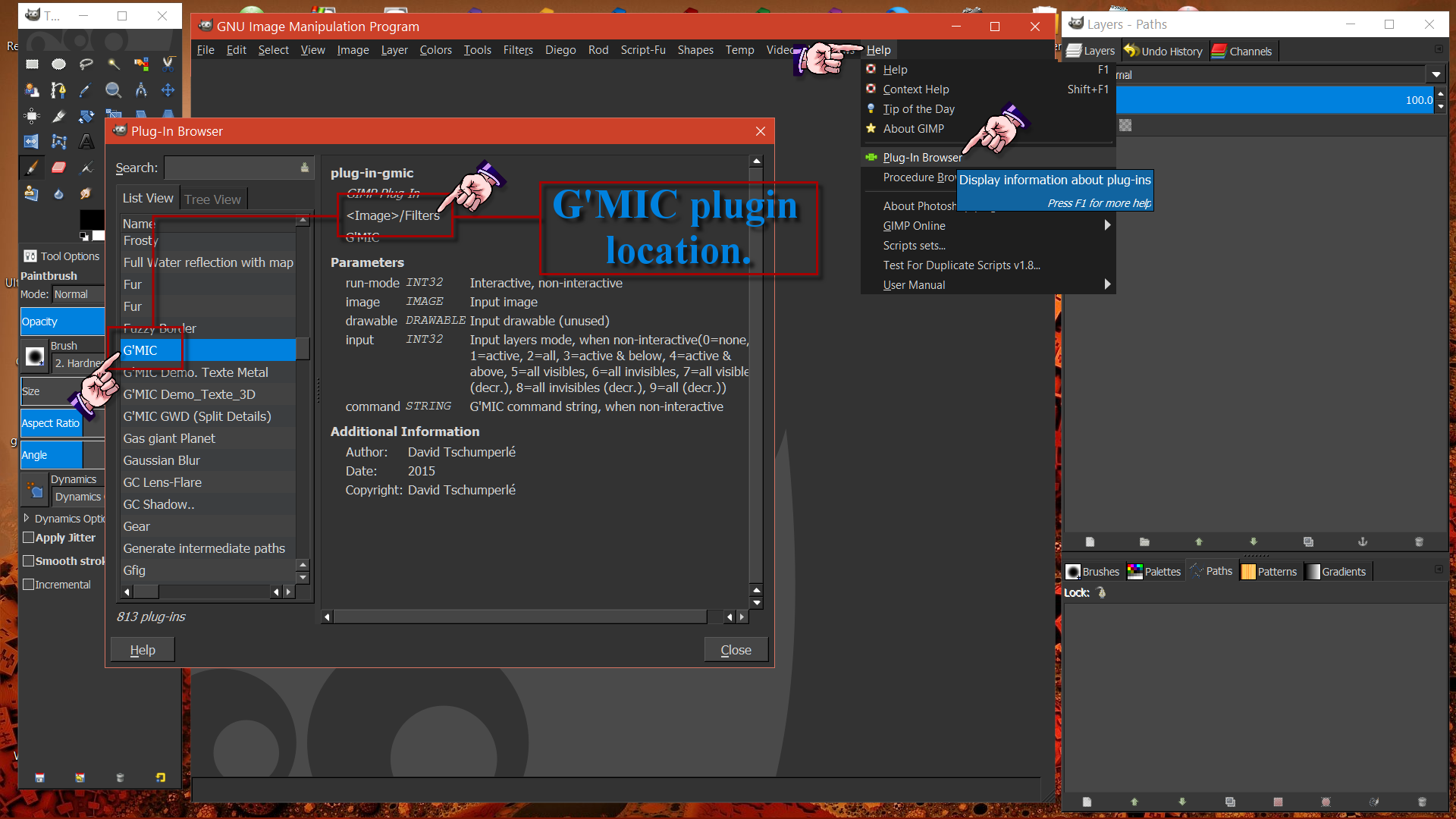
Step 3: Click on the gmic.exe (executable file) and it should install somewhere in C:\Users\gimp2.8.2\plugins (difficult to see so I’m doing this by sound of the video at approximately 1m44s)
Step 4: Once you’ve checked that the gmic.exe properly extracted to C:\Users\gimp2.8.2\plugins, then return to C:\Downloads and delete
the gmic.exe (executable file).
Step 5: Visit
http://registry.gimp.org/node/19596 and download (name of file to be downloaded???
I’m sorry but I just can *not* see in the YouTube video the name of the ZIP file to download if you could please name the exact file name here?
Step 6: Download that ????ZIP file to C:\Users\my-name\.gimp-2.8\plug-ins.
Step 7: Once that ????Zip file is downloaded, click on it in Windows Explorer and it will extract the files into C:\Users\my-name\.gimp-2.8\plug-ins.
Step 8: check to verify that through the extraction process the FOLDER named ???? I’m sorry that I can *not* see it’s name in the video) is situated in C:\Users\my-name\.gimp-2.8\plug-ins. It’s a FOLDER I’m looking to verify is there, not a FILE – is that correct?
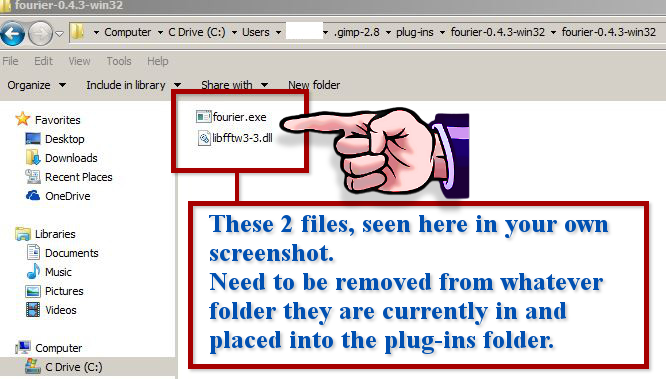
Step 9: Once that FOLDER is verified there in C:\Users\my-name\.gimp-2.8\plug-ins, then delete that ????Zip file/folder (regarding Fournier FFT), by opening that file/folder and highlight the 2 files in there (I can’t see their names) and then delete them both, correct?
Step 10: This is where it gets really confusing for me. I now have to visit my C:\Downloads folder and find the fourier ??? folder which I just downloaded and installed in C:\Users\my-name\.gimp-2.8\plug-ins but now find it/them in C:\Downloads folder also?
And once found in C:\Downloads folder, copy the 2 files in there (names???) and move them into the C:\Users\my-name\.gimp-2.8\plug-ins folder??? I don’t understand how they are not already in the plug-ins folder since they were downloaded there??
From the audio portion at 5m22s, I can detect there is some .dll file and 2 other files – names??? that should then all be seen in my C:\Users\my-name\.gimp-2.8\plug-ins folder.
 Login
Login Register
 Tweets
 FAQ
FAQ Advanced Search













.png)
 Video from :