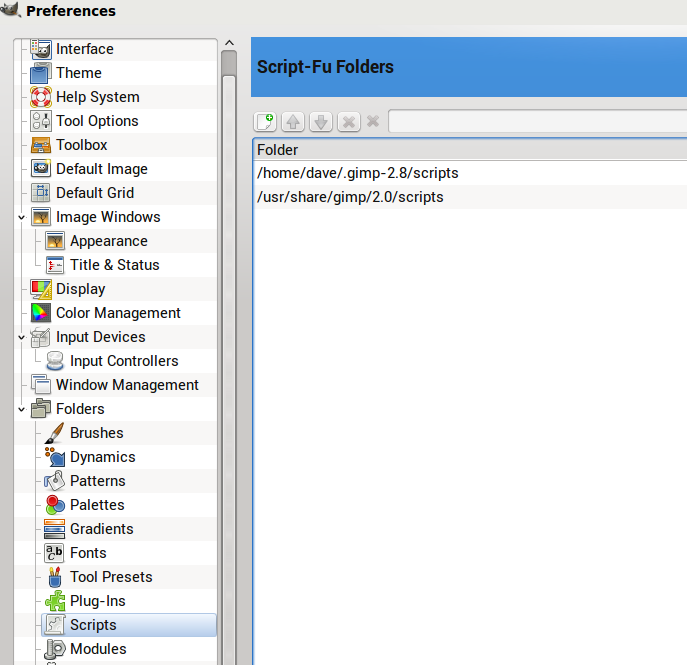
This is what I have under Preferences/Folders:
I should have paid closer attention to the window title on the download page, obviously! Still, my Filters->Render dialog does not contain 3D Extrusion - I wasn't able to get a screenshot of this, so you'll just have to believe me!
EDIT: Oh, NICE - now I can't upload those snapshots to this server! I didn't get a dialog box when I pushed the photo button, had to punch in the path, checked it every which way. Anyway, the .gimp2.8/scripts folder which contains the .scm file was added by me, otherwise there was just that 2.0 folder under /usr/share/
GnuTux wrote:
MisterA wrote:
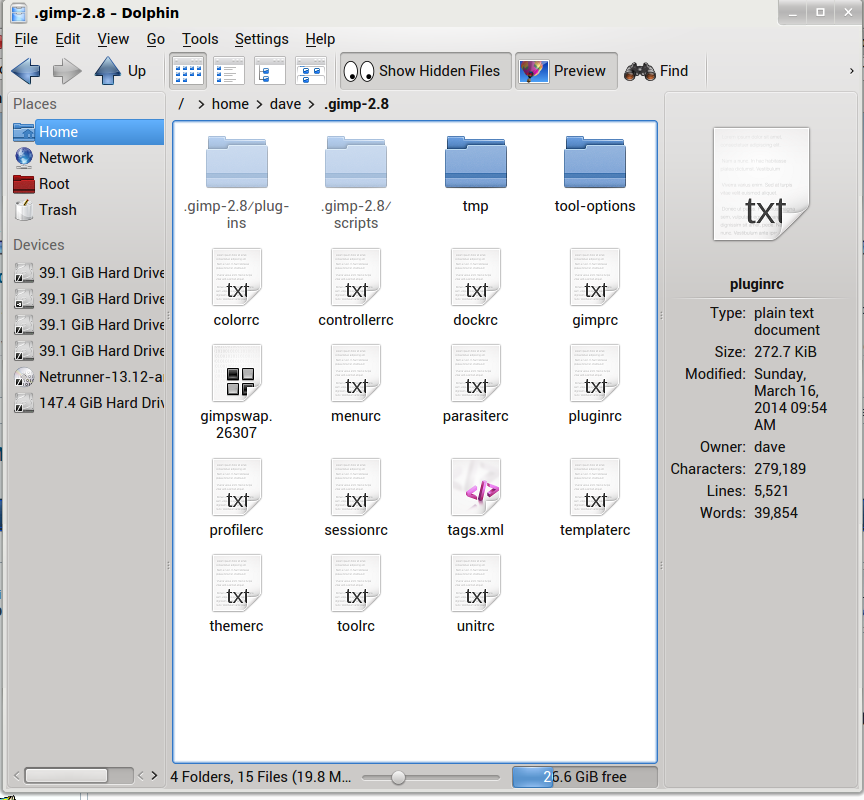
I found my .gimp-2.8 folder (the only gimp folder under my home/name directory), but Gimp did not in fact create the subfolder .gimp2.8/scripts here when Gimp first installed, nor the .gimp2.8/plug-ins folders within this. I created these myself
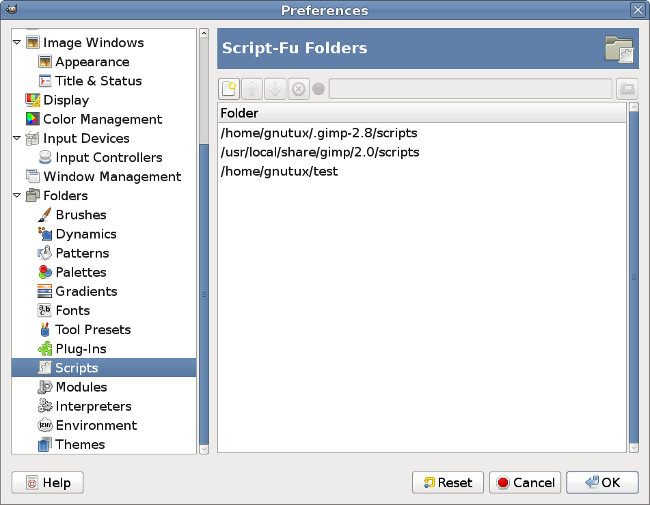
It is odd that GIMP did not create these folders on first run, which is its normal behavior. You should take a look under the menu Edit/Preferences/Folders to see where GIMP is looking for scripts and other resources.
[
Image ]
You can manually add folders there, directing GIMP where to look for scripts & other resources.
Once you have the 3D Extrusion script installed in one of the folders specified there, it will appear under the menu Filters/Render/3D Extrusion (after you refresh scripts or restart GIMP). Only GIMP plug-ins would need the executable bit set, while scripts would not.
 Login
Login Register
 Tweets
 FAQ
FAQ Advanced Search