It is currently Sun Sep 27, 2026 3:55 pm


All times are UTC - 5 hours [ DST ]


Post new topic Reply to topic  [ 9 posts ] 
Author Message
 Post subject: special background removal help
PostPosted: Tue May 13, 2014 10:57 pm  (#1) 
Offline
GimpChat Member

Joined: Nov 09, 2012
Posts: 134
GIMP Version: 2.8.10
Operating System: Windows
GIMP Experience: Beginner Level


Image

Image

Ello all. I have a question regarding back ground removal. I have these two images below that my wife took with a light box and our newly hacked cannon powershot camera thanks to gimpchat and some users on here. Awesom awesome hack. called chdk. anyway here is what i am trying to do.

The back ground as you can see is not pure white but more like a gradient of white and off white. I am trying to remove the back ground completely and leave just the eyeshadow. I was under the impression that the threshold tool could accomplish this but i think i may be wrong. Basically, i want to copy the eye shadow and paste it on to a pure white layer. How do i use the threshold tool to select the eyeshadow and copy it to another layer? each time i try, it just copies the pure black and not the color of the eyeshadow and threshold will not work with white eyeshadow. So what is another option i can do thanks guys for the help

Matt


Share on Facebook Share on Twitter Share on Orkut Share on Digg Share on MySpace Share on Delicious Share on Technorati
Top
 Post subject: Re: special background removal help
PostPosted: Tue May 13, 2014 11:03 pm  (#2) 
Offline
GimpChat Member
User avatar

Joined: Apr 08, 2010
Posts: 5420
Location: Northwest Ohio
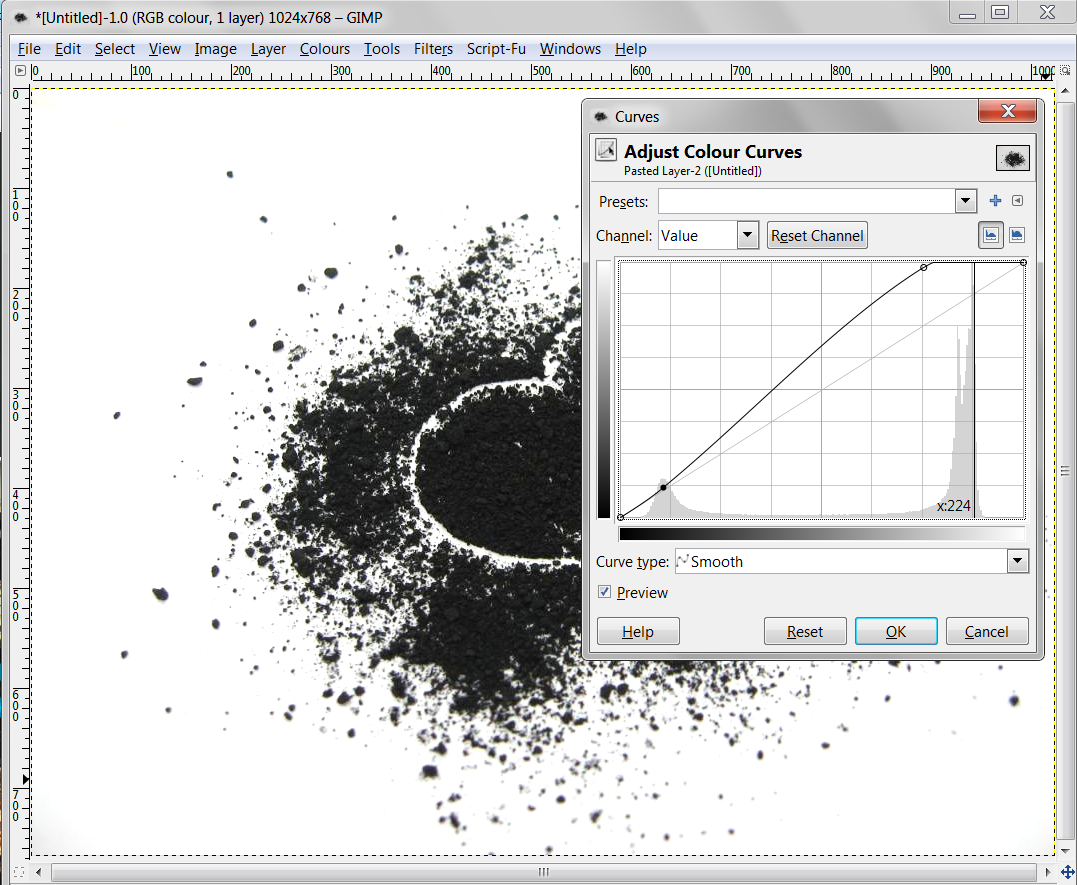
using levels or curves works better than threshold as there is more control . Also when you select the lighter background from the black, you can drag the mouse to make the selection add more shades of the background to the selection.


Top
 Post subject: Re: special background removal help
PostPosted: Tue May 13, 2014 11:25 pm  (#3) 
Offline
GimpChat Member

Joined: Nov 09, 2012
Posts: 134
hmm, im trying to use threshold as a selection tool. Since the original background is not pure white and is a mixture of multiple colors, the fuzzy selct tool is not the greatest, it only selects parts of it. so i need something better than the fuzzy select tool. i was hoping i could use threshhold to select the eyeshadow and then use a layer mask or the eraser to delete the selection.

thanks guys


Top
 Post subject: Re: special background removal help
PostPosted: Tue May 13, 2014 11:41 pm  (#4) 
Offline
GimpChat Member
User avatar

Joined: Jul 17, 2012
Posts: 2769
Image


Top
 Post subject: Re: special background removal help
PostPosted: Wed May 14, 2014 3:56 pm  (#5) 
Offline
GimpChat Member

Joined: Nov 09, 2012
Posts: 134
esper, did that just change the color of the background or did it effect the product as well? i will try it out here in about 5 minutes. thanks


Top
 Post subject: Re: special background removal help
PostPosted: Wed May 14, 2014 4:33 pm  (#6) 
Offline
GimpChat Member

Joined: Nov 09, 2012
Posts: 134
it works for darker images, how would it work for white powder such as the one above?

thanks


Top
 Post subject: Re: special background removal help
PostPosted: Wed May 14, 2014 8:48 pm  (#7) 
Offline
GimpChat Member
User avatar

Joined: Jul 17, 2012
Posts: 2769
LT72884 wrote:
it works for darker images, how would it work for white powder such as the one above?

thanks
im pretty sure it doesnt
i think your whole approach is not a very good idea (removing the background)
the yellowish-white powder and the background are way too similar
i doubt there is any selection tool/technique that will do what you want

what might work better is doing the photo again with a background in a contrast colour that is easy to remove
ever heard of the green screen they use in hollywood movies, so they can add cgi backgrounds and stuff ?
they have programs that can swap the green with any other digital image

in your case even a black background might be a very good idea, because it will give you the best contrast
shoot a photo of the white eyeshadow on black background, then do a colour to alpha with black

or, and that may be even better, use a backgrund in a colour that isnt in any form in the eyeshadow (black is probably in the shadows)
maybe that bg will reflect light on teh eyeshadow, but i guess thats pretty easy to filter out


Top
 Post subject: Re: special background removal help
PostPosted: Wed May 14, 2014 11:10 pm  (#8) 
Offline
GimpChat Member
User avatar

Joined: Nov 16, 2011
Posts: 5127
Location: Metro Vancouver, BC
On the light one, to bring out the contrast and get a selection, try G'MIC | Details | Dynamic range increase on a duplicate layer. Set Recover highlight to 0.5+, Enhance detail around 4. Run it twice if you need more detail.

_________________
Image
Gimp 2.8.18, Linux, median user
Gimp Chat Tutorials Index
Spirit Bear (Kermode)


Top
 Post subject: Re: special background removal help
PostPosted: Fri May 16, 2014 2:36 pm  (#9) 
Offline
GimpChat Member

Joined: Nov 09, 2012
Posts: 134
Heck yeah. Thanks esper and odin for the input. gonna try it out now. It has been nice to learn alot of new things with gimp lately.


Top
Post new topic Reply to topic  [ 9 posts ] 

All times are UTC - 5 hours [ DST ]


* Login  


Powered by phpBB3 © phpBB Group