It is currently Fri Nov 20, 2026 4:50 am


All times are UTC - 5 hours [ DST ]


Post new topic Reply to topic  [ 7 posts ] 
Author Message
 Post subject: Sizing issues
PostPosted: Sun Dec 28, 2014 1:00 am  (#1) 
Offline
GimpChat Member
User avatar

Joined: Nov 15, 2014
Posts: 161
GIMP Version: 2.8.14
Operating System: Windows
OS Version: 8.1 64bit
GIMP Experience: Beginner Level

List any relevant plug-ins or scripts:
N/A

List any ERROR messages you received:
N/A


As most here know, all my pics are really big. My questions are these, #1: How can I re-size without losing too much to detail, and #2: What is a good/average size to post pics here in the forum?


Share on Facebook Share on Twitter Share on Orkut Share on Digg Share on MySpace Share on Delicious Share on Technorati
Top
 Post subject: Re: Sizing issues
PostPosted: Sun Dec 28, 2014 1:35 am  (#2) 
Offline
GimpChat Member
User avatar

Joined: Jan 20, 2013
Posts: 14835
Location: roma, italy
#1: I guess that in another post a while ago, it was recommended by an expert to first blur the big image then resize it, to get nice results
#2: better if a moderator answers to you, IMO not bigger than 3 millions pixels (2000*1500), but I'm not sure...

_________________
"Where am I ?"


Top
 Post subject: Re: Sizing issues
PostPosted: Sun Dec 28, 2014 1:44 am  (#3) 
Offline
GimpChat Member
User avatar

Joined: Nov 15, 2014
Posts: 161
Thank you dinasset. I'll have to try the blur technique.


Top
 Post subject: Re: Sizing issues
PostPosted: Sun Dec 28, 2014 6:35 am  (#4) 
Offline
Script Coder
User avatar

Joined: Oct 25, 2010
Posts: 4812
Blurring before resize only avoids artifacts. What you can do after downscaling the picture is re-sharpen it (Filters->Enhance>Sharpen or better Filters>Enhance>Unsharp Mask). But remember that these are final. They make the picture look good but make further edits difficult so they are the last thing to do before exporting the picture, and keep a non-sharpened version.

Unless it's a panorama that you 'visit' with the mouse I don't see much purpose in posting anything bigger than 1600px.

_________________
Image


Top
 Post subject: Re: Sizing issues
PostPosted: Sun Dec 28, 2014 7:24 am  (#5) 
Offline
GimpChat Member
User avatar

Joined: Apr 07, 2010
Posts: 14182
5 MB is the limit size for uploading to Gimp Chat.
viewtopic.php?p=150881#p150881

_________________
Image


Top
 Post subject: Re: Sizing issues
PostPosted: Sun Dec 28, 2014 3:54 pm  (#6) 
Offline
GimpChat Member
User avatar

Joined: Nov 16, 2011
Posts: 5127
Location: Metro Vancouver, BC
I normally post 800px max width, they fit nicely in the forum lightbox at my resolution.
The average resolution these days is 1366x768, so as ofnuts mentioned 1600px width is enough.
If you need to post a full size image for some reason, use an *.xcf.bc2 attachment as well.

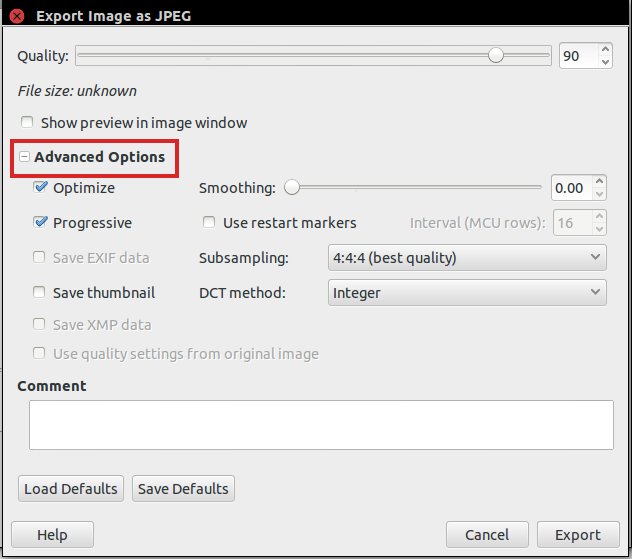
The export options in Gimp are more than capable of saving JPG, PNG, GIF, etc., efficiently.

Image

_________________
Image
Gimp 2.8.18, Linux, median user
Gimp Chat Tutorials Index
Spirit Bear (Kermode)


Top
 Post subject: Re: Sizing issues
PostPosted: Sun Dec 28, 2014 4:21 pm  (#7) 
Offline
GimpChat Member
User avatar

Joined: Nov 15, 2014
Posts: 161
Thank you ofnuts, molly, and Odinbc for the helpful info :yr I asked about the pic size because I didn't want the pics I post to be blaring across everyone's screen. I do thank you all very much. Hopefully one of these days I'll actually be able to contribute to the forum instead of always asking for help. :roll:


Top
Post new topic Reply to topic  [ 7 posts ] 

All times are UTC - 5 hours [ DST ]


* Login  


Powered by phpBB3 © phpBB Group