It is currently Sun Jul 19, 2026 8:07 am


All times are UTC - 5 hours [ DST ]


Post new topic Reply to topic  [ 2 posts ] 
Author Message
 Post subject: How can i choose colors
PostPosted: Thu Dec 25, 2014 4:56 pm  (#1) 
Offline
GimpChat Member

Joined: Oct 11, 2014
Posts: 8
GIMP Version: 2.8.10
Operating System: Windows
GIMP Experience: Beginner Level


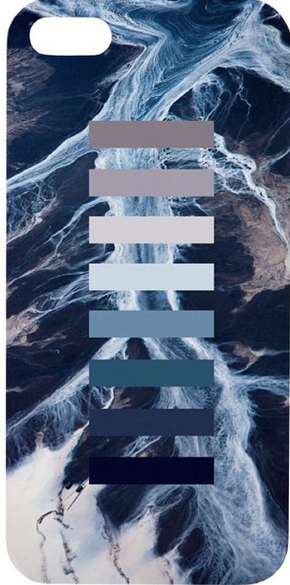
In the picture it has the most seen colors in the picture turned into rectangles

how can i automatically make gimp choose colors for me, like the most seen one or something without clicking them my self
i want to be more accurate


Image

(sorry if u dont understand lol)


Share on Facebook Share on Twitter Share on Orkut Share on Digg Share on MySpace Share on Delicious Share on Technorati
Top
 Post subject: Re: How can i choose colors
PostPosted: Thu Dec 25, 2014 6:14 pm  (#2) 
Offline
GimpChat Member
User avatar

Joined: Nov 16, 2011
Posts: 5127
Location: Metro Vancouver, BC
1. Open the image
2. Layers menu | Transparency | Add Alpha Channel
3. Use, Select by Color Tool to select white background, Delete background
4. Windows menu | Dockable Dialogs | Palettes
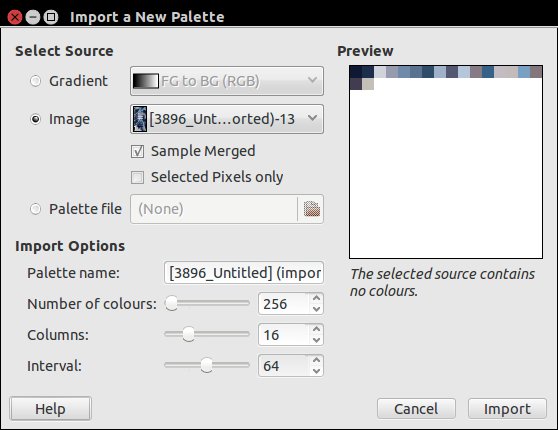
5. Palettes Dialog | Configuration this tab | Palettes Menu | Import Palette
5a. For more info, Select Context Help button in Import a New Palette Dialog
6. Select Source: Image, Palette Name: [foo], Interval: 64? (play with interval), Import
7. In the Palette Dialog, Right select you're new palette for more options

Image

_________________
Image
Gimp 2.8.18, Linux, median user
Gimp Chat Tutorials Index
Spirit Bear (Kermode)


Top
Post new topic Reply to topic  [ 2 posts ] 

All times are UTC - 5 hours [ DST ]


* Login  


Powered by phpBB3 © phpBB Group