It is currently Mon Jun 08, 2026 8:40 am


All times are UTC - 5 hours [ DST ]


Post new topic Reply to topic  [ 40 posts ]  Go to page 1, 2  Next
Author Message
 Post subject: waving banner how-to
PostPosted: Sat Mar 05, 2011 8:32 am  (#1) 
Offline
GimpChat Member
User avatar

Joined: Apr 08, 2010
Posts: 5420
Location: Northwest Ohio
Wasn't there some instructions either here on on GT on how to make an animated banner/waving flag type of graphic? I've been looking but haven't found it yet!


Share on Facebook Share on Twitter Share on Orkut Share on Digg Share on MySpace Share on Delicious Share on Technorati
Top
 Post subject: Re: waving banner how-to
PostPosted: Sat Mar 05, 2011 8:43 am  (#2) 
Offline
GimpChat Member
User avatar

Joined: Mar 02, 2011
Posts: 1850
Location: Michigan
Yeah, I have a funeral to go to today, and if no one posts in here, I will make you one.
For now you get short and sweet from memory :D
Filters, Animation, Waves, and try messing around with the settings :D
Hope this helps, if not after funeral, I will figure out what stuff has to be set to and make a nice Short Tutorial for ya mate :D

_________________
Image
I'm back I think


Top
 Post subject: Re: waving banner how-to
PostPosted: Sat Mar 05, 2011 9:09 am  (#3) 
Offline
Script Coder
User avatar

Joined: Apr 23, 2010
Posts: 1553
Location: not from Guildford after all
My records indicate:

http://www.gimptalk.com/forum/topic/Mak ... 443-1.html

_________________
Any sufficiently primitive technology is indistinguishable from a rock.


Top
 Post subject: Re: waving banner how-to
PostPosted: Sat Mar 05, 2011 9:11 am  (#4) 
Offline
GimpChat Member
User avatar

Joined: Mar 02, 2011
Posts: 1850
Location: Michigan
That is much easier than what I was thinking X D, Thanks mate :D
This is a great way to do this, with out having to manually make all the noise on the flag X D

_________________
Image
I'm back I think


Top
 Post subject: Re: waving banner how-to
PostPosted: Sat Mar 05, 2011 10:43 am  (#5) 
Offline
GimpChat Member
User avatar

Joined: Apr 08, 2010
Posts: 5420
Location: Northwest Ohio
Yeah, great link, SG! There are some nice examples that are still viewable...the ones that where only the flag waves but not the rest of the photo look very cool...I'll have to see if I can manage that!


Top
 Post subject: Re: waving banner how-to
PostPosted: Sat Mar 05, 2011 11:52 am  (#6) 
Offline
GimpChat Member
User avatar

Joined: Jul 04, 2010
Posts: 2253
Location: Retired Moderator Slowly Returning to the Living.
If you use mathmap, there is a waving flag animation. I think G'MIC may have something similar as well.

_________________
Artists aren't crazy! We're eccentric! ~G.M. Ross

Image

My Sigs = My Photos
Check out my work at http://www.flickr.com/photos/photomastergreg.


Top
 Post subject: Re: waving banner how-to
PostPosted: Sat Mar 05, 2011 2:29 pm  (#7) 
Offline
GimpChat Member
User avatar

Joined: Mar 02, 2011
Posts: 1850
Location: Michigan
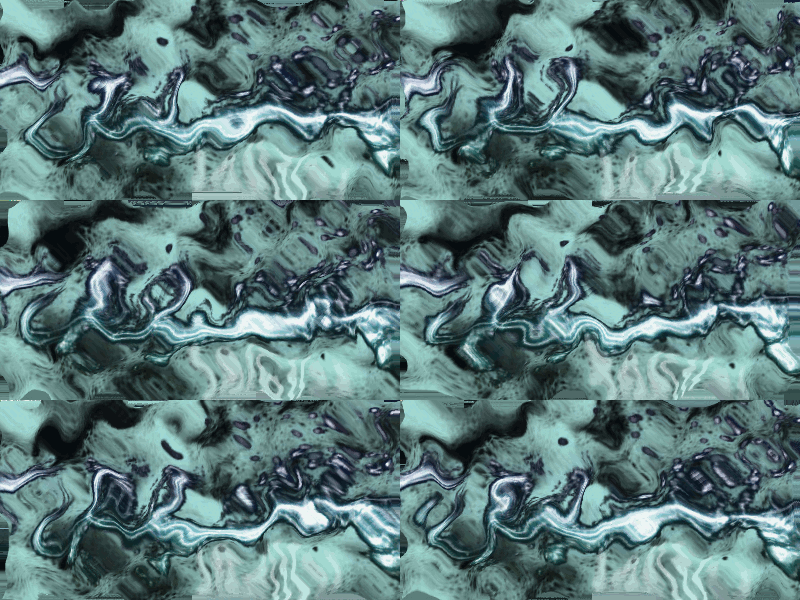
While we are on the waving flag topic, does anyone know how I managed to do this?
Image

_________________
Image
I'm back I think


Top
 Post subject: Re: waving banner how-to
PostPosted: Sat Mar 05, 2011 10:34 pm  (#8) 
Offline
GimpChat Member
User avatar

Joined: Apr 08, 2010
Posts: 5420
Location: Northwest Ohio
the underwater thing...I saw a discussion on that a while back, but I forget how it was done.

Yes there is a wave in G'mic...I am not sure how to use it...I am thinking that I would make several copies of the banner and then use the G'mic wave setting slightly different on each layer, then run the animate filter. Does that sound right? But it has to wait for now as it is time to head out to work. No weekends for those of us in retail!


Top
 Post subject: Re: waving banner how-to
PostPosted: Sun Mar 06, 2011 9:56 am  (#9) 
Offline
GimpChat Member
User avatar

Joined: Mar 02, 2011
Posts: 1850
Location: Michigan
No, what I remember about it, is it what just a simple animation in GIMP...
I don't remember if I changed any settings or not...

_________________
Image
I'm back I think


Top
 Post subject: Re: waving banner how-to
PostPosted: Sun Mar 06, 2011 2:40 pm  (#10) 
Offline
Global Moderator
User avatar

Joined: May 16, 2010
Posts: 16019
Looks almost like an IWARP animation Willy. :)

_________________
Image


Top
 Post subject: Re: waving banner how-to
PostPosted: Sun Mar 06, 2011 2:48 pm  (#11) 
Offline
GimpChat Member
User avatar

Joined: Mar 02, 2011
Posts: 1850
Location: Michigan
I can tell you it is not that either... It was something in Filters>Animation and then something there... This is so weird...

_________________
Image
I'm back I think


Top
 Post subject: Re: waving banner how-to
PostPosted: Mon Mar 07, 2011 1:46 pm  (#12) 
Offline
GimpChat Member
User avatar

Joined: Oct 06, 2010
Posts: 4050
I applied "rippling" (Filters - Animation - Rippling) to an image and it gave a very similar effect to your animation.

_________________
"In order to attain the impossible, one must attempt the absurd."
~ Miguel de Cervantes


Top
 Post subject: Re: waving banner how-to
PostPosted: Mon Mar 07, 2011 2:59 pm  (#13) 
Offline
GimpChat Member
User avatar

Joined: Apr 07, 2010
Posts: 14182
It could also be filters > will's script pack > wave tank script....

_________________
Image


Top
 Post subject: Re: waving banner how-to
PostPosted: Mon Mar 07, 2011 5:26 pm  (#14) 
Offline
GimpChat Member
User avatar

Joined: Apr 08, 2010
Posts: 5420
Location: Northwest Ohio
rippling is easy, but it looks more like something underwater than a waving banner. On to the next trial, lol


Top
 Post subject: Re: waving banner how-to
PostPosted: Mon Mar 07, 2011 5:37 pm  (#15) 
Offline
GimpChat Member
User avatar

Joined: Oct 06, 2010
Posts: 4050
This is what I created using Willy's background layer from his own animation using "rippling" under Filters - Animation - Rippling. Hardly looks like a "waving banner" to me. Mine is only 50 frames and I set the amplitude to 10.

Image

_________________
"In order to attain the impossible, one must attempt the absurd."
~ Miguel de Cervantes


Top
 Post subject: Re: waving banner how-to
PostPosted: Mon Mar 07, 2011 5:39 pm  (#16) 
Offline
GimpChat Member
User avatar

Joined: Mar 02, 2011
Posts: 1850
Location: Michigan
Thanks guys, I wasn't exactly saying it looks like a waving banner, but... it was similar enough to keep in the same topic, Sorry if I did something wrong, and I thank you guys for all the help.

_________________
Image
I'm back I think


Top
 Post subject: Re: waving banner how-to
PostPosted: Mon Mar 07, 2011 5:46 pm  (#17) 
Offline
GimpChat Member
User avatar

Joined: Oct 06, 2010
Posts: 4050
Willy:

We're all off-topic pros, so no worries there. I was just stating that my example using rippling does not resemble a waving banner, it resembles water motion, which is similar to your own animation. I wasn't referring to the subject being off-topic. :)

_________________
"In order to attain the impossible, one must attempt the absurd."
~ Miguel de Cervantes


Top
 Post subject: Re: waving banner how-to
PostPosted: Mon Mar 07, 2011 5:47 pm  (#18) 
Offline
GimpChat Member
User avatar

Joined: Mar 02, 2011
Posts: 1850
Location: Michigan
Sorry I am part of a few forums where being off topic like this is frowned on, so thanks, good to know :D

_________________
Image
I'm back I think


Top
 Post subject: Re: waving banner how-to
PostPosted: Mon Mar 07, 2011 5:53 pm  (#19) 
Offline
GimpChat Member
User avatar

Joined: Oct 06, 2010
Posts: 4050
Ummm... I'm not in charge of gimpchat, but I know that we all go off-topic from time to time. I can say, as far as I know, no one has been beaten up or banned over it. It's just human nature. I wouldn't exactly agree that your request for identifying the animation was all that far off topic from the original post, since both animation styles have a mixture of waving manipulations in them. But that's just my opinion.

_________________
"In order to attain the impossible, one must attempt the absurd."
~ Miguel de Cervantes


Top
 Post subject: Re: waving banner how-to
PostPosted: Mon Mar 07, 2011 6:13 pm  (#20) 
Offline
GimpChat Member
User avatar

Joined: Apr 08, 2010
Posts: 5420
Location: Northwest Ohio
if going astray from topic was a punishable offence, we would all be in big trouble by now! Thread drift just happens, and is often serendipitous!

I tried to do the waving banner tutorial on GT...total fail. I cannot get the cloud layer to come up as a choice in the drop down when I am on the filter>>>map>>>displace dialog box.


Top
Post new topic Reply to topic  [ 40 posts ]  Go to page 1, 2  Next

All times are UTC - 5 hours [ DST ]


* Login  


Powered by phpBB3 © phpBB Group