It is currently Tue Sep 22, 2026 6:05 pm


All times are UTC - 5 hours [ DST ]


Post new topic Reply to topic  [ 6 posts ] 
Author Message
 Post subject: Is there a tut or does somebody know how to create a gauge?
PostPosted: Fri Apr 29, 2016 11:07 am  (#1) 
Offline
GimpChat Member
User avatar

Joined: Jul 04, 2011
Posts: 395
Location: Indianapolis, IN
GIMP Version: 2.8.14
Operating System: Windows
GIMP Experience: Intermediate Level


Hallo!

It's been soooooo long since I've been here. Life stuff happens from time to time and of course you have to deal with it! :gaah

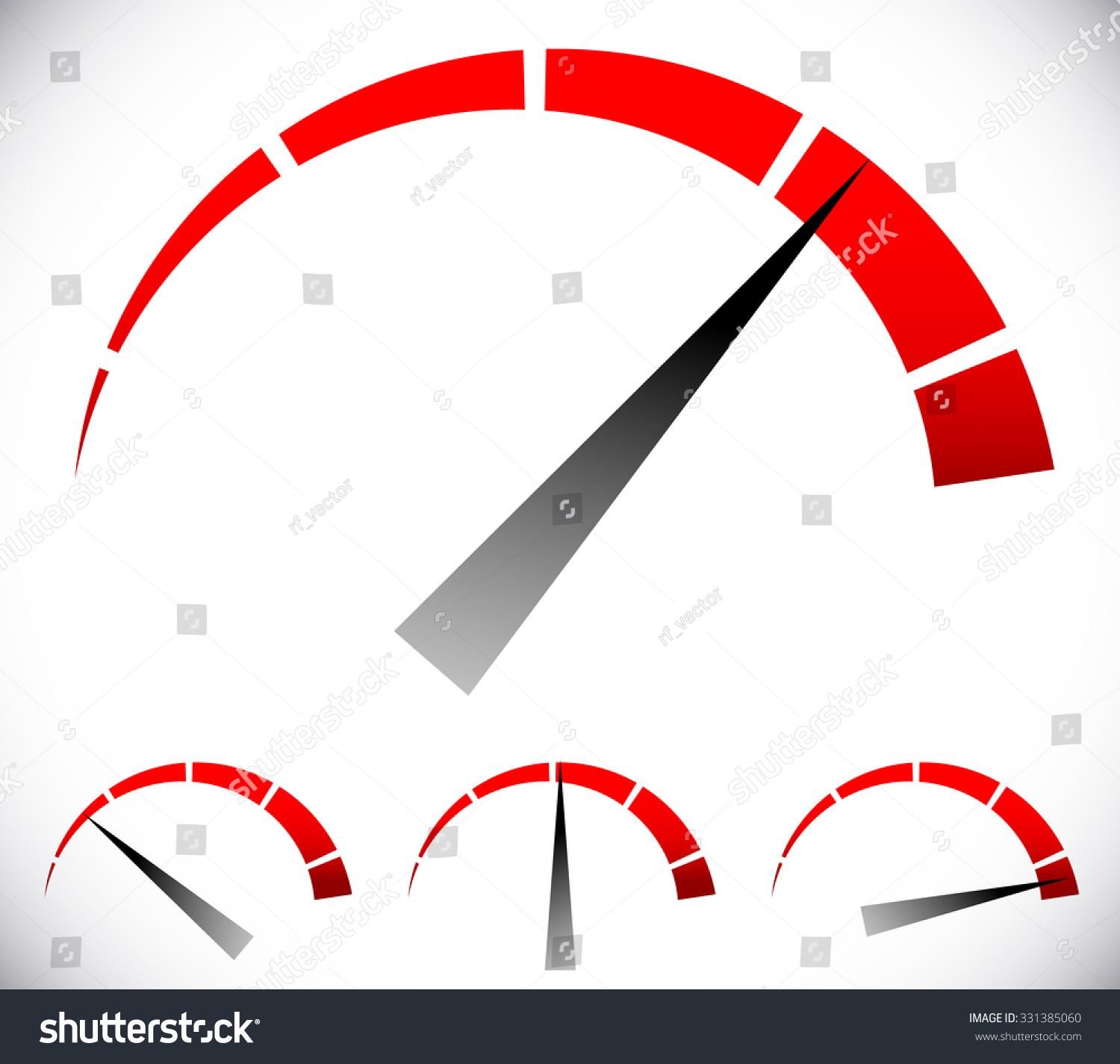
I am in search of ... a gauge tutorial. Everything from the needle to the face. Particularly something that looks like this:

http://image.shutterstock.com/z/stock-vector-pressure-gauge-generic-dial-template-vector-graphic-331385060.jpg

I have some ideas but I'm not 100% on them.

Happy to have any help, ideas, tip, tricks to accomplish the mission!

Thanks,
Dave

_________________
"That which does not kill us makes us stronger." ~ Friedrich Nietzsche


Share on Facebook Share on Twitter Share on Orkut Share on Digg Share on MySpace Share on Delicious Share on Technorati
Top
 Post subject: Re: Is there a tut or does somebody know how to create a gauge?
PostPosted: Fri Apr 29, 2016 11:43 am  (#2) 
Offline
Script Coder
User avatar

Joined: Oct 25, 2010
Posts: 4812
My dial-marks script...

_________________
Image


Top
 Post subject: Re: Is there a tut or does somebody know how to create a gauge?
PostPosted: Fri Apr 29, 2016 11:46 am  (#3) 
Offline
Script Coder
User avatar

Joined: May 07, 2014
Posts: 4554
Location: Canada
1) Select a circle, and fill it with red.

Image
2) Select a smaller circle and fill it with white.

Image
3) use the pencil tool, to draw straight lines from roughly the center of circle to the outside with white color (click center, then hold down shift and click outside of circle to draw a straight line from center to outside of circle) ... do this for as many lines as you like

Image
4) select a triangle with the free select tool. And blend tool (gradient fill it).

Image
5) optional step, remove or fill the unwanted parts with white and select by color and select the red color and play around with blend tool (gradient fill) the red color so that one side is brighter red than the other side fading to black

Image

_________________
Image
Visualize your and others dreams coming true.


Top
 Post subject: Re: Is there a tut or does somebody know how to create a gauge?
PostPosted: Fri Apr 29, 2016 12:45 pm  (#4) 
Offline
GimpChat Member
User avatar

Joined: Jul 04, 2011
Posts: 395
Location: Indianapolis, IN
You guys rock!

@trandoductin that's almost what I had in my head but I was thinking the path tool and not using two circles. Nice!

@ofnuts I'll have to check the script out a little later its time to make that money so the light can stay on another month! I'm sure it's nothing short of amazing!

I will try both though!

_________________
"That which does not kill us makes us stronger." ~ Friedrich Nietzsche


Top
 Post subject: Re: Is there a tut or does somebody know how to create a gauge?
PostPosted: Fri Apr 29, 2016 1:58 pm  (#5) 
Offline
GimpChat Member
User avatar

Joined: Nov 16, 2011
Posts: 5127
Location: Metro Vancouver, BC
In combo with ofnuts dial-marks script works pretty well.
Image
Dial-Marks width & Start angle: 1.0°
Selection from Path, Grow Selection, Delete

_________________
Image
Gimp 2.8.18, Linux, median user
Gimp Chat Tutorials Index
Spirit Bear (Kermode)


Top
 Post subject: Re: Is there a tut or does somebody know how to create a gauge?
PostPosted: Fri Apr 29, 2016 2:09 pm  (#6) 
Offline
Script Coder
User avatar

Joined: May 07, 2014
Posts: 4554
Location: Canada
Odinbc wrote:
In combo with ofnuts dial-marks script works pretty well.
[ Image ]
Dial-Marks width & Start angle: 1.0°
Selection from Path, Grow Selection, Delete

Nice, this should produce smoother result then my pencil drawing method. :oops:

_________________
Image
Visualize your and others dreams coming true.


Top
Post new topic Reply to topic  [ 6 posts ] 

All times are UTC - 5 hours [ DST ]


* Login  


Powered by phpBB3 © phpBB Group