It is currently Sat Sep 26, 2026 2:54 pm


All times are UTC - 5 hours [ DST ]


Post new topic Reply to topic  [ 15 posts ] 
Author Message
 Post subject: adding effect to this text
PostPosted: Wed Apr 27, 2016 10:28 am  (#1) 
Offline
GimpChat Member

Joined: Dec 10, 2013
Posts: 106
GIMP Version: 2.8.14
Operating System: Windows
GIMP Experience: New User


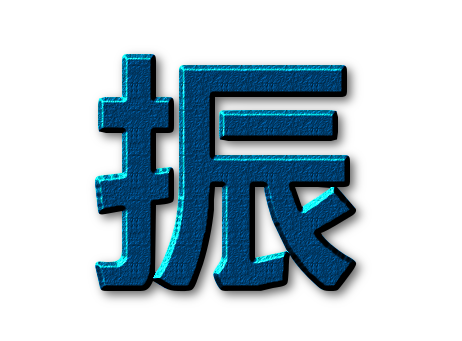
anything I can do (and how to do ) to add effect to the side edge of the text
Please let me know the steps..Please suggest some effects and steps that I can try out. I am not good at learning by reading books, I need to learn by experiencing steps

Attachment:
chung.png
chung.png [ 4.14 KiB | Viewed 7222 times ]


Share on Facebook Share on Twitter Share on Orkut Share on Digg Share on MySpace Share on Delicious Share on Technorati
Top
 Post subject: Re: adding effect to this text
PostPosted: Wed Apr 27, 2016 11:13 am  (#2) 
Offline
GimpChat Member
User avatar

Joined: Mar 01, 2014
Posts: 14198
Location: Spain, Aragón
What do you think about this effects? What is your idea, kenny1999 ? :)


Attachments:
chung-Beautify.png
chung-Beautify.png [ 89.7 KiB | Viewed 7192 times ]
chung-Inlayed.png
chung-Inlayed.png [ 98.09 KiB | Viewed 7192 times ]
chung-Wire.png
chung-Wire.png [ 102.41 KiB | Viewed 7192 times ]

_________________
Image

Gimp 2.10.36 (samj) portable _ OS Windows 10 Home_ 64bits
Don’t be afraid to start over. It’s a new chance to rebuild what you want.
Top
 Post subject: Re: adding effect to this text
PostPosted: Wed Apr 27, 2016 11:15 am  (#3) 
Offline
GimpChat Member
User avatar

Joined: Dec 10, 2013
Posts: 1004
Very nice Issabella!

_________________
Image
Macbook Air - MacOS Sierra 10.12
McGimp 2.8.14
G'mic 1.6.5


Top
 Post subject: Re: adding effect to this text
PostPosted: Wed Apr 27, 2016 11:22 am  (#4) 
Offline
GimpChat Member
User avatar

Joined: Mar 01, 2014
Posts: 14198
Location: Spain, Aragón
Thank you Dalia. :)

_________________
Image

Gimp 2.10.36 (samj) portable _ OS Windows 10 Home_ 64bits
Don’t be afraid to start over. It’s a new chance to rebuild what you want.


Top
 Post subject: Re: adding effect to this text
PostPosted: Wed Apr 27, 2016 11:33 am  (#5) 
Offline
GimpChat Member
User avatar

Joined: Mar 01, 2014
Posts: 14198
Location: Spain, Aragón
Kenny, what do the letters mean? :)

_________________
Image

Gimp 2.10.36 (samj) portable _ OS Windows 10 Home_ 64bits
Don’t be afraid to start over. It’s a new chance to rebuild what you want.


Top
 Post subject: Re: adding effect to this text
PostPosted: Wed Apr 27, 2016 12:47 pm  (#6) 
Offline
GimpChat Member

Joined: Dec 10, 2013
Posts: 106
Issabella wrote:
Kenny, what do the letters mean? :)


Thanks Issabella. This is my name. I 'm Chinese.

However I do really wish to learn how to do that. Can you highlight some steps?


Top
 Post subject: Re: adding effect to this text
PostPosted: Wed Apr 27, 2016 1:00 pm  (#7) 
Offline
Script Coder
User avatar

Joined: May 07, 2014
Posts: 4557
Location: Canada
Image
Image
I used http://gimpscripts.com/2014/06/double-bump-map-effect/

my last name Tran (Chen, Chan in Chinese).
Image

_________________
Image
Visualize your and others dreams coming true.


Last edited by trandoductin on Wed Apr 27, 2016 1:07 pm, edited 1 time in total.

Top
 Post subject: Re: adding effect to this text
PostPosted: Wed Apr 27, 2016 1:04 pm  (#8) 
Offline
GimpChat Member

Joined: Dec 10, 2013
Posts: 106
I don't want to start too many threads in one day , worrying somebody does not like.

Here I'd ask another question -- how to add more type of fonts (and how to add Chinese type of fonts). In my GIMP there is only one font type here -- SANS, nothing else.
Attachment:
onlyonefonttype.png
onlyonefonttype.png [ 15.76 KiB | Viewed 7148 times ]


Top
 Post subject: Re: adding effect to this text
PostPosted: Wed Apr 27, 2016 1:12 pm  (#9) 
Offline
GimpChat Member

Joined: Dec 10, 2013
Posts: 106
trandoductin wrote:
[ Image ]
[ Image ]
I used http://gimpscripts.com/2014/06/double-bump-map-effect/

my last name Tran (Chen, Chan in Chinese).
[ Image ]


Oh! You are Chinese????


Top
 Post subject: Re: adding effect to this text
PostPosted: Wed Apr 27, 2016 1:15 pm  (#10) 
Offline
Script Coder
User avatar

Joined: May 07, 2014
Posts: 4557
Location: Canada
kenny1999 wrote:
trandoductin wrote:
[ Image ]
[ Image ]
I used http://gimpscripts.com/2014/06/double-bump-map-effect/

my last name Tran (Chen, Chan in Chinese).
[ Image ]


Oh! You are Chinese????

Nope I am Vietnamese, but when I took Chinese 205 in University, my chinese teacher told me what my last name is in Chinese she gave me a whole translated chinese name I think it was Chen Yuen Xin...

_________________
Image
Visualize your and others dreams coming true.


Top
 Post subject: Re: adding effect to this text
PostPosted: Wed Apr 27, 2016 1:17 pm  (#11) 
Offline
Script Coder
User avatar

Joined: May 07, 2014
Posts: 4557
Location: Canada
kenny1999 wrote:
I don't want to start too many threads in one day , worrying somebody does not like.

Here I'd ask another question -- how to add more type of fonts (and how to add Chinese type of fonts). In my GIMP there is only one font type here -- SANS, nothing else.
Attachment:
onlyonefonttype.png


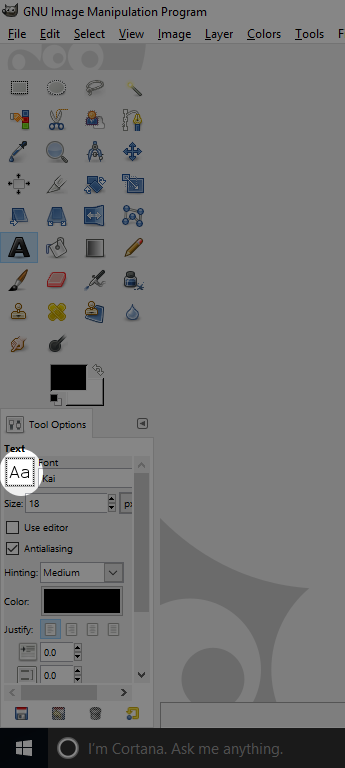
WHen you select the text tool. you can switch font by clicking on the big A and the little a square under tool options to change font.
Image
And I think you can download new fonts by just copying font files into your Gimp's font folder.
Under windows it's under yourusername's folder
for me it's C:\Users\Tin Tran\.gimp-2.8\fonts

_________________
Image
Visualize your and others dreams coming true.


Top
 Post subject: Re: adding effect to this text
PostPosted: Wed Apr 27, 2016 1:20 pm  (#12) 
Offline
GimpChat Member

Joined: Dec 10, 2013
Posts: 106
trandoductin wrote:
kenny1999 wrote:
trandoductin wrote:
[ Image ]
[ Image ]
I used http://gimpscripts.com/2014/06/double-bump-map-effect/

my last name Tran (Chen, Chan in Chinese).
[ Image ]


Oh! You are Chinese????

Nope I am Vietnamese, but when I took Chinese 205 in University, my chinese teacher told me what my last name is in Chinese she gave me a whole translated chinese name I think it was Chen Yuen Xin...


In my opinion it's inaccurate
It should be

Chen Ruan Xin (Pinyin in China)
陳阮新

Or Chan Yuan Sun (Pinyin in Hong Kong)


Top
 Post subject: Re: adding effect to this text
PostPosted: Wed Apr 27, 2016 1:29 pm  (#13) 
Offline
GimpChat Member
User avatar

Joined: Mar 01, 2014
Posts: 14198
Location: Spain, Aragón
Kenny, If you really want to learn nice effects for text, My advice is to follow hundred of effects in Text tutorials in this forum, you'll find a long list for them. Mine were done using scripts, but it's better to learn basic steps first. :) :bigthup

_________________
Image

Gimp 2.10.36 (samj) portable _ OS Windows 10 Home_ 64bits
Don’t be afraid to start over. It’s a new chance to rebuild what you want.


Top
 Post subject: Re: adding effect to this text
PostPosted: Wed Apr 27, 2016 1:45 pm  (#14) 
Offline
GimpChat Member
User avatar

Joined: Sep 24, 2010
Posts: 12848
Vectorized your chinese sig (see attached 7z file). Also BRL'ed it. :)


Attachments:
chung.7z [1.3 KiB]
Downloaded 88 times
chung.png
chung.png [ 1.42 MiB | Viewed 1759 times ]

_________________
Lyle

Psalm 109:8

Image
Top
 Post subject: Re: adding effect to this text
PostPosted: Wed Apr 27, 2016 4:41 pm  (#15) 
Offline
GimpChat Member
User avatar

Joined: Mar 12, 2016
Posts: 198
Location: Illinois, USA
Tried one with a jade overlay, 3D Extrusion and 3D Drop Shadow.


Attachments:
chung_1.png
chung_1.png [ 53.86 KiB | Viewed 1749 times ]

_________________
Image
Top
Post new topic Reply to topic  [ 15 posts ] 

All times are UTC - 5 hours [ DST ]


* Login  


Powered by phpBB3 © phpBB Group