It is currently Mon Sep 21, 2026 5:16 am


All times are UTC - 5 hours [ DST ]


Post new topic Reply to topic  [ 8 posts ] 
Author Message
 Post subject: Enhancing and changing colour of textures
PostPosted: Sun Apr 08, 2018 5:58 pm  (#1) 
Offline
GimpChat Member

Joined: Apr 08, 2018
Posts: 5
GIMP Version: 2.8.14
Operating System: Windows
GIMP Experience: New User


Hello folks this is my first post and I am a new user to gimp and have little experience using any software packages of this kind. Hoping to learn a lot from this forums.

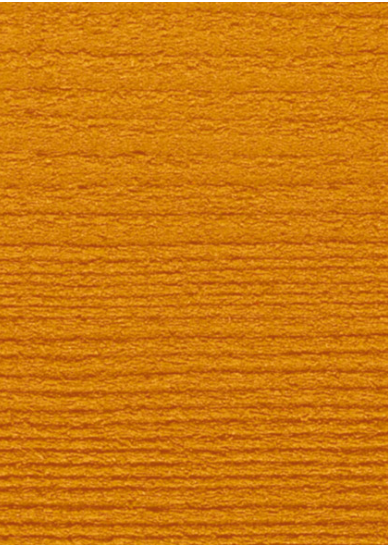
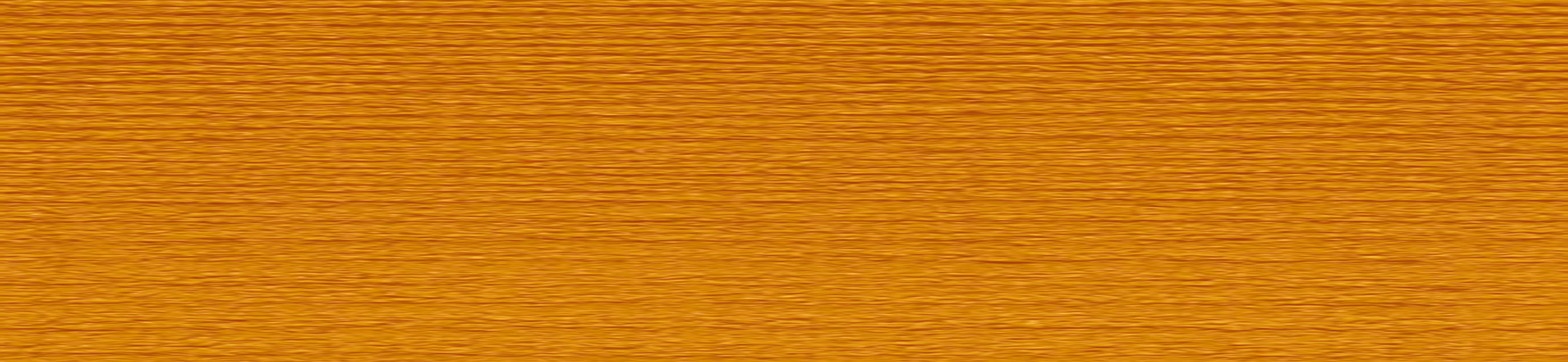
I have a couple of objectives that I would like to achieve, firstly I would like to be able to enhance the first image (Wood texture) so it can be the best it can be, to use as a texture on a model I am creating in sketchup.

Then secondly i want to apply a colour to the (wood texture) which is the same as the second picture which is actually a wood stain.


Attachments:
Cutouta.png
Cutouta.png [ 4.48 MiB | Viewed 6747 times ]
2018-04-08_210938.png
2018-04-08_210938.png [ 516.22 KiB | Viewed 6747 times ]
Share on Facebook Share on Twitter Share on Orkut Share on Digg Share on MySpace Share on Delicious Share on Technorati
Top
 Post subject: Re: Enhancing and changing colour of textures
PostPosted: Sun Apr 08, 2018 7:05 pm  (#2) 
Offline
Global Moderator
User avatar

Joined: Oct 02, 2014
Posts: 5050
Location: Sydney Australia
Chamferman - Hi and welcome to GC.

There are many ways available in GIMP to modify your texture and also to satisfy your personal taste. As far as the latter is concerned for example, do you want to enhance the grain (as I did below) so that it stands out more and do you want a dark or light stain?

I just had a very quick try on part of your wood image and created the example below - if you think it is useful I can provide further details, and I am sure others will seek to assist you too ...


Attachments:
stained_wood.png
stained_wood.png [ 577.8 KiB | Viewed 6733 times ]

_________________
Image

Respect should be offered freely but hard earned
Top
 Post subject: Re: Enhancing and changing colour of textures
PostPosted: Sun Apr 08, 2018 7:37 pm  (#3) 
Offline
Administrator
User avatar

Joined: Aug 10, 2012
Posts: 14206
Location: Native to NYC living in Arizona, Gimp 2.8 - 3.0, Win 11 PC.
As Oldmangrumpy's example has suggested.
There are quite a few ways of enhancing this plank of wood.
I offer you the same as OMG has.

If you like,
you can download the provided files below and investigate them for yourself.

If need be.
We can also provide a posting of the steps,
which were involved to help enhance this image.

ImageImage
Attachment:
File comment: Gimp XCF File
Cutouta_OP_Sample_edited_by_Wallace.xcf [11.69 MiB]
Downloaded 315 times


Below is the original smaller sample,
that has been scaled.
Image

_________________
Image
"A wise man learns more from a foolish question than a fool can learn from a wise answer"
Image


Top
 Post subject: Re: Enhancing and changing colour of textures
PostPosted: Mon Apr 09, 2018 9:32 am  (#4) 
Offline
GimpChat Member

Joined: Apr 08, 2018
Posts: 5
Wallace wrote:
As Oldmangrumpy's example has suggested.
There are quite a few ways of enhancing this plank of wood.
I offer you the same as OMG has.

If you like,
you can download the provided files below and investigate them for yourself.

If need be.
We can also provide a posting of the steps,
which were involved to help enhance this image.

ImageImage
Attachment:
Cutouta_OP_Sample_edited_by_Wallace.xcf


Below is the original smaller sample,
that has been scaled.
Image


Thanks for the quick replies folks.

I would like to be able to enhance the grain and change the colour. Step by step would be great please

Thanking you both

Simon


Top
 Post subject: Re: Enhancing and changing colour of textures
PostPosted: Mon Apr 09, 2018 2:38 pm  (#5) 
Offline
Global Moderator
User avatar

Joined: Oct 02, 2014
Posts: 5050
Location: Sydney Australia
Chamferman - Wallace and I have touched base. In the next couple of hours (after my breakfast ;) )I will post a step by step approach for you.

_________________
Image

Respect should be offered freely but hard earned


Top
 Post subject: Re: Enhancing and changing colour of textures
PostPosted: Mon Apr 09, 2018 7:21 pm  (#6) 
Offline
Global Moderator
User avatar

Joined: Oct 02, 2014
Posts: 5050
Location: Sydney Australia
Chamferman - here is a PDF document which provides a step by step approach (as you requested) to modify your timber texture as per my example image above.

Have fun and if you have any problems let me know.


Attachments:
chamferman.pdf [753.9 KiB]
Downloaded 392 times

_________________
Image

Respect should be offered freely but hard earned
Top
 Post subject: Re: Enhancing and changing colour of textures
PostPosted: Tue Apr 10, 2018 10:47 am  (#7) 
Offline
GimpChat Member
User avatar

Joined: Mar 28, 2016
Posts: 312
Location: Netherlands
oldmangrumpy,

Very nice and clear tutorial. Thank you.


Top
 Post subject: Re: Enhancing and changing colour of textures
PostPosted: Sat Apr 14, 2018 1:26 pm  (#8) 
Offline
GimpChat Member

Joined: Apr 08, 2018
Posts: 5
oldmangrumpy wrote:
Chamferman - here is a PDF document which provides a step by step approach (as you requested) to modify your timber texture as per my example image above.

Have fun and if you have any problems let me know.


Hello oldmangrumpy a massive thanks for the PDF :)


Top
Post new topic Reply to topic  [ 8 posts ] 

All times are UTC - 5 hours [ DST ]


* Login  


Powered by phpBB3 © phpBB Group