It is currently Wed Jun 17, 2026 11:58 am


All times are UTC - 5 hours [ DST ]


Post new topic Reply to topic  [ 11 posts ] 
Author Message
 Post subject: problems with new features of Gimp 2.10.11 (samj)
PostPosted: Thu Apr 25, 2019 3:27 am  (#1) 
Offline
GimpChat Member

Joined: Apr 09, 2018
Posts: 1888
Location: France
GIMP Version: 2.10.11
Operating System: Windows
GIMP Experience: New User


:wvy
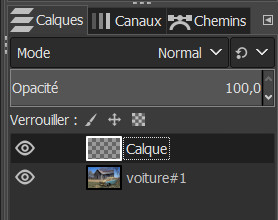
First problem with the tool "Heal" that does not work, here is my setting, what is wrong?
Image Image

edit:
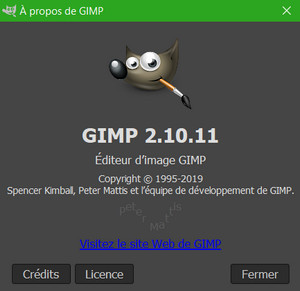
the version of samj indicates 2.10.11
Image

_________________
Les parfums, les couleurs et les sons se répondent.Baudelaire (Les fleurs du mal)
2.10.36/(Samj) Gimp 2.10.38 OS Windows 10 Home 64 bits


Share on Facebook Share on Twitter Share on Orkut Share on Digg Share on MySpace Share on Delicious Share on Technorati
Top
 Post subject: Re: problems with new features of Gimp 2.10.11 (samj)
PostPosted: Thu Apr 25, 2019 6:06 am  (#2) 
Offline
Script Coder
User avatar

Joined: Oct 25, 2010
Posts: 4812
Works for me in the "official" build (2.10). Heal isn't a new feature. What doesn't work? Have you used that tool in previous versions?

_________________
Image


Top
 Post subject: Re: problems with new features of Gimp 2.10.11 (samj)
PostPosted: Thu Apr 25, 2019 6:29 am  (#3) 
Offline
GimpChat Member

Joined: Dec 19, 2018
Posts: 164
I use portable Samj 2.10.11, and this tool (Heal) works perfectly here.


Top
 Post subject: Re: problems with new features of Gimp 2.10.11 (samj)
PostPosted: Thu Apr 25, 2019 7:08 am  (#4) 
Offline
GimpChat Member

Joined: Mar 04, 2011
Posts: 2603
level_0 wrote:
First problem with the tool "Heal" that does not work, here is my setting, what is wrong?


What are you trying to "heal"

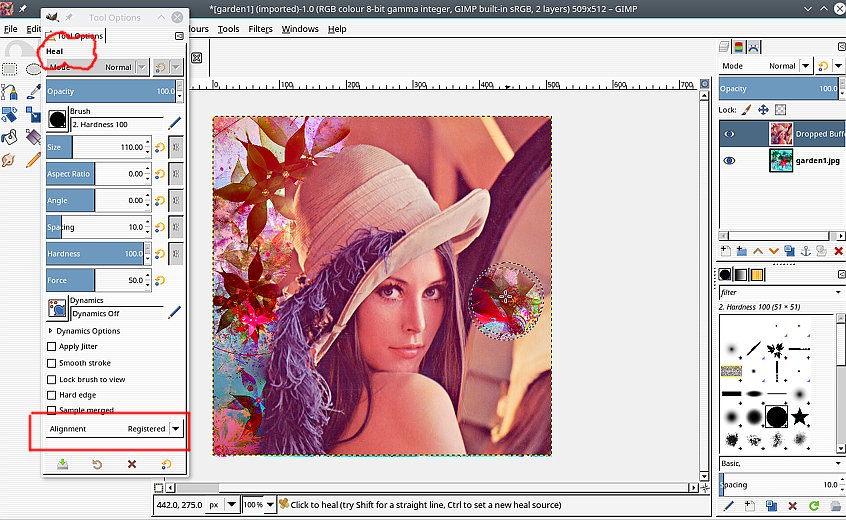
It looks like you are trying to heal from a base layer to a transparent layer. That never worked, needs some pixels.

Usually you heal (or clone) from one layer to another (or even another image) with the heal (or clone) alignment in registered mode - your screenshot shows alignment = none.

This example: Healing from the base layer to the top layer

Attachment:
healtool.jpg
healtool.jpg [ 128.28 KiB | Viewed 7427 times ]


More usually, the layers (or images) are almost identical, and the requirement is to repair some detail.

You can use the clone tool to clone in registered mode into a transparent layer, but why would you want to do that, there are other ways.

Give a few more details of what you required with the heal tool.


Top
 Post subject: Re: problems with new features of Gimp 2.10.11 (samj)
PostPosted: Thu Apr 25, 2019 8:57 am  (#5) 
Offline
GimpChat Member

Joined: Apr 09, 2018
Posts: 1888
Location: France
in response to offnuts: I have never used this tool yet.
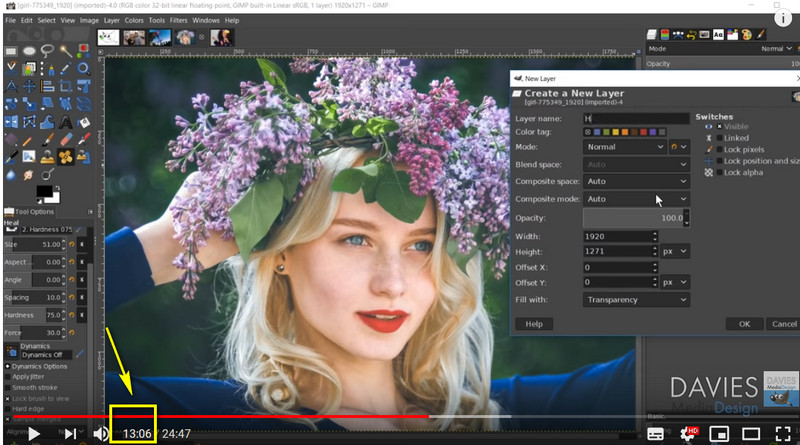
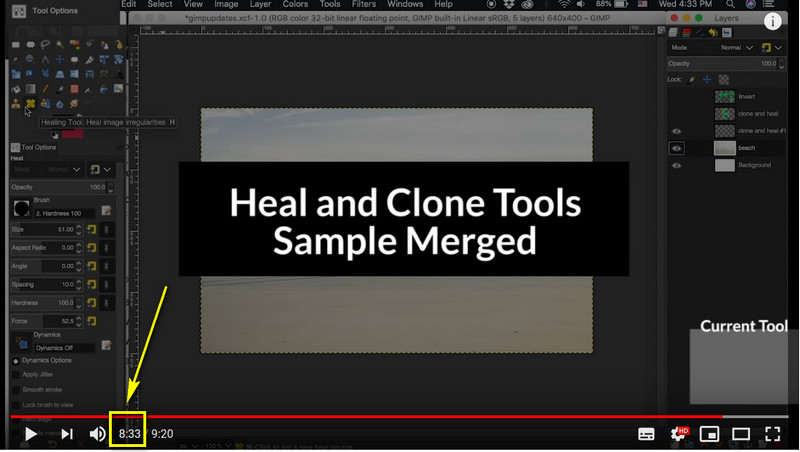
I just tried to understand 2 videos in English by the eyes rather than by the ears, since this is not my language.
First video at 13.06:
Image

https://www.youtube.com/watch?v=bSgFV_gtcKs

2nd video at 8.33:
Image

https://www.youtube.com/watch?v=1Jy_f03TqQc

_________________
Les parfums, les couleurs et les sons se répondent.Baudelaire (Les fleurs du mal)
2.10.36/(Samj) Gimp 2.10.38 OS Windows 10 Home 64 bits


Top
 Post subject: Re: problems with new features of Gimp 2.10.11 (samj)
PostPosted: Thu Apr 25, 2019 9:58 am  (#6) 
Offline
GimpChat Member

Joined: Mar 04, 2011
Posts: 2603
Beware of DavisMedia. Very often gives incorrect information, however to be fair in this case...Both videos demo the same thing.

You apply the heal tool to correct some blemish on a layer. https://docs.gimp.org/2.10/en/gimp-tool-heal.html

ctrl-click to select a source, paint over the blemish.

Instead of working directly on the layer, use a new transparent layer, enable sample-merged and apply the correction on a transparent layer. That leaves the original layer untouched.

Your settings do not have sample-merged enabled.

Attachment:
heal02.jpg
heal02.jpg [ 22.29 KiB | Viewed 7390 times ]


This does work with samj 2.10.11


Top
 Post subject: Re: problems with new features of Gimp 2.10.11 (samj)
PostPosted: Thu Apr 25, 2019 2:59 pm  (#7) 
Offline
GimpChat Member

Joined: Apr 09, 2018
Posts: 1888
Location: France
:tyspin rich2005 Image

I'm watching this tomorrow :)

_________________
Les parfums, les couleurs et les sons se répondent.Baudelaire (Les fleurs du mal)
2.10.36/(Samj) Gimp 2.10.38 OS Windows 10 Home 64 bits


Top
 Post subject: Re: problems with new features of Gimp 2.10.11 (samj)
PostPosted: Fri Apr 26, 2019 8:27 am  (#8) 
Offline
GimpChat Member

Joined: Apr 09, 2018
Posts: 1888
Location: France
first problem solved :)

for the second novelty: Open a brush as image
it does not work with Photoshop brushes abr?? ... Too bad, I found it convenient because fast

_________________
Les parfums, les couleurs et les sons se répondent.Baudelaire (Les fleurs du mal)
2.10.36/(Samj) Gimp 2.10.38 OS Windows 10 Home 64 bits


Top
 Post subject: Re: problems with new features of Gimp 2.10.11 (samj)
PostPosted: Fri Apr 26, 2019 10:50 am  (#9) 
Offline
GimpChat Member

Joined: Mar 04, 2011
Posts: 2603
Quote:
...Open a brush as image
it does not work with Photoshop brushes abr?? ... Too bad, I found it convenient because fast


Yes, not fast:

Only works with Gimp "something.gbr" brushes

Probably a greyscale mask. Choose the brush from the "....abr" set Note the size of the brush (1)

Make a canvas size to fit. Probably has some semi-transparency so add a transparent layer (2)

Choose your colour, use the brush as a stamp. One click only (3)

Attachment:
brush.jpg
brush.jpg [ 112.92 KiB | Viewed 7321 times ]


Top
 Post subject: Re: problems with new features of Gimp 2.10.11 (samj)
PostPosted: Fri Apr 26, 2019 12:15 pm  (#10) 
Offline
GimpChat Member

Joined: Apr 09, 2018
Posts: 1888
Location: France
:tyspin rich005
Once again a good idea for me who misses it! :) ;)

_________________
Les parfums, les couleurs et les sons se répondent.Baudelaire (Les fleurs du mal)
2.10.36/(Samj) Gimp 2.10.38 OS Windows 10 Home 64 bits


Top
 Post subject: Re: problems with new features of Gimp 2.10.11 (samj)
PostPosted: Fri Apr 26, 2019 1:58 pm  (#11) 
Offline
GimpChat Member

Joined: Apr 09, 2018
Posts: 1888
Location: France
I applied your idea with an Asian brush:

Image

_________________
Les parfums, les couleurs et les sons se répondent.Baudelaire (Les fleurs du mal)
2.10.36/(Samj) Gimp 2.10.38 OS Windows 10 Home 64 bits


Top
Post new topic Reply to topic  [ 11 posts ] 

All times are UTC - 5 hours [ DST ]


* Login  


Powered by phpBB3 © phpBB Group