It is currently Sun Sep 20, 2026 4:57 pm


All times are UTC - 5 hours [ DST ]


Post new topic Reply to topic  [ 7 posts ] 
Author Message
 Post subject: check if the procedure is correctly done?
PostPosted: Mon Oct 21, 2019 4:28 am  (#1) 
Offline
GimpChat Member

Joined: Apr 09, 2018
Posts: 1888
Location: France
GIMP Version: 2.10.13
Operating System: Windows
GIMP Experience: New User


:wvy
I followed Nidhogg's explanation here:
viewtopic.php?p=243536#p243536
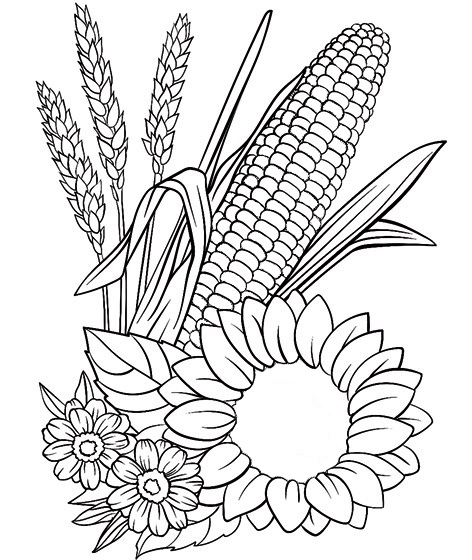
for this picture:
Image
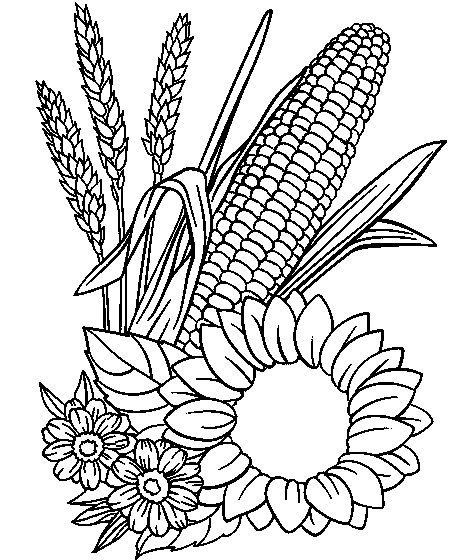
With the Threshold filter, I have this:
Image
so I moved the black triangle to darken the image:
Image

does the end result seem correct to you to use the DIEGO_Render_FillingPlus?
Image

_________________
Les parfums, les couleurs et les sons se répondent.Baudelaire (Les fleurs du mal)
2.10.36/(Samj) Gimp 2.10.38 OS Windows 10 Home 64 bits


Share on Facebook Share on Twitter Share on Orkut Share on Digg Share on MySpace Share on Delicious Share on Technorati
Top
 Post subject: Re: check if the procedure is correctly done?
PostPosted: Mon Oct 21, 2019 5:39 am  (#2) 
Offline
GimpChat Member
User avatar

Joined: May 10, 2013
Posts: 1442
Location: Finland
Poor picture because it has halftone patterns. You need to clean them if you want nice outcome.
See my next post, I cleaned the patterns for you.


Last edited by Nidhogg on Mon Oct 21, 2019 5:51 am, edited 1 time in total.

Top
 Post subject: Re: check if the procedure is correctly done?
PostPosted: Mon Oct 21, 2019 5:40 am  (#3) 
Offline
GimpChat Member
User avatar

Joined: Jan 20, 2013
Posts: 14835
Location: roma, italy
The procedure is correct, and you can use the result as input to the filter, but the filter will take long, because there are a lot of small areas.
Attachment:
6068_cornAndFlowers2_modifié_filled-with-random-colours(with grid).jpg
6068_cornAndFlowers2_modifié_filled-with-random-colours(with grid).jpg [ 200.36 KiB | Viewed 3127 times ]


I don't know exactly how much it took, because I launched the filter then went out; found the result when back.

_________________
"Where am I ?"


Top
 Post subject: Re: check if the procedure is correctly done?
PostPosted: Mon Oct 21, 2019 5:50 am  (#4) 
Offline
GimpChat Member
User avatar

Joined: May 10, 2013
Posts: 1442
Location: Finland
I cleaned it quickly for you level_0

Image


Top
 Post subject: Re: check if the procedure is correctly done?
PostPosted: Mon Oct 21, 2019 6:11 am  (#5) 
Offline
GimpChat Member
User avatar

Joined: Jan 20, 2013
Posts: 14835
Location: roma, italy
The image provided by Nidhogg is much cleaner, but the problem of the too many small areas is obviously still there.
Executed the filter on this one (again random colours): it took 5 minutes.
Attachment:
2783_Corn_filled.jpg
2783_Corn_filled.jpg [ 222.37 KiB | Viewed 3118 times ]

_________________
"Where am I ?"


Top
 Post subject: Re: check if the procedure is correctly done?
PostPosted: Mon Oct 21, 2019 6:19 am  (#6) 
Offline
GimpChat Member
User avatar

Joined: Jan 20, 2013
Posts: 14835
Location: roma, italy
Downloaded this image from the net and risized/cleaned:
Attachment:
from-the-net.jpg
from-the-net.jpg [ 67.15 KiB | Viewed 3118 times ]

run the filter:
Attachment:
from-the-net-filled.jpg
from-the-net-filled.jpg [ 80.85 KiB | Viewed 3118 times ]

time 1-1.5 minutes

_________________
"Where am I ?"


Top
 Post subject: Re: check if the procedure is correctly done?
PostPosted: Mon Oct 21, 2019 6:37 am  (#7) 
Offline
GimpChat Member
User avatar

Joined: May 10, 2013
Posts: 1442
Location: Finland
dinasset wrote:
The image provided by Nidhogg is much cleaner, but the problem of the too many small areas is obviously still there.

I forgot to use threshold after fixing the patterns off.
This should work better?

Image

Just for testing, took 35 seconds.

Image


Top
Post new topic Reply to topic  [ 7 posts ] 

All times are UTC - 5 hours [ DST ]


* Login  


Powered by phpBB3 © phpBB Group