dubpunkgabba wrote:
-- to teapot i don't know the steps to get to what your showing me
Hi dubpunkgabba,
Referring to menu items as menu -> sub-menu etc.
Open gimp.
File -> Open
Navigate to sketch 1 and open it.
File -> Open as Layers
Navigate to sketch 2 and open it.
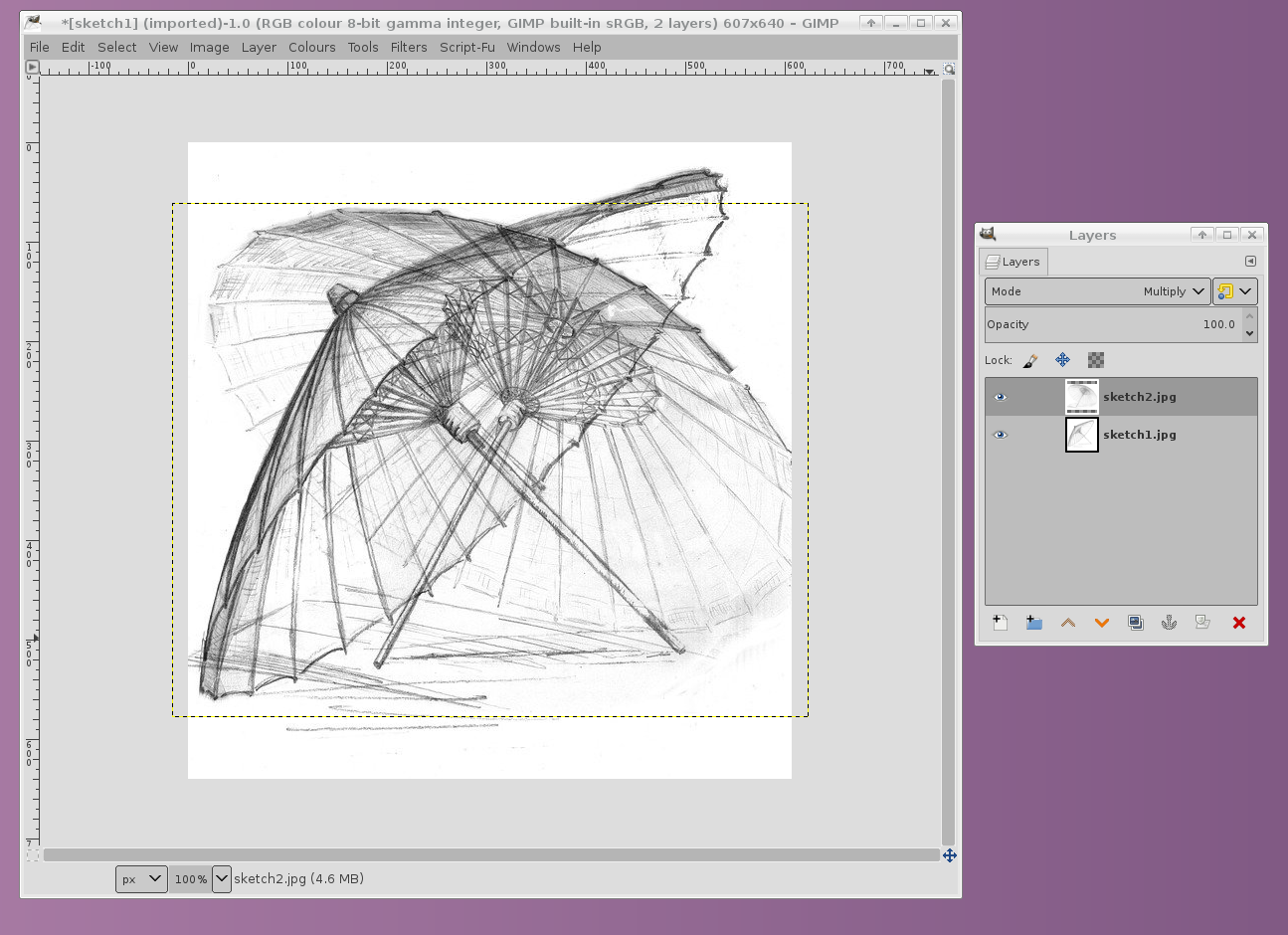
You now have two layers.
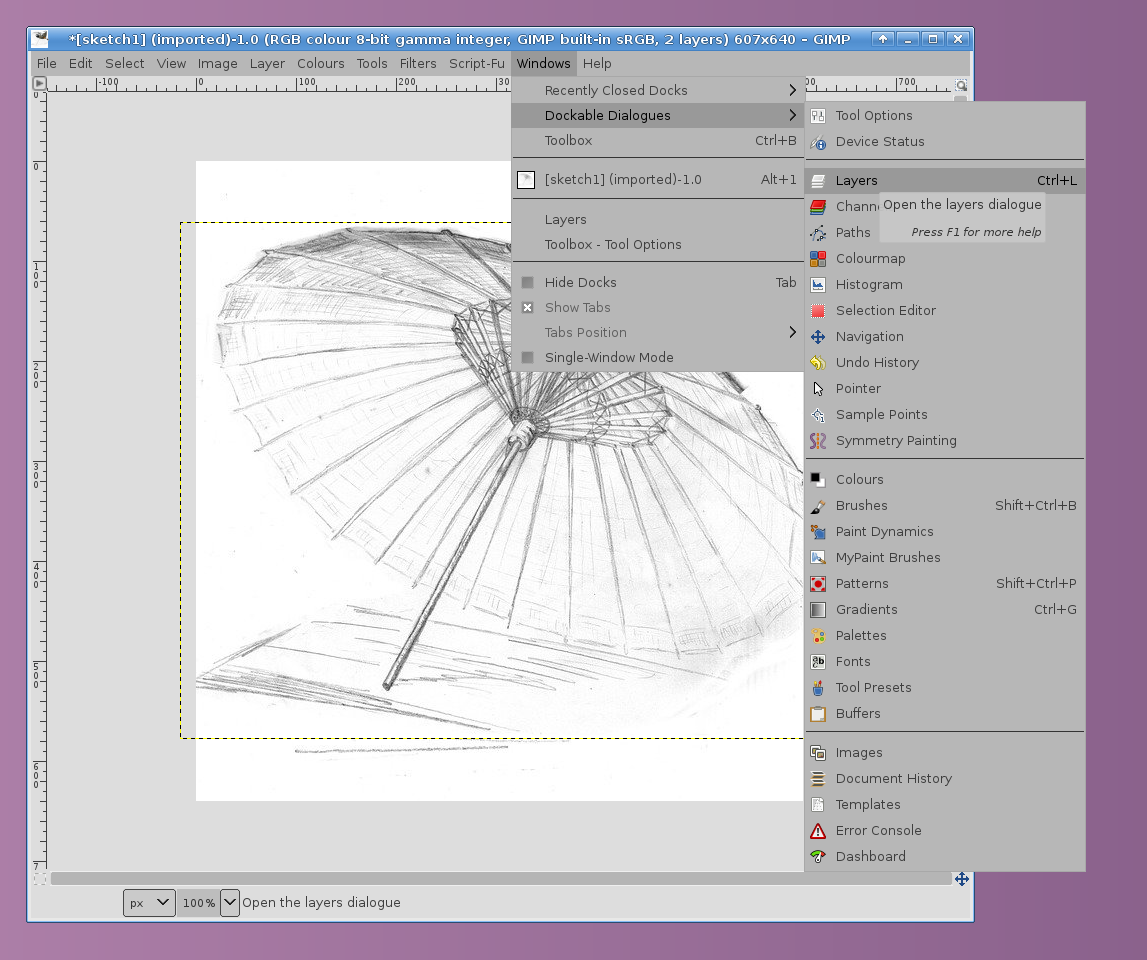
Look to see if you have the layers dialog open.
If not open the layers dialog:
Windows -> Dockable Dialogs -> Layers
In the layers dialog click on the name of sketch 2.
This makes the layer active, the one you are now editing.
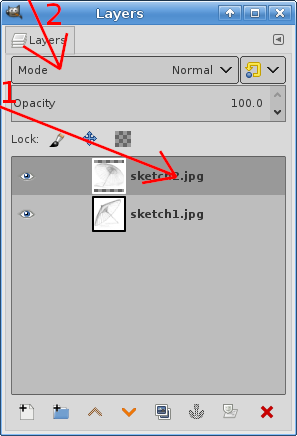
At the top of the layers dialog click where it says Mode, a big menu will appear.
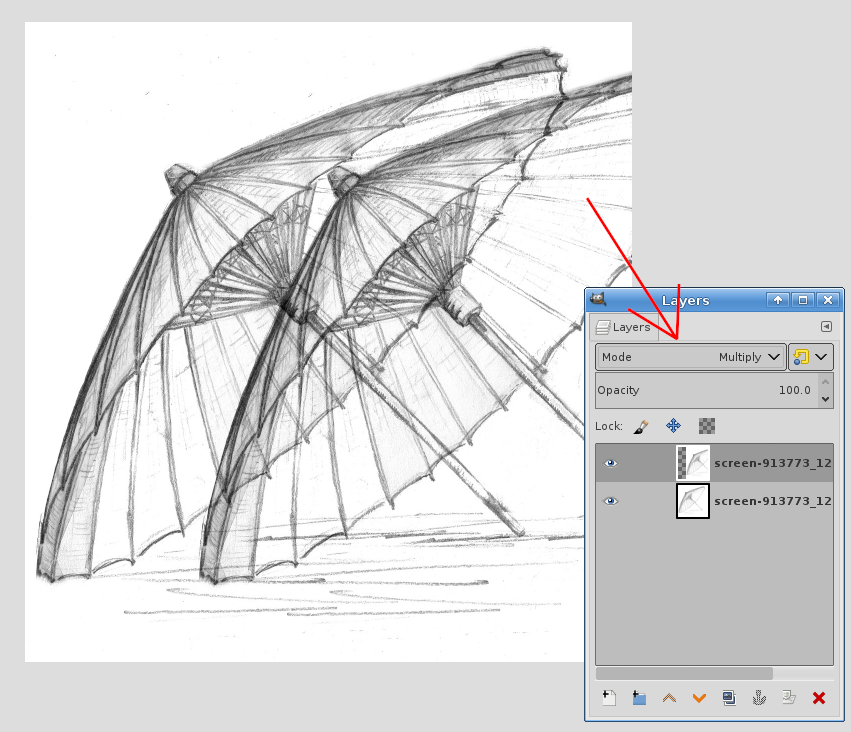
Choose Multiply.
You should now see both sketches.
To save your result
File -> Export As
Put in a new filename with a file extension .png
Click Export.
 Login
Login Register
 Tweets
 FAQ
FAQ Advanced Search