It is currently Thu Sep 24, 2026 10:21 am


All times are UTC - 5 hours [ DST ]


Post new topic Reply to topic  [ 7 posts ] 
Author Message
 Post subject: Erase edges from repeat pattern
PostPosted: Thu Sep 09, 2021 8:33 pm  (#1) 
Offline
New Member

Joined: Sep 09, 2021
Posts: 3
GIMP Version: 2.10.24
Operating System: Windows
GIMP Experience: Basic Level


Hi, I'm new here so apologies if this has already been addressed.

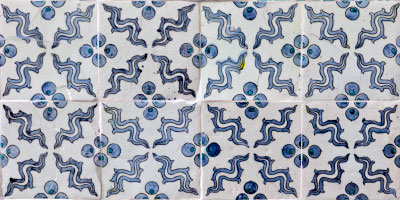
Is there a way to erase the edges in a repeat pattern to create a seamless pattern? The below link shows an example of what I mean - it's the white edges that I want erased.

https://topdrawer.aamt.edu.au/var/aamt/s...2_fig2.jpg

Thanks for any help! Cool


Share on Facebook Share on Twitter Share on Orkut Share on Digg Share on MySpace Share on Delicious Share on Technorati
Top
 Post subject: Re: Erase edges from repeat pattern
PostPosted: Fri Sep 10, 2021 12:02 am  (#2) 
Offline
GimpChat Member
User avatar

Joined: Nov 04, 2015
Posts: 1477
The link doesn't work because it's been shortened.


Top
 Post subject: Re: Erase edges from repeat pattern
PostPosted: Fri Sep 10, 2021 12:51 am  (#3) 
Offline
GimpChat Member
User avatar

Joined: Jan 06, 2020
Posts: 401
Location: The Netherlands
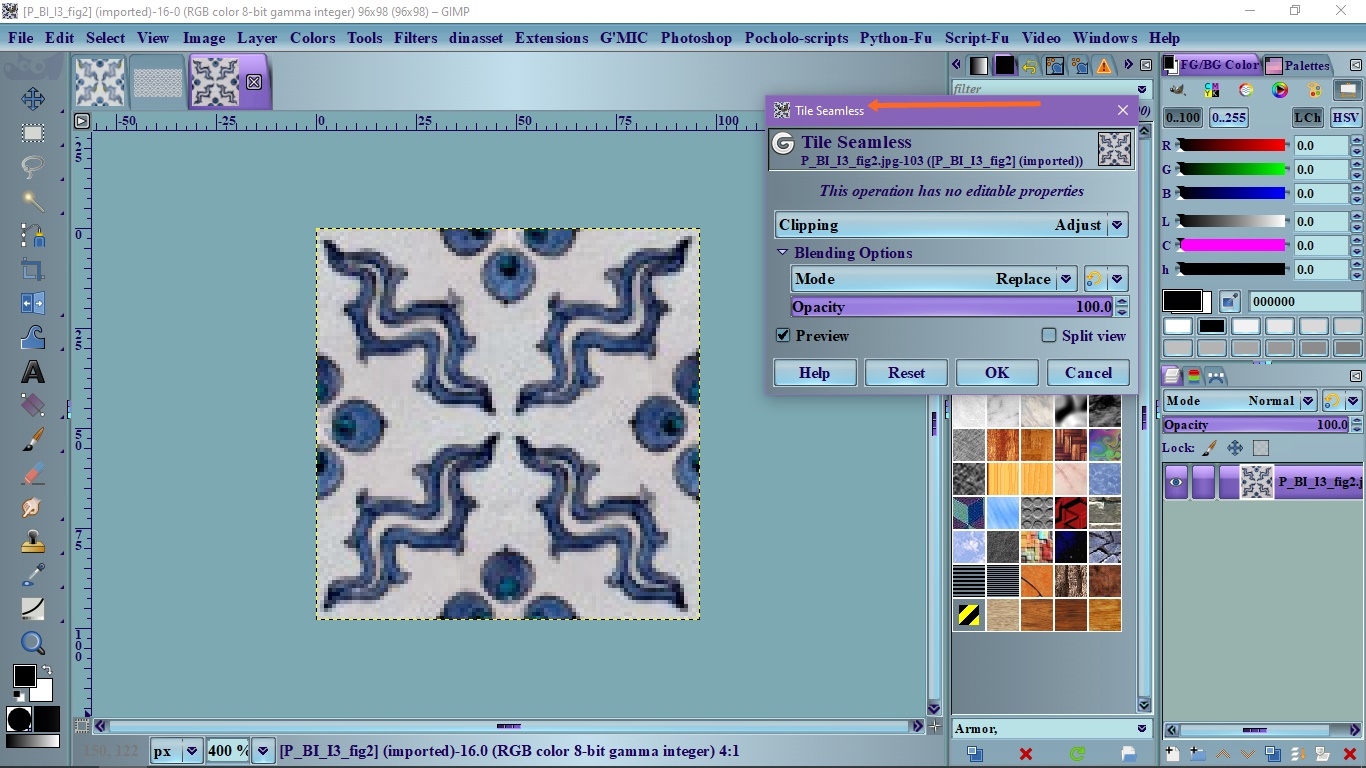
You mean filters > map > (G) tile seamless?


Attachments:
rr_make_seamless.scm [9.18 KiB]
Downloaded 73 times
tilesemless1.png
tilesemless1.png [ 432.3 KiB | Viewed 4281 times ]
Top
 Post subject: Re: Erase edges from repeat pattern
PostPosted: Fri Sep 10, 2021 2:07 am  (#4) 
Offline
New Member

Joined: Sep 09, 2021
Posts: 3
Hi, thanks for the replies.

Apologies for the bad link, I'll try to fix it.

Well I tried the seamless tile thing but the edges were still clearly showing. I think I may have found a fix on a Youtube video but have yet to try it out.

Im now having a new problem - the tile feature in the G'mic plugin produces beautiful tiles BUT the changes do not seem to apply to my Gimp file? What in the world could be wrong there??


Top
 Post subject: Re: Erase edges from repeat pattern
PostPosted: Fri Sep 10, 2021 1:00 pm  (#5) 
Hi huda. Is this the pattern you're trying to fix?
Image


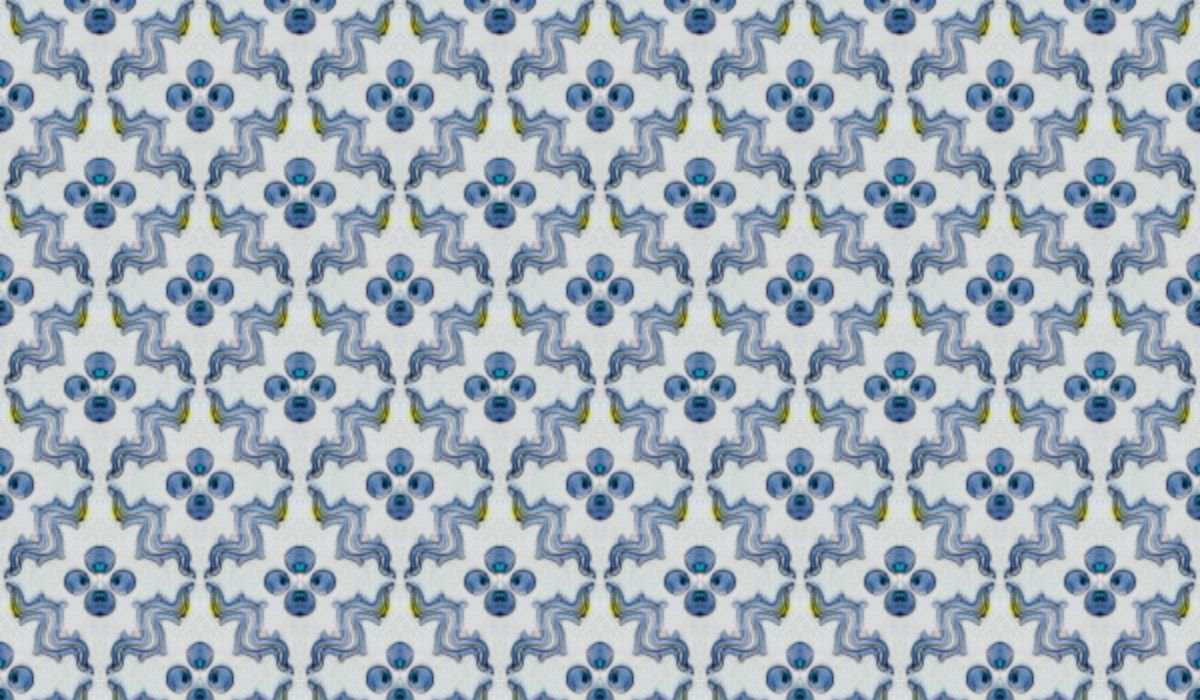
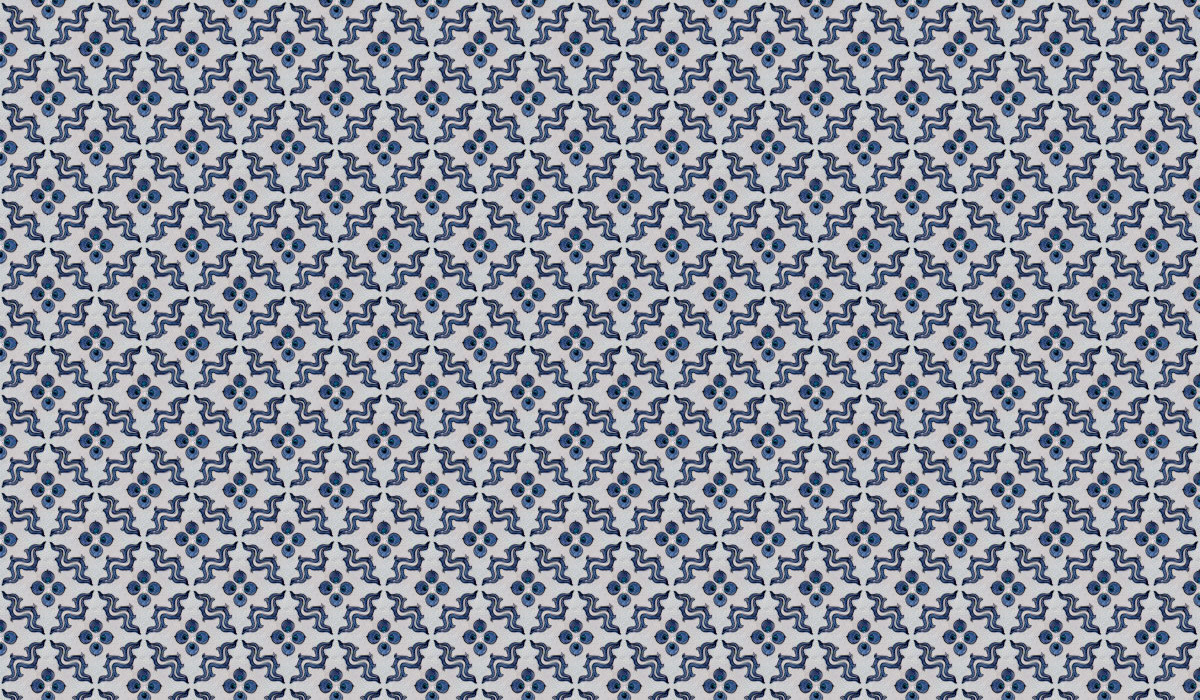
And you want something like this?
Image


Top
 Post subject: Re: Erase edges from repeat pattern
PostPosted: Fri Sep 10, 2021 1:48 pm  (#6) 
Here is a small tutorial, I think...

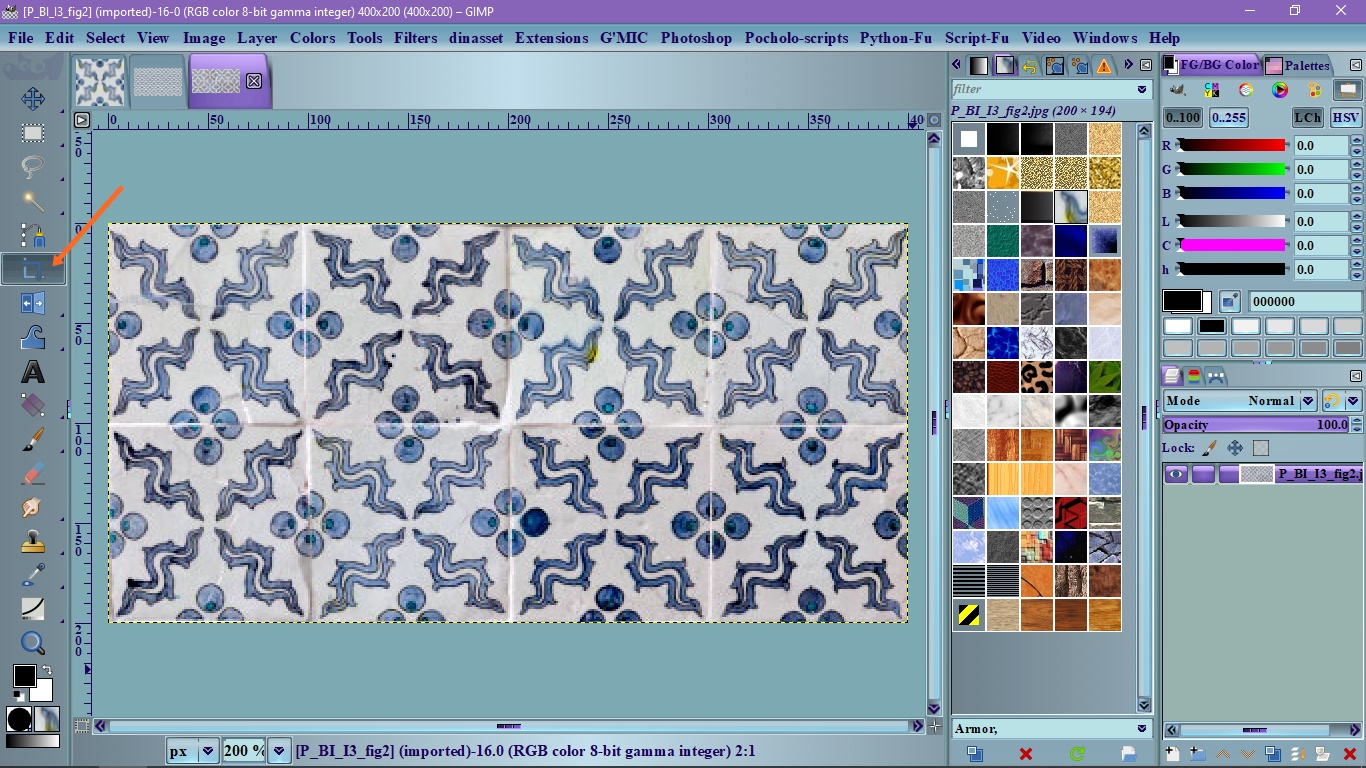
1. Open the image and select the Crop tool. The problem with this repeating pattern is that it's no seamless. I believe you want a seamless pattern.
Image

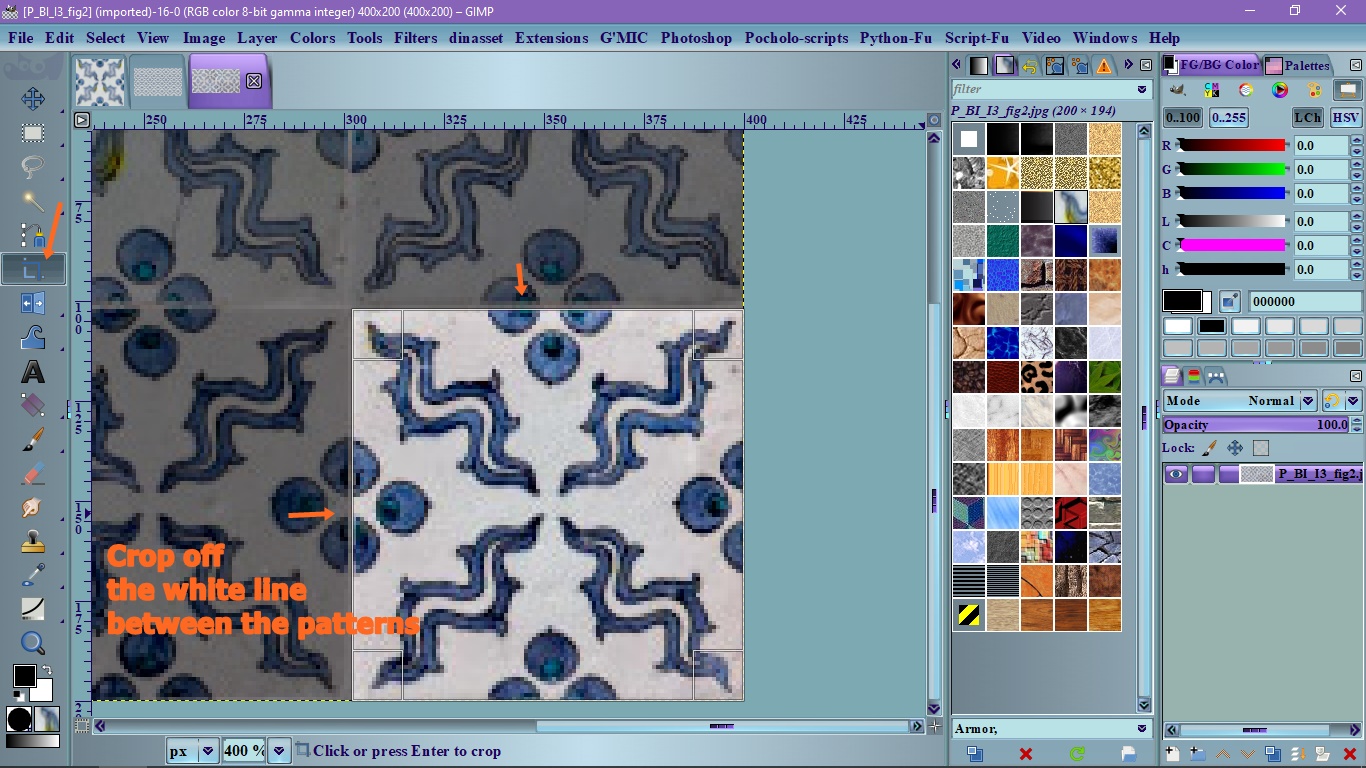
2. Choose what square you want to use for the repeating pattern
3. Crop the square leaving out the white line that separate the patterns
Image

4. Go to Filters/Map/Tile Seamless and click Ok and there you have your repeating pattern.
Image

This is another image fixed
Image


Top
 Post subject: Re: Erase edges from repeat pattern
PostPosted: Sat Sep 11, 2021 8:43 pm  (#7) 
Offline
New Member

Joined: Sep 09, 2021
Posts: 3
Hi, thanks for that detailed reply, I really appreciate it!

Yes that's exactly what I was after. I've since put the task on hold but once I get the time, will try this out and let you know how I got along.

Many thanks once again!


Top
Post new topic Reply to topic  [ 7 posts ] 

All times are UTC - 5 hours [ DST ]


* Login  


Powered by phpBB3 © phpBB Group