It is currently Tue Jun 23, 2026 1:07 pm


All times are UTC - 5 hours [ DST ]


Post new topic Reply to topic  [ 5 posts ] 
Author Message
 Post subject: HELLLLLPPP --- How to erase only selected areas + insert new images?
PostPosted: Thu Mar 20, 2025 7:47 am  (#1) 
Offline
New Member

Joined: Mar 20, 2025
Posts: 1
GIMP Version: 2.8.14
Operating System: Windows
GIMP Experience: Basic Level


Hi all, glad to have found you here!

Hoping you can help me:

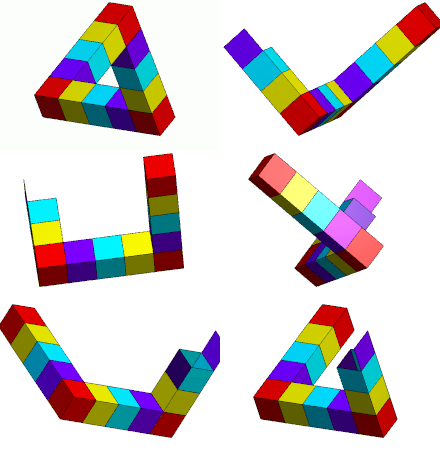
Am trying to figure out how to turn a penrose triangle/similar setups (you'll have to look up your own examples; GIMP won't let me insert outside urls as a new user!!!) into something where each color panel is a different image or piece of image. I spent four hours trying to figure it out yesterday and the best I could come up with is:

color each of the "steps" a different color for ease of erasing by color. Layering in other photos behind that "master" and inverse-selecting-deleting the extra so it doesn't show up on other layers.

The issues are several:
1. SOMETIMES the delete by color works. SOmetimes it doesn't. Have used the magic wand AND the one properly for color. Same situation.
2. Sometimes my delete key works. Right now it doesn't (SOBS). I've done this for ages and no idea what's up. Nothing's locked that I can see? Have made sure everyone has an alpha channel?? I'm really working in the dark here so if anyone could help I'd be so grateful.
3. I feel like there's a MUCH more efficient way to do this but cannot for the life of me figure it out.

Can anyone help?

I'm also new to this forum and can't figure out how to attach images but if someone can walk me through that I'm more than happy to show a better idea of what I'm trying to do. Thank you!


Share on Facebook Share on Twitter Share on Orkut Share on Digg Share on MySpace Share on Delicious Share on Technorati
Top
 Post subject: Re: HELLLLLPPP --- How to erase only selected areas + insert new image
PostPosted: Thu Mar 20, 2025 12:49 pm  (#2) 
Offline
Administrator
User avatar

Joined: Aug 10, 2012
Posts: 14060
Location: Native to NYC living in Arizona, Gimp 2.8 - 3.0, Win 11 PC.
Hello saraksri, welcome to the forum.
If I'm understanding this, it seems the issue is about the colors being used,
is this correct?

_________________
Image
"A wise man learns more from a foolish question than a fool can learn from a wise answer"
Image


Top
 Post subject: Re: HELLLLLPPP --- How to erase only selected areas + insert new image
PostPosted: Fri Mar 21, 2025 3:22 am  (#3) 
Offline
GimpChat Member
User avatar

Joined: Nov 04, 2015
Posts: 1450
Penrose triangles are cool :)
Image


What you want to do is going to be hard LoL


Top
 Post subject: Re: HELLLLLPPP --- How to erase only selected areas + insert new image
PostPosted: Fri Mar 21, 2025 9:50 am  (#4) 
Offline
Global Moderator
User avatar

Joined: May 16, 2010
Posts: 16042
Isn't there a way to select your colored square. Then edit>Copy>Paste your image into that selection?

_________________
Image


Top
 Post subject: Re: HELLLLLPPP --- How to erase only selected areas + insert new image
PostPosted: Sat Mar 22, 2025 5:40 am  (#5) 
Offline
Global Moderator
User avatar

Joined: Apr 01, 2012
Posts: 8389
Location: On the other side of your screen
Make a few more posts - 4 more, then you will be able to post links and pics.

_________________
Image
Free Fun Photo Editing & resources
Poems from the Lord
Gimp Newby
Gimp version 3.2.0 and GMIC-Qt 3.7.5 OS :- Windows 10 Home 64


Top
Post new topic Reply to topic  [ 5 posts ] 

All times are UTC - 5 hours [ DST ]


* Login  


Powered by phpBB3 © phpBB Group