It is currently Mon Jun 15, 2026 3:20 am


All times are UTC - 5 hours [ DST ]


Post new topic Reply to topic  [ 7 posts ] 
Author Message
 Post subject: brush scale
PostPosted: Tue Jul 19, 2011 11:52 am  (#1) 
Offline
GimpChat Member
User avatar

Joined: Jun 04, 2011
Posts: 254
GIMP Version: 2.7.3
Operating System: Windows
OS Version: vista-sp1
GIMP Experience: Basic Level


I can't get my brushes to scale in 2.7.3 how can i fix this?
thanks in advance

_________________
Image


Share on Facebook Share on Twitter Share on Orkut Share on Digg Share on MySpace Share on Delicious Share on Technorati
Top
 Post subject: Re: brush scale
PostPosted: Tue Jul 19, 2011 12:01 pm  (#2) 
Offline
GimpChat Member
User avatar

Joined: Apr 07, 2010
Posts: 14182
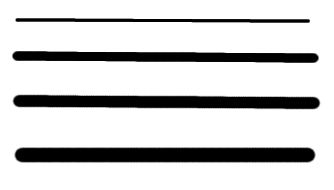
Mine are scaling fine in 2.7 by using the up and down arrows or typing in a number. I can also scale then with these [-]........
Image

_________________
Image


Last edited by molly on Tue Jul 19, 2011 12:09 pm, edited 2 times in total.

Top
 Post subject: Re: brush scale
PostPosted: Tue Jul 19, 2011 12:06 pm  (#3) 
Offline
GimpChat Member
User avatar

Joined: Jun 04, 2011
Posts: 254
molly wrote:
Mine are scaling fine in 2.7 by using the up and down arrows or typing in a number. I can also scale then with these [-]........

thanks molly oh and one more question do you have a problem save other file formats in 2.7? (jpg png gif ...)mine only lets me save xcf files.

_________________
Image


Top
 Post subject: Re: brush scale
PostPosted: Tue Jul 19, 2011 12:09 pm  (#4) 
Offline
GimpChat Member
User avatar

Joined: Mar 02, 2011
Posts: 1850
Location: Michigan
You have to go export instead of save

_________________
Image
I'm back I think


Top
 Post subject: Re: brush scale
PostPosted: Tue Jul 19, 2011 12:11 pm  (#5) 
Offline
GimpChat Member
User avatar

Joined: Jun 04, 2011
Posts: 254
Willy wrote:
You have to go export instead of save

oh ok thanks

_________________
Image


Top
 Post subject: Re: brush scale
PostPosted: Wed Jul 20, 2011 3:30 am  (#6) 
Offline
Global Moderator
User avatar

Joined: May 16, 2010
Posts: 16028
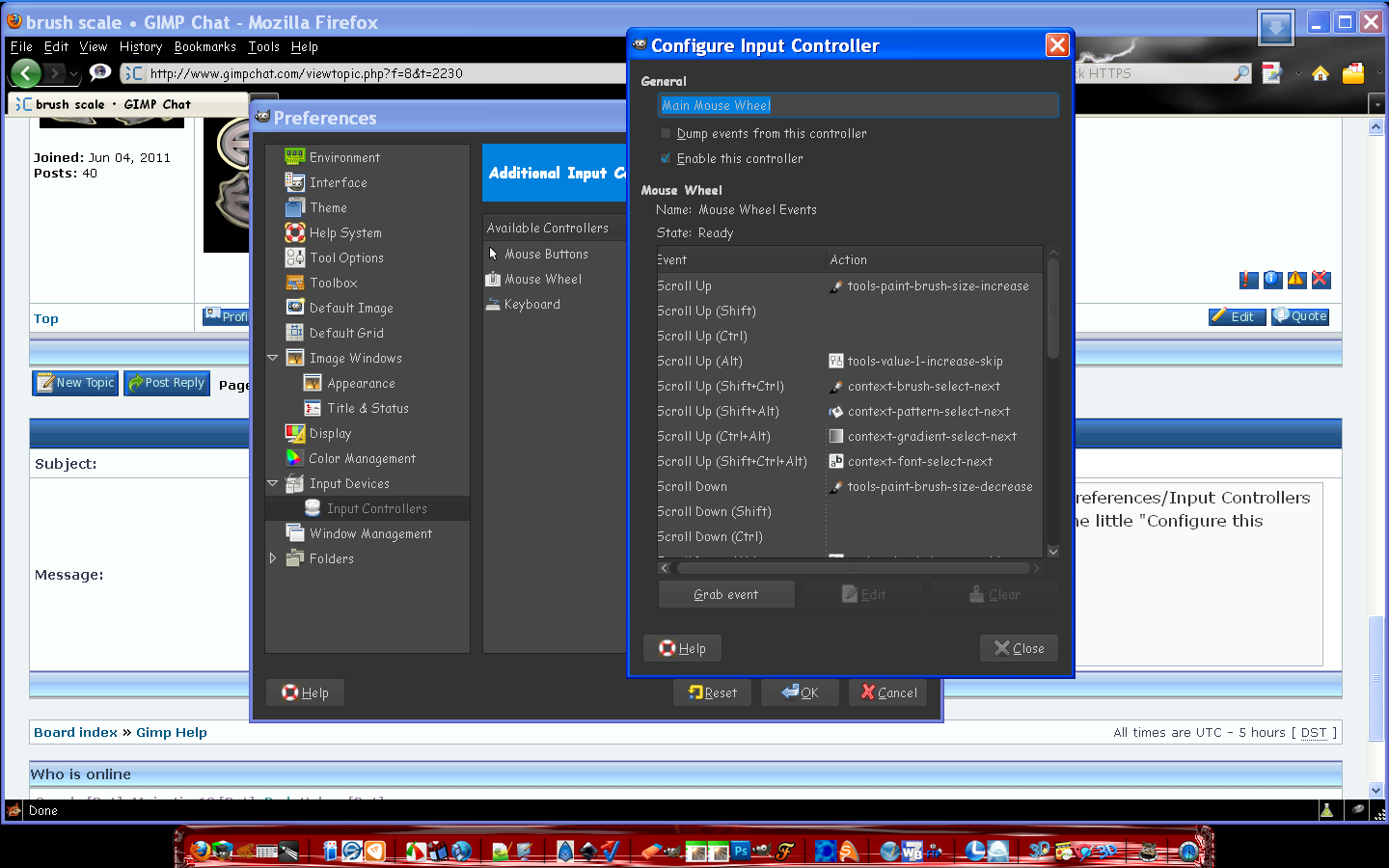
I have my brushes in Gimp-2.7.3 to resize on scroll up or down.You can do this via Edit/Preferences/Input Controllers
In the right hand menu you will see a entry named main mouse wheel -click and select the little "Configure this selected controller" icon next to the two arrow icons at the bottom.
Now a dialog will pop up to edit the command for certain mouse controls.

Image

_________________
Image


Top
 Post subject: Re: brush scale
PostPosted: Wed Jul 20, 2011 3:34 am  (#7) 
Offline
Global Moderator
User avatar

Joined: May 16, 2010
Posts: 16028
Once you get here click any event and action and click edit.
Another dialog will open to select an event just select the one you want to have (increase or decrease brush size), and click ok.
Image

CLOSE all the dialogs and re-open them to do the decrease for scroll down (assuming the first one you did was scroll up).This allows Gimp to set the event.

_________________
Image


Top
Post new topic Reply to topic  [ 7 posts ] 

All times are UTC - 5 hours [ DST ]


* Login  


Powered by phpBB3 © phpBB Group