It is currently Thu Aug 27, 2026 1:04 pm


All times are UTC - 5 hours [ DST ]


Post new topic Reply to topic  [ 10 posts ] 
Author Message
 Post subject: Help with G'mic
PostPosted: Tue Jul 26, 2011 4:51 am  (#1) 
Offline
GimpChat Member
User avatar

Joined: Jul 08, 2011
Posts: 285
GIMP Version: 2.6.11
Operating System: Windows
OS Version: XP - SP3
GIMP Experience: Beginner Level


I downloaded G'mic 1.5.0.0. but unfortunately i don't know how it works...in fact i don't know anything about it.:( I would really appreciate your help my dear Gimp Chat friends...

_________________
Image

My Flickr
http://anaplus.deviantart.com/


Share on Facebook Share on Twitter Share on Orkut Share on Digg Share on MySpace Share on Delicious Share on Technorati
Top
 Post subject: Re: Help with G'mic
PostPosted: Tue Jul 26, 2011 5:41 am  (#2) 
Offline
GimpChat Member
User avatar

Joined: Apr 07, 2010
Posts: 14182
Ana
Look down near the very bottom of your filters menu. Do you see GMIC there? If so, make sure you have a layer open, then click GMIC and it should open. If it is not there, it should go into your gimp -lib-gimp-2.0-plug-ins folder......

_________________
Image


Top
 Post subject: Re: Help with G'mic
PostPosted: Tue Jul 26, 2011 6:19 am  (#3) 
Offline
Global Moderator
User avatar

Joined: May 16, 2010
Posts: 16168
GMIC is sort of a program within Gimp.
It resides in the Filters menu usually as Molly stated at the very bottom or there abouts.
GMIC currently has about 321 filters that can be ran on your current open image.
Try them all out.Mess with the layers settings...that's the way to really get to know GMIC's capabilities.
Flickre also has a group http://www.flickr.com/groups/gmic/discuss if you are interested in learning more about it. :)

_________________
Image


Top
 Post subject: Re: Help with G'mic
PostPosted: Tue Jul 26, 2011 9:29 am  (#4) 
Offline
GimpChat Member
User avatar

Joined: Jul 08, 2011
Posts: 285
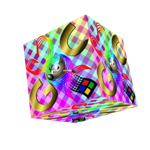
Thank you Rod and Molly :) i was trying to do something with G'mic right away as soon as i downloaded it...but i didn't know where to start....for example i tried to make that spinning cube but i didn't know how???? how to put the settings and everything else

_________________
Image

My Flickr
http://anaplus.deviantart.com/


Top
 Post subject: Re: Help with G'mic
PostPosted: Tue Jul 26, 2011 4:46 pm  (#5) 
Offline
GimpChat Member
User avatar

Joined: Apr 07, 2010
Posts: 14182
I don't know about most people but to me it is trial and error with GMIC, just have to play around with the settings until you get something that suits you. Unless you write all the settings down that you use, you will probably get a different image every time you use it.

_________________
Image


Top
 Post subject: Re: Help with G'mic
PostPosted: Tue Jul 26, 2011 5:33 pm  (#6) 
Offline
GimpChat Member

Joined: Apr 12, 2010
Posts: 5870
molly wrote:
Unless you write all the settings down that you use, you will probably get a different image every time you use it.


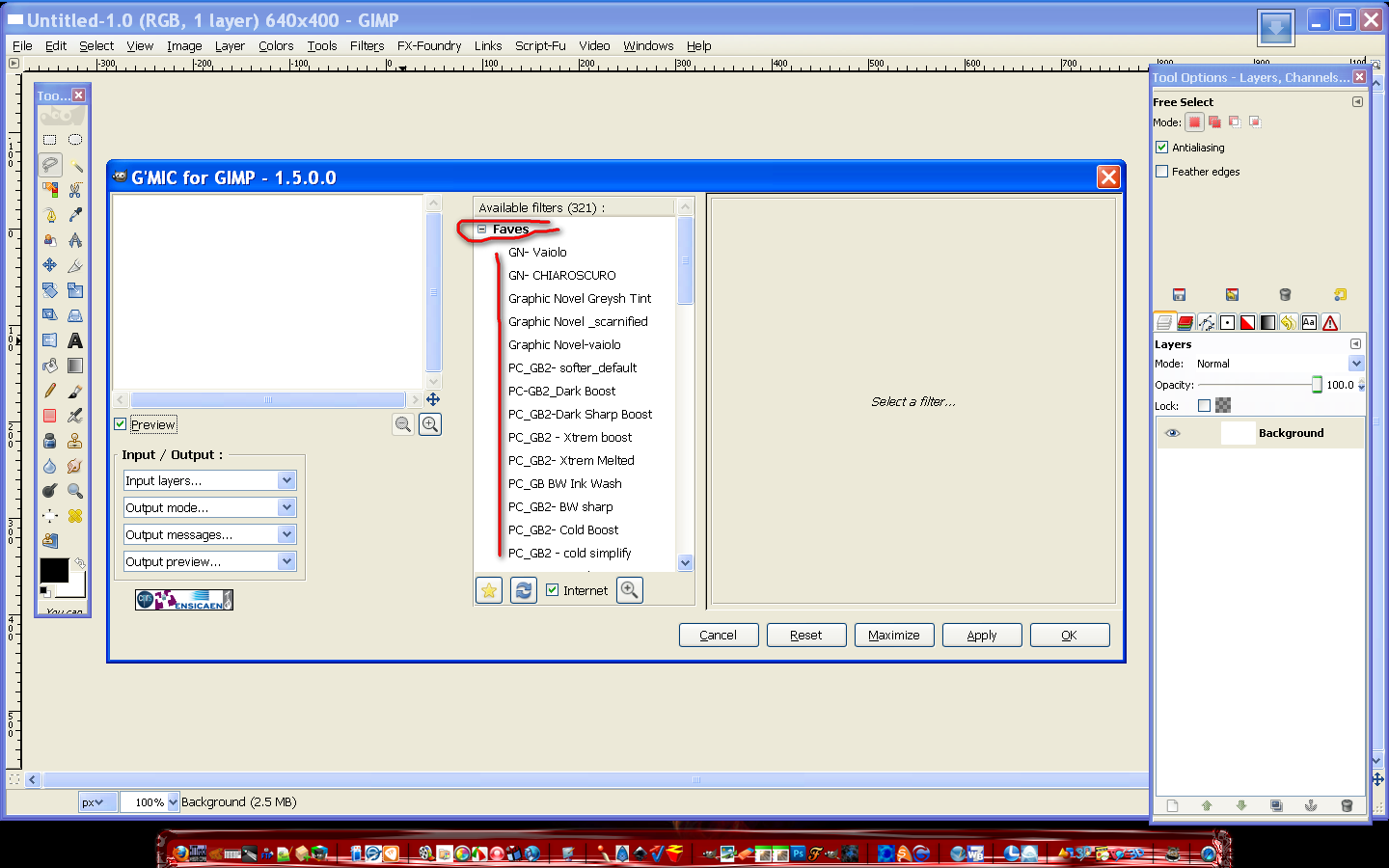
there is a button marked "+" just below the filter list
that allow to save and reuse the setting used , in case your "favorite" setting will appear on the top of the filter list

_________________
My 3D Gallery on Deviantart http://photocomix2.deviantart.com/
Main gallery http://www.flickriver.com/photos/photocomix-mandala/
Mandala and simmetry http://www.flickriver.com/photos/photocomix_mandala/

Image

Mrs Wilbress


Top
 Post subject: Re: Help with G'mic
PostPosted: Tue Jul 26, 2011 5:48 pm  (#7) 
Offline
GimpChat Member
User avatar

Joined: Apr 07, 2010
Posts: 14182
thanks PC, I didn't know that.. :bowdown

_________________
Image


Top
 Post subject: Re: Help with G'mic
PostPosted: Wed Jul 27, 2011 12:35 am  (#8) 
Offline
Global Moderator
User avatar

Joined: May 16, 2010
Posts: 16168
Yup i still use my Faves file. :)
Image

_________________
Image


Top
 Post subject: Re: Help with G'mic
PostPosted: Wed Jul 27, 2011 8:01 am  (#9) 
Offline
GimpChat Member
User avatar

Joined: Apr 08, 2010
Posts: 5420
Location: Northwest Ohio
is it easy to delete favs after you decide you don't want them anymore...so you don't end up with hundreds? Also I think I need to find out what the input/output lists are for. There just aren't enough hours in the day....


Top
 Post subject: Re: Help with G'mic
PostPosted: Wed Jul 27, 2011 9:32 am  (#10) 
Offline
Global Moderator
User avatar

Joined: May 16, 2010
Posts: 16168
You can create a file for your faves in the USER/Application Data folder.
You may have to un-hide your hidden folders to see that folder.
Open a new document in Notepad ++ and save it in that folder as .gmic_faves
make sure and add the dot or period in front of gmic.

Now after you have all your faves and want to delete them...that is the file you can open and get rid of a few.

_________________
Image


Top
Post new topic Reply to topic  [ 10 posts ] 

All times are UTC - 5 hours [ DST ]


* Login  


Powered by phpBB3 © phpBB Group