do you mean you don't understand how to get the Blend Mode "Dodge" for a layer?
"Now for the final step
right click a layer in the layers dialogue and select new from visible"
right click on the layer the instructions ask about and a menu pops up - see my screen grab:
Attachment:
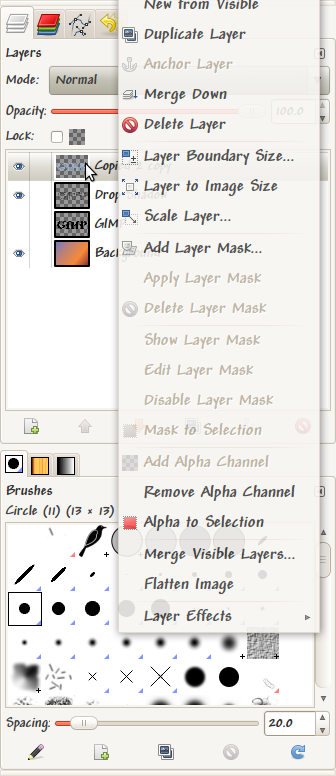 Screenshot-Layers, Channels, Paths, Undo - Brushes, Patterns, Gradients-4.png [ 97.86 KiB | Viewed 1796 times ]
"new from visible" is the third menu item listed. select that.
"The newly created layer needs the layer mode set to “Dodge” "
change the BLEND MODE (where it says "Mode" and it's defaults to "Normal". Just click on that and the list of modes pops up. )
 Login
 Register
 Tweets
 FAQ
 Advanced Search