It is currently Mon Jul 27, 2026 10:20 am


All times are UTC - 5 hours [ DST ]


Post new topic Reply to topic  [ 22 posts ]  Go to page 1, 2  Next
Author Message
 Post subject: WrapMap in 2.7 and 2.8[solved with wrapmap0.4]
PostPosted: Sun Apr 15, 2012 10:09 pm  (#1) 
Offline
Script Coder
User avatar

Joined: Feb 18, 2011
Posts: 4826
Location: Bendigo Vic. Australia
GIMP Version: 2.6.11
Operating System: Windows
OS Version: XP - SP3
GIMP Experience: Beginner Level

List any relevant plug-ins or scripts:
wrapmap rel 3

List any ERROR messages you received:
no selection found


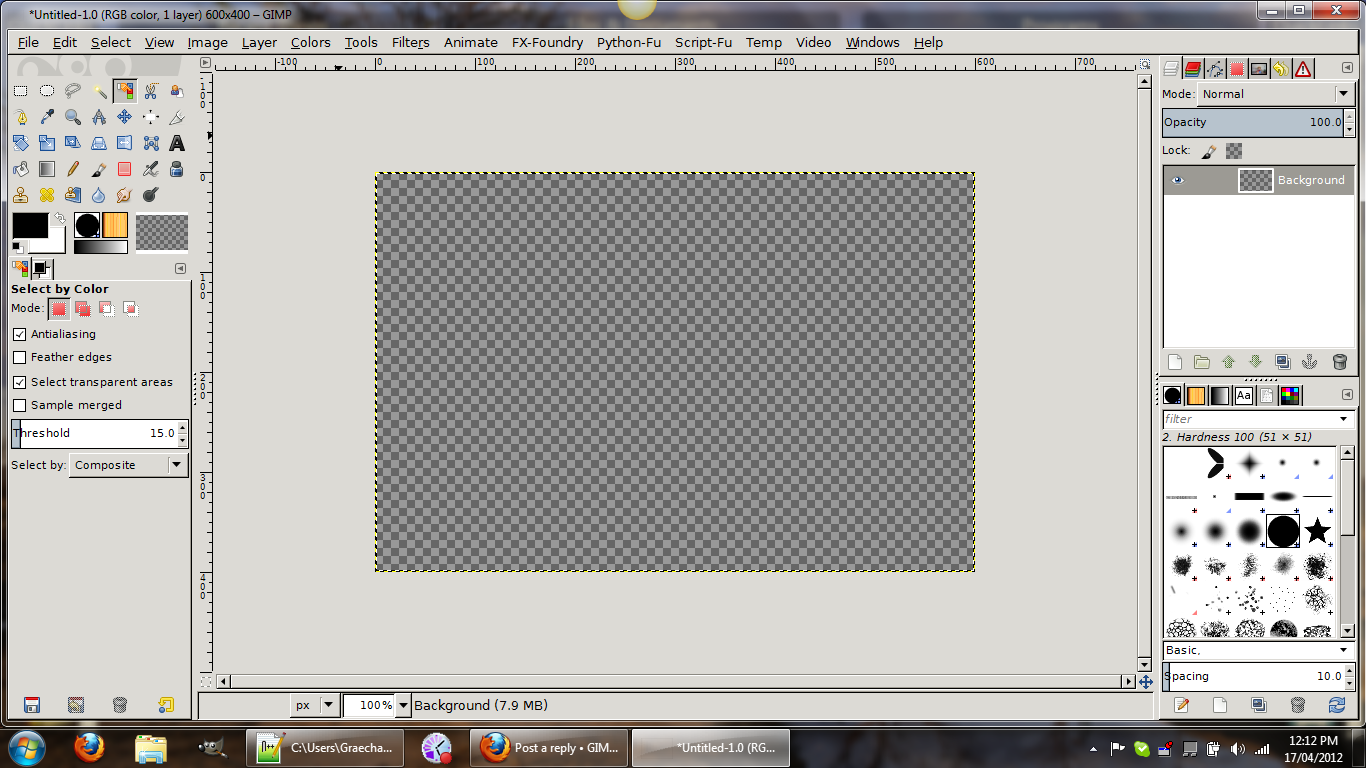
Problems using wrapmap with gimp versions above 2.6, first of I am using a windows enviroment, and the image I am using is shown below in 2.8rc1 with the selection in red

All I get back is a error 'no selection found'

Image

This is what should happen, shown using 2.6.11

Image

I have also attached the complete file I was using

Attachment:
AAA-WRAPMAP.xcf [9.34 KiB]
Downloaded 115 times

_________________
Image
No matter how much you push the envelope, it'll still be stationery.


Last edited by Graechan on Wed Apr 18, 2012 2:33 am, edited 1 time in total.

Share on Facebook Share on Twitter Share on Orkut Share on Digg Share on MySpace Share on Delicious Share on Technorati
Top
 Post subject: Re: WrapMap in 2.7 and 2.8
PostPosted: Sun Apr 15, 2012 10:37 pm  (#2) 
Offline
GimpChat Member
User avatar

Joined: Sep 24, 2010
Posts: 12815
Wrapmap still works for me Graechan; remember, wrapmap also requires a selection, not just on object with transparency. :)


Attachments:
itstillworks.png
itstillworks.png [ 189.78 KiB | Viewed 2883 times ]

_________________
Lyle

Psalm 109:8

Image
Top
 Post subject: Re: WrapMap in 2.7 and 2.8
PostPosted: Sun Apr 15, 2012 10:41 pm  (#3) 
Offline
Script Coder
User avatar

Joined: Feb 18, 2011
Posts: 4826
Location: Bendigo Vic. Australia
Lyle did you try on the xcf attached.

_________________
Image
No matter how much you push the envelope, it'll still be stationery.


Top
 Post subject: Re: WrapMap in 2.7 and 2.8
PostPosted: Sun Apr 15, 2012 11:14 pm  (#4) 
Offline
GimpChat Member
User avatar

Joined: Sep 24, 2010
Posts: 12815
Your right Graechen. Tried to just do a square selection and same error. Only when I rounded the square selection did it work. It's like the python plugin doesn't like square selections and that's just plain weird. I don't know a work-a-round; it could be the way the new version of GIMP returns selection information w.r.t. sharp corners that messes up ofnut's python routine. Maybe ofnuts might see this post and see what can be done. :)

_________________
Lyle

Psalm 109:8

Image


Top
 Post subject: Re: WrapMap in 2.7 and 2.8
PostPosted: Sun Apr 15, 2012 11:19 pm  (#5) 
Offline
GimpChat Member
User avatar

Joined: Sep 24, 2010
Posts: 12815
I added a slanted fill to one of the ends and it worked. Just doesn't recognize a true square selection. Again very weird behavier. :)


Attachments:
AAA-WRAPMAP.png
AAA-WRAPMAP.png [ 11.65 KiB | Viewed 2869 times ]

_________________
Lyle

Psalm 109:8

Image
Top
 Post subject: Re: WrapMap in 2.7 and 2.8
PostPosted: Sun Apr 15, 2012 11:31 pm  (#6) 
Offline
Script Coder
User avatar

Joined: Feb 18, 2011
Posts: 4826
Location: Bendigo Vic. Australia
Lyle thank you for looking at this as I thought I was going stir crazy. I also found a easy hack to wrapmap that fixes this and I sent it to ofnuts but I won't show it here. as I don't like doing such things as maybe he can find an easier or better fix to this anomilty.

_________________
Image
No matter how much you push the envelope, it'll still be stationery.


Top
 Post subject: Re: WrapMap in 2.7 and 2.8
PostPosted: Mon Apr 16, 2012 3:22 am  (#7) 
Offline
Script Coder
User avatar

Joined: Oct 25, 2010
Posts: 4812
Lyle pinpointed the problem, making it all the easier to fix. Now to find a test for a workable selection that works on both 2.6 and 2.8. Stay tuned.

_________________
Image


Top
 Post subject: Re: WrapMap in 2.7 and 2.8
PostPosted: Mon Apr 16, 2012 9:25 pm  (#8) 
Offline
Script Coder
User avatar

Joined: Feb 18, 2011
Posts: 4826
Location: Bendigo Vic. Australia
The image I am having trouble with is a transparent layer with a black 1px border

Image

Here the actual layer is shown with the border selected prior to running 'wrapmap'

Image

This is the layer ued in the picture frame script

_________________
Image
No matter how much you push the envelope, it'll still be stationery.


Top
 Post subject: Re: WrapMap in 2.7 and 2.8
PostPosted: Tue Apr 17, 2012 5:18 pm  (#9) 
Offline
Script Coder
User avatar

Joined: Oct 25, 2010
Posts: 4812
Should be fixed. Get version 0.4 from Sourceforge.

_________________
Image


Top
 Post subject: Re: WrapMap in 2.7 and 2.8
PostPosted: Tue Apr 17, 2012 6:05 pm  (#10) 
Offline
GimpChat Member
User avatar

Joined: Sep 24, 2010
Posts: 12815
Thanks ofnuts; as you can see, it works in GIMP 2.8 rc1 64-bit with a square selection. :)


Attachments:
thanks.png
thanks.png [ 23.3 KiB | Viewed 2766 times ]

_________________
Lyle

Psalm 109:8

Image
Top
 Post subject: Re: WrapMap in 2.7 and 2.8
PostPosted: Tue Apr 17, 2012 7:51 pm  (#11) 
Offline
GimpChat Member

Joined: Apr 12, 2010
Posts: 5870
WOW ..thanks

_________________
My 3D Gallery on Deviantart http://photocomix2.deviantart.com/
Main gallery http://www.flickriver.com/photos/photocomix-mandala/
Mandala and simmetry http://www.flickriver.com/photos/photocomix_mandala/

Image

Mrs Wilbress


Top
 Post subject: Re: WrapMap in 2.7 and 2.8
PostPosted: Tue Apr 17, 2012 11:14 pm  (#12) 
Offline
Script Coder
User avatar

Joined: Feb 18, 2011
Posts: 4826
Location: Bendigo Vic. Australia
ofnuts thankyou for the assistance, even though Lyle told me what was wrong I did not understand (I'm not to bright) :rofl ,old age is against me.Picture frame now works great in 2.8rc1 2.7 and 2.6,but don't forget to delete your previous version when installing(like this idiot did).

_________________
Image
No matter how much you push the envelope, it'll still be stationery.


Top
 Post subject: Re: WrapMap in 2.7 and 2.8[solved with wrapmap0.4]
PostPosted: Wed Apr 18, 2012 2:42 am  (#13) 
Offline
Global Moderator
User avatar

Joined: May 16, 2010
Posts: 16134
I must be pretty stupid but every time i try to use the plugin it keeps running?
Then it crashes my computer (not just Gimp).
It just keeps wrapping and wrapping and wrapping... :lol

_________________
Image


Top
 Post subject: Re: WrapMap in 2.7 and 2.8[solved with wrapmap0.4]
PostPosted: Wed Apr 18, 2012 3:12 am  (#14) 
Offline
Script Coder
User avatar

Joined: Oct 25, 2010
Posts: 4812
Rod wrote:
I must be pretty stupid but every time i try to use the plugin it keeps running?
Then it crashes my computer (not just Gimp).
It just keeps wrapping and wrapping and wrapping... :lol

Version 0.3 or 0.4 or both? On whihc Gimp version? Can you post the XCF you use?

_________________
Image


Top
 Post subject: Re: WrapMap in 2.7 and 2.8[solved with wrapmap0.4]
PostPosted: Wed Apr 18, 2012 10:05 am  (#15) 
Offline
GimpChat Member
User avatar

Joined: Sep 24, 2010
Posts: 12815
If you don't choose the small gradient sample target you get this behavior Rod; trust me, that it happened more then a few times to me. lol

:)

_________________
Lyle

Psalm 109:8

Image


Top
 Post subject: Re: WrapMap in 2.7 and 2.8[solved with wrapmap0.4]
PostPosted: Wed Apr 18, 2012 11:05 am  (#16) 
Offline
Global Moderator
User avatar

Joined: May 16, 2010
Posts: 16134
Ahh..so you need one layer that is the selection and one layer that is the gradient sample and you select the gradient sample layer?
Which layer do you choose in the dialog?...the selection layer?

_________________
Image


Top
 Post subject: Re: WrapMap in 2.7 and 2.8[solved with wrapmap0.4]
PostPosted: Wed Apr 18, 2012 11:15 am  (#17) 
Offline
GimpChat Member
User avatar

Joined: Sep 24, 2010
Posts: 12815
You can either choose a bounded layer (i.e. object smaller then your overall image dimensions) or just create a second (and smaller) target image; you can select either. Note the bounded gradient Rod and then the circular selection which is required. The bounded gradient in this case is on a separate layer. Again, you can just as well have another image as source too. :)


Attachments:
notetheboundbox.png
notetheboundbox.png [ 23.79 KiB | Viewed 1634 times ]

_________________
Lyle

Psalm 109:8

Image
Top
 Post subject: Re: WrapMap in 2.7 and 2.8[solved with wrapmap0.4]
PostPosted: Wed Apr 18, 2012 11:57 am  (#18) 
Offline
GimpChat Member

Joined: Oct 02, 2010
Posts: 106
Hallo can tell me please where I find the wrapmap plug-in or script. Is standard Plug-in I need only a Path for it.
Thank your
Andrew


Top
 Post subject: Re: WrapMap in 2.7 and 2.8[solved with wrapmap0.4]
PostPosted: Wed Apr 18, 2012 11:59 am  (#19) 
Offline
GimpChat Member
User avatar

Joined: Mar 23, 2012
Posts: 7388
Location: Göteborg at last!
Try this. http://gimp-wrapmap.sourceforge.net/

Edit - Sorry I didn't mention it earlier but you need to have Python installed. All .py scripts go into your plugins folder, not your scripts folder.


Top
 Post subject: Re: WrapMap in 2.7 and 2.8[solved with wrapmap0.4]
PostPosted: Wed Apr 18, 2012 3:46 pm  (#20) 
Offline
GimpChat Member

Joined: Oct 02, 2010
Posts: 106
Hallo Erisian, thank you. I have Python with Gimp 2.8rc1 on my Laptop.
Anndrew


Top
Post new topic Reply to topic  [ 22 posts ]  Go to page 1, 2  Next

All times are UTC - 5 hours [ DST ]


* Login  


Powered by phpBB3 © phpBB Group