It is currently Tue Jun 23, 2026 6:22 pm


All times are UTC - 5 hours [ DST ]


Post new topic Reply to topic  [ 4 posts ] 
Author Message
 Post subject: Help Manual
PostPosted: Sun Jun 03, 2012 11:00 am  (#1) 
Offline
New Member

Joined: Jun 03, 2012
Posts: 1
GIMP Version: 2.8
Operating System: Windows
OS Version: XP - SP3
GIMP Experience: Beginner Level

List any ERROR messages you received:
Error opening file: Invalid argument


New to Gimp (today). Trying to get the Help Manual in the Gimp Help Browser.

Saw a post from Rod - downloaded the manual - followed README instructions - putting HELP and PLUGINS in the right place, I think.

The Browser shows the Table of Contents, but none of the items will open.

Thanks for any help you can give.


Share on Facebook Share on Twitter Share on Orkut Share on Digg Share on MySpace Share on Delicious Share on Technorati
Top
 Post subject: Re: Help Manual
PostPosted: Sun Jun 03, 2012 11:33 am  (#2) 
Offline
GimpChat Member

Joined: Mar 04, 2011
Posts: 2604
OK, this came up recently in another forum

Try

There is on-line help here: http://docs.gimp.org/2.8/en/

If you want to install the old Gimp 2.6 help into Gimp 2.8 on your WinXP machine, it is no real problem, just checked it out.
see: http://youtu.be/SJFEtraAH1k (3 minutes)


Top
 Post subject: Re: Help Manual
PostPosted: Sun Jun 03, 2012 12:28 pm  (#3) 
Offline
GimpChat Member
User avatar

Joined: Nov 16, 2011
Posts: 5127
Location: Metro Vancouver, BC
Can you list which files, folders and "Help System" preference you used?

_________________
Image
Gimp 2.8.18, Linux, median user
Gimp Chat Tutorials Index
Spirit Bear (Kermode)


Top
 Post subject: Re: Help Manual
PostPosted: Sun Jun 03, 2012 7:30 pm  (#4) 
Offline
Global Moderator
User avatar

Joined: May 16, 2010
Posts: 16042
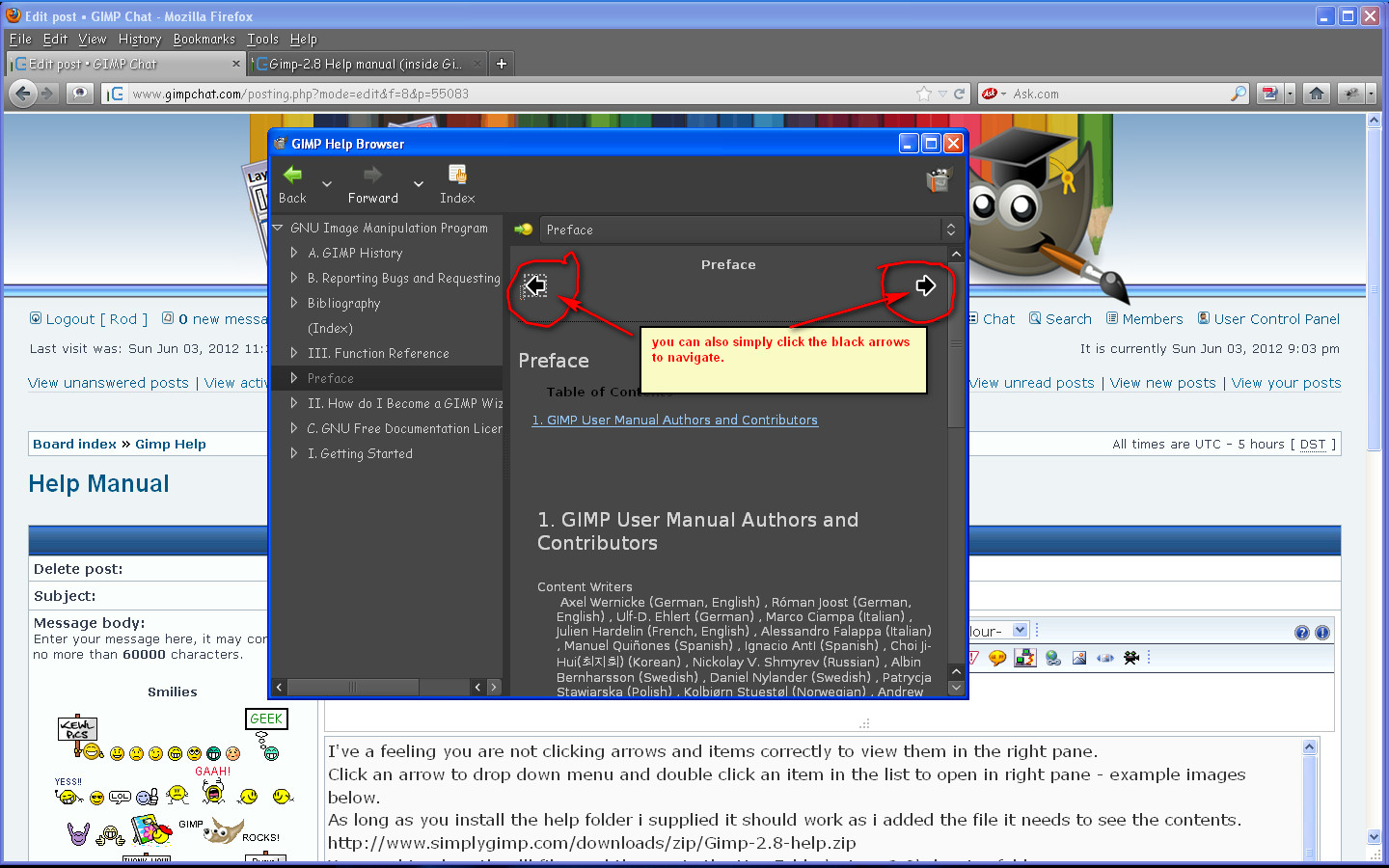
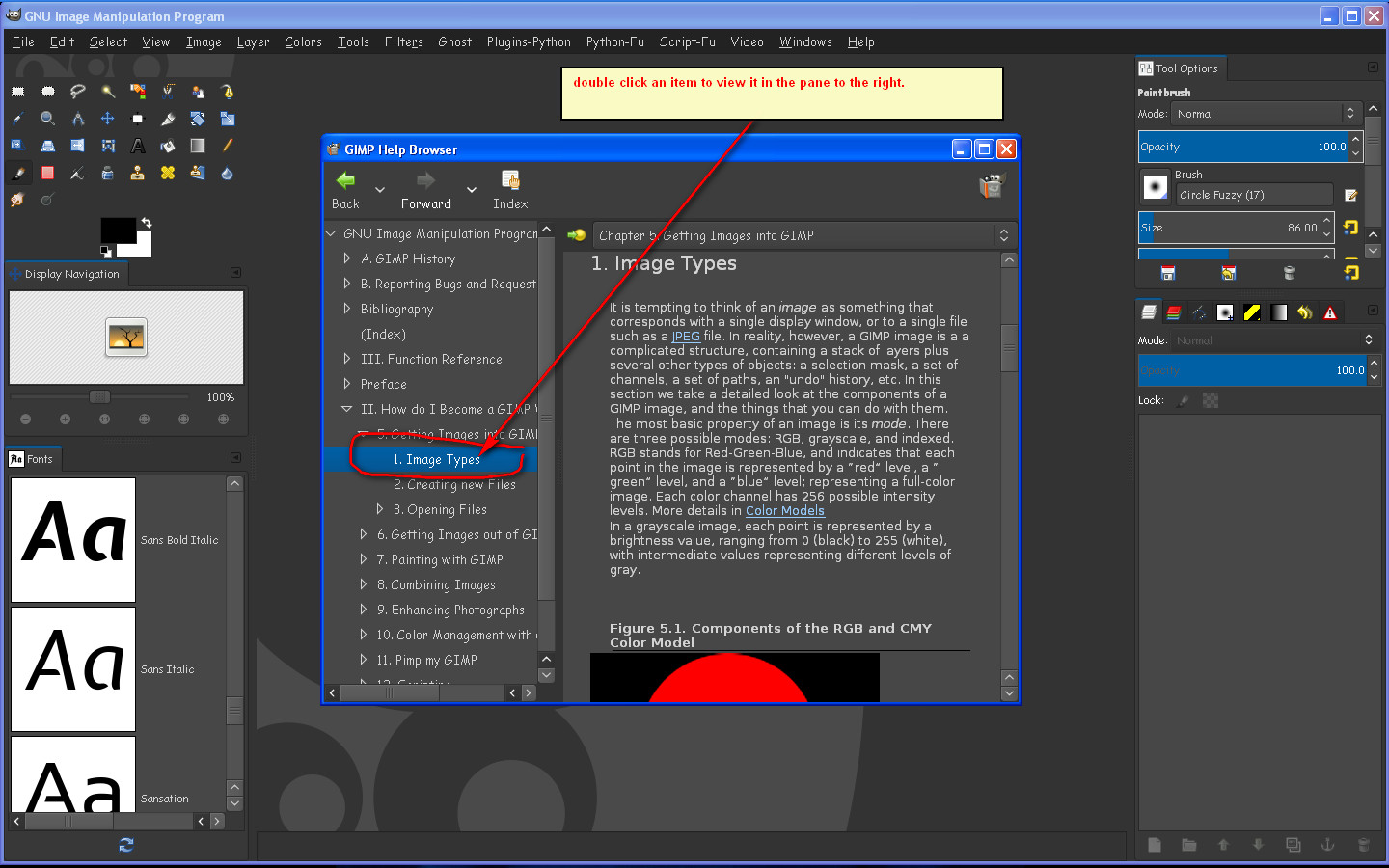
I've a feeling you are not clicking arrows and items correctly to view them in the right pane.
Click an arrow to drop down menu and double click an item in the list to open in right pane - example images below.
As long as you install the help folder i supplied it should work as i added the file it needs to see the contents.
http://www.simplygimp.com/downloads/zip ... 8-help.zip
You need to place the dll files and the exe in the UserFolder\.gimp-2.8\plug-ins folder.
The help file has to be in the 2.0 folder. For instance my path is here...
F:\Gimp-2.8-32bit-Partha\share\gimp\2.0 - the help folder HAS to be in the 2.0 folder.

NOTE: This is for Gimp-2.8 manual setup not the Gimp-2.6 help manual.
viewtopic.php?f=9&t=4280&hilit=gimp+help
Image

Image

Image

_________________
Image


Top
Post new topic Reply to topic  [ 4 posts ] 

All times are UTC - 5 hours [ DST ]


* Login  


Powered by phpBB3 © phpBB Group