It is currently Mon Nov 09, 2026 10:06 pm


All times are UTC - 5 hours [ DST ]


Post new topic Reply to topic  [ 7 posts ] 
Author Message
 Post subject: Delay on frames not visible when exporting to GIF?(SOLVED)
PostPosted: Thu Aug 08, 2013 9:48 am  (#1) 
Offline
GimpChat Member
User avatar

Joined: Mar 19, 2013
Posts: 338
Location: the Netherlands
GIMP Version: 2.8.4
Operating System: Windows
OS Version: Windows 7 and Linux Debian
GIMP Experience: Beginner Level


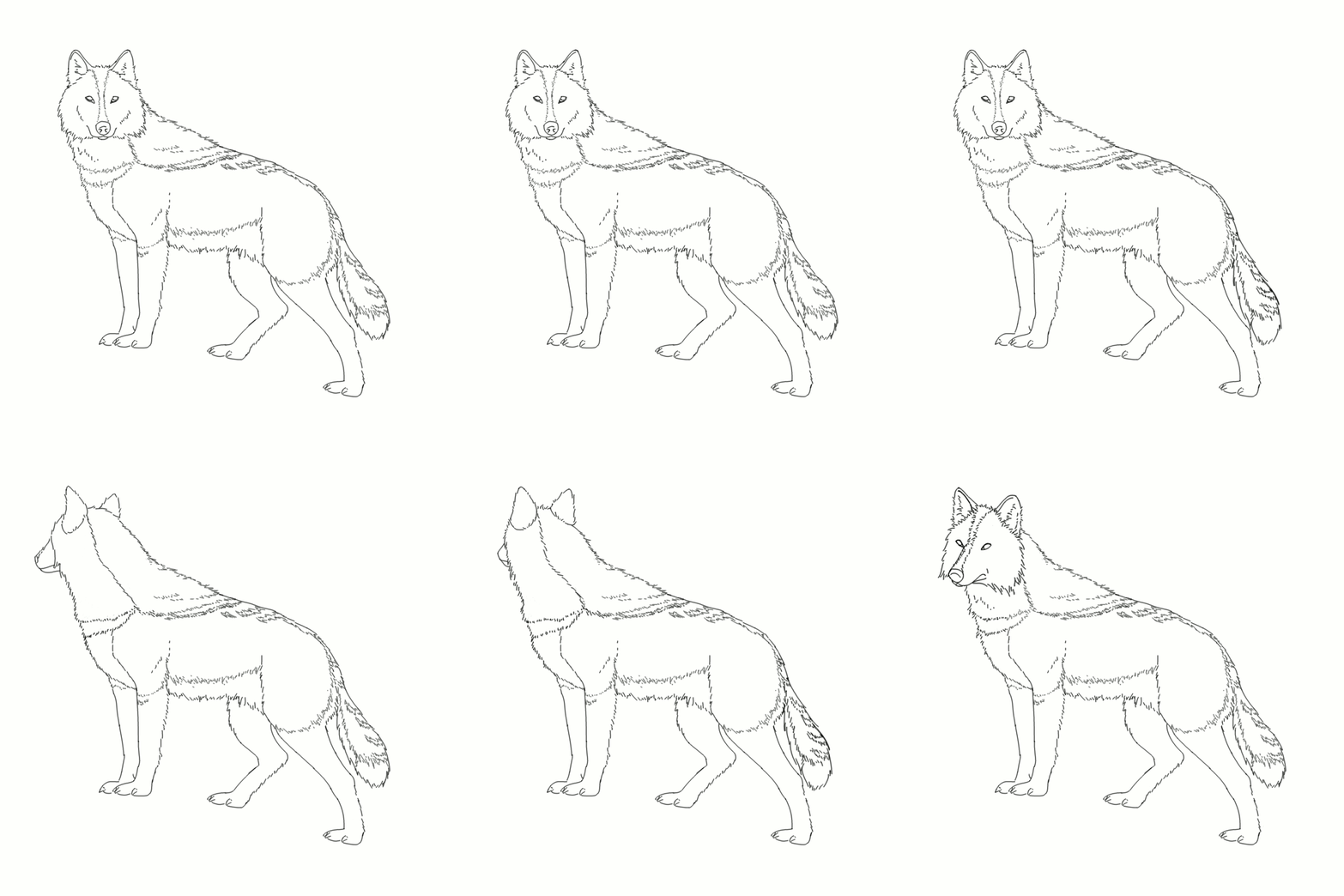
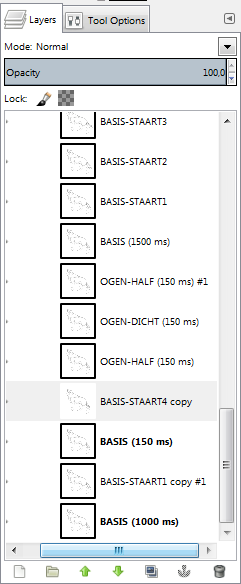
I'm working on an animation and I've putted delay on some layers because they were going too fast. The delay is visible when watching the animation in 'Playback' in GIMP, but not when I export it to GIF.

Here is the exported GIF file, some frames are going way too fast:
Image

And here is a screenie of the layers were I've putted delay on:
Image


Share on Facebook Share on Twitter Share on Orkut Share on Digg Share on MySpace Share on Delicious Share on Technorati
Top
 Post subject: Re: Delay on frames not visible when exporting to GIF?
PostPosted: Thu Aug 08, 2013 10:04 am  (#2) 
Offline
Global Moderator
User avatar

Joined: May 16, 2010
Posts: 16251
When you export as GIF be sure and check only save as animation. Leave everything else default.

_________________
Image


Top
 Post subject: Re: Delay on frames not visible when exporting to GIF?
PostPosted: Thu Aug 08, 2013 10:06 am  (#3) 
Offline
GimpChat Member

Joined: Aug 05, 2011
Posts: 606
Location: limestone,ny
I opened your gif in gimp and it shows all your frames at (100ms)
I changed them to what you showed in this post and saved it and they stayed changed
only thing i can see is you have a space between the number and ms

Image


Top
 Post subject: Re: Delay on frames not visible when exporting to GIF?
PostPosted: Thu Aug 08, 2013 10:15 am  (#4) 
Offline
GimpChat Member
User avatar

Joined: Mar 19, 2013
Posts: 338
Location: the Netherlands
I've removed the space between the 'number' and 'ms' and it works! Thanks alc59 :D


Top
 Post subject: Re: Delay on frames not visible when exporting to GIF?
PostPosted: Thu Aug 08, 2013 11:55 am  (#5) 
Offline
Script Coder
User avatar

Joined: Oct 25, 2010
Posts: 4812
BaukjeSpirit wrote:
I've removed the space between the 'number' and 'ms' and it works! Thanks alc59 :D


Looks like a bug, if the buil-in player and the GIF export don't agree on the format of the delay... Can you report it?

_________________
Image


Top
 Post subject: Re: Delay on frames not visible when exporting to GIF?
PostPosted: Thu Aug 08, 2013 12:05 pm  (#6) 
Offline
GimpChat Member
User avatar

Joined: Mar 19, 2013
Posts: 338
Location: the Netherlands
ofnuts wrote:
BaukjeSpirit wrote:
I've removed the space between the 'number' and 'ms' and it works! Thanks alc59 :D


Looks like a bug, if the buil-in player and the GIF export don't agree on the format of the delay... Can you report it?


The delay wasn't visible when exporting to GIF, it was only visible when using the built-in player. I'll report it :)


Top
 Post subject: Re: Delay on frames not visible when exporting to GIF?(SOLVED)
PostPosted: Thu Aug 08, 2013 12:07 pm  (#7) 
Offline
GimpChat Member
User avatar

Joined: Aug 30, 2012
Posts: 2174
Can I just say its a very nice animation.

_________________
Image


Top
Post new topic Reply to topic  [ 7 posts ] 

All times are UTC - 5 hours [ DST ]


* Login  


Powered by phpBB3 © phpBB Group