It is currently Mon Nov 16, 2026 3:49 am


All times are UTC - 5 hours [ DST ]


Post new topic Reply to topic  [ 13 posts ] 
Author Message
 Post subject: transferring fonts to new computer
PostPosted: Thu Dec 02, 2010 7:30 am  (#1) 
Offline
GimpChat Member
User avatar

Joined: Apr 07, 2010
Posts: 14182
I am in the process of backing stuff up to put in my new computer when it arrives. Has anyone got an easy way to move all the fonts I have accumulated to use in GIMP? Half them, I don't even recognize by name.... :tantrum :puzzled

_________________
Image


Share on Facebook Share on Twitter Share on Orkut Share on Digg Share on MySpace Share on Delicious Share on Technorati
Top
 Post subject: Re: transferring fonts to new computer
PostPosted: Thu Dec 02, 2010 7:58 am  (#2) 
Offline
GimpChat Member
User avatar

Joined: Oct 06, 2010
Posts: 4050
Windows 7? I would keep/burn all your fonts (graphics, scripts, plug-ins included) on a cd/dvd. Then use a freeware font manager to sort through the fonts you want. I haven't used Win 7 much to advise which program is best, but I know they are out there and easy to use. Some allow you to "fave" the fonts you want to keep and then copy them to the new Windows font folder.

_________________
"In order to attain the impossible, one must attempt the absurd."
~ Miguel de Cervantes


Top
 Post subject: Re: transferring fonts to new computer
PostPosted: Thu Dec 02, 2010 8:09 am  (#3) 
Offline
GimpChat Member
User avatar

Joined: Apr 07, 2010
Posts: 14182
Thank you mav..
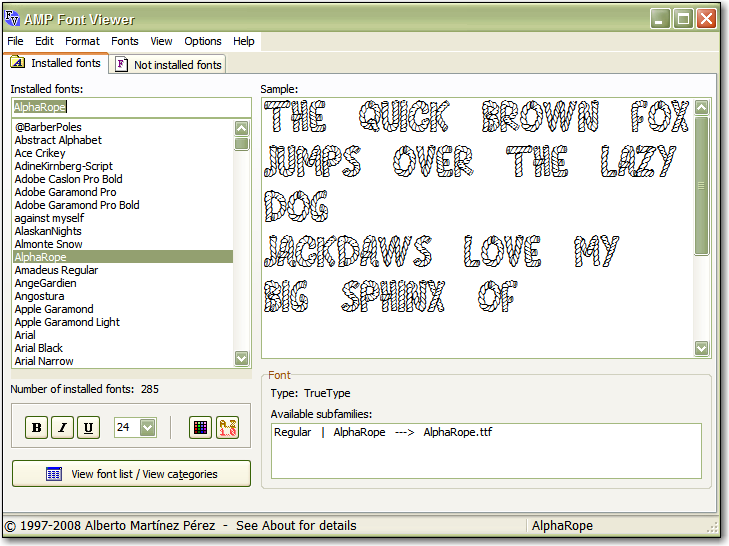
I do have that software AMP Font Viewer. I already have all the scripts, plugins, brushes etc. saved. I have a 16 GB flash drive and I put them all in folders in there. I never thot of that font manger to do that cuz I haven't used it for so long.
Very good advice.
Image

_________________
Image


Top
 Post subject: Re: transferring fonts to new computer
PostPosted: Thu Dec 02, 2010 2:13 pm  (#4) 
Offline
Global Moderator
User avatar

Joined: May 16, 2010
Posts: 16271
Congrats on your new computer! =)

_________________
Image


Top
 Post subject: Re: transferring fonts to new computer
PostPosted: Fri Dec 03, 2010 4:15 pm  (#5) 
Offline
Global Moderator
User avatar

Joined: May 16, 2010
Posts: 16271
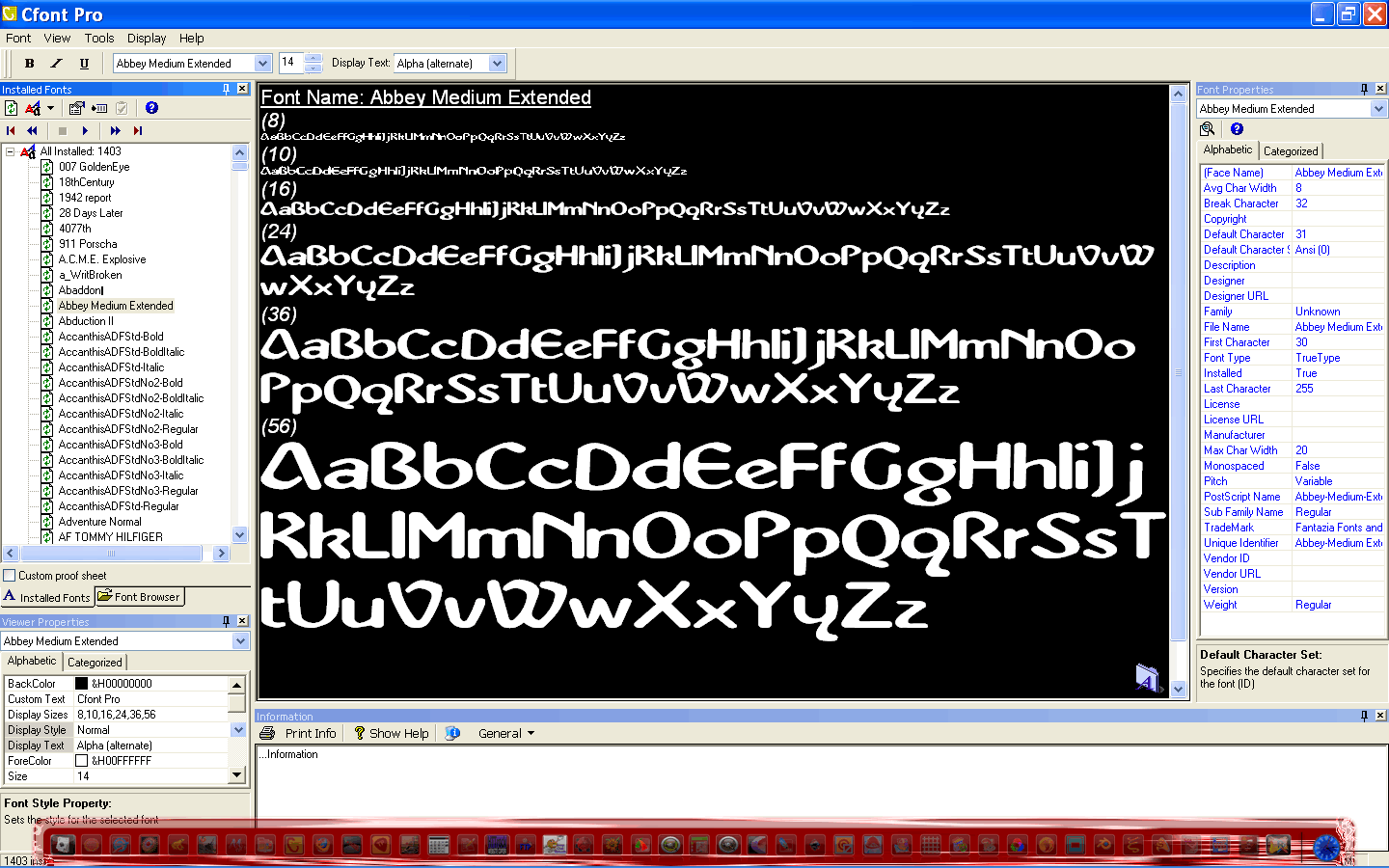
I use CFont Pro - you can view, uninstall, move, or even back them up to a default backup font folder.
http://www.cfontpro.com/download.php It is donation ware.
Screenshot
Image

Probably a lot of the same features as yours though. =)

_________________
Image


Top
 Post subject: Re: transferring fonts to new computer
PostPosted: Fri Dec 03, 2010 6:19 pm  (#6) 
Offline
GimpChat Member
User avatar

Joined: Apr 07, 2010
Posts: 14182
thanks Rod. I think my font software was a torrent. I can't remember, but it probably was...

Here is my new pc.. SUPPOSED TO BE SHIPPED DEC - 14

Vostro 430 Mini Tower

Genuine Windows 7 Home Premium, with Media
64-bit, English

Intel Core i5-650 w/VT (3.20GHz 4MB L2 Cache)

8GB Dual Chanel DDR3 SDRAM 1333MHz - 4DIMMs

Dell QuietKey Keyboard

Dell 21.5 inch Widescreen E2210H Analog Flat Panel Display

512MB NVIDIA GeForce G310 (DVI + VGA + HDMI)

I am having a hissy fit worrying how to get it all hooked up. I have been getting some good help from a few people that know what they are talking about but they live too far away, so just hope it works out. I will be having the two desktops and one lappy and one router, in two different rooms.
(There is only one thingy I do know for sure, and that is I would rather have a root canal and my toe nails pulled out than take the side off a computer tower...)

_________________
Image


Top
 Post subject: Re: transferring fonts to new computer
PostPosted: Sat Dec 04, 2010 2:35 pm  (#7) 
Offline
Global Moderator
User avatar

Joined: May 16, 2010
Posts: 16271
lol, sounds like a nice system, love to have a big monitor like that. =)
Is it a Christmas present?

_________________
Image


Top
 Post subject: Re: transferring fonts to new computer
PostPosted: Sat Dec 04, 2010 3:04 pm  (#8) 
Offline
GimpChat Member
User avatar

Joined: Oct 06, 2010
Posts: 4050
There is a magical leprechaun in your tower that grants you 3 wishes when you open it, Molly. Hehehe... Just kidding, but root canal and toenails pulled? Ouch!

_________________
"In order to attain the impossible, one must attempt the absurd."
~ Miguel de Cervantes


Top
 Post subject: Re: transferring fonts to new computer
PostPosted: Wed Dec 08, 2010 2:50 pm  (#9) 
Offline
GimpChat Member
User avatar

Joined: Apr 07, 2010
Posts: 14182
yes Rod, a Christmas present to myself. arrived yesterday and it is all hooked up now I am spending the next week getting everything back.. and learning windows 7.

_________________
Image


Top
 Post subject: Re: transferring fonts to new computer
PostPosted: Wed Dec 08, 2010 9:38 pm  (#10) 
Offline
GimpChat Member
User avatar

Joined: Apr 08, 2010
Posts: 5420
Location: Northwest Ohio
I am hoping to get a macbook pro one of these days. My daughter has one and loves it, says it is so easy to use. And she is hooked on photobooth, lol. I hope that Gimp works well with a mac.


Top
 Post subject: Re: transferring fonts to new computer
PostPosted: Thu Dec 09, 2010 8:16 am  (#11) 
Offline
Global Moderator
User avatar

Joined: May 16, 2010
Posts: 16271
I think the end of the year i will grab a new machine myself, and retire this old Compaq to the son.
I am still working with 500mb of ram and i need more.I have just about used up my allotted 67gigs of space too, so i think it's time to upgrade.

I am keeping Windows XP though, or going straight to Ubuntu. =)
Or maybe both, haven't decided yet.

_________________
Image


Top
 Post subject: Re: transferring fonts to new computer
PostPosted: Thu Dec 09, 2010 8:58 am  (#12) 
Offline
GimpChat Member
User avatar

Joined: Apr 07, 2010
Posts: 14182
Well I have been doing a survey among my friends, relatives etc., and the upside is, so far, 75% love it and downside, 25% hate it... Me, I haven't decided yet. lol.... love the 1T, 15, and the 8 GB part......

_________________
Image


Top
 Post subject: Re: transferring fonts to new computer
PostPosted: Thu Dec 09, 2010 9:32 am  (#13) 
Offline
Retired Staff
User avatar

Joined: May 22, 2008
Posts: 6946
Location: Somewhere in GIMP
Once I get Win7 set up to my liking I know I'll like it. It's nice. I have it on my laptop along with Fedora 13.

_________________
Image
World War IV will be fought with sticks and stones. - Albert Einstein


Top
Post new topic Reply to topic  [ 13 posts ] 

All times are UTC - 5 hours [ DST ]


* Login  


Powered by phpBB3 © phpBB Group