Mikechat wrote:
I create a gimp Template canvas
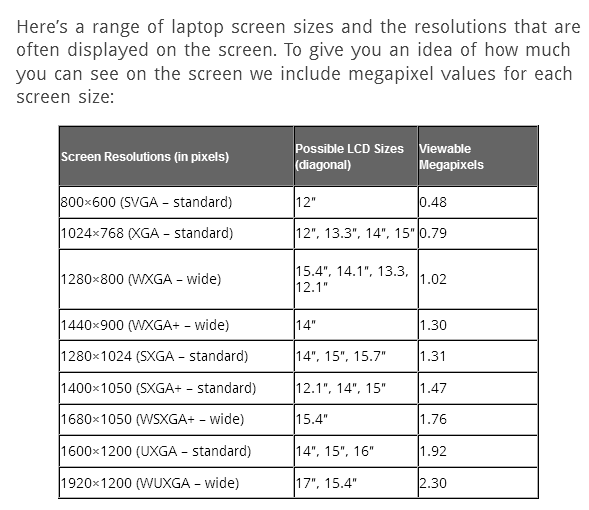
for all screen display resolutions
I have, including phone, tablets,
or friends and relations computers displays
that I might use and I can see how something
looks on other devices displays.
I make them Transparent, labeled with
_T_ to differentiate the ones I added
and regular gimp.
example below
1024x1024_T_clipbrd-gmic
That's a really great idea Mikechat.

I've also made a 'Template Canvas' of my monitors display screen. So when I'm creating an image that I want to fill my entire screen, I have that kind of canvas available in Gimp. I named this canvas template, "My Screen".
I've also made a few canvas templates for Gimp splash-screen images.
Being able to making canvas templates to fit your work is important and having them available is most convenient.
That's a good Gimper's tip.

 Login
Login Register
 Tweets
 FAQ
FAQ Advanced Search