It is currently Mon Sep 21, 2026 6:12 am


All times are UTC - 5 hours [ DST ]


Post new topic Reply to topic  [ 8 posts ] 
Author Message
 Post subject: Can't add gif file to thread, too large
PostPosted: Mon Dec 23, 2013 11:52 am  (#1) 
Offline
GimpChat Member
User avatar

Joined: Apr 07, 2010
Posts: 14182
GIMP Version: 2.8.4
Operating System: Linux
OS Version: Fedora19
GIMP Experience: Basic Level


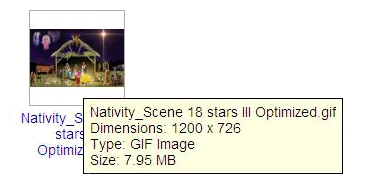
@Tux or anyone, We are about as far as we can go with our Nativity and Wallace is working on putting a few twinkles in the sky.
Now the file is too large to download to the forum. Is there a way to make it smaller by animation optimize for gif or optimize difference? It is so long since I did it, I forget.

_________________
Image


Share on Facebook Share on Twitter Share on Orkut Share on Digg Share on MySpace Share on Delicious Share on Technorati
Top
 Post subject: Re: Can't add gif file to thread, too large
PostPosted: Mon Dec 23, 2013 1:58 pm  (#2) 
Offline
GimpChat Member
User avatar

Joined: Nov 16, 2011
Posts: 5127
Location: Metro Vancouver, BC
Can you not use GZ or BZ2, they should open right up in Gimp.

_________________
Image
Gimp 2.8.18, Linux, median user
Gimp Chat Tutorials Index
Spirit Bear (Kermode)


Top
 Post subject: Re: Can't add gif file to thread, too large
PostPosted: Mon Dec 23, 2013 2:00 pm  (#3) 
Offline
GimpChat Member
User avatar

Joined: Apr 07, 2010
Posts: 14182
What are they?

_________________
Image


Top
 Post subject: Re: Can't add gif file to thread, too large
PostPosted: Mon Dec 23, 2013 2:20 pm  (#4) 
Offline
GimpChat Member
User avatar

Joined: Nov 16, 2011
Posts: 5127
Location: Metro Vancouver, BC
Archive (compressed) files that work seamlessly with Gimp.
Subject: Is it Safe Working with .xcf.bz2,.xcf.gz Extension?

Quote:
...GIMP integrates file compression features to save space. Any format can be saved with an archive extension such as ZIP, GZ or BZ2. GIMP transparently compresses the file without any extra steps. This eliminates having to save the graphic file and then load an archiving tool to compress it. - See more at: http://www.linuxinsider.com/story/69753 ... Nlyou.dpuf

_________________
Image
Gimp 2.8.18, Linux, median user
Gimp Chat Tutorials Index
Spirit Bear (Kermode)


Top
 Post subject: Re: Can't add gif file to thread, too large
PostPosted: Mon Dec 23, 2013 2:30 pm  (#5) 
Offline
Administrator
User avatar

Joined: Aug 10, 2012
Posts: 14206
Location: Native to NYC living in Arizona, Gimp 2.8 - 3.0, Win 11 PC.
Odinbc wrote:
Archive (compressed) files that work seamlessly with Gimp.
Subject: Is it Safe Working with .xcf.bz2,.xcf.gz Extension?

The problem is posting it here.
I've done all I can with Gimp to optimize the image, but it's still to large to post.
Image
Image

_________________
Image
"A wise man learns more from a foolish question than a fool can learn from a wise answer"
Image


Last edited by Wallace on Mon Dec 23, 2013 2:44 pm, edited 1 time in total.

Top
 Post subject: Re: Can't add gif file to thread, too large
PostPosted: Mon Dec 23, 2013 2:34 pm  (#6) 
Offline
GimpChat Member
User avatar

Joined: Mar 23, 2012
Posts: 7388
Location: Göteborg at last!
How large does it have to be in terms of physical size? Maybe you could reduce that a little.


Top
 Post subject: Re: Can't add gif file to thread, too large
PostPosted: Mon Dec 23, 2013 2:48 pm  (#7) 
Offline
GimpChat Member
User avatar

Joined: Apr 07, 2010
Posts: 14182
We tried Eris.

_________________
Image


Top
 Post subject: Re: Can't add gif file to thread, too large
PostPosted: Mon Dec 23, 2013 2:49 pm  (#8) 
Offline
Administrator
User avatar

Joined: Aug 10, 2012
Posts: 14206
Location: Native to NYC living in Arizona, Gimp 2.8 - 3.0, Win 11 PC.
Erisian wrote:
How large does it have to be in terms of physical size? Maybe you could reduce that a little.

I've thought of this too, and when I scale the image down the animation gets lost and nearly unnoticeable.
The "twinkling star animation" is slight ie ("twinkling stars", a very small animated effect) and when I scale the image it gets lost.

This is what happens when I scale down the image and try to post it, as I've tried to do here...

Image

Does anyone see an image?

_________________
Image
"A wise man learns more from a foolish question than a fool can learn from a wise answer"
Image


Top
Post new topic Reply to topic  [ 8 posts ] 

All times are UTC - 5 hours [ DST ]


* Login  


Powered by phpBB3 © phpBB Group