A lot depends upon your photo, but the common means of selecting part of an image is the

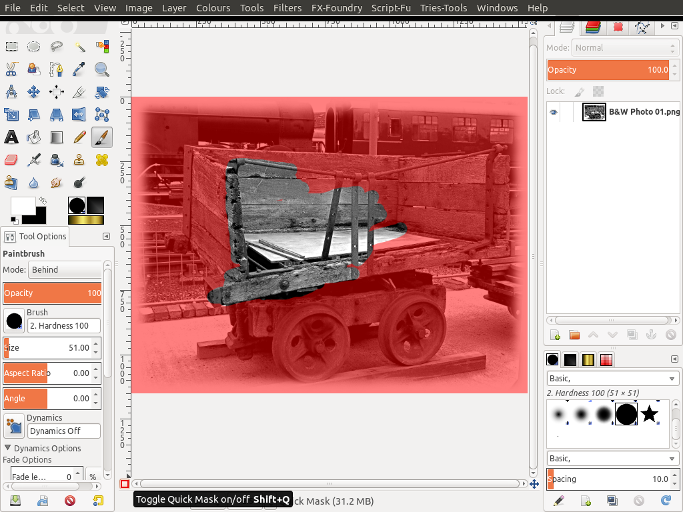
Free Select Tool or by using the Quick Mask option, This will cover you image in a transparent red and all you need to do is select the colour white and a brush and carefully paint the object you wish to keep, you'll notice where you paint the red colour disappears. If you make a mistake simply change your brush colour to black and you are then able to repaint the mask back in. Using shades of grey will give a varying degree of transparency to your image. Once your happy then simply click the quick mask icon and a selection should appear of the area you have painted.
 Login
Login Register
 Tweets
 FAQ
FAQ Advanced Search


.gif)




 Took me awhile to find the Quick masking tool lol