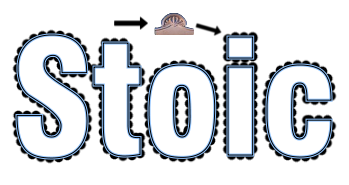
I recently posted a tutorial that uses a repeat gradient for stroking a path, seen here:
http://www.gimpchat.com/viewtopic.php?f=10&t=1140My question is: I've been using Rob's Gradient Along a Path for quite some time now, so I know its possible to use paths to extract color from an image, could that same script be manipulated to do the same for filling selections, for say, like selected text? Something tells me this exists already, but my brain can't seem to find this option/script anywhere.
Often I come across pictures with very ornate detail in them and think they would make great fills for selections. It would also give us the ability to follow radial gradient paths in a curved text selection and make it look very decent, providing the curved text is within the same dimensions of the gradient.
An example:
Notice the way the gradient behaves for selected text using radial at a circle's center.
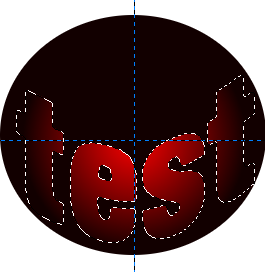
The behavior I'm really after:
First lay out a gradient image - any color. Then lay out a path on that gradient image (could be a pattern image, or any image for that matter).
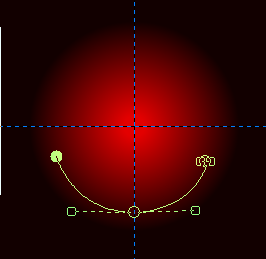
Then have the path read the colors within a certain pixel range (slider or input box would be great) and transfer the colors mapped from that path, to a selection on the image and get this more cylindrical result:

Maybe my above examples are trivial in the way they are presented, but the overall theme of what I am asking is to lay out a path on any image of my choosing, (select a range of pixels for the path to extract) and then apply that mapped region to another image or selection.
_________________
"In order to attain the impossible, one must attempt the absurd."
~ Miguel de Cervantes
 Login
Login Register
 Tweets
 FAQ
FAQ Advanced Search