It is currently Thu Jun 04, 2026 2:26 am


All times are UTC - 5 hours [ DST ]


Post new topic Reply to topic  [ 24 posts ]  Go to page 1, 2  Next
Author Message
 Post subject: All my filters for UserFilter.
PostPosted: Wed May 06, 2020 10:54 am  (#1) 
Offline
GimpChat Member
User avatar

Joined: Jan 13, 2011
Posts: 2637
Location: Poland
Authors: Jens Ch. Restemeier, Torsten Neuer

Download for Linux (thanks for Rich2005):
viewtopic.php?f=8&t=18255&p=249991&hilit=UserFilter#p249975

Download for Windows (thanks for Samj):
viewtopic.php?f=9&t=6653&p=116472&hilit=UserFilter#p115814

ps. When you do not want to convert to *.guf you don't need to install files from the bin folder (8bf2guf.exe, afs2guf.exe, ffl2guf.exe, txt2guf.exe, uf2c.exe).

Sources:
https://sourceforge.net/projects/gimpus ... ter-0.9.7/

User Guide.pdf (thanks for Lylejk):
viewtopic.php?f=9&t=6653&p=116472&hilit=UserFilter#p116457

We all know it's an old plugin (1997-2014) and there are better solutions (G'mic :yes ),
However, this is an alternative to the pspi (*.8bf) plugins - especially for Linux.

I rearranged all my filters (*.guf): I added the full names to the files (1711) and changed their location.


Attachments:
UserFilter-New item in the Gimp menu.png
UserFilter-New item in the Gimp menu.png [ 147.58 KiB | Viewed 11543 times ]
1711 filters for UserFilter.zip [1.16 MiB]
Downloaded 1105 times
Userfilter-0.9.7_Win-64bit_win.zip [363.04 KiB]
Downloaded 378 times

_________________
Image
Share on Facebook Share on Twitter Share on Orkut Share on Digg Share on MySpace Share on Delicious Share on Technorati
Top
 Post subject: Re: All my filters for UserFilter.
PostPosted: Thu May 14, 2020 5:48 am  (#2) 
Offline
GimpChat Member
User avatar

Joined: Jan 13, 2011
Posts: 2637
Location: Poland
Today, a smaller portion of filters - only 290, including:

AB FILTERS 2000,
Balder Olrik,
Crescent Moon,
Dynasty Plugins,
Eccose,
Enki's Filters,
FunHouse,
I-Decay,
Kang,
MuRa's Seamless,
Neu Filters,
Oliver's Filters,
RCS Filter Pak 1.0,
Simple Filters,
Tronds Filters II,
Two Moon.

Warning: if You spend 1 minute on 1 filter, you will run out of the day...
Now You can easily locate the filter - and if you are not satisfied with it, remove it.


Attachments:
Example effect-FunHouse.png
Example effect-FunHouse.png [ 296.74 KiB | Viewed 11240 times ]
Userfilter-New 290.zip [227 KiB]
Downloaded 356 times

_________________
Image
Top
 Post subject: Re: All my filters for UserFilter.
PostPosted: Thu May 14, 2020 7:32 pm  (#3) 
Offline
GimpChat Member
User avatar

Joined: Oct 06, 2010
Posts: 4050
The Linux version worked well for me. There are still several filters that I would like to use, especially some newer versions.

My only problem is I can't seem to select the plugins I want to add to the menu bar. No amount of clicking the red box will outline highlights the filter.

_________________
"In order to attain the impossible, one must attempt the absurd."
~ Miguel de Cervantes


Top
 Post subject: Re: All my filters for UserFilter.
PostPosted: Sat May 16, 2020 4:56 am  (#4) 
Offline
GimpChat Member
User avatar

Joined: Jan 13, 2011
Posts: 2637
Location: Poland
At the end of this topic - only 260 filters yet:

AFH,
Corrective,
GroanZone,
Harry's - ColorRave,
Harry's - Cryptology,
Harry's - Nirvana,
Harry's - Rave Grads,
Harry's - VideoRave,
Italian Editors,
Kiwi`s Oelfilter,
Ormente Filters,
VM Distortion,
VM Experimental,
VM Extravaganza,
VM Instant Art,
VM Natural,
VM Toolbox.
Oliver's Filters - sorry: has been corrected - I didn't change the location (from Filters to UserFilters).

If you have other *.guf filters - post them here.
I have already reviewed all my PSPI plugins (*.8bf) - and by the way in one go converted some to *guf.


Attachments:
Example - VM Instant Art - Pipeline To Siberia.png
Example - VM Instant Art - Pipeline To Siberia.png [ 113.21 KiB | Viewed 11170 times ]
Example - Italian Editors - Fiore.png
Example - Italian Editors - Fiore.png [ 198.4 KiB | Viewed 11170 times ]
userfilter-New 260.zip [189.95 KiB]
Downloaded 315 times

_________________
Image
Top
 Post subject: Re: All my filters for UserFilter.
PostPosted: Sat May 16, 2020 6:48 pm  (#5) 
Offline
GimpChat Member
User avatar

Joined: Nov 04, 2015
Posts: 1442
A good effort Marero for making these available again. I like 'Pipeline to Siberia'. Images like this could easily be incorporated into new art.


Top
 Post subject: Re: All my filters for UserFilter.
PostPosted: Sat May 16, 2020 8:10 pm  (#6) 
Offline
GimpChat Member
User avatar

Joined: Oct 10, 2018
Posts: 191
Location: Charlottesville Virginia
I'm still in Windows 10.something on a 64-bit using GIMP 2.10.14 and most of the GUFs have worked fine. Sort of nostalgic seeing Harry the Raver and the Toad and Balder Olrik's names again. Thanks for all your work!


Top
 Post subject: Re: All my filters for UserFilter.
PostPosted: Sun May 17, 2020 6:50 am  (#7) 
Offline
GimpChat Member
User avatar

Joined: Jan 06, 2020
Posts: 396
Location: The Netherlands
Downloaded for the 2nd time, I have activated all filters. Great though .. everything easy to hand.
Thank you for all the work ..
I'm quite curious how you converted those 8bf files, do you want to tell me?
Because I think I also have such files that I can't do anything with.


Top
 Post subject: Re: All my filters for UserFilter.
PostPosted: Mon Apr 14, 2025 2:34 am  (#8) 
Offline
GimpChat Member
User avatar

Joined: Jan 13, 2011
Posts: 2637
Location: Poland
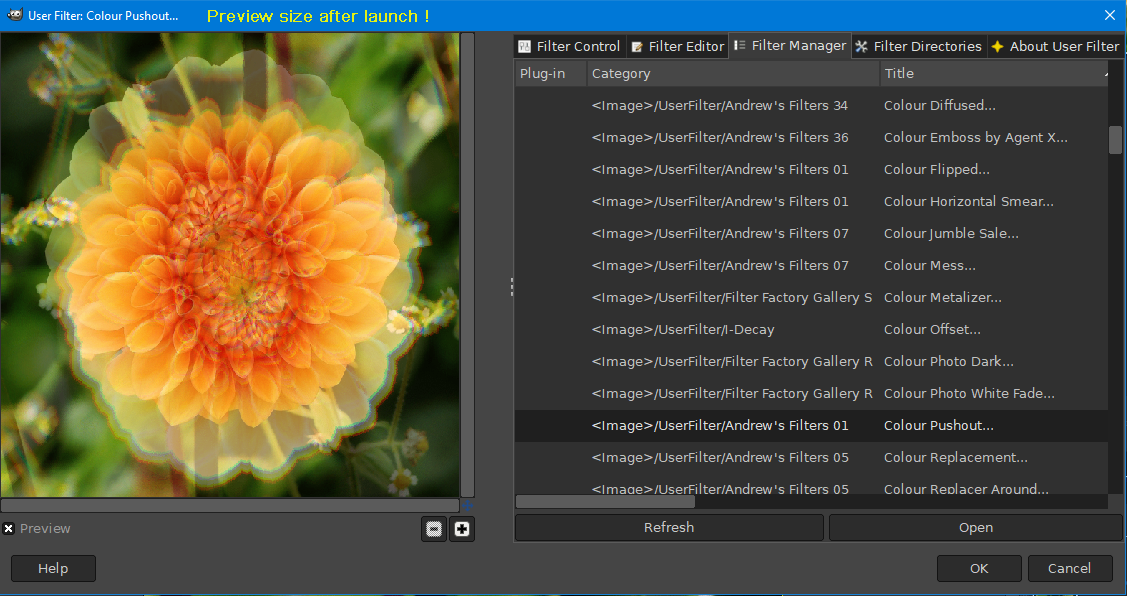
At my request JamesH compiled UserFilter with a bigger preview - something I really missed (dragging edges is not convenient when you use this plugin often).
viewtopic.php?f=9&t=21621&p=295874#p295868

Image

_________________
Image


Top
 Post subject: Re: All my filters for UserFilter.
PostPosted: Sat Apr 19, 2025 5:21 pm  (#9) 
Offline
GimpChat Member
User avatar

Joined: Jul 06, 2013
Posts: 2661
Location: California
In GIMP 3.0, for me, UserFilter isn't available.


Top
 Post subject: Re: All my filters for UserFilter.
PostPosted: Sun Apr 20, 2025 4:24 am  (#10) 
Offline
Global Moderator
User avatar

Joined: May 16, 2010
Posts: 16009
I thought this was posted somewhere here for Gimp-3 with shellout.
Though Shellout to PS CS2 works i wonder if UserFilter could be called directly from Shellout?

Also i believe Filter Forge could be called with Shellout from Gimp 3.
I got this to work thru Shellout to PS CS2 Going to try thru PSPI now ;)

_________________
Image


Top
 Post subject: Re: All my filters for UserFilter.
PostPosted: Mon Apr 21, 2025 5:30 pm  (#11) 
Offline
GimpChat Member
User avatar

Joined: Jul 06, 2013
Posts: 2661
Location: California
Rod wrote:
I thought this was posted somewhere here for Gimp-3 with shellout.
Though Shellout to PS CS2 works i wonder if UserFilter could be called directly from Shellout?

Also i believe Filter Forge could be called with Shellout from Gimp 3.
I got this to work thru Shellout to PS CS2 Going to try thru PSPI now ;)


Rod,
For me, PSPI and UserFilter don't show up in GIMP 3.0... and I use Windows 10.


Top
 Post subject: Re: All my filters for UserFilter.
PostPosted: Tue Apr 22, 2025 12:44 am  (#12) 
Offline
Global Moderator
User avatar

Joined: May 16, 2010
Posts: 16009
mackenzieh wrote:
Rod wrote:
I thought this was posted somewhere here for Gimp-3 with shellout.
Though Shellout to PS CS2 works i wonder if UserFilter could be called directly from Shellout?

Also i believe Filter Forge could be called with Shellout from Gimp 3.
I got this to work thru Shellout to PS CS2 Going to try thru PSPI now ;)


Rod,
For me, PSPI and UserFilter don't show up in GIMP 3.0... and I use Windows 10.

I'm sorry MareroQ i should have mentioned Filter Forge 14 thru Shellout in Gmp-2.10.38.1.
It works in Gimp-2 but i do not know where the temp png file is located to save the file. It is different with the 8bf plugin as you do not save the image you apply the effect and then the temp file is opened. :)
I could not get the Filter Forge x64 executable to work thru Shellout in Gimp-3. Perhaps you can?

Also the 8bf thru PSPI in Gimp-2.10.38 does not work with the 32 bit Filter Forge 8bf plugin.

So for now its Gimp-2 OR Gimp-3 thru Shellout-to-PS CS2 - to - Filter Forge and back to Gimp. That works in both. :bigthup :hi5 Would be nice to be able to just open Filter Forge thru Shellout though and not have to go thru PS CS2 first.

_________________
Image


Top
 Post subject: Re: All my filters for UserFilter.
PostPosted: Tue Apr 22, 2025 3:08 am  (#13) 
Offline
GimpChat Member
User avatar

Joined: Jan 13, 2011
Posts: 2637
Location: Poland
@mackenzieh

Unfortunately, UserFilter requires rewriting the code and recompiling for Gimp-3.

@Rod

My FilterForge (7) via exe does not accept files not opened from the menu (test consists of creating a shortcut on the desktop and dropping a bitmap on the icon - FF will start, but without loading the bitmap).
Long time ago (inelegant solution but still works for Gimp-2.10.38)
viewtopic.php?f=22&t=15427&hilit=Filter_Forge.py#p213482

I think a new plugin for opening 8bf files could be written by the user at (https://discuss.pixls.us/) PDN_GMIC who is the author of the plugin for opening 8bf in PaintdotNet and Gmic.8bf. Try asking.

_________________
Image


Top
 Post subject: Re: All my filters for UserFilter.
PostPosted: Sat Jun 21, 2025 10:31 am  (#14) 
Offline
GimpChat Member
User avatar

Joined: Jan 13, 2011
Posts: 2637
Location: Poland
@Rod.

I asked PDN_GMIC.
Request to update the gimp-pspi plugin for Gimp 3
Unfortunately not. :(

_________________
Image


Top
 Post subject: Re: All my filters for UserFilter.
PostPosted: Sat Jun 21, 2025 9:18 pm  (#15) 
Offline
Global Moderator
User avatar

Joined: May 16, 2010
Posts: 16009
MareroQ wrote:
@Rod.

I asked PDN_GMIC.
Request to update the gimp-pspi plugin for Gimp 3
Unfortunately not. :(

That's really a shame. :( I believe when i tried to recompile for 64 bit i needed the sources for Photoshop as well. I gave up...lol
I wonder if Sam would/could compile if the source code was available?

_________________
Image


Top
 Post subject: Re: All my filters for UserFilter.
PostPosted: Sat Jun 21, 2025 10:17 pm  (#16) 
Offline
GimpChat Member
User avatar

Joined: Sep 24, 2010
Posts: 12775
I've yet installed 3.x because I'm unwilling to sacrifice my filters. I used Userfilters a lot, especially Unplugged Effects Ink Rubber which I set aside as a standalone (Userfilters allows you to do so) along with a few others. I also more than occasionally use PSPI even though Shellout can be used; just more convenient for me for those filters that still work within PSPI. Maybe I'm being a bit annul, but haven't been compelled yet to update to 3.x. If I ever do so, it will likely be samj's portable but again, tell me a feature in 3.x that's not do-able in 2.38x that I actually would like to try. Yawn. Hope they continue to release support versions for 2.38x. :)

_________________
Lyle

Psalm 109:8

Image


Top
 Post subject: Re: All my filters for UserFilter.
PostPosted: Sat Jun 21, 2025 10:34 pm  (#17) 
Offline
Global Moderator
User avatar

Joined: May 16, 2010
Posts: 16009
Yeah i hear you Lyle. Much of Gimps capabilities ,(3rd party plugins) went out the window with the release of Gimp-3.0.
I do install the windows weekly installer and the CLANG windows portable version of 3.1.1 when i see new commits.
Lots to say about the new ability to have editable non destructive layer FX as well.
Pretty cool to add FX to text and then re type different letters and have them have the same FX.

Also 3.1.1 has a new splash screen. :)

Image

_________________
Image


Top
 Post subject: Re: All my filters for UserFilter.
PostPosted: Sun Jun 22, 2025 5:44 am  (#18) 
Offline
GimpChat Member
User avatar

Joined: Sep 24, 2010
Posts: 12775
Yeah; Photoshop elites like self-documented (non-destructive; despise that term by the way; prefer self-documented. Guess I am sort of a self-imposed elite myself; lol) editing. I'm a gonzo editor myself. lol

Do see the value, like you said, Rod. Regardless, my sentiments haven't changed. Guess it's true that you can't teach an old dog new tricks (or you can, but through a bunch of suffering). lol

:)

_________________
Lyle

Psalm 109:8

Image


Top
 Post subject: Re: All my filters for UserFilter.
PostPosted: Sat Apr 04, 2026 10:12 am  (#19) 
Offline
GimpChat Member
User avatar

Joined: Jan 13, 2011
Posts: 2637
Location: Poland
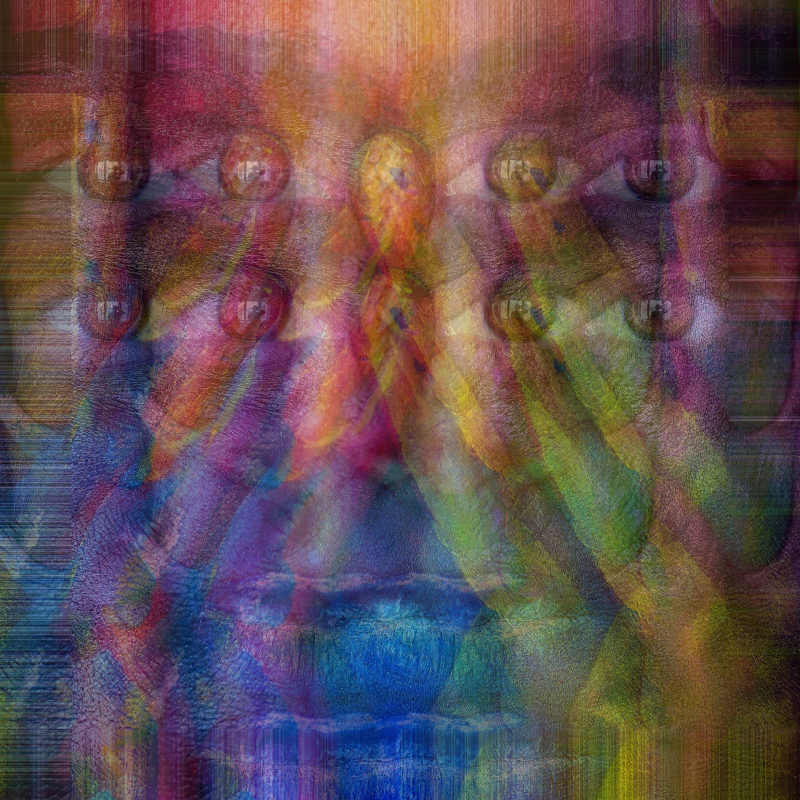
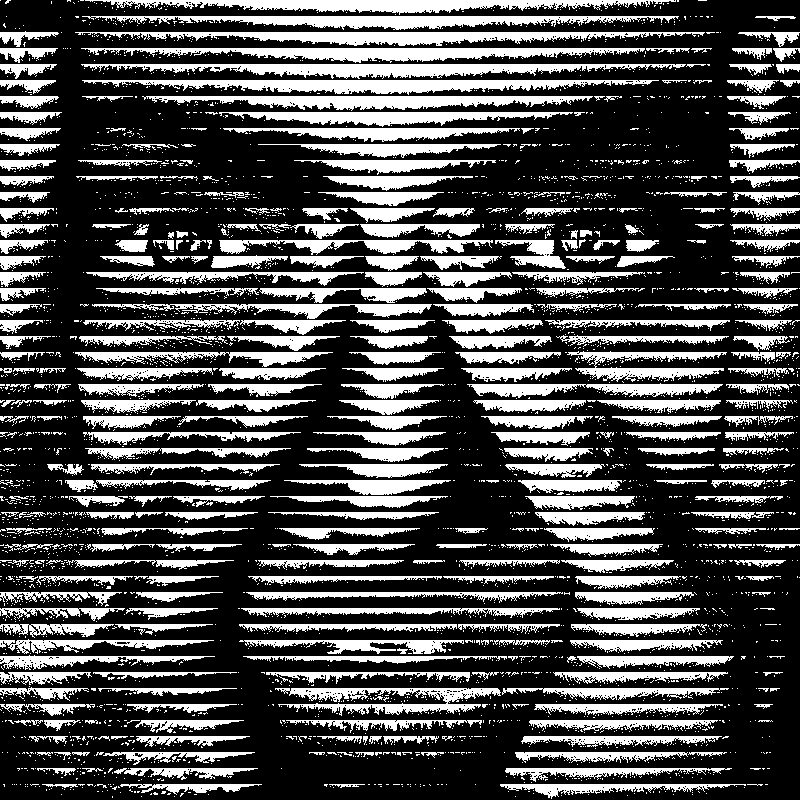
Today a small package with 41 Toadies filters (converted in UserFilter from 8bf to guf)

Toadies What Are You
Image

Toadies Rasterline
Image


Attachments:
Toadies.zip [32.48 KiB]
Downloaded 37 times

_________________
Image
Top
 Post subject: Re: All my filters for UserFilter.
PostPosted: Sat Apr 04, 2026 7:07 pm  (#20) 
Offline
Global Moderator
User avatar

Joined: May 16, 2010
Posts: 16009
Thanks MareroQ! :)

_________________
Image


Top
Post new topic Reply to topic  [ 24 posts ]  Go to page 1, 2  Next

All times are UTC - 5 hours [ DST ]


* Login  


Powered by phpBB3 © phpBB Group