It is currently Sat Jun 20, 2026 3:34 am


All times are UTC - 5 hours [ DST ]


Post new topic Reply to topic  [ 152 posts ]  Go to page Previous  1 ... 3, 4, 5, 6, 7, 8  Next
Author Message
 Post subject: Re: Multiple Brush Fill Rel3
PostPosted: Sat Jul 06, 2013 1:27 am  (#101) 
Offline
Global Moderator
User avatar

Joined: Apr 01, 2012
Posts: 8378
Location: On the other side of your screen
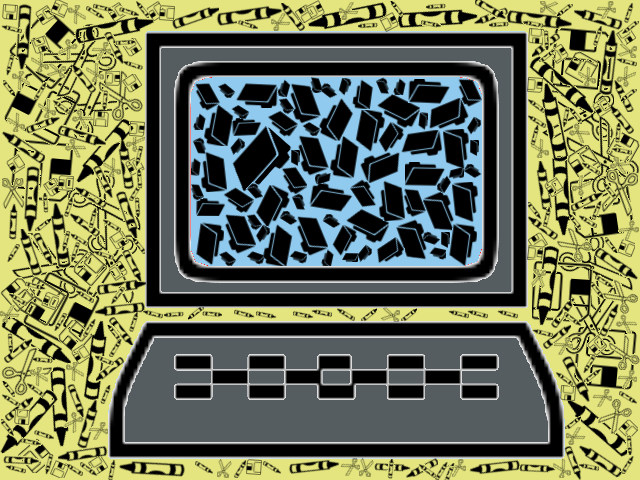
Does your computer/desk look like this?
Image

_________________
Image
Free Fun Photo Editing & resources
Poems from the Lord
Gimp Newby
Gimp version 3.2.0 and GMIC-Qt 3.7.5 OS :- Windows 10 Home 64


Top
 Post subject: Re: Multiple Brush Fill Rel3
PostPosted: Sat Jul 06, 2013 3:03 am  (#102) 
Offline
Script Coder
User avatar

Joined: Feb 18, 2011
Posts: 4826
Location: Bendigo Vic. Australia
That is amazing Sallyanne, I'm Impressed with your use of the script

_________________
Image
No matter how much you push the envelope, it'll still be stationery.


Top
 Post subject: Re: Multiple Brush Fill Rel3
PostPosted: Sat Jul 06, 2013 6:05 am  (#103) 
Offline
Global Moderator
User avatar

Joined: May 16, 2010
Posts: 16037
Nicely done Sallyanne. :)

_________________
Image


Top
 Post subject: Re: Multiple Brush Fill Rel3
PostPosted: Sat Jul 06, 2013 8:35 am  (#104) 
Offline
GimpChat Member
User avatar

Joined: Sep 24, 2010
Posts: 12776
sallyanne wrote:
Does your computer/desk look like this?
[ Image ]


Pretty much does Sallyanne. lolol

Very good result. :)

_________________
Lyle

Psalm 109:8

Image


Top
 Post subject: Re: Multiple Brush Fill Rel3
PostPosted: Sat Jul 06, 2013 8:44 am  (#105) 
Offline
Global Moderator
User avatar

Joined: Apr 01, 2012
Posts: 8378
Location: On the other side of your screen
lylejk wrote:
Pretty much does Sallyanne. lolol
Very good result. :)
(Amazing no matter how much technology we use, manual things / hard copies still invade our lives) Thanks.

Thank you Rod & Graechan

_________________
Image
Free Fun Photo Editing & resources
Poems from the Lord
Gimp Newby
Gimp version 3.2.0 and GMIC-Qt 3.7.5 OS :- Windows 10 Home 64


Top
 Post subject: Re: Multiple Brush Fill Rel2 [will ignore non selected layers]
PostPosted: Sat Jul 06, 2013 10:22 am  (#106) 
Offline
GimpChat Member
User avatar

Joined: Apr 18, 2011
Posts: 620
Location: New York
Rod wrote:
Meanwhile i fixed the brush set as individual GBR files and they work very well. :)
[ Image ]
Attachment:
Skull-Brush_16_RD1403.zip


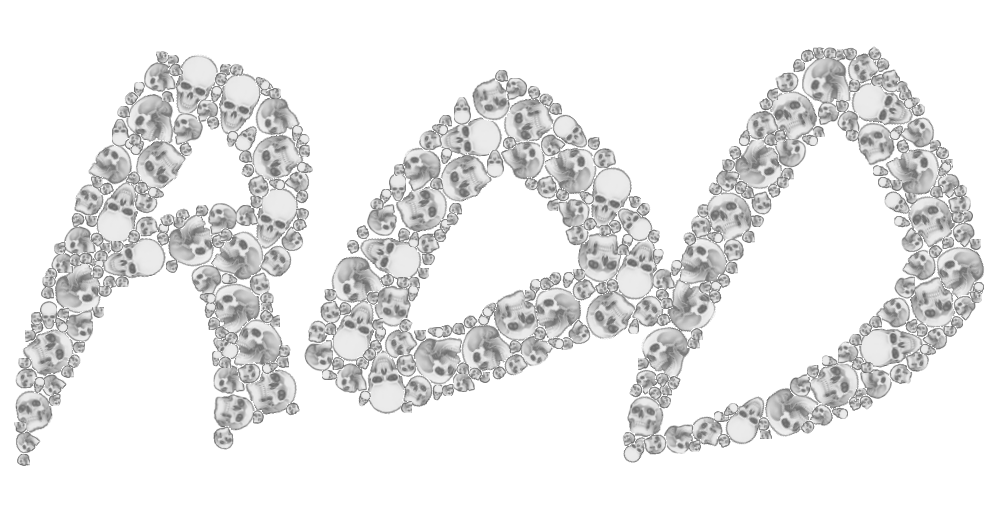
I finally was able to get something that I was happy with using those brushes.
Image
jollyfish-Mult-Brush-Fill by cecilia fx, on Flickr

The skulls all turned out gray as I wanted. (in the Window for the multi brush script I made all the colors black as instructed).
After the skulls rendered I added color on another layer and used the Color Blend mode

Whew!

_________________
Ubuntu 24.04.1, Kernel i686, 6.8.0-52-generic
python3 v3.12.3 ----- GIMP - ver 2.10.38


Top
 Post subject: Re: Multiple Brush Fill Rel3
PostPosted: Sat Jul 06, 2013 3:34 pm  (#107) 
Offline
GimpChat Member
User avatar

Joined: Sep 24, 2010
Posts: 12776
Wow; way too cool of a result Cecilia. :)

_________________
Lyle

Psalm 109:8

Image


Top
 Post subject: Re: Multiple Brush Fill Rel2 [will ignore non selected layers]
PostPosted: Sat Jul 06, 2013 3:35 pm  (#108) 
Offline
Global Moderator
User avatar

Joined: May 16, 2010
Posts: 16037
cecilia wrote:
Rod wrote:
Meanwhile i fixed the brush set as individual GBR files and they work very well. :)
[ Image ]
Attachment:
Skull-Brush_16_RD1403.zip


I finally was able to get something that I was happy with using those brushes.
[ Image ]
jollyfish-Mult-Brush-Fill by cecilia fx, on Flickr

The skulls all turned out gray as I wanted. (in the Window for the multi brush script I made all the colors black as instructed).
After the skulls rendered I added color on another layer and used the Color Blend mode

Whew!

Cool idea. :)

_________________
Image


Top
 Post subject: Re: Multiple Brush Fill Rel3
PostPosted: Sat Jul 06, 2013 7:41 pm  (#109) 
Offline
Script Coder
User avatar

Joined: Feb 18, 2011
Posts: 4826
Location: Bendigo Vic. Australia
Nice to see such good Images from the all the 'day walkers' and that no more errors are in the script

Thank you all for appreciating my favorite Gmic filter and especially thanks to David for making it available :tyspin

_________________
Image
No matter how much you push the envelope, it'll still be stationery.


Top
 Post subject: Re: Multiple Brush Fill Rel3
PostPosted: Sat Jul 06, 2013 10:03 pm  (#110) 
Offline
GimpChat Member
User avatar

Joined: Apr 18, 2011
Posts: 620
Location: New York
Thanks......I didn't think my effort was nearly as fabulous as many I've seen so far but I was having trouble with various brushes and was really trying to figure out how it works.
I still don't understand that "check the brush size" thing but I make sure it's not selected when I start the render.

_________________
Ubuntu 24.04.1, Kernel i686, 6.8.0-52-generic
python3 v3.12.3 ----- GIMP - ver 2.10.38


Top
 Post subject: Re: Multiple Brush Fill Rel3
PostPosted: Sat Jul 06, 2013 10:14 pm  (#111) 
Offline
Global Moderator
User avatar

Joined: Apr 01, 2012
Posts: 8378
Location: On the other side of your screen
Good job cecilia :)

_________________
Image
Free Fun Photo Editing & resources
Poems from the Lord
Gimp Newby
Gimp version 3.2.0 and GMIC-Qt 3.7.5 OS :- Windows 10 Home 64


Top
 Post subject: Re: Multiple Brush Fill Rel3
PostPosted: Sun Jul 07, 2013 2:24 am  (#112) 
Offline
Script Coder
User avatar

Joined: Feb 18, 2011
Posts: 4826
Location: Bendigo Vic. Australia
Cecilia that check brush thingy is quite simple, The Gmic filter the script uses takes a lot of time and the Gmic will fail if the brush size is to big, so I added the the toggle so that you could select to check your brush size compared to the mask quickly (without running the lengthy Gmic Filter) and if you are satisfied then Undo, de-select the toggle and run the full script with Gmic

Wilbur did not allow scripts to have a preview

_________________
Image
No matter how much you push the envelope, it'll still be stationery.


Top
 Post subject: Re: Multiple Brush Fill Rel3
PostPosted: Sun Jul 07, 2013 4:46 pm  (#113) 
Offline
GimpChat Member
User avatar

Joined: Apr 18, 2011
Posts: 620
Location: New York
hmm, I'll have to play around with that

I suppose if a brush is too big I would have to make a new brush at a more manageable size before I run this script

_________________
Ubuntu 24.04.1, Kernel i686, 6.8.0-52-generic
python3 v3.12.3 ----- GIMP - ver 2.10.38


Top
 Post subject: Re: Multiple Brush Fill Rel3
PostPosted: Sun Jul 07, 2013 7:00 pm  (#114) 
Offline
Script Coder
User avatar

Joined: Feb 18, 2011
Posts: 4826
Location: Bendigo Vic. Australia
cecilia wrote:
hmm, I'll have to play around with that

I suppose if a brush is too big I would have to make a new brush at a more manageable size before I run this script

No Cecilia just decrease your 'Max Brush Size' setting and check again (repeat until your brush looks right compared to your mask)
Then de-select 'Check Brush Size' and run script with Gmic's 'Pack Sprites'

_________________
Image
No matter how much you push the envelope, it'll still be stationery.


Top
 Post subject: Re: Multiple Brush Fill Rel3
PostPosted: Sun Jul 07, 2013 7:24 pm  (#115) 
Offline
GimpChat Member
User avatar

Joined: Apr 18, 2011
Posts: 620
Location: New York
ok, thanks

_________________
Ubuntu 24.04.1, Kernel i686, 6.8.0-52-generic
python3 v3.12.3 ----- GIMP - ver 2.10.38


Top
 Post subject: Re: Multiple Brush Fill Rel3
PostPosted: Mon Jul 08, 2013 8:33 am  (#116) 
Offline
Global Moderator
User avatar

Joined: Apr 01, 2012
Posts: 8378
Location: On the other side of your screen
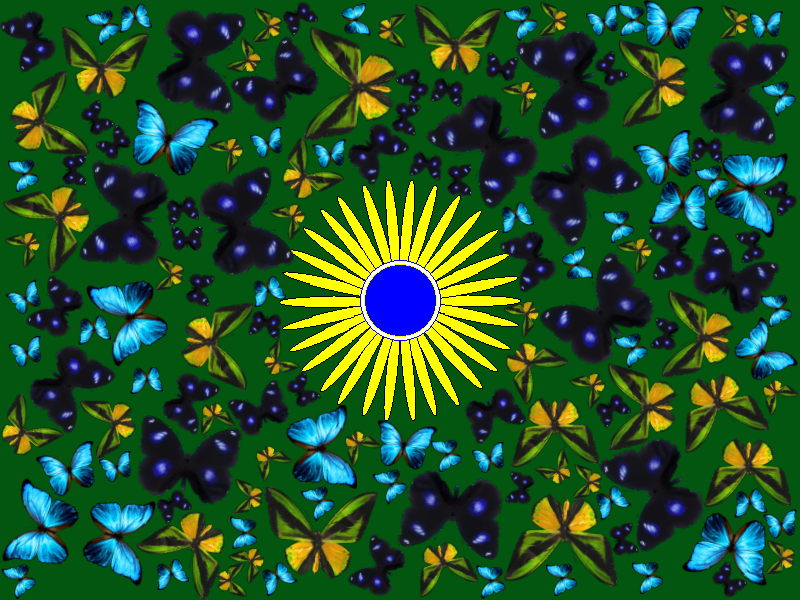
Tried one with coloured brushes. Just set the 'colour' to black
Image

_________________
Image
Free Fun Photo Editing & resources
Poems from the Lord
Gimp Newby
Gimp version 3.2.0 and GMIC-Qt 3.7.5 OS :- Windows 10 Home 64


Top
 Post subject: Re: Multiple Brush Fill Rel3
PostPosted: Mon Jul 08, 2013 9:30 am  (#117) 
Offline
GimpChat Member
User avatar

Joined: Apr 07, 2010
Posts: 14182
lol, you are getting good sallyanne. That is very pretty.

_________________
Image


Top
 Post subject: Re: Multiple Brush Fill Rel3
PostPosted: Mon Jul 08, 2013 9:32 am  (#118) 
Offline
GimpChat Member
User avatar

Joined: Jul 17, 2012
Posts: 2769
yes, the butterflies are very nice


Top
 Post subject: Re: Multiple Brush Fill Rel3
PostPosted: Tue May 06, 2014 7:09 pm  (#119) 
Offline
Script Coder
User avatar

Joined: Feb 18, 2011
Posts: 4826
Location: Bendigo Vic. Australia
:bump

_________________
Image
No matter how much you push the envelope, it'll still be stationery.


Top
 Post subject: Re: Multiple Brush Fill Rel3
PostPosted: Wed May 07, 2014 12:05 am  (#120) 
Offline
GimpChat Member
User avatar

Joined: Jul 06, 2013
Posts: 2661
Location: California
I don't see the script in the specified location. I'm using windows 7 64 bit and G'MIC is now updated to 1.5.9.0


Top
Post new topic Reply to topic  [ 152 posts ]  Go to page Previous  1 ... 3, 4, 5, 6, 7, 8  Next

All times are UTC - 5 hours [ DST ]


* Login  


Powered by phpBB3 © phpBB Group