It is currently Mon Jun 15, 2026 3:38 pm


All times are UTC - 5 hours [ DST ]


Post new topic Reply to topic  [ 1370 posts ]  Go to page Previous  1 ... 51, 52, 53, 54, 55, 56, 57 ... 69  Next
Author Message
 Post subject: Re: Bevel Reflect Logo V1.6
PostPosted: Wed Feb 25, 2015 11:29 pm  (#1061) 
Offline
GimpChat Member
User avatar

Joined: Jun 02, 2013
Posts: 2090
Yet another map:

Image

_________________
Image


Top
 Post subject: Re: Bevel Reflect Logo V1.6
PostPosted: Wed Feb 25, 2015 11:47 pm  (#1062) 
Offline
Administrator
User avatar

Joined: Aug 10, 2012
Posts: 14019
Location: Native to NYC living in Arizona, Gimp 2.8 - 3.0, Win 11 PC.
The Warrior wrote:
Yet another map:

[ Image ]

That's a crazy looking font.
Can you show us the E-Map you used and or how you made this text image?

_________________
Image
"A wise man learns more from a foolish question than a fool can learn from a wise answer"
Image


Top
 Post subject: Re: Bevel Reflect Logo V1.6
PostPosted: Wed Feb 25, 2015 11:58 pm  (#1063) 
Offline
GimpChat Member
User avatar

Joined: Jun 02, 2013
Posts: 2090
Wallace wrote:
The Warrior wrote:
Yet another map:

[ Image ]

That's a crazy looking font.
Can you show us the E-Map you used and or how you made this text image?

I'll post up a bunch of emaps later. Still going through them all. The font is called guttural: http://www.dafont.com/guttural.font

_________________
Image


Top
 Post subject: Re: Bevel Reflect Logo V1.6
PostPosted: Thu Feb 26, 2015 12:18 am  (#1064) 
Offline
Administrator
User avatar

Joined: Aug 10, 2012
Posts: 14019
Location: Native to NYC living in Arizona, Gimp 2.8 - 3.0, Win 11 PC.
The Warrior wrote:
Wallace wrote:
The Warrior wrote:
Yet another map:

[ Image ]

That's a crazy looking font.
Can you show us the E-Map you used and or how you made this text image?

I'll post up a bunch of emaps later. Still going through them all. The font is called guttural: http://www.dafont.com/guttural.font

Thanks for the font link and I look forward to seeing those e-maps. ;)

_________________
Image
"A wise man learns more from a foolish question than a fool can learn from a wise answer"
Image


Top
 Post subject: Re: Bevel Reflect Logo V1.6
PostPosted: Thu Feb 26, 2015 12:26 am  (#1065) 
Offline
GimpChat Member
User avatar

Joined: Jun 02, 2013
Posts: 2090
Holy crap, I probably couldn't reproduce this one if my life depended on it, haha. Click for resize:

Image

_________________
Image


Top
 Post subject: Re: Bevel Reflect Logo V1.6
PostPosted: Thu Feb 26, 2015 1:04 am  (#1066) 
Offline
GimpChat Member
User avatar

Joined: Jun 02, 2013
Posts: 2090
Aaaaaaand another:

Image

_________________
Image


Top
 Post subject: Re: Bevel Reflect Logo V1.6
PostPosted: Thu Feb 26, 2015 1:17 am  (#1067) 
Offline
Global Moderator
User avatar

Joined: Oct 02, 2014
Posts: 4962
Location: Sydney Australia
It was only one day back (but now many, many posts!!) but I liked very much the shell that Gnutux posted; so especially after this morning's pattern/gradient discussion here, I had a play around with shells ...

Image

A typical BRL shell with a pattern overlay ...

Image

A typical BRL shell with a gradient overlay ...

Image

And one where I tried to combine the background pattern (bumped) with the shell BRL. How can anybody not love GIMP!!

_________________
Image

Respect should be offered freely but hard earned


Top
 Post subject: Re: Bevel Reflect Logo V1.6
PostPosted: Thu Feb 26, 2015 7:42 am  (#1068) 
Offline
GimpChat Member

Joined: Feb 23, 2015
Posts: 7
Yesterday I thought I saw a piece from GnuTux about how to use this plug-in, very useful given its complexity, especially to a beginner. Did I dream it, has it been removed for editing, and if not where is it now, please?


Top
 Post subject: Re: Bevel Reflect Logo V1.6
PostPosted: Thu Feb 26, 2015 11:18 am  (#1069) 
Offline
GimpChat Member
User avatar

Joined: Mar 10, 2014
Posts: 845
experiment
BRL+Warp Jump Filter ( ICNET>Distortion)

Image


Top
 Post subject: Re: Bevel Reflect Logo V1.6
PostPosted: Thu Feb 26, 2015 11:28 am  (#1070) 
Offline
GimpChat Member
User avatar

Joined: Mar 01, 2014
Posts: 14026
Location: Spain, Aragón
Marcello and oldmangrumpy you make me jealous seeing so beautiful outcomes!
Fantastic and beautiful ones. :clap :coolthup

_________________
Image

Gimp 2.10.30(samj) portable _ OS Windows 10 Home_ 64bits
Don’t be afraid to start over. It’s a new chance to rebuild what you want.


Top
 Post subject: Re: Bevel Reflect Logo V1.6
PostPosted: Thu Feb 26, 2015 12:55 pm  (#1071) 
Offline
GimpChat Member
User avatar

Joined: Mar 10, 2014
Posts: 845
Thk Issabella, (BRL+ ICNET>Special Effects1>Plastic Surface)

Image


Top
 Post subject: Re: Bevel Reflect Logo V1.6
PostPosted: Thu Feb 26, 2015 2:20 pm  (#1072) 
Offline
Global Moderator
User avatar

Joined: Oct 02, 2014
Posts: 4962
Location: Sydney Australia
Issabella, as always, I really appreciate your nice comments, especially as I am just having fun :)

_________________
Image

Respect should be offered freely but hard earned


Top
 Post subject: Re: Bevel Reflect Logo V1.6
PostPosted: Thu Feb 26, 2015 5:37 pm  (#1073) 
Offline
GimpChat Founder
User avatar

Joined: May 22, 2008
Posts: 5241
Location: Gimpville
Very nice results, folks! :bigthup

kenlawson wrote:
Yesterday I thought I saw a piece from GnuTux about how to use this plug-in, very useful given its complexity, especially to a beginner. Did I dream it, has it been removed for editing, and if not where is it now, please?

Hi Ken.,

I did make a few posts about how to ensure your installation is correct, as well as a couple of tips on using the script from the Alpha to Logo menu.

I've also updated the the First Post in This Thread with details/links regarding installation and use of the script. If you have any questions, please feel free to post them here or start a new thread.

_________________
“If you reach for the stars, you just might land on a decently sized hill.” - Stuart Hill


Top
 Post subject: Re: Bevel Reflect Logo V1.6
PostPosted: Thu Feb 26, 2015 6:25 pm  (#1074) 
Offline
Script Coder
User avatar

Joined: Feb 18, 2011
Posts: 4826
Location: Bendigo Vic. Australia
For this I created a new layer on top and ran my technicolor script for the colors
Image

_________________
Image
No matter how much you push the envelope, it'll still be stationery.


Top
 Post subject: Re: Bevel Reflect Logo V1.6
PostPosted: Thu Feb 26, 2015 10:43 pm  (#1075) 
Offline
Global Moderator
User avatar

Joined: Oct 02, 2014
Posts: 4962
Location: Sydney Australia
I have no idea now what I did nor what patterns I used to get this one - I was originally trying to target an irridescent finish .. oh well :oops:

Image

_________________
Image

Respect should be offered freely but hard earned


Top
 Post subject: Re: Bevel Reflect Logo V1.6
PostPosted: Fri Feb 27, 2015 1:04 am  (#1076) 
Offline
Script Coder
User avatar

Joined: Feb 18, 2011
Posts: 4826
Location: Bendigo Vic. Australia
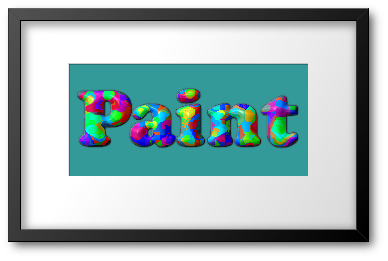
With this I created the overlay using MH Paint
Image

_________________
Image
No matter how much you push the envelope, it'll still be stationery.


Top
 Post subject: Re: Bevel Reflect Logo V1.6
PostPosted: Fri Feb 27, 2015 10:34 am  (#1077) 
Offline
GimpChat Member

Joined: Feb 23, 2015
Posts: 7
Hi GnuTux,
Many thanks for the help you posted above,
Ken


Top
 Post subject: Re: Bevel Reflect Logo V1.6
PostPosted: Fri Feb 27, 2015 11:13 am  (#1078) 
Offline
GimpChat Member
User avatar

Joined: Mar 10, 2014
Posts: 845
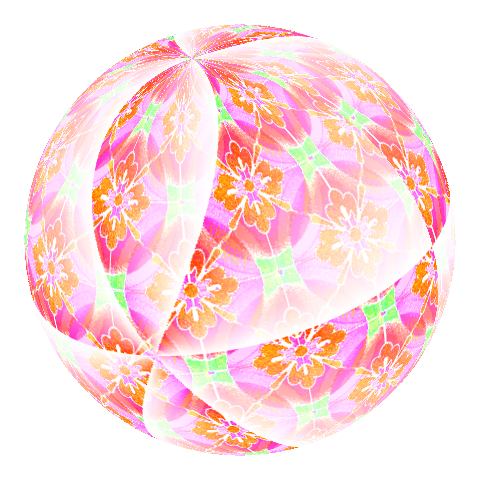
Do you want a nice fast map for BRL with MM(MathMap)?
1.new image square canvas 480x480
2.Filters>Generic>MathMap>Distorts>Angular Division
3.NewLayer where you put a color or a pattern; merge
4.Generic>MathMap>Map>Sphere
5.Color>ColorToAlpha make trasparent the black

use this map in BRL

exe.
Image
Image


Top
 Post subject: Re: Bevel Reflect Logo V1.6
PostPosted: Fri Feb 27, 2015 11:17 am  (#1079) 
Offline
GimpChat Member
User avatar

Joined: Jan 02, 2014
Posts: 137
Graechan wrote:
With this I created the overlay using MH Paint
[ Image ]

Mi casa es your house.


Top
 Post subject: Re: Bevel Reflect Logo V1.6
PostPosted: Fri Feb 27, 2015 12:05 pm  (#1080) 
Offline
GimpChat Member
User avatar

Joined: Mar 10, 2014
Posts: 845
Graechan wrote:
With this I created the overlay using MH Paint
[ Image ]

Am I close? Thk Graechan
Image


Top
Post new topic Reply to topic  [ 1370 posts ]  Go to page Previous  1 ... 51, 52, 53, 54, 55, 56, 57 ... 69  Next

All times are UTC - 5 hours [ DST ]


* Login  


Powered by phpBB3 © phpBB Group