It is currently Mon Jul 20, 2026 8:52 am


All times are UTC - 5 hours [ DST ]


Post new topic Reply to topic  [ 132 posts ]  Go to page Previous  1 ... 3, 4, 5, 6, 7
Author Message
 Post subject: Re: Metal-Text release 7 [additional menu settings]
PostPosted: Mon Jul 18, 2016 12:55 am  (#121) 
Offline
Script Coder
User avatar

Joined: Feb 18, 2011
Posts: 4826
Location: Bendigo Vic. Australia
now undo and run with 'metal finish type' set to bronze
Image

_________________
Image
No matter how much you push the envelope, it'll still be stationery.


Top
 Post subject: Re: Metal-Text release 7 [additional menu settings]
PostPosted: Mon Jul 18, 2016 1:05 am  (#122) 
Offline
Administrator
User avatar

Joined: Aug 10, 2012
Posts: 14126
Location: Native to NYC living in Arizona, Gimp 2.8 - 3.0, Win 11 PC.
Graechan wrote:
now undo and run with 'metal finish type' set to bronze

Did it and here's my results.

Image
What do you make of this?

_________________
Image
"A wise man learns more from a foolish question than a fool can learn from a wise answer"
Image


Top
 Post subject: Re: Metal-Text release 7 [additional menu settings]
PostPosted: Mon Jul 18, 2016 1:21 am  (#123) 
Offline
Script Coder
User avatar

Joined: Feb 18, 2011
Posts: 4826
Location: Bendigo Vic. Australia
can you open your 'metal text.scm in a text editor and at the very start of the script is written the version number below is an example, what does yours say?

; Metal Text rel 0.06
; Created by Graechan
;

_________________
Image
No matter how much you push the envelope, it'll still be stationery.


Top
 Post subject: Re: Metal-Text release 7 [additional menu settings]
PostPosted: Mon Jul 18, 2016 1:23 am  (#124) 
Offline
Administrator
User avatar

Joined: Aug 10, 2012
Posts: 14126
Location: Native to NYC living in Arizona, Gimp 2.8 - 3.0, Win 11 PC.
Graechan wrote:
can you open your 'metal text.scm in a text editor and at the very start of the script is written the version number below is an example, what does yours say?
; Metal Text rel 0.06
; Created by Graechan
;

Look.
Image

_________________
Image
"A wise man learns more from a foolish question than a fool can learn from a wise answer"
Image


Top
 Post subject: Re: Metal-Text release 7 [additional menu settings]
PostPosted: Mon Jul 18, 2016 1:38 am  (#125) 
Offline
Script Coder
User avatar

Joined: Feb 18, 2011
Posts: 4826
Location: Bendigo Vic. Australia
Wallace I have already fixed your bug, remove your script and install 'Metal-Text release 7' from GimpScripts :hi5

_________________
Image
No matter how much you push the envelope, it'll still be stationery.


Top
 Post subject: Re: Metal-Text release 7 [additional menu settings]
PostPosted: Mon Jul 18, 2016 1:44 am  (#126) 
Offline
Administrator
User avatar

Joined: Aug 10, 2012
Posts: 14126
Location: Native to NYC living in Arizona, Gimp 2.8 - 3.0, Win 11 PC.
Graechan wrote:
Wallace I have already fixed your bug, remove your script and install 'Metal-Text release 7' from GimpScripts :hi5

I downloaded release 7.
I tested them all and it's a go!

Image
CHEERS!

_________________
Image
"A wise man learns more from a foolish question than a fool can learn from a wise answer"
Image


Top
 Post subject: Re: Metal-Text release 7 [additional menu settings]
PostPosted: Mon Jul 18, 2016 2:10 am  (#127) 
Offline
Script Coder
User avatar

Joined: Feb 18, 2011
Posts: 4826
Location: Bendigo Vic. Australia
Now you can try BKG set to none

_________________
Image
No matter how much you push the envelope, it'll still be stationery.


Top
 Post subject: Re: Metal-Text release 7 [additional menu settings]
PostPosted: Mon Jul 18, 2016 2:29 am  (#128) 
Offline
Administrator
User avatar

Joined: Aug 10, 2012
Posts: 14126
Location: Native to NYC living in Arizona, Gimp 2.8 - 3.0, Win 11 PC.
Graechan wrote:
Now you can try BKG set to none

Image
Image

_________________
Image
"A wise man learns more from a foolish question than a fool can learn from a wise answer"
Image


Top
 Post subject: Re: Metal-Text release 7 [additional menu settings]
PostPosted: Mon Jul 18, 2016 2:53 am  (#129) 
Offline
Script Coder
User avatar

Joined: Feb 18, 2011
Posts: 4826
Location: Bendigo Vic. Australia
:bigthup

_________________
Image
No matter how much you push the envelope, it'll still be stationery.


Top
 Post subject: Re: Metal-Text release 7 [additional menu settings]
PostPosted: Mon Jul 18, 2016 2:56 am  (#130) 
Offline
GimpChat Member
User avatar

Joined: Jan 13, 2011
Posts: 2646
Location: Poland
Another small issue:
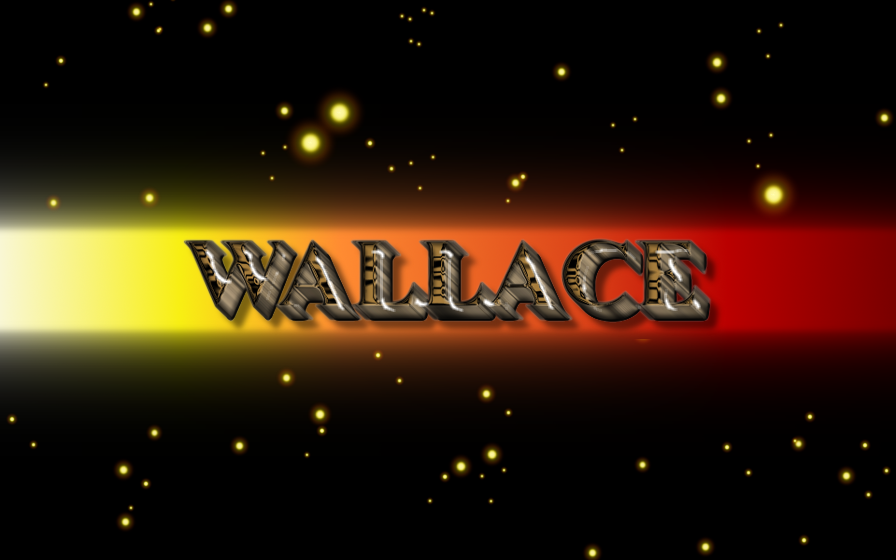
Wallace used before the start of two layers.
It gives me an message(no error - script works):
Procedure execution of gimp-image-lower-layer failed: Layer cannot be lowered more.
When you start in one layer works without message.


Attachments:
Message metaltext.png
Message metaltext.png [ 17.99 KiB | Viewed 1565 times ]

_________________
Image
Top
 Post subject: Re: Metal-Text release 7 [additional menu settings]
PostPosted: Sat Jul 18, 2026 12:41 am  (#131) 
Offline
Global Moderator
User avatar

Joined: May 16, 2010
Posts: 16123
I really enjoyed this old script originaly written by Graechan so i fixed it for Gimp-2.10.38
Fixed the plug-in-displace part of the script. :bigthup
Image

Below is the script and the font.
You will find it under Script-Fu>Logos> and Script-Fu>Alpha to logo.


Attachments:
JasmineUPC Bold.zip [38.64 KiB]
Downloaded 2 times
metal-text.scm [44.66 KiB]
Downloaded 4 times

_________________
Image
Top
 Post subject: Re: Metal-Text release 7 [additional menu settings]
PostPosted: Sat Jul 18, 2026 1:09 am  (#132) 
Offline
Global Moderator
User avatar

Joined: May 16, 2010
Posts: 16123
Results from Metal Alpha. :bigthup

Image

_________________
Image


Top
Post new topic Reply to topic  [ 132 posts ]  Go to page Previous  1 ... 3, 4, 5, 6, 7

All times are UTC - 5 hours [ DST ]


* Login  


Powered by phpBB3 © phpBB Group