It is currently Thu Sep 24, 2026 12:53 pm


All times are UTC - 5 hours [ DST ]


Post new topic Reply to topic  [ 41 posts ]  Go to page Previous  1, 2, 3  Next
Author Message
 Post subject: Re: Elsamuko National Geographic Explained???
PostPosted: Thu Oct 12, 2017 11:56 am  (#21) 
Offline
GimpChat Member
User avatar

Joined: Jan 20, 2013
Posts: 14835
Location: roma, italy
Well, it's difficult to comment on a tutorial which does not correspond to the (current) status of the filter.
If I find the necessary time I will try to write a description of the steps closer to the filter source, as downloaded.
Maybe tonight or tomorrow, it will take some time.

_________________
"Where am I ?"


Top
 Post subject: Re: Elsamuko National Geographic Explained???
PostPosted: Thu Oct 12, 2017 12:19 pm  (#22) 
Offline
GimpChat Member

Joined: Oct 11, 2017
Posts: 16
Thank you, mister, thats very kind of you.

Just to give more light, i made an experiment with running the script as it is and on the result i disabled all layers except the Shadow recovery layer.
Then on the same image, in new window i did this:
1 made one copy of the original, desaturated and inverted it. Added a layer mask to that copy and copied and pasted itself into its layer mask. Blurred the layer mask at 20%, set the mode to overlay at 60% opacity - and BOOM the result looks exactly same as in the original...
Which means to me, the two copys are not necessary, the first one in Addition mode is deleted anyway and only the second is used...

dinasset wrote:
Well, it's difficult to comment on a tutorial which does not correspond to the (current) status of the filter.
If I find the necessary time I will try to write a description of the steps closer to the filter source, as downloaded.
Maybe tonight or tomorrow, it will take some time.


Top
 Post subject: Re: Elsamuko National Geographic Explained???
PostPosted: Thu Oct 12, 2017 1:10 pm  (#23) 
Offline
GimpChat Member
User avatar

Joined: Jan 06, 2017
Posts: 204
ofnuts wrote:
..... Over on Gimp-Forum.net we can try to address specific points.


You have one "w" too many in the url link there ofnuts.. think you meant Gimp-Forum.net :)


Top
 Post subject: Re: Elsamuko National Geographic Explained???
PostPosted: Thu Oct 12, 2017 2:07 pm  (#24) 
Offline
GimpChat Member
User avatar

Joined: Jan 20, 2013
Posts: 14835
Location: roma, italy
OK, this is my description of the steps performed by the last version of this script.
I hope to have understood them correctly.
Just give a try.
Attachment:
NGdescription.zip [1.28 KiB]
Downloaded 97 times

_________________
"Where am I ?"


Top
 Post subject: Re: Elsamuko National Geographic Explained???
PostPosted: Thu Oct 12, 2017 2:23 pm  (#25) 
Offline
GimpChat Member

Joined: Oct 11, 2017
Posts: 16
Wow, mister, this was really quick.
I understand the description clearly.
This is a real gem, a treasure for me. (i was struggling with this the last year (not every day, but made some attempts in the time and never was satisfied with the result)).
i appreciate very much your help.
im not a rich guy, but if it does not offends/insults you, can i buy you at least a beer or coffee as users usually do for developers (via paypal or other way)?

dinasset wrote:
OK, this is my description of the steps performed by the last version of this script.
I hope to have understood them correctly.
Just give a try.
Attachment:
NGdescription.zip


Top
 Post subject: Re: Elsamuko National Geographic Explained???
PostPosted: Thu Oct 12, 2017 2:29 pm  (#26) 
Offline
GimpChat Member
User avatar

Joined: Jan 20, 2013
Posts: 14835
Location: roma, italy
Thanks for the proposal, I'll take it "virtually" in the sense that tomorrow morning I will drink my first coffee thinking to you while NG-izing your images, hehehe...
Good night, sir.

_________________
"Where am I ?"


Top
 Post subject: Re: Elsamuko National Geographic Explained???
PostPosted: Thu Oct 12, 2017 3:37 pm  (#27) 
Offline
GimpChat Member

Joined: Oct 11, 2017
Posts: 16
Thanks, sir, you are very kind.
I went thru and made it.
Hovewer, in 3 steps i am not really sure whether i did the right thing...

In phase 2 "apply the edge filter (SOBEL with 6.0 as amount)" means Filter - Edge-detect - edge ?

Then next step "apply levels stretch" means what? (i manipulated curves to get higher contrast)

And finally in phase 4 "add a mask to the "SCREEN" layer (ADD_COPY_MASK) and invert it" means what?
I copyed the screen layer and pasted into its own layer mask (while already set to screen mode) and inverted ... is it OK?
Thanks again and take your time to clarify this last if you will find a minute more for me.

dinasset wrote:
Thanks for the proposal, I'll take it "virtually" in the sense that tomorrow morning I will drink my first coffee thinking to you while NG-izing your images, hehehe...
Good night, sir.


Top
 Post subject: Re: Elsamuko National Geographic Explained???
PostPosted: Thu Oct 12, 2017 4:00 pm  (#28) 
Offline
GimpChat Member
User avatar

Joined: Nov 04, 2015
Posts: 1477
Quote:
Thanks for the proposal, I'll take it "virtually" in the sense that tomorrow morning I will drink my first coffee thinking to you while NG-izing your images

I'm glad it ended happily.
I'm still wondering why n@tional geogr@phic does all that post production on authentic, weather-beaten faces?
I bet they are digitally-enhancing eroded mountainsides as well.
I'll probably reach for time magazine next time I'm in a waiting room..... :rofl


Top
 Post subject: Re: Elsamuko National Geographic Explained???
PostPosted: Thu Oct 12, 2017 4:56 pm  (#29) 
Offline
GimpChat Member
User avatar

Joined: Apr 15, 2017
Posts: 1837
I like this filter. It allows you to increase contrast without crushing blacks or blowing out the highlights. It's a keeper for me, I'm glad I found out about it via this thread...


Top
 Post subject: Re: Elsamuko National Geographic Explained???
PostPosted: Thu Oct 12, 2017 10:36 pm  (#30) 
Offline
GimpChat Member
User avatar

Joined: Jan 20, 2013
Posts: 14835
Location: roma, italy
Hovewer, in 3 steps i am not really sure whether i did the right thing...

In phase 2 "apply the edge filter (SOBEL with 6.0 as amount)" means Filter - Edge-detect - edge ?
Yes, "Sobel" is the first choice of algorithm

Then next step "apply levels stretch" means what? (i manipulated curves to get higher contrast)
It means: Colors/Levels/Auto


And finally in phase 4 "add a mask to the "SCREEN" layer (ADD_COPY_MASK) and invert it" means what?
I copyed the screen layer and pasted into its own layer mask (while already set to screen mode) and inverted ... is it OK?"
It means: Greyscale copy of layer

Did you get good results from the procedure?

_________________
"Where am I ?"


Top
 Post subject: Re: Elsamuko National Geographic Explained???
PostPosted: Thu Oct 12, 2017 10:46 pm  (#31) 
Offline
GimpChat Member

Joined: Oct 11, 2017
Posts: 16
Yes, the result was perfect :)
Thank you, sir.
I suppose, for the Screen layer, the copying and pasting into the layer mask can be done while the layer is already in screen mode... no need to set it into normal mode for the copy and paste procedure and back in screen mode afterwards.

I had try both and saw no difference with naked eye...
The result was exactly the same as when running the script itself.

You are a Saver :)

dinasset wrote:
Hovewer, in 3 steps i am not really sure whether i did the right thing...

In phase 2 "apply the edge filter (SOBEL with 6.0 as amount)" means Filter - Edge-detect - edge ?
Yes, "Sobel" is the first choice of algorithm

Then next step "apply levels stretch" means what? (i manipulated curves to get higher contrast)
It means: Colors/Levels/Auto


And finally in phase 4 "add a mask to the "SCREEN" layer (ADD_COPY_MASK) and invert it" means what?
I copyed the screen layer and pasted into its own layer mask (while already set to screen mode) and inverted ... is it OK?"
It means: Greyscale copy of layer

Did you get good results from the procedure?


Top
 Post subject: Re: Elsamuko National Geographic Explained???
PostPosted: Thu Oct 12, 2017 11:12 pm  (#32) 
Offline
GimpChat Member
User avatar

Joined: Jan 20, 2013
Posts: 14835
Location: roma, italy
Yes, adding a mask does not require switching mode back and forth.

Now a curiosity from my side:
why did you ask for such a kind of "reverse engineering" while having the filter performing those steps? Is it to practice Gimp, understand its ways of doing things?

_________________
"Where am I ?"


Top
 Post subject: Re: Elsamuko National Geographic Explained???
PostPosted: Fri Oct 13, 2017 12:16 am  (#33) 
Offline
GimpChat Member

Joined: Oct 11, 2017
Posts: 16
No, sir,
The reason is, that Gimp does not supports macro recording. And i need to record as macro a very complex procedure, where NG script is one of the many steps.
So i am testing different image editors with macro recording possibility, to find one that can record the whole procedure i need to automatize...
I need to be able to replicate the NG script on any other editor...
I am watching the Gimp development, there are rumors about working on macro recording feature for years, but no reliable result so far...

And just to be sure - when copying a layer that has already the opacity set to a value lower than 100% and then pasting it into the layer mask, will also not be different as when it was copyed at 100% opacity?

dinasset wrote:
Yes, adding a mask does not require switching mode back and forth.

Now a curiosity from my side:
why did you ask for such a kind of "reverse engineering" while having the filter performing those steps? Is it to practice Gimp, understand its ways of doing things?


Top
 Post subject: Re: Elsamuko National Geographic Explained???
PostPosted: Fri Oct 13, 2017 12:36 am  (#34) 
Offline
GimpChat Member
User avatar

Joined: Jan 20, 2013
Posts: 14835
Location: roma, italy
OK, thanks, sorry for my curiosity.
About your question: I tried copying from a layer with 20%, then from a layer with 100% and I noticed no differences. You may try the same.

_________________
"Where am I ?"


Top
 Post subject: Re: Elsamuko National Geographic Explained???
PostPosted: Fri Oct 13, 2017 1:25 am  (#35) 
Offline
GimpChat Member

Joined: Oct 11, 2017
Posts: 16
No problem, i thank You very much for your priceless help.

dinasset wrote:
OK, thanks, sorry for my curiosity.
About your question: I tried copying from a layer with 20%, then from a layer with 100% and I noticed no differences. You may try the same.


Top
 Post subject: Re: Elsamuko National Geographic Explained???
PostPosted: Fri Oct 13, 2017 2:24 am  (#36) 
Offline
Global Moderator
User avatar

Joined: Apr 01, 2012
Posts: 8471
Location: On the other side of your screen
Very interesting thread. Glad it all turned out good.

_________________
Image
Free Fun Photo Editing & resources
Poems from the Lord
Gimp Newby
Gimp version 3.2.4 and GMIC-Qt 4.0.2 OS :- Windows 10 Home 64


Top
 Post subject: Re: Elsamuko National Geographic Explained???
PostPosted: Fri Oct 13, 2017 8:52 am  (#37) 
Offline
GimpChat Member
User avatar

Joined: Jan 06, 2017
Posts: 204
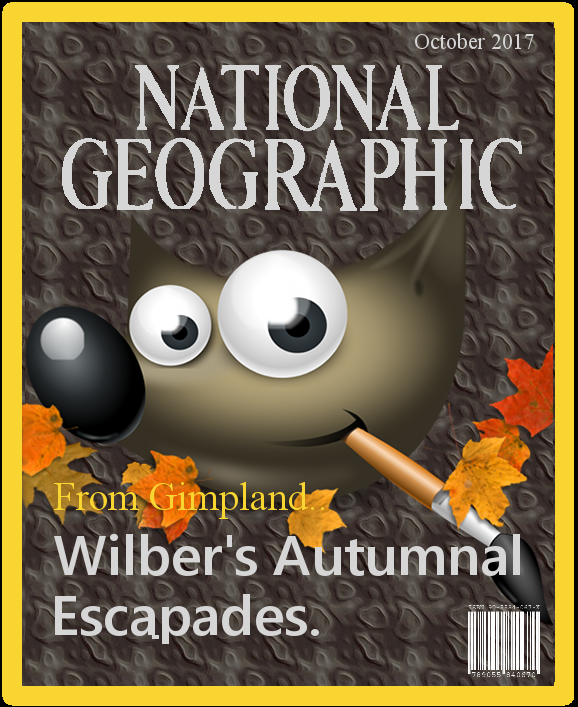
Read all about it.... !! lol :)

Image


Last edited by Zero01 on Fri Oct 13, 2017 9:16 am, edited 1 time in total.

Top
 Post subject: Re: Elsamuko National Geographic Explained???
PostPosted: Fri Oct 13, 2017 9:02 am  (#38) 
Offline
GimpChat Member
User avatar

Joined: Jan 20, 2013
Posts: 14835
Location: roma, italy
Can you access the article related to Gimp(land)?

_________________
"Where am I ?"


Top
 Post subject: Re: Elsamuko National Geographic Explained???
PostPosted: Fri Oct 13, 2017 9:17 am  (#39) 
Offline
GimpChat Member
User avatar

Joined: Jan 06, 2017
Posts: 204
Unfortunately not, as this is the "virtual" edition.. ;)


Top
 Post subject: Re: Elsamuko National Geographic Explained???
PostPosted: Fri Oct 13, 2017 12:02 pm  (#40) 
Offline
GimpChat Member

Joined: Oct 11, 2017
Posts: 16
Well, finally it seems i will need to wait until gimp implements macro recording...
I had try to reconstruct the NG procedure on two editors that has macro recording capability - Corel Paintshop and Affinity Photo ...
Both of them are missing blending modes as Value, Grain Extract, Grain Merge ... non of them is capable to decompopse image in HSV mode... (HSL is the closest)
Well... Vanitas vanitatum et omnia vanitas... Gimp is the best... pity it has no macro recording capabilities...


Top
Post new topic Reply to topic  [ 41 posts ]  Go to page Previous  1, 2, 3  Next

All times are UTC - 5 hours [ DST ]


* Login  


Powered by phpBB3 © phpBB Group