It is currently Mon Aug 31, 2026 6:06 pm


All times are UTC - 5 hours [ DST ]


Post new topic Reply to topic  [ 68 posts ]  Go to page Previous  1, 2, 3, 4  Next
Author Message
 Post subject: Re: Looking for a script or plugin
PostPosted: Mon Jun 02, 2014 10:26 pm  (#31) 
Offline
Script Coder
User avatar

Joined: Feb 18, 2011
Posts: 4826
Location: Bendigo Vic. Australia
I believe it's supposed to create a background for text
To use place 5 equally sized images into a directory then select that directory when you open the Menu
Menu Location is Script-Fu/Effects/Filmstrip Combine

Attachment:
Filmstrip Combine.scm [9.9 KiB]
Downloaded 212 times

_________________
Image
No matter how much you push the envelope, it'll still be stationery.


Top
 Post subject: Re: Looking for a script or plugin
PostPosted: Mon Jun 02, 2014 10:59 pm  (#32) 
Offline
Script Coder
User avatar

Joined: May 07, 2014
Posts: 4528
Location: Canada
script works flawlessly :bigthup
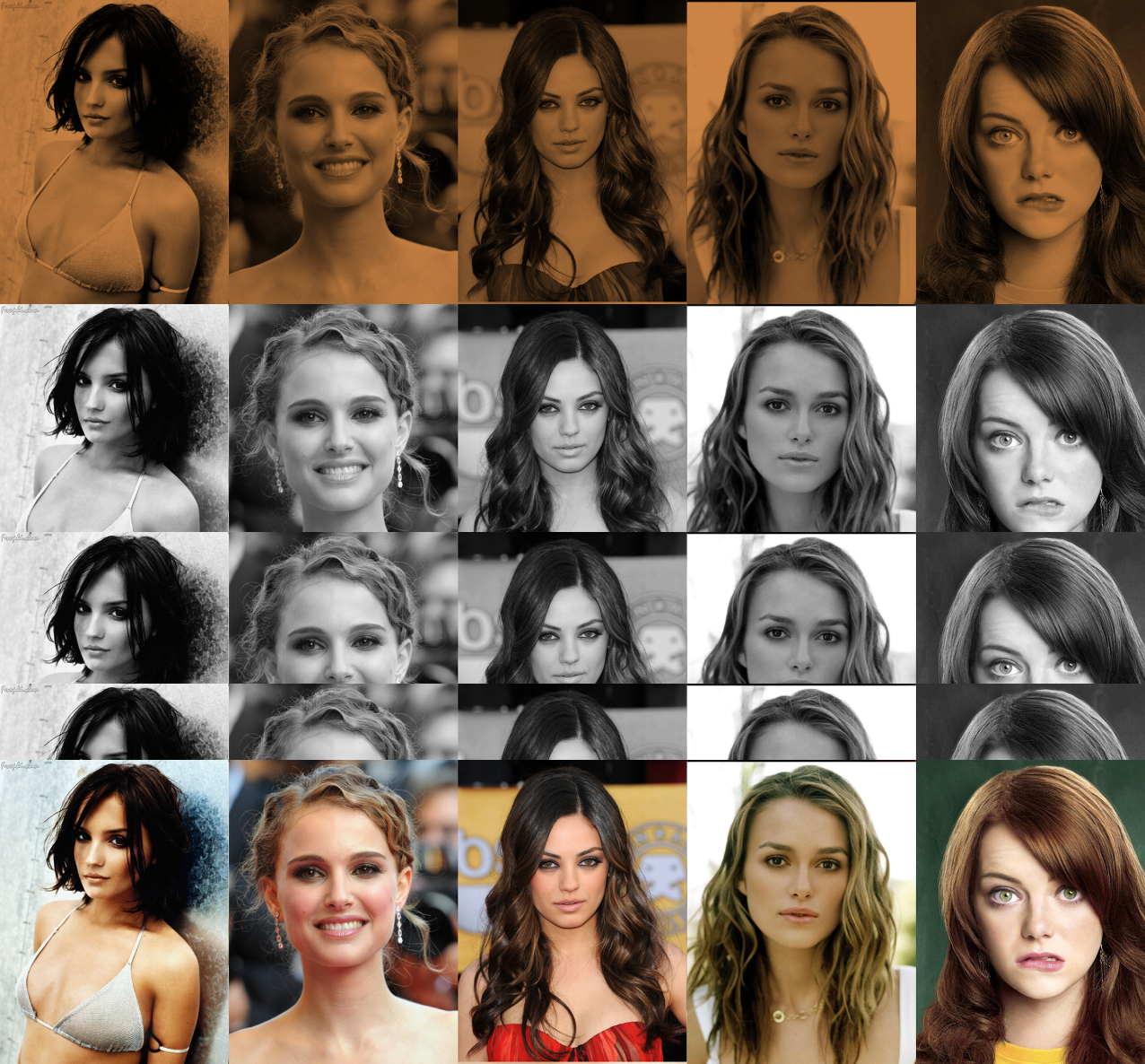
Rachael Leigh Cook, Natalie Portman, Mila Kunis, Keira Knightley, Emma Stone <-- internet promotion purposes.
Image
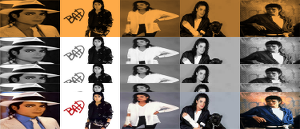
Will Smith, Tom Welling, Tom Cruise, Mark Wahlberg, Brad Pitt <-- for the gals, sorry about the low res I wasn't thinking when i grab these images.
Image

_________________
TinT


Top
 Post subject: Re: Looking for a script or plugin
PostPosted: Tue Jun 03, 2014 1:37 am  (#33) 
Offline
GimpChat Member
User avatar

Joined: Jul 06, 2013
Posts: 2662
Location: California
Here's my attempt:

Image

My original images were sized to 300 x 187 The final produced image shrunk to 300 x 129, Why is that? I really do like this plugin.


Top
 Post subject: Re: Looking for a script or plugin
PostPosted: Tue Jun 03, 2014 2:25 am  (#34) 
Offline
Script Coder
User avatar

Joined: Feb 18, 2011
Posts: 4826
Location: Bendigo Vic. Australia
the final width = the layers width, and the final height is proportional

_________________
Image
No matter how much you push the envelope, it'll still be stationery.


Last edited by Graechan on Tue Jun 03, 2014 6:45 pm, edited 1 time in total.

Top
 Post subject: Re: Looking for a script or plugin
PostPosted: Tue Jun 03, 2014 2:50 am  (#35) 
Offline
GimpChat Member
User avatar

Joined: Jul 06, 2013
Posts: 2662
Location: California
Oh, okay that's good to know. :)


Top
 Post subject: Re: Filmstrip Combine
PostPosted: Tue Jun 03, 2014 10:30 am  (#36) 
Offline
GimpChat Member
User avatar

Joined: Mar 10, 2014
Posts: 845
my test
Image


Top
 Post subject: Re: Looking for a script or plugin
PostPosted: Tue Jun 03, 2014 4:32 pm  (#37) 
Offline
Script Coder
User avatar

Joined: May 07, 2014
Posts: 4528
Location: Canada
Graechan wrote:
the final width = the layers width, and the final height should be 3.5 X the layers height

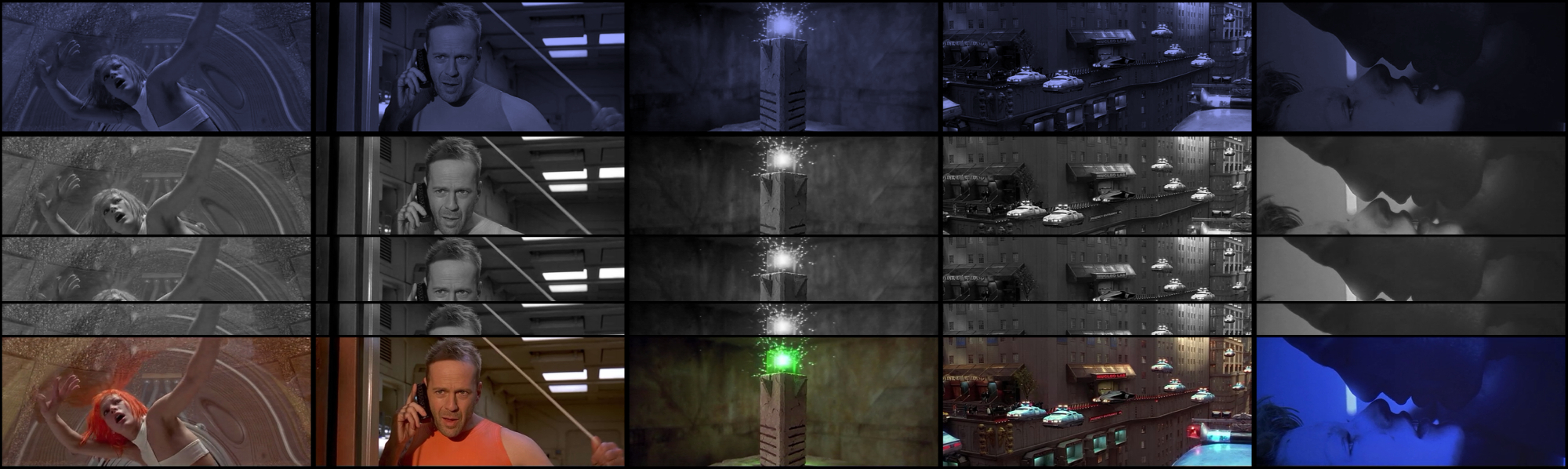
Oh that makes sense, that's why my male actors came out low-res. This is great to know. I just have to scale up my images to my liking.

Fifth Element (the movie)
Image

_________________
TinT


Top
 Post subject: Re: Filmstrip Combine
PostPosted: Wed Aug 06, 2014 6:37 pm  (#38) 
Offline
GimpChat Member
User avatar

Joined: Jul 06, 2013
Posts: 2662
Location: California
Graechan, is it possible to make an update to this script?

Something like this:
Image

Image

Image

Image

or this:
Image
(this one is just 6 images sliced & colorized.. icon is 343 x 343)

The images you see in the 4 banners are just one photo being made into a filmstrip after it's placed on a canvas of 500 x 220 or the photo itself is resized to 500 x 220 (not sure which) and then colorized and then sliced diagonally. Is it possible to make such an update to the script to where the script can do both options as well as the one that's already available?


Top
 Post subject: Re: Filmstrip Combine
PostPosted: Wed Aug 06, 2014 9:14 pm  (#39) 
Offline
Script Coder
User avatar

Joined: Feb 18, 2011
Posts: 4826
Location: Bendigo Vic. Australia
The script does what it does, to rotate 45 degrees just use the rotate tool and crop to a rectangular image will reduce size by half
if you require i have a script that crops an image to a rectangle after it is rotated

_________________
Image
No matter how much you push the envelope, it'll still be stationery.


Top
 Post subject: Re: Filmstrip Combine
PostPosted: Wed Aug 06, 2014 9:50 pm  (#40) 
Offline
GimpChat Member
User avatar

Joined: Jul 06, 2013
Posts: 2662
Location: California
Graechan wrote:
The script does what it does, to rotate 45 degrees just use the rotate tool and crop to a rectangular image will reduce size by half
if you require i have a script that crops an image to a rectangle after it is rotated


Oh, okay, just thought I'd ask if it would be possible to update the script. What's your script called?


Top
 Post subject: Re: Filmstrip Combine
PostPosted: Wed Aug 06, 2014 11:39 pm  (#41) 
Offline
Script Coder
User avatar

Joined: Feb 18, 2011
Posts: 4826
Location: Bendigo Vic. Australia
It's not my script but it's called 'crop rotated photos' from TDe software crop-rotated-photos

_________________
Image
No matter how much you push the envelope, it'll still be stationery.


Top
 Post subject: Re: Filmstrip Combine
PostPosted: Wed Aug 06, 2014 11:49 pm  (#42) 
Offline
GimpChat Member
User avatar

Joined: Jul 06, 2013
Posts: 2662
Location: California
Graechan wrote:
It's not my script but it's called 'crop rotated photos' from TDe software crop-rotated-photos


Interesting. I might check it out.


Top
 Post subject: Re: Filmstrip Combine
PostPosted: Thu Aug 07, 2014 12:29 am  (#43) 
Offline
GimpChat Member
User avatar

Joined: Dec 08, 2013
Posts: 1088
Works great thanks Graechan. Maybe a little redundant though ;-}

_________________
Image


Top
 Post subject: Re: Filmstrip Combine
PostPosted: Thu Aug 07, 2014 12:39 am  (#44) 
Offline
Script Coder
User avatar

Joined: Feb 18, 2011
Posts: 4826
Location: Bendigo Vic. Australia
I can't think of anything better at the moment

_________________
Image
No matter how much you push the envelope, it'll still be stationery.


Top
 Post subject: Re: Filmstrip Combine
PostPosted: Thu Aug 07, 2014 1:41 am  (#45) 
Offline
GimpChat Member
User avatar

Joined: Dec 08, 2013
Posts: 1088
I am going to try this script with that SHIFT LAYER script when I get back home. Try to create a shifting shadow like time lapse. I see it but can I reach it? OOPS with the perspective shadow script also :oops:

_________________
Image


Top
 Post subject: Re: Filmstrip Combine
PostPosted: Thu Aug 07, 2014 7:02 am  (#46) 
Offline
Global Moderator
User avatar

Joined: Apr 01, 2012
Posts: 8467
Location: On the other side of your screen
I didn't see this before today.
Here is my try
Image

Thank you Graechan for this script

_________________
Image
Free Fun Photo Editing & resources
Poems from the Lord
Gimp Newby
Gimp version 3.2.4 and GMIC-Qt 4.0.2 OS :- Windows 10 Home 64


Top
 Post subject: Re: Filmstrip Combine
PostPosted: Thu Aug 07, 2014 7:18 am  (#47) 
Offline
GimpChat Member
User avatar

Joined: Jan 20, 2013
Posts: 590
Graechan wrote:
It's not my script but it's called 'crop rotated photos' from TDe software crop-rotated-photos

If I try to go to the link I have a error message: "acess denied". ????
Would you post the script?

_________________
Image


Top
 Post subject: Re: Filmstrip Combine
PostPosted: Sat Aug 09, 2014 1:35 am  (#48) 
Offline
GimpChat Member
User avatar

Joined: Jul 06, 2013
Posts: 2662
Location: California
Here's what I got doing it manually:
Image
and Rich2005 was right, it didn't take long. It's actually kind of fun. Here's how I did it:
http://gimpforums.com/thread-filmstrip-combine


Top
 Post subject: Re: Filmstrip Combine
PostPosted: Sat Aug 09, 2014 1:42 am  (#49) 
Offline
Script Coder
User avatar

Joined: Feb 18, 2011
Posts: 4826
Location: Bendigo Vic. Australia
here is the script crop rotated photo's

Attachment:
Crop Rotated Photo.scm [5.94 KiB]
Downloaded 182 times

_________________
Image
No matter how much you push the envelope, it'll still be stationery.


Top
 Post subject: Re: Filmstrip Combine
PostPosted: Sat Aug 09, 2014 2:59 am  (#50) 
Offline
Global Moderator
User avatar

Joined: Apr 01, 2012
Posts: 8467
Location: On the other side of your screen
Where can that script be found once installed?

_________________
Image
Free Fun Photo Editing & resources
Poems from the Lord
Gimp Newby
Gimp version 3.2.4 and GMIC-Qt 4.0.2 OS :- Windows 10 Home 64


Top
Post new topic Reply to topic  [ 68 posts ]  Go to page Previous  1, 2, 3, 4  Next

All times are UTC - 5 hours [ DST ]


* Login  


Powered by phpBB3 © phpBB Group